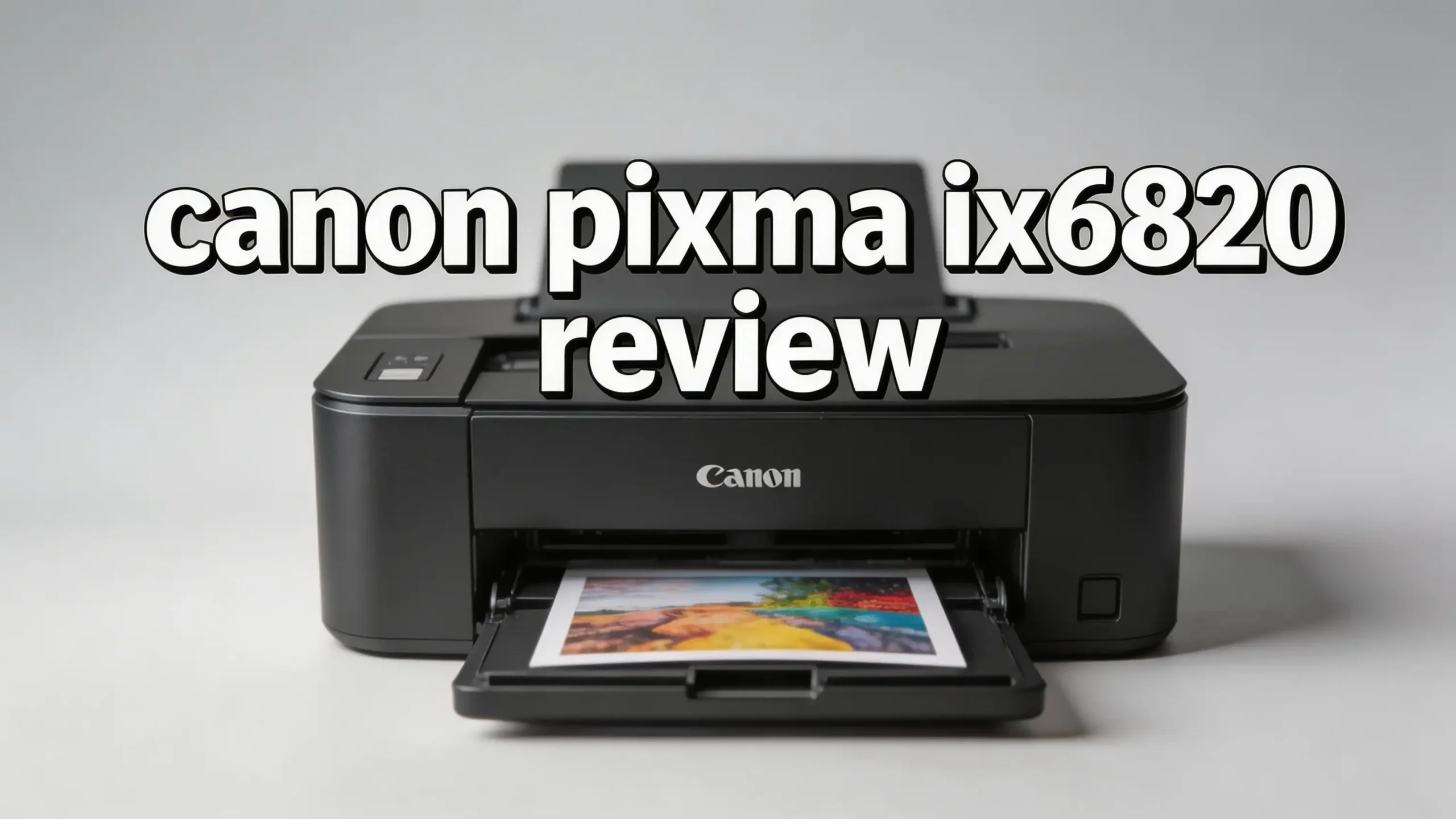
Are you looking for a wide format printer that can handle everything from everyday documents to stunning 13×19 inch prints?
The Canon PIXMA iX6820 has been a popular choice for years. It prints sharp text, vivid photos, and large format materials at an affordable price point. But does it still hold up in 2026?
In this Canon PIXMA iX6820 review, we break down every detail you need to know. We cover print quality, speed, wireless features, ink costs, and overall value.
Read on to discover if the Canon PIXMA iX6820 deserves a spot on your desk in 2026.
Key Takeaways
- The Canon PIXMA iX6820 prints on paper sizes up to 13×19 inches. This makes it a standout option for posters, spreadsheets, and large format photos. Most standard printers max out at letter or legal size, so this printer fills a real gap for users who need bigger prints.
- Print resolution reaches up to 9600 x 2400 dpi in color. This high resolution produces sharp, vibrant images with fine detail. Photo prints look professional and text documents appear crisp and clean.
- The five individual ink tank system saves money over time. You only replace the color that runs out. The printer uses PGI-250 and CLI-251 ink cartridges, and XL versions are available for higher page yields.
- Wireless connectivity includes Wi-Fi, AirPrint, and Google Cloud Print support. You can print from your iPhone, iPad, Android device, or laptop without any cables. The printer also includes USB 2.0 and Ethernet ports for wired connections.
- Canon has discontinued this model on their official website. Stock may become limited over time. Prices could fluctuate, so buying sooner may be a smart move if this printer fits your needs.
- Print speed sits at 14.5 images per minute for black and white, and 10.4 for color. These speeds work well for a home office or small business setting. A borderless 4×6 photo prints in about 36 seconds.
Canon PIXMA iX6820 Overview

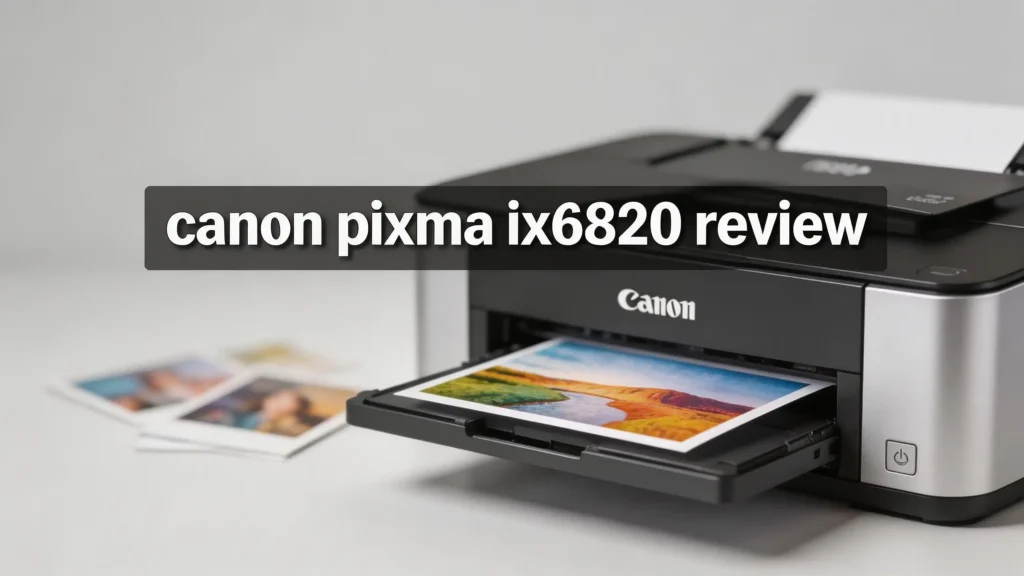
The Canon PIXMA iX6820 is a single function inkjet printer built for wide format printing. It does not scan, copy, or fax. It focuses entirely on printing, and it does that job well. The printer supports paper sizes from 4×6 inches up to 13×19 inches, which gives it a significant edge over standard home printers.
Canon released this model in 2014 as part of their PIXMA lineup. It uses a five color individual ink system with cyan, magenta, yellow, pigment black, and dye black inks. This dual black ink setup helps deliver sharp text on plain paper and rich tones in photos.
The printer connects through Wi-Fi, USB 2.0, and Ethernet. It measures 23 x 12.3 x 6.3 inches and weighs about 17.6 pounds. The rear paper tray holds up to 150 sheets of plain paper. Overall, the iX6820 offers a clean, focused printing experience without unnecessary extras.
Print Quality and Resolution
The Canon PIXMA iX6820 delivers outstanding print quality for its price range. It uses a maximum color resolution of 9600 x 2400 dpi, which places it among the best in its class. Photos come out with vivid colors, smooth gradients, and impressive detail.
Text documents look equally sharp. The dedicated pigment black ink produces dark, clean text on plain paper. This makes the printer suitable for business letters, reports, and professional materials. You will notice a clear difference compared to printers that rely on dye based black ink for text.
Photo printing is where the iX6820 truly shines. Borderless photo prints on glossy Canon paper show rich color accuracy and minimal banding. The 1 picoliter minimum ink droplet size contributes to smooth tonal transitions. If you print marketing materials, large photos, or portfolio pieces, this printer delivers professional level output at a fraction of the cost of dedicated photo printers.
Print Speed Performance
Speed matters for busy offices and deadline driven projects. The Canon PIXMA iX6820 prints at 14.5 images per minute (ipm) in black and white and 10.4 ipm in color. These numbers reflect Canon’s standardized testing for document printing.
A borderless 4×6 photo takes about 36 seconds. Larger prints on 13×19 paper take longer, especially at the highest quality settings. If you print large photos frequently, expect to wait a few minutes per page at maximum resolution.
For everyday document printing, the speed feels adequate. It handles multi page reports and spreadsheets without noticeable lag. However, this is not a high volume production printer. If your office prints hundreds of pages daily, a laser printer or a faster inkjet would serve you better. The iX6820 works best for moderate volume printing where quality matters more than raw speed.
Top 3 Alternatives for Canon PIXMA iX6820

- Don't get stuck in an 8 inches x 10 inches world; Print your favorite photos up to 13 inches x...
- With a 6 color ink system including gray ink and 9600 x 2400 maximum color dots per inch, the...

- Keep your business running smoothly with this high-performance Epson EcoTank printer. An...
- Built-in wireless (802.11b/g/n) allows you to print from virtually anywhere.

- Print, copy, scan and fax all from 1 machine with this Epson WorkForce Pro WF-7840 Wireless...
- Built-in wireless (802.11a/b/g/n/ac) connection offers cable-free convenience.
Wireless and Connectivity Features
The Canon PIXMA iX6820 offers multiple connectivity options that keep your workflow flexible. Wi-Fi support lets you print from anywhere in your home or office. You do not need to sit next to the printer or run cables across the room.
Apple AirPrint support means you can print directly from your iPhone, iPad, or Mac without installing extra software. Android users can print through the Canon PRINT app or Google Cloud Print compatible services. This makes mobile printing simple and fast.
The printer also includes a USB 2.0 port for direct connection to a single computer. An Ethernet port provides a stable wired network connection, which is useful for offices where Wi-Fi can be inconsistent. The Canon PRINT Inkjet/SELPHY app gives you control over settings, ink levels, and printing from your smartphone.
One thing to note: the printer does not have a touchscreen or LCD panel. You manage all settings through your computer or mobile device.
Paper Handling and Media Support
The Canon PIXMA iX6820 handles a wide variety of paper types and sizes. It prints on plain paper, photo paper, envelopes, and specialty media. The maximum supported paper size is 13×19 inches, which makes it suitable for tabloid size spreadsheets, large photos, and marketing posters.
The rear paper tray holds up to 150 sheets of plain paper at a time. This is adequate for light to moderate printing. Heavy users may find themselves reloading the tray more often than they would like.
The printer supports Canon genuine photo papers including Photo Paper Pro Platinum, Photo Paper Plus Glossy II, and Matte Photo Paper. It also works well with third party inkjet papers. You can print on sticker sheets, cardstock, and envelopes by adjusting the media settings in the driver. Borderless printing is available on select paper sizes. This flexibility makes the iX6820 a versatile choice for both office and creative tasks.
Ink System and Running Costs
The Canon PIXMA iX6820 uses a five individual ink tank system. The cartridges are the PGI-250 (pigment black) and CLI-251 (cyan, magenta, yellow, dye black). Each color sits in its own tank, so you only replace the one that runs dry.
Canon offers standard and XL sized cartridges. The XL versions provide significantly more ink per cartridge. Using XL cartridges lowers your per page printing cost. A full set of five XL cartridges typically costs between $60 and $80.
Ink costs add up over time, especially if you print a lot of photos. Color printing consumes more ink than plain text documents. For users who print heavily, the Epson EcoTank ET-15000 with its refillable tanks might be more cost effective in the long run. However, for moderate use, the iX6820’s ink system remains reasonable. The individual tank design ensures you never waste ink by replacing a full cartridge just because one color is empty.
Setup and Installation Process
Setting up the Canon PIXMA iX6820 is straightforward. The printer comes with a quick start guide that walks you through each step. You unbox the printer, remove all packaging materials, install the five ink cartridges, and load paper into the rear tray.
Wi-Fi setup requires a wireless router with WPS support for the easiest connection. You press the WPS button on your router and the corresponding button on the printer. The two devices connect within seconds. You can also set up Wi-Fi manually through the Canon PRINT app on your smartphone.
For wired connections, simply plug in a USB cable or Ethernet cable. The printer driver software is available for Windows and macOS. Canon’s website hosts the latest drivers for download. Installation takes about 10 to 15 minutes from start to finish. Most users report that the process is smooth and free of complications.
Design and Build Quality
The Canon PIXMA iX6820 has a clean, understated design in all black. It measures 23 x 12.3 x 6.3 inches, which makes it wider than most standard printers. This extra width accommodates 13 inch wide paper. The printer weighs 17.6 pounds, so it feels solid on a desk.
The rear paper tray folds up for storage when not in use. The output tray extends from the front to catch printed pages. Build quality is good for this price range. The plastic housing feels durable, and the paper feed mechanism works reliably.
There is no LCD screen on this printer. All controls are managed through your connected device. The power button and Wi-Fi indicator sit on the front panel. This minimal design keeps the printer looking tidy and professional. It fits well in an office setting or on a craft room table without drawing too much attention.
Who Should Buy the Canon PIXMA iX6820
This printer suits several types of users. Home office workers who need to print documents, charts, and occasional photos will appreciate its quality and wide format capability. Small business owners who print their own marketing materials, brochures, and flyers benefit from the 13×19 inch maximum size.
Crafters and artists love this printer for creating large prints, sticker sheets, and vinyl decals. Screen printers also use the iX6820 to produce high quality film positives. Its sharp output and affordable price make it a popular choice in the crafting community.
Students and educators who need to print large posters or presentation boards can use this printer effectively. Photographers who want affordable large format prints will find the photo quality impressive for the cost.
Who should skip this printer? Anyone who needs scanning, copying, or faxing. Anyone who prints hundreds of pages per day. And anyone who wants extremely low per page ink costs. For those users, an all in one or EcoTank style printer works better.
Pros and Cons of the Canon PIXMA iX6820
Every product has strengths and weaknesses. Here is an honest look at the Canon PIXMA iX6820.
The pros are clear. Print quality is excellent for both text and photos. The 13×19 inch maximum paper size opens up creative and professional possibilities. Wireless connectivity with AirPrint and cloud printing is convenient. The five individual ink tanks let you replace only the color you need. The price is affordable for a wide format printer.
The cons deserve attention too. This is a print only device with no scanner or copier. There is no LCD screen for status checks or settings. The 150 sheet paper tray is small for heavy use. Ink costs can get high if you print lots of color photos. Canon has discontinued this model, which means future availability is uncertain.
Overall, the pros outweigh the cons for users who need quality wide format printing at a reasonable price. The lack of multifunction features is a deliberate design choice, not a flaw.
Canon PIXMA iX6820 vs Canon PIXMA iP8720
These two printers share a lot of DNA. Both print up to 13×19 inches. Both use similar five ink systems. Both offer Wi-Fi, USB, and AirPrint. So what is the difference?
The Canon PIXMA iP8720 adds a sixth ink tank in gray. This extra ink dramatically improves black and white photo printing. Grayscale images show smoother tones and finer detail on the iP8720. If you print black and white photos regularly, the iP8720 is the better choice.
The iX6820 uses a pigment black ink for text, which gives it an edge in document printing. Text appears sharper and more water resistant on plain paper. The iP8720 leans more toward photo printing, while the iX6820 balances photos and documents.
Price differences between the two fluctuate. Both sit in a similar range, though the iP8720 sometimes costs slightly more. Choose the iX6820 for mixed document and photo use. Choose the iP8720 if photos are your main priority.
Is the Canon PIXMA iX6820 Still Worth Buying in 2026
This is the big question. Canon has officially discontinued the PIXMA iX6820. However, it remains available through major retailers like Amazon and Best Buy. Prices may increase as stock decreases.
The printer still performs well in 2026. Print quality has not changed. The hardware remains reliable. Drivers are still available for current operating systems. Users continue to report positive experiences with this printer years after purchase.
The main risk is long term support. Canon may eventually stop releasing driver updates. Ink cartridge availability should remain stable for several more years since the PGI-250 and CLI-251 cartridges are widely used across multiple Canon models.
If you find the iX6820 at a good price, it remains a solid purchase. It delivers excellent value for wide format printing. If you prefer something currently in production with more features, the Epson EcoTank ET-15000 or Epson WorkForce Pro WF-7840 are strong alternatives.
But for focused, high quality, wide format printing at a budget friendly price, the Canon PIXMA iX6820 is still a worthy choice.
Final Verdict on the Canon PIXMA iX6820
The Canon PIXMA iX6820 earns a strong recommendation for users who need affordable wide format printing. Its 9600 x 2400 dpi resolution produces stunning photos and crisp text. The wireless features keep your setup flexible. The individual ink tank system saves money on replacements.
Yes, it lacks a scanner and copier. Yes, Canon has discontinued it. But the printer itself still delivers on its core promise. It prints beautifully on paper up to 13×19 inches, and it does so without breaking the bank.
For home offices, small businesses, crafters, and photography enthusiasts, the iX6820 remains a reliable and impressive printer in 2026. Grab one while stock lasts.
Frequently Asked Questions
Is the Canon PIXMA iX6820 discontinued?
Yes, Canon has officially discontinued the PIXMA iX6820 from their website. However, you can still find it available through Amazon, Best Buy, and other third party retailers. Ink cartridges for this printer remain widely available.
Can the Canon PIXMA iX6820 print on 13×19 paper?
Yes, the maximum supported paper size is 13×19 inches. This makes the printer ideal for large photos, posters, tabloid size documents, and marketing materials. It also supports borderless printing on select paper sizes.
Does the Canon PIXMA iX6820 have a scanner?
No, the Canon PIXMA iX6820 is a print only device. It does not include scanning, copying, or faxing capabilities. If you need those features, consider the Epson EcoTank ET-15000 or Epson WorkForce Pro WF-7840 as alternatives.
What ink cartridges does the Canon PIXMA iX6820 use?
The printer uses PGI-250 pigment black and CLI-251 color cartridges in cyan, magenta, yellow, and dye black. XL versions of each cartridge are available for better value and higher page yields.
Can I print from my phone with the Canon PIXMA iX6820?
Yes, the printer supports Apple AirPrint for iOS devices and the Canon PRINT app for Android. You can also use Google Cloud Print compatible services for wireless mobile printing.
How fast does the Canon PIXMA iX6820 print?
The printer delivers 14.5 images per minute in black and white and 10.4 images per minute in color for standard documents. A borderless 4×6 inch photo prints in approximately 36 seconds.
Is the Canon PIXMA iX6820 good for photo printing?
Yes, photo quality is one of the strongest features of this printer. The 9600 x 2400 dpi resolution, combined with the five ink system and 1 picoliter droplet size, produces vibrant and detailed photo prints on compatible glossy or matte paper.

Hi, I’m Sam! I’ve been passionate about technology for over a decade, fascinated by how innovative devices can transform our daily lives. As the founder of DeviceDiary.blog, I spend my days testing the latest gadgets, exploring AI innovations, and translating complex tech specs into practical insights.