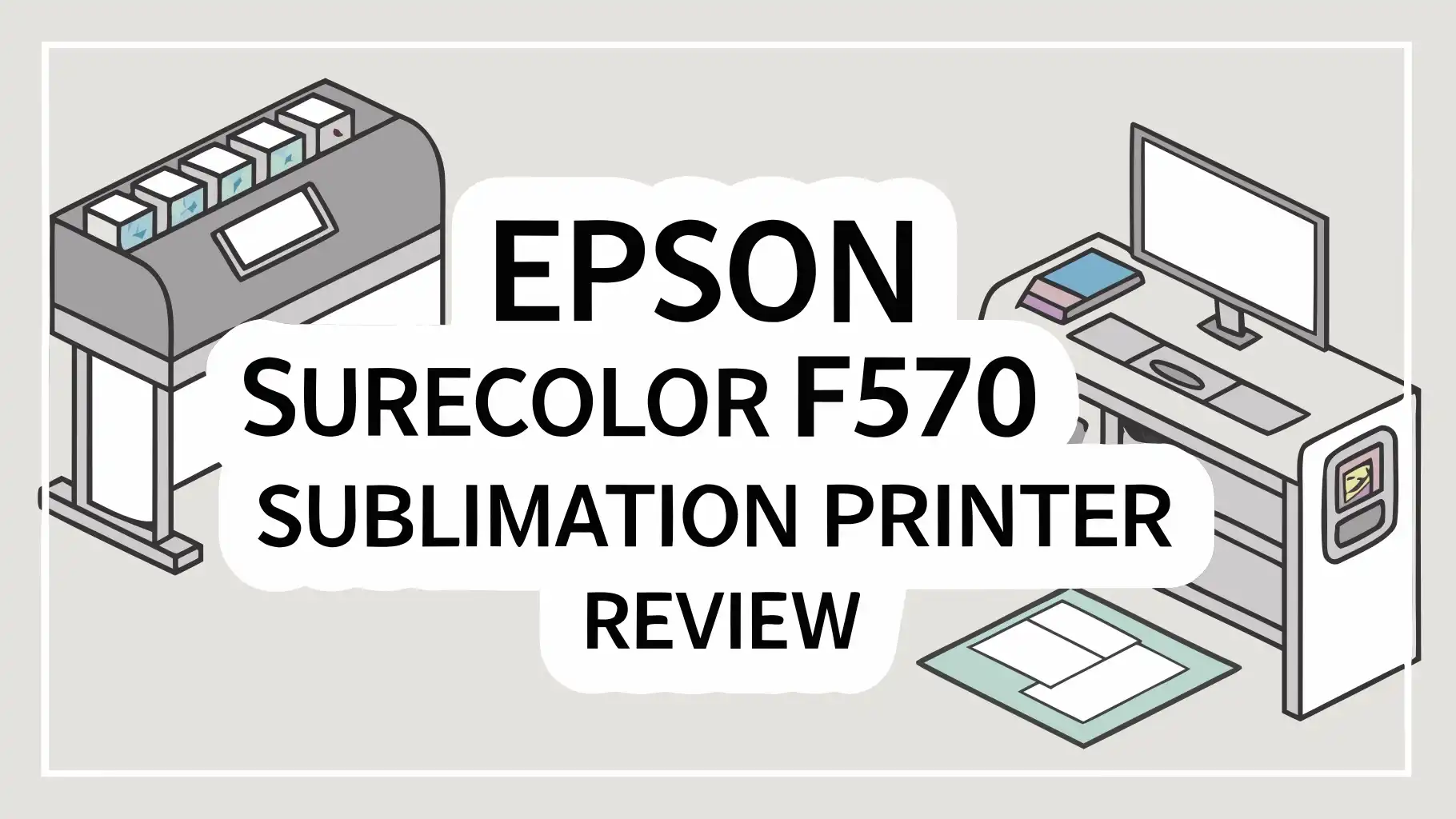
If you are looking for a sublimation printer that delivers professional quality prints without taking up your entire workspace, the Epson SureColor F570 might be exactly what you need.
This 24-inch dye-sublimation printer has become one of the most talked-about machines in the sublimation printing space.
In this review, we go deep into everything you need to know about this printer. We cover print quality, ink costs, software, build design, media support, and much more.
Key Takeaways
- Professional Grade Print Quality: The F570 uses Epson’s PrecisionCore MicroTFP printhead to deliver prints at up to 2,400 x 1,200 dpi. This means sharp images, accurate colors, and rich detail on every print job you run.
- Wide 24-Inch Print Format: Unlike compact sublimation printers that are limited to letter size output, the F570 prints up to 24 inches wide. This opens the door to banners, large apparel prints, wide fabric panels, and oversized custom products.
- High Capacity Ink System: The printer uses 140 ml UltraChrome DS ink bottles per color. This reduces how often you refill ink and keeps your cost per print lower over time compared to cartridge-based systems.
- Fast Print Speeds: The F570 is ranked as one of the fastest dye-sublimation printers in its class. Faster output means more jobs completed per day, which directly impacts your revenue if you run a printing business.
- Flexible Connectivity Options: You can connect this printer via USB, Ethernet, or Wi-Fi. This makes it easy to fit into any workspace setup whether you use a Mac or a Windows computer.
- Ideal for Small to Mid-Sized Businesses: The F570 is built for crafters, entrepreneurs, and small print shops who need a reliable, professional output without paying for an industrial-scale machine.
Epson SureColor F570 Sublimation Printer Overview

- This shipment ships LTL freight only
- Astounding Print Quality - PrecisionCore MicroTFP printhead offers Precision Droplet Control...
The Epson SureColor F570 is a 24-inch desktop dye-sublimation printer designed for small businesses and serious crafters. Epson built this printer to serve users who need professional-level sublimation output without a large-format industrial setup.
It handles everything from mugs and awards to apparel, mouse pads, tote bags, and promotional items. The printer comes ready to print right out of the box with drivers optimized for both Mac and Windows systems.
It also includes two full sets of dye-sublimation ink and sublimation paper in the box, so you can start printing almost immediately after unboxing.
The F570 Pro edition adds even more value with enhanced features and software tools. Users across platforms consistently praise its output quality and ease of use, making it a top choice in its price range.
Key Specifications at a Glance
Understanding the specifications helps you decide whether a printer fits your needs. The F570 uses Epson’s PrecisionCore Micro TFP 4-channel printhead with 3,200 total nozzles.
The maximum print resolution is 2,400 x 1,200 dpi, which delivers sharp and accurate images. It supports media widths from 8 inches up to 24 inches and accommodates roll feed as well as cut sheet media.
The printer uses UltraChrome DS dye-sublimation ink in four colors: Cyan, Magenta, Yellow, and Black. Ink bottles hold 140 ml each, which is a generous capacity for a desktop unit. The printer connects via USB 3.0, Ethernet, and integrated Wi-Fi.
It features a 4.3-inch color LCD touchscreen for managing print jobs. The printer weighs approximately 57.3 lbs without the stand, making it manageable for a desktop setup.
Print Quality and Color Accuracy
Print quality is where the Epson F570 truly stands out from the competition. The PrecisionCore MicroTFP printhead uses precision droplet control technology to place ink with extreme accuracy on every pass.
The result is fine detail, smooth gradients, and consistent color across the entire print surface. The printer outputs at 2,400 x 1,200 dpi, which is high enough for photo-quality sublimation transfers.
The UltraChrome DS ink is specially formulated to produce rich color saturation with strong contrast, so images appear vibrant and detailed after transfer.
Nozzle Verification Control technology monitors nozzle conditions automatically and makes adjustments when needed. This means you get consistent quality without constant manual intervention.
Compared to converted EcoTank printers or entry-level sublimation units, the color accuracy improvement is significant, especially for reds, blues, and skin tones.
Top 3 Alternatives for Epson SureColor F570

- Confidence - Epson authorized partner. Original Epson Manufactured product delivered in...
- Genuine Epson Ink Included - Comes with a full set of OEM Epson sublimation inks, certified ECO...

- Professional-Grade Print Quality: The Sawgrass SG500 delivers professional-grade sublimation...
- Rich & Vivid CMYK Sublimation Printing Inkset: Includes a full starter set of 20ml SubliJet UHD...

- Keep your business running smoothly with this high-performance Epson EcoTank printer. An...
- Built-in wireless (802.11b/g/n) allows you to print from virtually anywhere.
Print Speed and Productivity
Speed matters when you are running a business and filling orders daily. The Epson F570 uses a 1.33-inch printhead with 800 nozzles per color to move through print jobs faster than most printers in its class.
For a standard letter-size sublimation transfer, the printer can produce output at high quality in around 35 seconds.
Larger 24-inch wide prints take longer but still finish at competitive speeds. Faster print speeds mean more jobs per hour, which directly increases your earning potential.
The printer also features a 50-sheet auto feed tray that allows continuous printing without stopping to reload paper. This is a practical feature for production environments where time is money.
The built-in automatic cutter adds further efficiency by trimming finished prints without manual handling. For a desktop-class sublimation printer, the F570’s productivity is genuinely impressive.
Ink System and Running Costs
The ink system is one of the F570’s strongest selling points. It uses high-capacity 140 ml UltraChrome DS ink bottles in a tank-style reservoir system.
You fill the tanks directly from the bottles using an auto-stop mechanism that prevents overfilling and spills.
This is far more practical than managing small ink cartridges. Each ink color comes in a 140 ml bottle, and Epson offers replacement bottles at reasonable prices.
The cost per square inch works out favorably compared to cartridge-based systems when you factor in coverage. For businesses printing regularly, the lower ink cost per print can recover the machine’s upfront cost faster.
Compared to the Sawgrass SG1000, the F570 wins decisively on running costs, making it the better long-term investment for high-volume users. Using genuine Epson UltraChrome DS ink is strongly recommended to maintain optimal color accuracy and printhead health.
Design and Build Quality
The Epson F570 has a clean, professional look that fits well in any studio or workspace. The printer has a compact desktop form factor that is impressive given its 24-inch print width capability.
Epson designed the body to be space-efficient without cutting corners on durability. The unit is solidly constructed and feels like it was built to handle daily production workloads.
A 4.3-inch color LCD touchscreen sits prominently on the front panel, giving you easy access to all printer functions without needing a computer nearby.
The paper feed design is practical, with a roll feed at the back and a manual feed tray at the front for cut sheets. The built-in cutter adds to the clean workflow experience.
An optional stand is available separately if you want to give the printer its own floor space rather than placing it on a desk.
Software, Drivers, and Connectivity
The F570 Pro edition comes with Epson Edge Print Pro software, which includes Adobe PostScript 3 and PDF support. This professional print management software gives you precise control over color profiles, layout, and cost estimation.
Standard system drivers are also included, allowing you to print from virtually any design application on both Mac and Windows systems. The printer connects via USB 3.0, Ethernet, and integrated Wi-Fi, giving you full flexibility regardless of your workspace layout.
Setup is straightforward and most users report getting connected within minutes of unboxing. The 4.3-inch LCD touchscreen handles ink control, maintenance functions, and layout previews directly on the printer.
Epson also offers remote monitoring capabilities for production environments. Silhouette Studio and other popular design programs work seamlessly with the F570, which is a big plus for crafters already using those tools.
Media Support and Versatility
One of the biggest advantages of the F570 is its ability to handle a wide range of media. The printer supports paper widths from 8 inches up to 24 inches and accommodates both roll-fed and cut-sheet formats.
The 50-sheet auto feed tray handles standard cut sheets efficiently for smaller repeat jobs. The roll feed supports continuous printing of long transfers for banners or full-width fabric panels.
Epson’s general-purpose sublimation transfer paper works on both soft and hard substrates, including polyester fabrics, ceramic mugs, metal plates, mouse pads, tote bags, phone cases, and more. The versatility in output types makes the F570 a strong all-around business tool.
If you want to expand your product catalog, this printer supports that growth without requiring a second machine. The built-in cutter makes roll-fed printing even more practical by automatically trimming each print at the end of the job.
Setup and Ease of Use
Getting the F570 up and running is easier than you might expect for a professional printer. The package includes a “Start Here” setup poster that walks you through the entire process step by step.
Filling the ink tanks takes a few minutes and the auto-stop fill system makes it mess-free. Installing the drivers on both Mac and Windows is quick, and the installation wizard guides you through the entire process.
The 4.3-inch touchscreen makes day-to-day operation simple, even for users with limited printing experience. Print settings, color management, and maintenance tasks are all accessible directly from the touchscreen.
Most users report completing the full setup process in under an hour. The printer also includes a free remote installation service with the Pro edition, so an Epson technician can help you get fully configured over the internet if needed.
Who Should Buy the Epson F570?
The Epson F570 is not for everyone, but it is the right choice for a specific type of user. Small business owners who print custom sublimation products daily will get the most value from this printer.
If you sell personalized mugs, shirts, tote bags, awards, or promotional items, the F570 gives you the professional output and speed to meet customer demands.
Crafters who have outgrown converted EcoTank printers and need better color accuracy and a wider print format will find this upgrade worthwhile.
Print shops looking to add sublimation capabilities without investing in an industrial machine will also appreciate what this printer offers.
If you print on a regular basis, the lower ink cost per print and the high-capacity ink system make the upfront investment easier to justify.
However, hobbyists who print occasionally may find better value in the smaller Epson F170 or a budget EcoTank alternative.
Pros and Cons of the Epson F570
Pros:
- The print quality is outstanding for a desktop sublimation printer.
- The 24-inch wide format opens the door to a much larger range of products.
- The ink tank system keeps running costs manageable for high-volume users.
- Setup is easy and the included software is practical and capable.
- The printer is fast compared to competitors in its price class.
- Flexible connectivity makes integration into any workspace simple.
- The compact design saves space despite its 24-inch capability.
Cons:
- The upfront price is high compared to entry-level sublimation options.
- It requires polyester-coated or 100% polyester substrates for best results, which limits certain product types.
- The maintenance tank needs periodic replacement and adds to operating costs.
- Occasional printhead clogging can occur if the printer sits idle for extended periods.
- The optional stand is not included in the base price.
Maintenance Tips and Longevity
Proper maintenance keeps the F570 running at peak performance for years. Print regularly because this is the single most effective way to prevent printhead clogging. Even printing one test page every few days keeps the ink flowing through the nozzles.
Use the built-in head cleaning function if you notice banding or inconsistent color output. Avoid running the printer completely dry before refilling the ink tanks. Keep the printer in a clean, dust-free environment to protect the printhead.
Replace the maintenance tank before it reaches capacity to avoid ink overflow issues. Store sublimation ink and paper away from direct sunlight and humidity to preserve quality.
Users who maintain their F570 properly report many years of reliable service with minimal issues.
The Epson Preferred Limited Warranty covers the printer for one year, with toll-free support available Monday through Friday for troubleshooting and guidance.
Value for Money
The Epson SureColor F570 carries a significant price tag, but the value it delivers is equally significant. For users who print regularly and depend on consistent, professional-quality output, the investment makes financial sense.
The high-capacity ink system reduces per-print costs significantly compared to cartridge-based alternatives. The 24-inch wide format capability allows you to charge premium prices for larger custom products that smaller printers simply cannot produce.
The software tools included in the Pro edition add value that would otherwise cost extra with competing systems.
Compared to the Sawgrass SG1000, the F570 offers superior print size, lower ink costs, and a more capable software package for a similar or only slightly higher investment.
If you are serious about sublimation printing as a business, the F570 pays for itself over time through higher output, better quality, and lower ink costs per print.
Final Verdict
The Epson SureColor F570 earns its reputation as one of the best desktop sublimation printers on the market.
It delivers professional-grade print quality, supports a wide range of media, and keeps running costs reasonable through its high-capacity ink tank system.
The 24-inch wide format gives it a significant advantage over smaller competitors, and the setup process is refreshingly simple.
It is not the most affordable printer to buy outright, but for users who print frequently and need consistent, vibrant output, the F570 is a smart long-term investment.
Whether you are a crafter scaling up your business or a small print shop looking for a dependable sublimation workhorse, this printer delivers on its promises.
The Epson SureColor F570 gets a strong recommendation for anyone serious about sublimation printing in 2025.
Frequently Asked Questions
Is the Epson F570 a true sublimation printer or a converted printer?
The Epson F570 is a true purpose-built dye-sublimation printer. It comes from the factory with UltraChrome DS sublimation ink already installed. You do not need to convert it or modify it in any way. This is a major advantage over converted EcoTank printers, which require you to flush the original ink and replace it with third-party sublimation ink.
What can I print with the Epson SureColor F570?
You can print on a wide range of sublimation-ready products including polyester apparel, ceramic mugs, metal photo panels, mouse pads, tote bags, phone cases, awards, cushion covers, and promotional products. The key requirement is that the substrate must be made of polyester or coated with a polyester-receptive coating for the sublimation transfer to bond properly.
How often should I print with the Epson F570 to avoid clogging?
Printing at least a few times per week is the best practice to keep the printhead nozzles clear and prevent ink from drying inside the lines. If you plan to leave the printer idle for more than two weeks, run a head cleaning cycle and print a nozzle check page before resuming production. Regular use is the most effective maintenance strategy for this printer.
Does the Epson F570 work with third-party sublimation ink?
Epson strongly recommends using genuine UltraChrome DS ink for the F570. Using third-party ink can affect print quality, clog the printhead, and void your warranty. While some users do use compatible inks, the risk of printhead damage and inconsistent color output is higher. For business-critical work, sticking with genuine Epson ink is the safer choice.
What software works with the Epson F570?
The F570 Pro edition comes with Epson Edge Print Pro software that includes Adobe PostScript 3 and PDF support. It also uses standard system drivers that are compatible with most design applications including Adobe Photoshop, Illustrator, CorelDRAW, and Silhouette Studio. Most popular sublimation workflow tools recognize this printer without additional configuration.
How does the Epson F570 compare to the Sawgrass SG1000?
The Epson F570 wins in several areas. It prints wider at 24 inches, has lower ink costs per print due to the high-capacity bottle system, and includes more capable print management software. The Sawgrass SG1000 has a dedicated sublimation software ecosystem that some users prefer for its simplicity.
What is the warranty on the Epson SureColor F570?
The Epson SureColor F570 comes with the Epson Preferred Limited Warranty, which is a one-year program. It includes toll-free telephone support available Monday through Friday. The Pro edition also includes a free remote installation service that helps you get the printer configured correctly from the start.
Can I use the Epson F570 for fabric and apparel printing?
Yes. The F570 is well-suited for polyester fabric and apparel printing. It handles roll-fed fabric transfer paper up to 24 inches wide, making it practical for printing large apparel transfers, fabric panels, and sportswear graphics. The key limitation is that sublimation only works on substrates that are at least 50% polyester or higher for acceptable color vibrancy and wash durability.

Hi, I’m Sam! I’ve been passionate about technology for over a decade, fascinated by how innovative devices can transform our daily lives. As the founder of DeviceDiary.blog, I spend my days testing the latest gadgets, exploring AI innovations, and translating complex tech specs into practical insights.