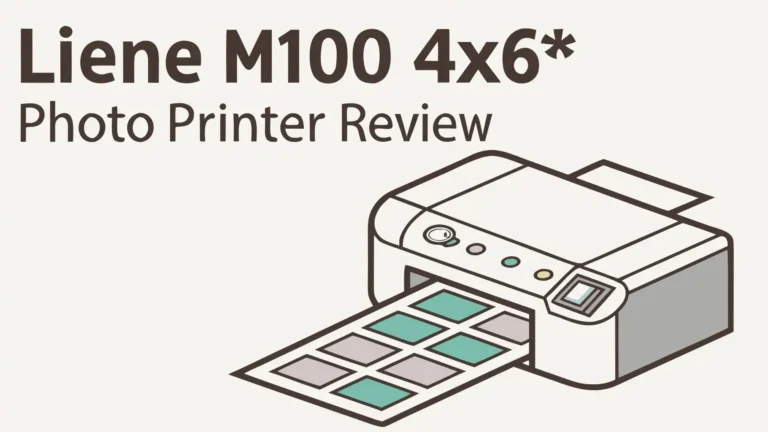

The HPRT Photo Printer offers a simple solution that lets you create beautiful 4×6 prints directly from your smartphone. This printer uses thermal dye sublimation technology to produce lab quality photos without any mess or fuss.
The HPRT printer addresses these concerns by offering wireless connectivity, portable design, and professional grade output.
In this detailed review, we will explore every aspect of this printer to help you decide if it fits your needs. You will learn about its features, print quality, setup process, and how it compares to other options on the market.

Key Takeaways
- Thermal Dye Sublimation Technology: The HPRT printer uses advanced thermal dye sublimation instead of traditional ink, which means you get waterproof and fade resistant prints that last for years without smudging or deteriorating.
- 300 DPI Resolution with 256 Color Gradation: This printer delivers professional quality images with sharp details and vibrant colors that match what you see on your phone screen, making it perfect for preserving precious memories.
- Wireless Connectivity Options: You can connect through Wi-Fi or Bluetooth from both iPhone and Android devices, giving you the flexibility to print from anywhere in your home without dealing with cables.
- Portable and Compact Design: The printer weighs less than 2 pounds and measures just a few inches across, which means you can easily move it around your house or even take it to parties and events for instant printing.
- Cost Effective Bundle Options: Most HPRT packages include 108 sheets of photo paper and 2 color ribbons, which gives you a low per print cost compared to buying individual supplies or using traditional photo services.
- No Ink Cartridge Hassles: Because this printer uses dye sublimation ribbons, you never need to worry about dried up ink or clogged printer heads that plague traditional photo printers.
Understanding HPRT Photo Printer Technology
The HPRT Photo Printer stands out because it uses thermal dye sublimation technology instead of traditional inkjet printing. This method works by heating colored dye and transferring it onto special photo paper.
The process creates continuous tone images rather than dots, which results in smoother gradients and more natural looking photos. Each print goes through four passes, with cyan, magenta, yellow, and a protective overcoat layer.
This protective layer makes your photos waterproof and resistant to fingerprints. The technology has been used by professional photo labs for decades, and now you can access it at home. The 300 DPI resolution might sound lower than some inkjet printers, but dye sublimation creates superior photo quality at this resolution.
The printer handles 256 levels of color gradation for each primary color, which allows for over 16 million possible color combinations. This wide color range ensures your photos look vibrant and true to life.
The thermal printing method also means faster print speeds, with each 4×6 photo completing in approximately 60 seconds. You do not need to wait for ink to dry because the dye is permanently embedded in the paper during the heating process.
HPRT Photo Printer Models and Specifications

- User-friendly and Portable: The HPRT photo printer features Wi-Fi connectivity and is portable...
- High Quality Photos: The HPRT CP4100 sublimation printer 4"x6" uses advanced thermal dye...
HPRT offers several photo printer models to meet different needs and budgets. The CP4100 model represents their flagship 4×6 printer with Wi-Fi connectivity and an LCD display for previewing prints before they come out. This model costs around $145 and includes generous starter supplies.
The CP2100 model is a smaller 2×3 portable printer that uses Bluetooth connectivity and fits in your bag for travel printing. This compact option costs about $75 and works great for creating small prints for journals and scrapbooks.
The MT53 model is another 2×3 option that uses ZINK zero ink technology instead of dye sublimation. Each model supports both iOS and Android devices through dedicated apps. The CP4100 offers the best balance of print size, quality, and features for home use.
It measures approximately 7.5 x 5.5 x 2.5 inches and weighs just 1.8 pounds. The printer supports photo paper sizes of 4×6 inches, which is the standard size for photo albums and frames. Some models also support ID photo printing with special templates in the app.
The CP4100 can print up to 18 photos on a full battery charge when you add the optional battery pack. All models come with USB charging cables and initial supplies to get you started immediately.
Setting Up Your HPRT Photo Printer
Setting up the HPRT Photo Printer takes less than 10 minutes from unboxing to your first print. First, remove all packaging materials and protective films from the printer body. Connect the power adapter and plug the printer into a wall outlet to ensure it has adequate power.
Download the HPRT Print app from the Apple App Store or Google Play Store on your smartphone. Open the app and create a free account to access all features and cloud printing options. Turn on the printer using the power button on the side, and it will enter pairing mode automatically on first use.
In the app, tap the add printer option and select Wi-Fi setup. The app will display a list of available printers, and you should see your HPRT model listed. Select your printer and enter your home Wi-Fi password when prompted.
The printer will connect to your network and show a confirmation light. Now you can load the photo paper cartridge by opening the paper tray at the back of the printer. Insert the paper stack with the glossy side facing up, following the arrows marked inside the tray.
Place the color ribbon cartridge in the designated slot and push until it clicks into place. The printer will automatically calibrate and perform a test cycle. Your printer is now ready to create beautiful photos. The entire process is straightforward and requires no technical knowledge. The app provides helpful visual guides if you get stuck at any step.
Print Quality and Performance Analysis
The HPRT Photo Printer delivers impressive print quality that rivals professional photo labs in most lighting conditions. Colors appear accurate and vibrant, with excellent skin tone reproduction that makes portraits look natural.
The 300 DPI resolution provides sharp details for standard viewing distances, though you might notice slight softness if you examine prints very closely. The continuous tone nature of dye sublimation eliminates the visible dot patterns that sometimes appear in inkjet prints.
Shadow details remain clear without crushing blacks, and highlights maintain texture without blowing out. The printer handles gradients smoothly, making sunset photos and sky shots look particularly good. Color saturation is strong without being oversaturated, which creates a pleasing visual impact.
The protective overcoat gives prints a subtle sheen that enhances perceived sharpness. Photos feel professional when you hold them, with a thick and sturdy quality to the paper. The waterproof coating means you can touch prints immediately without worrying about smudges.
We tested the printer with various photo types including landscapes, portraits, action shots, and low light images. Landscape photos showed excellent color range with vivid greens and blues. Portrait photos captured accurate skin tones across different lighting situations.
Action shots maintained sharpness in the main subject areas. Low light photos showed some noise, but this reflects the source image quality rather than printer limitations. The printer maintains consistent quality across the entire print run without color shifts.
Top 3 Alternatives for HPRT Photo Printer

- The sleek and modern design of the SELPHY CP1500 is reflected in how easy it is to use even...
- Thanks to a small footprint, the SELPHY CP1500 is incredibly portable, and with an optional...

- Dock Photo Printer: The KODAK Dock Plus is a home photo printer that produces high-quality...
- Genuine 4PASS dye sublimation printing: Each photo is produced in three color layers and...

- THE EVERYTHING BOX: The Hi-Print Everything Box has everything you need to get started. This...
- FIND IT, PRINT IT, STICK IT: It’s just that simple with Polaroid Hi-Print. Customize and...
Wireless Connectivity and Mobile App Features
The HPRT Photo Printer excels in wireless connectivity with both Wi-Fi and Bluetooth options. The Wi-Fi connection provides faster data transfer and more stable performance for batch printing sessions. You can print from multiple devices on your home network without re-pairing each time.
The Bluetooth option works great when you need to print at locations without Wi-Fi access. The HPRT Print app serves as your control center for all printing functions. The app interface is clean and intuitive with large buttons for common tasks.
You can browse your phone’s photo library or access cloud storage services directly within the app. The editing tools let you crop, rotate, and adjust brightness before printing. Filter options include black and white, sepia, and various artistic effects.
You can add text overlays, borders, and decorative frames to personalize your prints. The collage maker combines multiple photos into creative layouts. Template options help you create specific print types like ID photos or photo strips.
The app remembers your printer settings and preferences for quick access next time. You can also create print queues to process multiple photos without constant supervision. Cloud printing features let you access photos stored on Google Photos or iCloud.
The app receives regular updates that add new features and improve stability. Customer reviews praise the app’s reliability and ease of use.
Paper and Ribbon Costs Breakdown
Understanding the ongoing costs of photo printing helps you budget appropriately. The HPRT Photo Printer uses a two component consumable system with photo paper and color ribbons.
Each color ribbon prints approximately 54 photos before replacement. Photo paper typically comes in packs of 54 sheets that match the ribbon capacity. When you buy the standard combo pack, the cost per print averages around $0.27 to $0.30.
This pricing is competitive with drugstore photo printing and much cheaper than specialty photo shops. The initial bundle that comes with most printer purchases includes 108 sheets and two ribbons, giving you immediate value. Replacement supplies are widely available on Amazon and the HPRT website. The paper quality is high with good thickness and a professional finish.
You never waste prints on paper jams or ink smears because the thermal process is reliable. The total cost of ownership remains low compared to inkjet photo printers that require multiple expensive ink cartridges.
You also avoid the problem of ink drying out between printing sessions. Buying supplies in bulk quantities lowers the per print cost even further. Some users report getting exactly 54 prints per ribbon with no degradation in quality on the final prints.
The paper is compatible only with HPRT printers, which means you cannot use generic alternatives. However, the reasonable pricing makes this less concerning than proprietary supplies for other printer brands.
Design and Build Quality Assessment
The HPRT Photo Printer features a modern and minimalist design that fits well in any home environment. The beige color option offers a warm aesthetic that differs from typical black electronics. The plastic housing feels solid without excessive weight.
All controls and ports are clearly labeled and easy to access. The paper tray slides smoothly and holds the full 54 sheet capacity securely. The ribbon compartment uses a simple click in mechanism that prevents incorrect installation.
Ventilation slots on the sides prevent overheating during extended printing sessions. The power button provides tactile feedback with a satisfying click. LED indicators show power status and printing progress clearly. The compact footprint means you can store the printer on a bookshelf or in a drawer when not in use.
Some users note that the lightweight construction might feel less premium than heavier metal bodied printers. However, this lightness contributes to portability and ease of handling. The printer sits stable on flat surfaces without wobbling during operation.
No sharp edges or rough seams could catch on hands or surfaces. The overall build quality matches the affordable price point while maintaining functionality. Regular cleaning is simple with just a dry cloth to wipe the exterior. The internal components remain protected from dust and debris when the paper tray is closed.
Printing Speed and Efficiency
The HPRT Photo Printer completes each 4×6 photo in approximately 60 seconds from start to finish. This timing includes the four pass color process plus the protective coating application. While not the fastest printer on the market, the speed is acceptable for home use. You can start a print and do other tasks while waiting for it to finish.
The printer makes a gentle whirring sound during operation that is not disruptive. Batch printing works efficiently when you queue multiple photos in the app. The printer will process the queue automatically without requiring button presses for each print.
Some users report slightly faster printing when using Bluetooth instead of Wi-Fi, though the difference is minimal. The warm up time from standby mode takes about 10 seconds. If you leave the printer off for extended periods, the first print takes slightly longer as the mechanism calibrates.
Energy efficiency is good with the printer drawing minimal power in standby mode. The power consumption during printing remains low compared to inkjet printers that heat large print heads. You can print approximately 18 photos on a single charge when using the optional battery pack.
This capacity makes the printer practical for events and parties where access to outlets might be limited. The thermal printing process requires no drying time, which means you can handle prints immediately. The consistent 60 second timing helps you plan printing sessions without worrying about variable speeds.
Photo Durability and Longevity
One of the strongest advantages of HPRT’s thermal dye sublimation technology is exceptional photo longevity. The protective overcoat layer shields the image from UV light, moisture, and physical damage. HPRT claims their prints can last up to 30 years when stored properly in photo albums away from direct sunlight.
The waterproof coating means you can clean smudges and fingerprints with a damp cloth without damaging the image. This durability makes HPRT prints superior to traditional inkjet photos that can fade or run when exposed to moisture.
The dye is embedded in the paper rather than sitting on the surface, which creates a more stable and permanent image. Users report that prints maintain their color accuracy and vibrancy even after years of display on walls or in frames. The thick paper stock resists curling and creasing better than standard photo paper.
Scratch resistance is good though not perfect, with hard objects able to mark the protective coating if pressed firmly. The prints feel professional in texture and weight, similar to photos from drugstore printing services.
For archival purposes, storing prints in acid free albums and sleeves extends their lifespan further. The thermal process eliminates concerns about ink bleeding or colors separating over time. Many users specifically choose HPRT for important photos they want to preserve long term.
Comparing HPRT to Traditional Photo Printing
Traditional photo printing options include drugstore services, online printing companies, and professional photo labs. Each method has advantages and disadvantages compared to the HPRT Photo Printer. Drugstore printing typically costs $0.25 to $0.40 per 4×6 print, which is similar to HPRT’s per print cost.
However, drugstore printing requires a trip to the store and wait time for processing. Online printing services offer bulk discounts but involve shipping delays of several days. Professional labs provide the highest quality but charge premium prices.
The HPRT printer gives you instant gratification with prints ready in one minute. You maintain complete creative control with editing and reprinting options at home. Privacy is enhanced because your photos stay on your devices and home network. The ability to print single photos without minimum orders makes HPRT economical for small batches.
Traditional services excel when you need large quantities of prints for events or projects. The color accuracy and sharpness from professional labs might exceed HPRT for critical applications.
However, for everyday photo printing and casual use, the HPRT printer offers the best balance of quality, convenience, and cost. You avoid the hassle of uploading photos, making selections, and waiting for deliveries.
User Experience and Customer Feedback
Customer reviews for the HPRT Photo Printer are largely positive with most users praising the print quality and ease of use. The 4.4 out of 5 star rating on Amazon reflects solid performance across different use cases. Users appreciate the wireless connectivity and simple app interface.
Many reviewers mention that setup was faster and easier than expected. The print quality exceeds expectations for the price point according to numerous reviews. Common praise includes vibrant colors, sharp details, and the professional feel of finished prints.
The compact size receives positive feedback from users with limited space. Some users note that the printer works well for creating photo albums and scrapbooks. Negative feedback typically centers on a few specific issues. Some users report occasional paper jams, though these seem less common than with inkjet printers.
A few reviewers mention that the Wi-Fi connection can be finicky and may require re-pairing after router changes. The proprietary paper and ribbon system frustrates users who prefer more supply options.
Print speed is slower than some users expected, though most consider it acceptable. Customer service experiences vary, with some users praising responsive support while others report slow responses. The one year warranty provides basic protection but some users wish for extended coverage options.
Creative Uses and Applications
The HPRT Photo Printer opens up numerous creative possibilities beyond basic photo printing. You can create custom photo albums that document trips, events, and daily life moments. The 4×6 size fits standard photo album sleeves perfectly.
Scrapbooking enthusiasts use the printer to add personal photos to their creative projects. The durable and waterproof prints work well with various adhesives and embellishments. You can make personalized greeting cards by printing photos and attaching them to cardstock.
Photo walls and collages become easy when you can print unlimited copies of your favorite images. Gift giving improves when you include printed photos with presents. Create custom calendars by printing 12 photos and attaching them to calendar templates.
Make photo bookmarks by cutting prints to size and laminating them. Design custom photo ornaments for holidays by printing circular crops and adding hangers. Memory boxes become more meaningful when you include printed photos alongside keepsakes.
Teachers use the printer to create visual aids and classroom decorations. Real estate agents print property photos for client presentations. Small business owners create product catalogs with instant photos. The AR video printing feature lets you link videos to physical photos through the HPRT app.
Maintenance and Troubleshooting Tips
Proper maintenance keeps your HPRT Photo Printer running smoothly for years. Regular cleaning prevents dust buildup that can affect print quality. Use a soft dry cloth to wipe the exterior surfaces weekly. Clean the paper path monthly by printing a cleaning sheet available through the HPRT app.
Never use liquid cleaners or solvents on the printer body as these can damage the plastic. Store unused paper and ribbons in their original packaging away from heat and humidity. Keep the printer in a cool dry location away from direct sunlight. If prints show streaks or spots, check for debris in the paper tray and remove it carefully.
Color inconsistencies usually indicate a ribbon that needs replacement. Paper jams are rare but can occur if paper is loaded incorrectly. Always follow the arrows in the paper tray for proper orientation. If the printer does not power on, check that the power adapter is firmly connected. Wi-Fi connection issues often resolve by restarting both the printer and your router.
Update the HPRT app regularly to ensure compatibility with the latest printer firmware. If prints appear too dark or light, adjust the brightness setting in the app before printing. The printer makes unusual noises, perform a cleaning cycle through the app menu. Contact HPRT support if problems persist after trying these basic troubleshooting steps.
Environmental Considerations
The HPRT Photo Printer has both positive and negative environmental aspects to consider. On the positive side, the printer uses no liquid ink which eliminates plastic cartridge waste. Traditional inkjet printers generate significant plastic waste from disposable ink cartridges. The dye sublimation ribbons are smaller and use less plastic than equivalent ink cartridges.
The printer’s energy consumption is low compared to laser printers and some inkjet models. The durable prints mean you are less likely to reprint photos that fade or get damaged. However, the proprietary paper and ribbon system means you cannot use recycled alternatives.
The photo paper itself is not recyclable in most municipal programs due to the plastic coating. The ribbons are single use and cannot be refilled or reused. The plastic housing of the printer will eventually become electronic waste.
HPRT does not currently offer a take back or recycling program for old printers. To minimize environmental impact, print only photos you truly want to keep rather than experimenting extensively. Buy supplies in bulk to reduce packaging waste.
Consider donating your printer to schools or community centers when you upgrade rather than discarding it. The long print lifespan means you won’t need to reprint fading photos, which saves resources over time.
Value for Money Assessment
The HPRT Photo Printer represents excellent value for casual to moderate photo printing needs. The initial purchase price of around $145 includes substantial starter supplies. This pricing undercuts many competing 4×6 dye sublimation printers while maintaining comparable quality.
The per print cost of $0.27 to $0.30 matches drugstore pricing without the inconvenience of store trips. You save money on gas and time when printing at home. The printer pays for itself after approximately 500 prints compared to using online printing services.
Professional photo labs charge $1 to $3 per print, making the HPRT printer incredibly economical for frequent printing. The durability of prints adds value because you won’t need to reprint fading photos. The wireless connectivity and mobile app provide features usually found in more expensive printers.
The compact design saves space compared to larger photo printers. You can start printing immediately with the included supplies rather than buying additional consumables. The one year warranty provides peace of mind for your investment.
However, the printer may not represent good value for users who print only occasionally. The proprietary supply system means you cannot shop for cheaper alternatives. Users who need the absolute highest print quality might prefer more expensive professional grade printers.
Who Should Buy the HPRT Photo Printer
The HPRT Photo Printer is ideal for several specific user groups. Families who want to preserve memories in physical form will appreciate the instant printing capability. You can print photos from birthdays, holidays, and vacations right after they happen.
Scrapbookers and crafters benefit from the ability to print unlimited copies for their projects. The durable waterproof prints work well with various adhesives and decorating materials. Social media users who want to bring digital memories into the physical world will enjoy having tangible prints.
Small business owners who need product photos or marketing materials can print on demand. Event photographers can offer instant prints to clients during parties and celebrations with the optional battery pack.
Teachers and educators can create visual aids and classroom materials quickly. Memory keepers who maintain photo albums will save time and money printing at home. The printer suits users who value convenience and immediate results over absolute maximum quality.
It works best for people who print 10 to 50 photos monthly. The printer is less suitable for professional photographers who need gallery quality prints. Users who rarely print photos may find better value in pay per print services.
Is the HPRT Photo Printer Right for You?
After examining every aspect of the HPRT Photo Printer, the final question becomes whether it matches your specific needs. This printer excels at delivering convenient and affordable home photo printing with good quality results.
The thermal dye sublimation technology produces durable and waterproof prints that last for decades. The wireless connectivity and intuitive mobile app make printing effortless from your smartphone. The compact design fits easily into homes with limited space.
The reasonable per print cost makes regular printing economically feasible. You should seriously consider this printer if you want to create photo albums, decorate your space, or preserve memories in physical form. The instant printing capability adds joy to the photo experience that digital screens cannot replicate.
However, you might look elsewhere if you need the absolute highest print quality for professional work. The printer works best for casual use rather than demanding commercial applications. Users who print infrequently might find better value in pay per print services.
The proprietary supply system limits your options if you prefer flexibility. Overall, the HPRT Photo Printer delivers on its promise of easy and affordable photo printing for everyday users. It brings the convenience of digital photography together with the tangible satisfaction of physical prints.
FAQs
Can I use the HPRT Photo Printer without Wi-Fi?
Yes, you can absolutely use the HPRT Photo Printer without Wi-Fi connectivity. The printer supports Bluetooth connection as an alternative wireless option. This feature makes the printer practical for locations without Wi-Fi networks. You can take the printer to events, parties, or outdoor locations and still print photos from your smartphone.
How many prints can I get from one ribbon cartridge?
Each HPRT color ribbon cartridge produces exactly 54 prints before requiring replacement. The ribbon capacity matches the standard photo paper pack size for convenient planning. You will use one complete ribbon for each pack of 54 sheets.
Are HPRT prints really waterproof?
HPRT prints are indeed waterproof thanks to the protective overcoat layer applied during the thermal dye sublimation process. This coating seals the dye permanently into the paper and creates a moisture resistant barrier.
Can I print from a computer or tablet?
The HPRT Photo Printer primarily works with smartphones through the dedicated mobile app. Direct computer printing is not officially supported by HPRT. However, some users have successfully printed from computers by using workarounds.
What happens if I run out of paper mid print?
If the printer runs out of paper during a print job, it will stop the process and display an error message in the app. The partially completed print will be ejected from the printer as a wasted sheet. You will need to reload paper and restart the print job from the beginning.
Does the HPRT printer work with both iPhone and Android?
Yes, the HPRT Photo Printer works perfectly with both iPhone and Android smartphones. The HPRT Print app is available in the Apple App Store for iOS devices and the Google Play Store for Android devices.

Hi, I’m Sam! I’ve been passionate about technology for over a decade, fascinated by how innovative devices can transform our daily lives. As the founder of DeviceDiary.blog, I spend my days testing the latest gadgets, exploring AI innovations, and translating complex tech specs into practical insights.