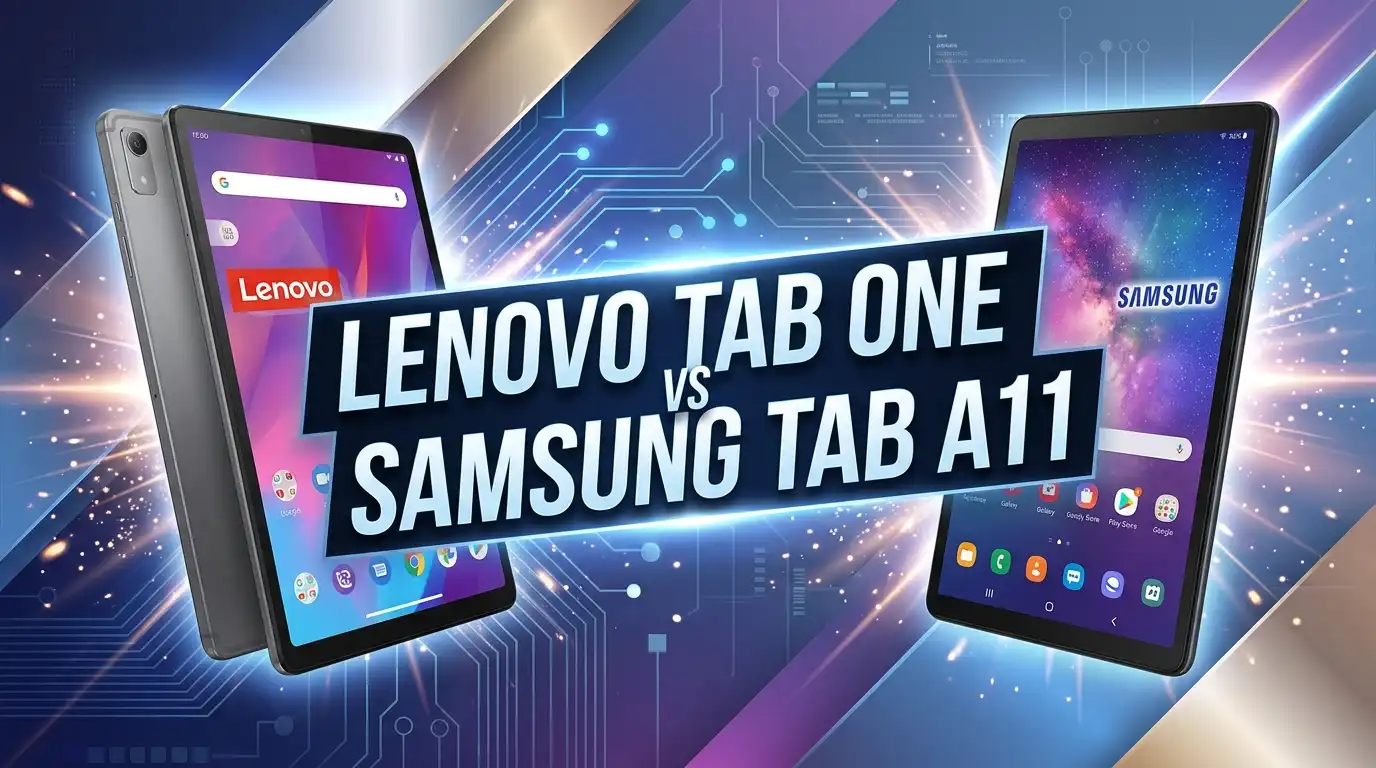
The budget tablet market is full of options, but two names keep popping up in every conversation. The Lenovo Tab One and the Samsung Galaxy Tab A11 are both compact 8.7-inch tablets that promise solid performance without draining your wallet.
They share the same screen size, the same battery capacity, and a similar price range. So how do you pick the right one?
This comparison breaks down every detail that matters. You will learn about the display, processor, camera, battery life, software, and build quality of each tablet. By the end of this post, you will know exactly which tablet fits your daily needs.
Key Takeaways
- Both tablets share an 8.7-inch display with 800 x 1340 resolution, but the Samsung Tab A11 offers a smoother 90Hz refresh rate while the Lenovo Tab One is limited to 60Hz.
- The Samsung Tab A11 uses the faster MediaTek Helio G99 processor, which is built on a 6nm process. The Lenovo Tab One uses the older Helio G85. This gives Samsung a clear edge in app loading, multitasking, and light gaming.
- RAM options differ significantly. The Lenovo Tab One only comes with 4GB of RAM. The Samsung Tab A11 offers both 4GB and 8GB options, giving buyers more flexibility.
- The Lenovo Tab One keeps the 3.5mm headphone jack, which Samsung dropped on the Tab A11. If you use wired headphones, this is a real advantage for Lenovo.
- Samsung provides a newer software experience with Android 15 and promises longer software support. The Lenovo Tab One ships with Android 14.
- The Lenovo Tab One is lighter at 320g compared to the Samsung Tab A11 at 337g. It also costs less in most markets, making it a strong pick for buyers on a tight budget.
Lenovo Tab One Overview

- COMPACT SIZE, COMPACT FUN – The Lenovo Tab One is compact, efficient, and provides non-stop...
- SIMPLICITY IN HAND - Add a touch of style with a modern design that’s tailor-made to fit in...

Last update on 2026-09-24 / Affiliate links / Images from Amazon Product Advertising API
The Lenovo Tab One launched in March 2025 as a budget-friendly compact tablet. It runs on the MediaTek Helio G85 processor paired with 4GB of LPDDR4X RAM and 64GB of eMMC 5.1 storage. The tablet supports microSD card expansion for users who need extra space.
Lenovo built this tablet for everyday tasks like web browsing, video streaming, and ebook reading. It weighs just 320 grams and measures 8.5mm thick. The Luna Grey design looks clean and simple. It includes a USB-C port, a 3.5mm headphone jack, and dual speakers.
The tablet runs Android 14 with a light Lenovo skin on top. You get access to the full Google Play Store. Lenovo claims up to 12.5 hours of YouTube streaming on a single charge, which is solid for its battery size.
Pros:
- Very affordable price point
- Lightweight at just 320 grams
- 3.5mm headphone jack included
- Up to 12.5 hours of video streaming
- Clean, minimal software experience
Cons:
- Only 4GB RAM with no higher option
- 60Hz display refresh rate
- 2MP front camera is very low quality
- eMMC 5.1 storage is slower than UFS
Samsung Galaxy Tab A11 Overview

- 8.7 Inches, 90Hz Display (220.5mm), 1340 x 800 (WXGA+), TFT, 16M colors, Android 15, One UI...
- 64GB ROM, 4GB RAM, Mediatek Helio G99 (6nm), Octa-core, Mali-G57 MC2 GPU, MicroSD card slot for...
Last update on 2026-09-24 / Affiliate links / Images from Amazon Product Advertising API
The Samsung Galaxy Tab A11 arrived in September 2025 as Samsung’s latest entry-level compact tablet. It packs the MediaTek Helio G99 processor built on a more efficient 6nm process. Buyers can choose between 4GB RAM with 64GB storage or 8GB RAM with 128GB storage.
Samsung gave this tablet a 90Hz refresh rate display, which makes scrolling and animations feel noticeably smoother. The tablet weighs 337 grams and is 8mm thin. It ships with Android 15 and Samsung’s One UI skin, which adds extra features like split-screen multitasking and Samsung Knox security.
The rear camera is 8MP with a flash, and the front camera is 5MP. Samsung also promises extended software updates, which means this tablet will receive Android upgrades and security patches for years to come.
Pros:
- Faster Helio G99 processor (6nm)
- 90Hz display refresh rate for smoother visuals
- 8GB RAM option available
- Better 5MP front camera
- Longer software update commitment
Cons:
- No 3.5mm headphone jack
- Slightly heavier at 337 grams
- Higher price than the Lenovo Tab One
- Samsung bloatware preinstalled
Display Quality Comparison
Both tablets use an 8.7-inch IPS LCD panel with a resolution of 800 x 1340 pixels. The pixel density is similar on both devices. Colors, viewing angles, and brightness levels are comparable since both use IPS technology.
The biggest display difference is the refresh rate. The Samsung Tab A11 offers a 90Hz refresh rate. This means the screen updates 90 times per second. Scrolling through social media feeds, reading long articles, and switching between apps feels smoother on the Samsung.
The Lenovo Tab One uses a standard 60Hz panel. It still looks fine for most tasks, but side-by-side, the Samsung screen feels more responsive. If you spend a lot of time reading or scrolling, the 90Hz panel on the Tab A11 offers a better visual experience. For video watching at 30fps or 60fps content, both displays perform about the same.
Processor and Performance
The Lenovo Tab One uses the MediaTek Helio G85. This chip has two Cortex-A75 cores clocked at 2.0 GHz and six Cortex-A55 cores at 1.8 GHz. It handles basic tasks like web browsing, email, and video playback without issues.
The Samsung Tab A11 runs the MediaTek Helio G99. This chip features two Cortex-A76 cores at 2.2 GHz and six Cortex-A55 cores at 2.0 GHz. It is built on a 6nm process, which is more power-efficient than the 12nm process used in the Helio G85. The G99 delivers roughly 10 to 15 percent faster CPU performance across benchmarks.
For casual gaming, the Helio G99 handles titles like Asphalt 9 and PUBG Mobile on low to medium settings. The Helio G85 can run the same games but with more frame drops. For daily productivity and media use, both chips are adequate. Power users will notice the Samsung’s speed advantage during multitasking.
RAM and Storage Options
The Lenovo Tab One ships with a single configuration. You get 4GB of LPDDR4X RAM and 64GB of eMMC 5.1 internal storage. The eMMC storage standard is slower than UFS storage, which affects app install times and file transfer speeds.
The Samsung Tab A11 gives buyers a choice. The base model includes 4GB RAM and 64GB storage. The higher-end model comes with 8GB RAM and 128GB storage. Samsung uses faster storage in its tablet, which helps with overall system responsiveness.
Both tablets support microSD card expansion up to 1TB. This lets you store movies, music, photos, and documents without worrying about running out of space. If you plan to run many apps at once or keep dozens of browser tabs open, the 8GB Samsung model is the better choice. The 4GB Lenovo model works fine for single-task use.
Camera Performance
Neither tablet is a camera powerhouse. Both tablets carry an 8MP rear camera. Image quality is acceptable for document scanning, quick snapshots, and video calls. Neither device produces photos that rival even a mid-range smartphone.
The Samsung Tab A11 has a clear advantage on the front camera. Its 5MP selfie camera produces sharper, brighter images than the 2MP front camera on the Lenovo Tab One. If you make video calls through Zoom, Google Meet, or WhatsApp, you will look much better on the Samsung.
Samsung also includes a rear flash on the Tab A11. The Lenovo Tab One does not have a flash. This matters if you scan documents or take photos in dimly lit rooms. For everyday tablet photography, the Samsung Tab A11 delivers a better overall camera experience on both the front and rear.
Battery Life and Charging
Both tablets pack a 5,100 mAh battery. This is identical capacity, but real-world battery life depends on the processor efficiency, display refresh rate, and software optimization.
Lenovo claims the Tab One can deliver up to 12.5 hours of YouTube streaming on a single charge. This is an impressive number for a budget tablet. The efficient Helio G85 chip and 60Hz display help the Lenovo stretch its battery further.
The Samsung Tab A11 also delivers strong battery life. The Helio G99’s 6nm architecture is power-efficient, but the 90Hz display draws more power than the Lenovo’s 60Hz screen. Expect roughly similar endurance, with the Lenovo holding a slight edge during video playback. Both tablets charge through USB-C. Neither device supports fast charging at high wattage, so plan for a longer charge time.
Software and Updates
The Lenovo Tab One runs Android 14 with a light software skin. The interface stays close to stock Android. There is minimal bloatware, and the settings menu is easy to understand. Lenovo’s update commitment for this budget tablet is limited to a couple of years of security patches.
The Samsung Tab A11 ships with Android 15 and Samsung’s One UI interface. One UI adds features like split-screen mode, edge panels, Samsung Knox security, and a dedicated kids mode. Samsung has committed to multiple years of OS upgrades and security updates for its budget tablets.
If long-term software support matters to you, Samsung is the stronger choice. You will receive new Android versions and monthly security patches for a longer period. Lenovo’s budget devices tend to receive fewer updates. Samsung’s One UI does include some pre-installed apps, but most of them can be disabled or removed.
Build Quality and Design
Both tablets feature a plastic body with a simple, clean design. The Lenovo Tab One weighs 320 grams, making it one of the lightest 8.7-inch tablets on the market. It measures 8.5mm thick. The Luna Grey color gives it a neutral, modern look.
The Samsung Tab A11 weighs 337 grams and is 8mm thin. It is slightly thinner than the Lenovo but a little heavier. Samsung offers the Tab A11 in Gray and Silver color options. The overall build feels solid for a budget tablet.
Neither tablet has an IP rating for water or dust resistance. You should keep both devices away from water. The Lenovo feels easier to hold for extended periods due to its lighter weight. The Samsung feels slightly more premium because of its thinner profile. Both tablets are portable enough to toss in a bag or hold in one hand.
Audio and Connectivity
The Lenovo Tab One includes dual speakers and a 3.5mm headphone jack. The headphone jack is a big deal for users who own wired earbuds or headphones. You do not need a dongle or wireless earbuds. Lenovo also supports aptX, aptX HD, and LDAC Bluetooth audio codecs.
The Samsung Tab A11 has dual speakers but drops the 3.5mm headphone jack. You will need Bluetooth earbuds or a USB-C to 3.5mm adapter if you prefer wired audio. Samsung’s speakers deliver clear sound for casual listening and video calls.
Both devices support Wi-Fi 5 (802.11ac) and Bluetooth connectivity. Neither tablet supports Wi-Fi 6. For most home networks, Wi-Fi 5 provides enough speed for streaming and browsing. The Lenovo Tab One has an advantage here for anyone who values the convenience of a wired audio connection.
Gaming Experience
Neither tablet is built for heavy gaming. However, both can handle casual and mid-tier mobile games. The Samsung Tab A11 has the edge thanks to its Helio G99 chip and Mali-G57 GPU. Games load faster, and frame rates stay more stable during extended play sessions.
The Lenovo Tab One uses the Helio G85 with a Mali-G52 MC2 GPU. It runs popular games like Candy Crush, Subway Surfers, and Among Us without any trouble. Heavier titles like Genshin Impact require low settings and may still stutter.
The Samsung’s 90Hz display also improves the gaming feel. Games that support higher refresh rates look smoother on the Tab A11. The Lenovo’s 60Hz screen limits the visual fluidity. If gaming is a priority, even casual gaming, the Samsung Tab A11 gives you a better experience overall.
Value for Money
The Lenovo Tab One is the more affordable option in most markets. It often sells for under $100 during sales events. At that price, you get a solid compact tablet for reading, streaming, and light browsing. It delivers excellent value for budget-conscious buyers.
The Samsung Tab A11 costs more, especially in the 8GB RAM / 128GB storage configuration. However, the price increase buys you a faster processor, a smoother display, more RAM, better cameras, and longer software support. These upgrades add up to a significantly better experience.
If your budget is tight and you need a basic tablet for simple tasks, the Lenovo Tab One is hard to beat. If you can spend a little more, the Samsung Tab A11 offers better long-term value. The faster hardware, better front camera, and extended updates make it worth the extra cost for most buyers.
Who Should Buy the Lenovo Tab One?
- COMPACT SIZE, COMPACT FUN – The Lenovo Tab One is compact, efficient, and provides non-stop...
- SIMPLICITY IN HAND - Add a touch of style with a modern design that’s tailor-made to fit in...
Last update on 2026-09-24 / Affiliate links / Images from Amazon Product Advertising API
The Lenovo Tab One is perfect for buyers who want a cheap, lightweight tablet for basic daily use. It suits people who read ebooks, watch YouTube, browse the web, and check email. Parents looking for an affordable tablet for kids will also find it attractive.
The included 3.5mm headphone jack makes it great for people who listen to music or podcasts with wired headphones. The light weight of 320 grams means you can hold it comfortably for hours. If you do not need the latest processor or the highest refresh rate, this tablet gives you everything you need at a low price.
Pros:
- Best price in its class
- Light and easy to carry
- Headphone jack for wired listening
- Great battery life for streaming
Cons:
- Lower performance than competitors
- 60Hz display feels dated
- Limited software update support
- Weak 2MP front camera
Who Should Buy the Samsung Tab A11?
- 8.7 Inches, 90Hz Display (220.5mm), 1340 x 800 (WXGA+), TFT, 16M colors, Android 15, One UI...
- 64GB ROM, 4GB RAM, Mediatek Helio G99 (6nm), Octa-core, Mali-G57 MC2 GPU, MicroSD card slot for...
Last update on 2026-09-24 / Affiliate links / Images from Amazon Product Advertising API
The Samsung Tab A11 is the right pick for buyers who want a well-rounded compact tablet with solid performance. It suits students, remote workers who join video calls, and anyone who wants a smoother screen experience with the 90Hz panel.
The 8GB RAM model handles multitasking well. You can switch between a browser, a note-taking app, and a streaming app without slowdowns. Samsung’s commitment to long-term software updates gives this tablet a longer useful life. The better front camera also makes video calls look sharper and more professional.
Pros:
- Faster Helio G99 processor
- 90Hz smooth display
- 8GB RAM option for multitasking
- Better cameras and longer updates
Cons:
- No headphone jack
- Costs more than the Lenovo Tab One
- Some Samsung bloatware included
- Slightly heavier at 337 grams
Lenovo Tab One vs Samsung Tab A11: Specs at a Glance
Here is a quick side-by-side look at the core specifications. The Samsung Tab A11 leads in processor speed, refresh rate, RAM options, and front camera quality. The Lenovo Tab One wins on price, weight, and the inclusion of a headphone jack.
Both tablets share the same 8.7-inch screen size, 5,100 mAh battery, 8MP rear camera, and Wi-Fi 5 support. The Samsung runs Android 15 while the Lenovo runs Android 14. Storage expansion via microSD is available on both. Your choice depends on whether you value affordability or overall performance.
For the average user who wants a compact tablet under $150, both options deliver strong results. The Samsung Tab A11 is the better tablet on paper. The Lenovo Tab One is the better deal if price is your main concern.
Final Verdict: Which One Should You Pick?
The Samsung Galaxy Tab A11 wins this comparison for most buyers. It offers a faster processor, smoother display, more RAM, a better front camera, and longer software support. These advantages make it the smarter long-term investment.
The Lenovo Tab One remains a fantastic choice for anyone on a strict budget. Its lower price, lighter build, and headphone jack give it clear strengths. If you want the cheapest possible 8.7-inch Android tablet that performs well for basic tasks, the Lenovo is your pick.
If you can stretch your budget by a few extra dollars, the Samsung Tab A11 delivers more value over time. The 90Hz display and Helio G99 chip make a noticeable difference in daily use. Both tablets are good. The Samsung is just a bit better in the areas that matter most.
FAQs
Is the Lenovo Tab One good for students?
Yes, the Lenovo Tab One works well for students who need a basic tablet for reading, note-taking, and web research. The lightweight design makes it easy to carry in a backpack. However, students who need to multitask with many apps should consider the Samsung Tab A11 with 8GB RAM instead.
Does the Samsung Tab A11 support a stylus?
The Samsung Tab A11 does not come with S Pen support. It is a budget tablet focused on media consumption and basic productivity. If you need stylus input, you would need to look at Samsung’s Galaxy Tab S series, which supports the S Pen.
Can I use the Lenovo Tab One for video calls?
You can use it for video calls, but the 2MP front camera produces low-quality video. The image may look grainy in poor lighting. The Samsung Tab A11’s 5MP front camera is a much better option if video calling is important to you.
How long will the Samsung Tab A11 receive software updates?
Samsung has committed to providing multiple years of Android OS upgrades and security patches for the Tab A11. Based on Samsung’s recent update policy for budget devices, you can expect at least four years of security updates and two to three major Android version upgrades.
Do both tablets support Netflix in HD?
Both tablets support Netflix streaming. However, HD playback depends on whether each device holds the required Widevine L1 certification. Most Samsung tablets ship with Widevine L1, which allows HD and Full HD streaming on Netflix and other platforms. Check the specific model listing to confirm before purchasing.
Which tablet has better speakers?
Both tablets include dual speakers. Sound quality is comparable on both devices. Neither tablet produces deep bass or room-filling audio. For a better listening experience, pair either tablet with Bluetooth headphones or an external speaker.

Hi, I’m Sam! I’ve been passionate about technology for over a decade, fascinated by how innovative devices can transform our daily lives. As the founder of DeviceDiary.blog, I spend my days testing the latest gadgets, exploring AI innovations, and translating complex tech specs into practical insights.