If you own an HP touchscreen laptop or 2-in-1, you have probably wondered which stylus pen gives the best experience. The HP Rechargeable MPP 2.0 Tilt Pen has been a popular pick for years, and it continues to attract attention in 2026. But does it truly deliver on its promises of smooth writing, precise drawing, and long battery life?
This review breaks down everything you need to know about the HP MPP 2.0 Tilt Pen. We tested its pressure sensitivity, tilt support, build quality, battery performance, and overall user experience.
Whether you are a student taking notes, a designer sketching ideas, or a professional editing documents, this review will help you decide if this pen belongs in your setup. Keep reading to find out if this stylus is the right match for your workflow.
Key Takeaways
- 4096 levels of pressure sensitivity give you fine control over line thickness and opacity, making this pen suitable for both writing and drawing tasks on supported HP devices.
- Tilt support allows the pen to detect the angle at which you hold it. This feature adds a natural feel to shading and calligraphy strokes during creative work.
- USB-C rechargeable battery lasts up to 30 days with roughly 2 hours of daily usage. You never need to buy replacement batteries, which saves money over time.
- Extremely low activation force of just 9 grams means the pen responds to light touches. You do not need to press hard on your screen to get accurate input.
- Aluminum body with a slim profile (14.95 x 0.95 x 0.95 cm) makes the pen lightweight and comfortable to hold during long sessions. It weighs only about 10 grams.
- Magnetic attachment lets you snap the pen to compatible HP laptops for easy storage and transport. Two programmable side buttons add shortcuts for quick actions like erasing or right-clicking.
HP Rechargeable MPP 2.0 Tilt Pen Overview

- SMOOTHER WRITING EXPERIENCE - New and improved MPP 2.0 Technology allows for less delays...
- EASY-TO-USE ACTIVE PEN - Experience pen-point accuracy with only 9g of pressure to edit, draw...

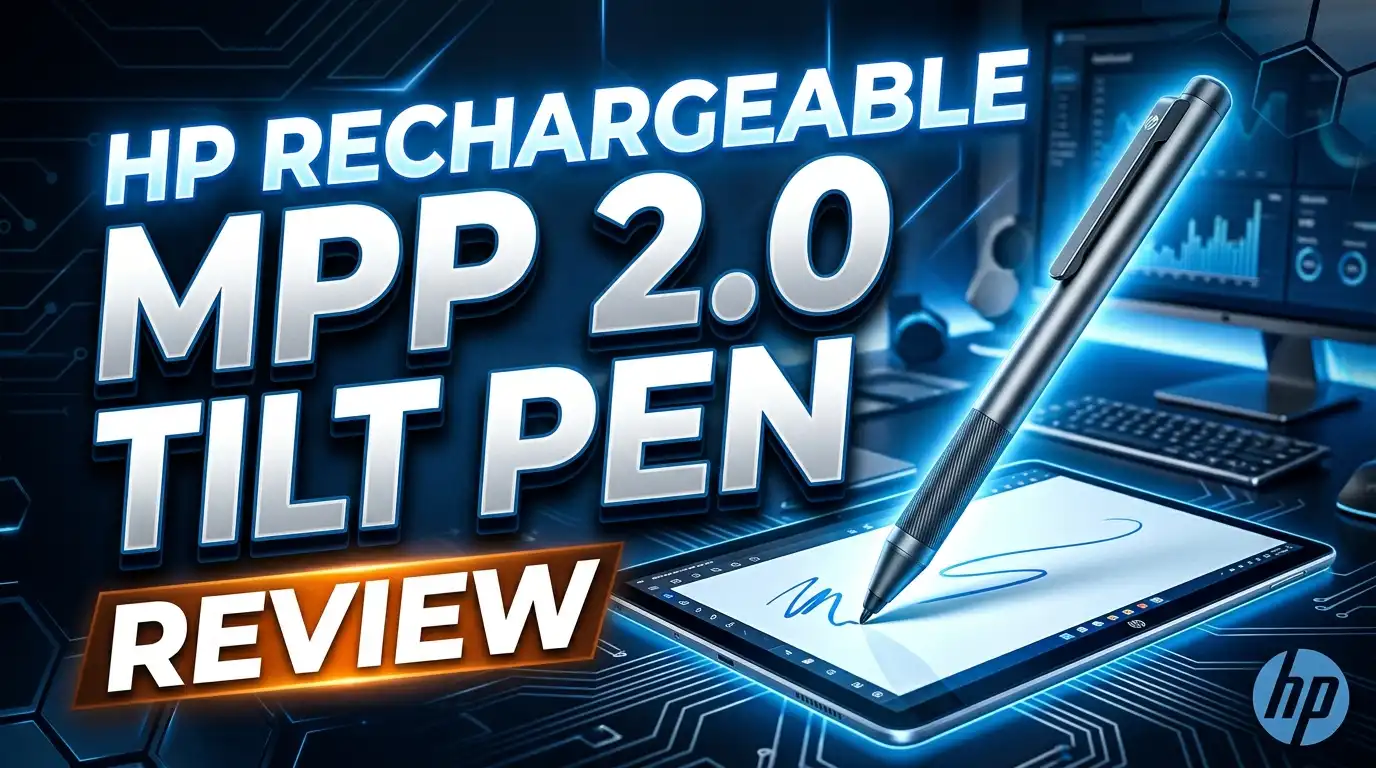
The HP Rechargeable MPP 2.0 Tilt Pen uses Microsoft Pen Protocol 2.0 technology. This protocol ensures smooth communication between the pen and your touchscreen device. HP designed this stylus for its Spectre, Envy, Pavilion, and other touch-enabled laptop lines.
The pen features 4096 pressure levels and tilt detection. These two features work together to give you a realistic pen-on-paper feel. The aluminum construction adds a premium touch without making the pen heavy.
It charges through USB-C, which is a welcome convenience in 2026. You can top it off with the same cable you use for your phone or laptop. The pen also ships with two exchangeable tips, so you can swap them out as they wear down over time.
Design and Build Quality
The HP MPP 2.0 Tilt Pen has a clean, minimalist design. The cylindrical aluminum body feels solid in hand. It measures just 14.95 cm in length and 0.95 cm in diameter. This makes it similar in size to a regular ballpoint pen.
The weight sits at roughly 10 grams. You can hold it for hours without fatigue. The matte finish provides a good grip, and the pen does not slip easily during use.
Two side buttons sit along the barrel. They have a firm click that prevents accidental presses. The magnetic flat edge on one side lets you attach the pen to compatible HP devices. This small detail makes a big difference for portability. You will not lose the pen inside your bag.
Pressure Sensitivity and Accuracy
This pen offers 4096 levels of pressure sensitivity. That means the pen detects very subtle changes in how hard you press. Light strokes produce thin, faint lines. Firm strokes create thick, bold marks.
The tip activation force is less than 5 grams. HP officially rates it at 9 grams for practical use. This low threshold makes the pen feel responsive from the very first touch. You do not need to push hard to register input.
For note-taking, the accuracy is excellent. Letters come out crisp and easy to read. For drawing, the pressure response feels smooth and predictable. You can build up layers of shading without abrupt jumps in line weight. Artists who need professional-grade precision may want a dedicated tablet, but for casual and semi-professional work, this pen performs well.
Tilt Support Explained
Tilt support is one of the standout features of this pen. The pen detects the angle at which you hold it relative to the screen. This data changes how your strokes appear in supported apps.
For example, holding the pen at a steep angle produces a thin line. Tilting it to the side creates a broader, softer stroke. This mimics the behavior of a real pencil or charcoal stick. Artists and designers find this feature useful for natural shading.
Not every app supports tilt input, so your results depend on the software you use. Programs like Sketchable, Autodesk SketchBook, and Microsoft Whiteboard handle tilt data well. If you mainly take notes, tilt support may not matter much to you. But for creative work, it adds a genuine layer of control.
Top 3 Alternatives for HP Rechargeable MPP 2.0 Tilt Pen
1. Microsoft Surface Slim Pen 2

- Sleek and comfortable. Slim carpenter-inspired style is perfect for all hands and is easy to...
- Take notes naturally. The haptic motor in Surface Slim Pen 2 brings the feeling of writing and...
The Surface Slim Pen 2 offers haptic feedback, 4096 pressure levels, and a flat design that charges wirelessly. It works with any MPP-compatible device and provides a premium writing experience.
2. Metapen Stylus Pen M2 for Surface

- 【Fast Charge & Longer Standby, No Panic】Enjoy Metapen’s leading USB-C fast charging and...
- 【4096 Finest Control & Tail Eraser】With 4096 levels of pressure sensitivity, the Metapen...
The Metapen M2 delivers 4096 pressure levels, tilt detection, and USB-C charging at a fraction of the price. It offers around 100 hours of battery life and works with most MPP devices.
3. ANYQOO Stylus Pen for HP

- [Perfectly Compatible with HP Series] Engineered for seamless performance with HP touchscreen...
- [MPP Technology & Precision Smooth] Experience professional-grade precision with 2024 levels of...
The ANYQOO pen is built specifically for HP Envy, Pavilion, Spectre, and OmniBook series. It features plug-and-play MPP technology, palm rejection, and 4096 pressure sensitivity. The battery lasts up to 2500 hours on standby.
Battery Life and Charging
The HP MPP 2.0 Tilt Pen runs on a built-in rechargeable battery. HP states it lasts up to 30 days with about 2 hours of daily use. In real-world testing, most users report getting roughly 3 to 4 weeks of consistent use before needing a recharge.
Charging happens through a USB-C port located at the top of the pen. A full charge takes about 1 to 2 hours. The pen also supports quick bursts of charging. A short 15-minute charge gives you enough power for a few hours of work.
The standby battery life reaches approximately 720 hours. This means the pen holds its charge well even if you leave it idle for weeks. You will not pick it up to find a dead battery after a short break. This reliability makes it a practical everyday tool.
Compatibility with HP Devices
This pen works with HP laptops and tablets that support Microsoft Pen Protocol (MPP) 2.0. Popular compatible devices include the HP Spectre x360, HP Envy x360, HP Pavilion x360, and HP Elite Dragonfly series.
It also works with some non-HP devices that support MPP 2.0. However, HP optimizes the pen for its own hardware. You may experience slightly reduced performance on third-party devices.
Before you buy, check your laptop’s specifications page. Look for “MPP 2.0 support” or “active pen support.” If your device only supports MPP 1.51, the pen will still work. But you will lose tilt support and may notice slightly higher latency. Always verify compatibility to avoid disappointment.
Writing and Note Taking Experience
For students and professionals, the writing experience is one of the pen’s strongest points. The low activation force means you barely need to press to start writing. Ink flows on screen almost the moment the tip touches the display.
Latency is minimal on supported devices. There is a slight delay compared to pen-on-paper, but it feels natural after a few minutes of use. The pen tracks smoothly across the screen without jitter or skipping.
Palm rejection works well on most HP devices. You can rest your hand on the screen while writing without triggering unwanted marks. Apps like Microsoft OneNote, Nebo, and Windows Journal pair nicely with this pen. The two side buttons let you set up quick shortcuts for erasing or selecting text, which speeds up your workflow.
Drawing and Creative Performance
Creative users will appreciate the combination of pressure sensitivity and tilt detection. The pen handles basic to intermediate illustration work with confidence. Sketching, inking, and shading all feel smooth in apps like Sketchable and Adobe Fresco.
However, the pen does have limitations for advanced art. Some users on Reddit and YouTube have noted that the initial activation pressure feels slightly stiff compared to dedicated drawing tablet pens. This can make very light strokes harder to achieve.
The two exchangeable pen tips also affect the drawing feel. The default tip offers a firm, precise stroke. If you prefer a softer feel, third-party tips with different materials are available. For hobbyists and semi-professionals, this pen delivers solid creative performance. Full-time digital artists may prefer a Wacom or dedicated drawing tablet for heavy daily use.
Bluetooth and Button Functionality
The HP MPP 2.0 Tilt Pen connects via Bluetooth for button functionality. The pen itself works for writing and drawing without Bluetooth. You only need Bluetooth to use the programmable side buttons and top button.
The top button can launch apps like Microsoft Whiteboard with a single click. A double-click or long press can trigger additional actions depending on your Windows settings. The two side buttons function as right-click and eraser by default.
Pairing the pen over Bluetooth is straightforward. You hold the top button for a few seconds, and the pen appears in your Bluetooth device list. Once paired, the buttons respond instantly. If you never use the buttons, you can skip Bluetooth entirely and still enjoy full pen input.
Magnetic Attachment and Portability
The pen has a flat magnetic edge that snaps onto compatible HP laptops. The magnet is strong enough to hold the pen in place during normal transport. It will not fall off from gentle bumps or movement.
This magnetic attachment works best with HP Spectre x360 models. Other HP laptops may have weaker magnetic spots or none at all. You should test the attachment on your specific device.
The pen ships in a compact box with a USB-C charging cable and two replacement tips. There is no carrying case included. Given the pen’s light weight and slim profile, slipping it into a laptop sleeve pocket works fine. The magnetic snap feature alone makes it one of the more portable stylus options on the market.
Pros and Cons Summary
Pros:
The pen offers 4096 pressure levels and tilt support for accurate, natural input. The USB-C rechargeable battery lasts up to 30 days and eliminates the need for disposable batteries. The aluminum build feels premium and lightweight. Magnetic attachment adds convenience for daily carry.
Cons:
The pen’s initial activation pressure may feel stiff for artists who prefer feather-light strokes. Tilt support only works on MPP 2.0 devices, limiting backward compatibility. The price sits higher than many third-party alternatives. There is no built-in eraser button on the top, unlike some competing pens. Bluetooth is required for button customization, which adds an extra setup step.
Who Should Buy the HP MPP 2.0 Tilt Pen?
This pen fits students, professionals, and casual creatives who own HP touchscreen devices. If you take digital notes daily, this pen offers a smooth and reliable writing experience. The long battery life and USB-C charging make it practical for school and office use.
Graphic designers and hobbyist artists will enjoy the pressure sensitivity and tilt detection. The pen handles sketching and basic illustration tasks well. It is not a replacement for a dedicated drawing tablet, but it adds significant creative ability to your HP laptop.
If you already own an HP Spectre x360 or Envy x360, this pen is a natural companion. The magnetic attachment, optimized compatibility, and polished build quality make it the best first-party stylus option for HP users. Budget shoppers may prefer the ANYQOO or Metapen alternatives listed above.
Final Verdict: HP Rechargeable MPP 2.0 Tilt Pen in 2026
- SMOOTHER WRITING EXPERIENCE - New and improved MPP 2.0 Technology allows for less delays...
- EASY-TO-USE ACTIVE PEN - Experience pen-point accuracy with only 9g of pressure to edit, draw...
The HP Rechargeable MPP 2.0 Tilt Pen remains a strong stylus choice in 2026. It delivers reliable pressure sensitivity, useful tilt support, and a premium build at a reasonable price. The USB-C rechargeable battery adds modern convenience that many users expect.
It is not perfect. The initial activation pressure could be lighter for artists. Bluetooth is needed for full button functionality. And the price is higher than budget third-party pens. But for HP device owners who want a polished, integrated experience, this pen delivers.
Overall, we give the HP Rechargeable MPP 2.0 Tilt Pen a solid recommendation for note-takers, students, and creative hobbyists. It does what it promises and does it well.
Frequently Asked Questions
Is the HP Rechargeable MPP 2.0 Tilt Pen compatible with non-HP devices?
Yes, the pen works with any device that supports Microsoft Pen Protocol (MPP) 2.0. This includes certain Microsoft Surface models and other Windows laptops with MPP support. However, performance is optimized for HP devices. You may lose some features like tilt detection on non-MPP 2.0 hardware.
How long does the battery last on a full charge?
HP rates the battery at up to 30 days based on approximately 2 hours of daily use. Standby time reaches about 720 hours. Real-world results vary depending on your usage patterns. Heavy users may need to charge the pen every 2 to 3 weeks.
Does the HP MPP 2.0 Tilt Pen need Bluetooth to work?
The pen writes and draws without Bluetooth. You only need Bluetooth to use the programmable buttons on the pen barrel and top. If you do not need button shortcuts, you can use the pen straight out of the box without pairing.
Can I use this pen for professional digital art?
The pen handles casual and semi-professional art well. It offers 4096 pressure levels and tilt support, which cover most illustration needs. However, professional digital artists who need the lightest possible activation pressure and advanced features may prefer a Wacom or dedicated drawing tablet.
What devices are compatible with this pen?
Compatible devices include the HP Spectre x360, HP Envy x360, HP Pavilion x360, HP Elite Dragonfly, and other HP models with MPP 2.0 support. Check your device’s specification page for “MPP 2.0” or “active pen support” before purchasing.
Does the pen come with replacement tips?
Yes, HP includes two exchangeable tips in the box along with a USB-C charging cable. Additional replacement tips can be purchased separately from HP or third-party sellers on Amazon.

Hi, I’m Sam! I’ve been passionate about technology for over a decade, fascinated by how innovative devices can transform our daily lives. As the founder of DeviceDiary.blog, I spend my days testing the latest gadgets, exploring AI innovations, and translating complex tech specs into practical insights.