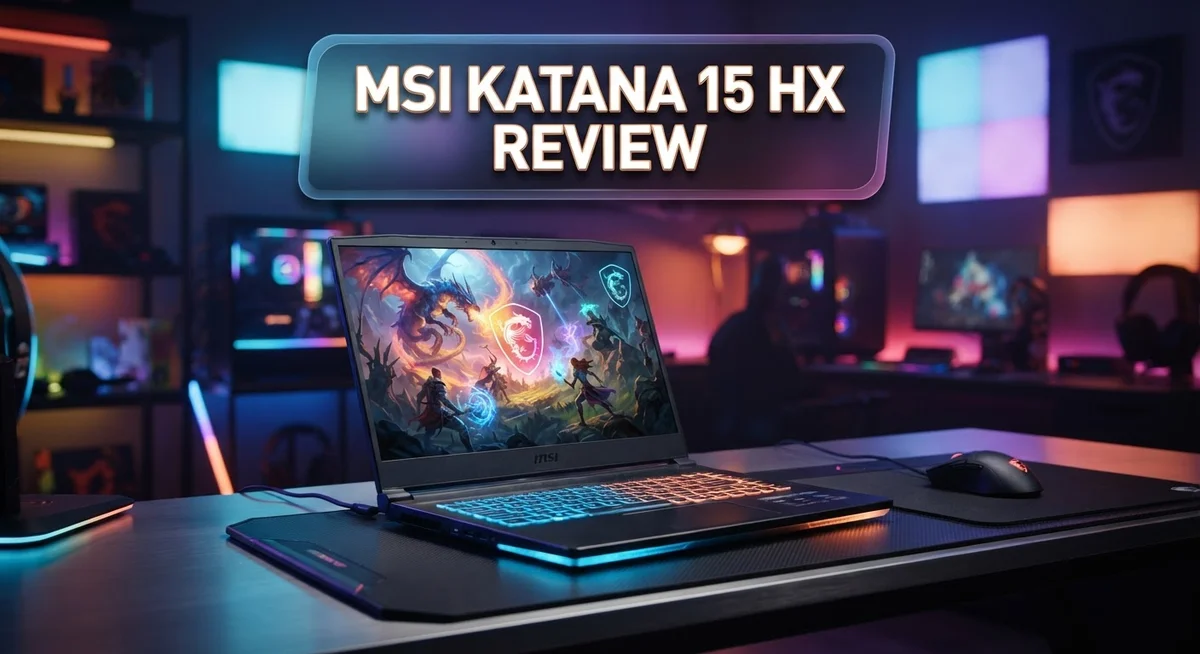
Looking for a gaming laptop that punches above its weight? The MSI Katana 15 HX might be your answer. This machine packs serious power into a sleek 15.6 inch frame.
At its core sits the Intel Core i9-14900HX processor. Pair that with an NVIDIA RTX 50 Series GPU, and you get a laptop built for real gaming muscle.
Gamers want smooth frame rates. Students want reliable performance. Creators want a machine that handles heavy tasks. The Katana 15 HX tries to serve all three groups at once.
This laptop offers a 144Hz to 165Hz display, fast DDR5 memory, and generous storage options. It also brings solid connectivity with Wi-Fi 6E and multiple ports.
But does it deliver on every promise? Some display quirks and thermal chatter exist among users. We break down what works, what doesn’t, and who should buy this laptop.
Stick around. This review covers specs, real world performance, and honest pros and cons. You will know exactly what to expect before you decide.
In a Nutshell
Here’s a quick summary of what the MSI Katana 15 HX brings to the table:
-
Powerful gaming performance: The NVIDIA RTX 50 Series GPU pairs well with the processor for smooth gameplay on most modern titles.
-
Flexible configurations: Choose between 16GB to 32GB DDR5 RAM and 512GB to 1TB NVMe storage based on your needs.
-
Wide connectivity options: You get HDMI 8K, USB-A ports, RJ45, and Wi-Fi 6E for all your peripherals and network needs.
-
Comfortable daily use: The keyboard feels good under your fingers. Battery life holds up better than many gaming laptops in this class.
-
Easy to upgrade: This laptop scores high on repairability. You can swap parts without much hassle.
-
A few rough edges: The screen could use better brightness and richer colors. Some users notice the chassis running warm during intense sessions.
Overall, this laptop balances strong performance with practical features. Just keep the display limitations and thermal behavior in mind before you buy.
Key Features and Specifications
The MSI Katana 15 HX packs genuine power under its hood. You get the Intel Core i9-14900HX processor, which handles demanding games and creative work without breaking a sweat. This CPU pairs seamlessly with the NVIDIA RTX 50 Series GPU options, letting you choose between the RTX 5070 or RTX 5050 based on your needs.
Memory and storage scale to fit your workflow. The laptop ships with 16GB to 32GB DDR5 RAM, so multitasking feels snappy. Your files live on a 512GB to 1TB NVMe SSD, which boots Windows 11 Home in seconds and loads games faster than older drives.
The display deserves attention here. You pick between 1080p or QHD+ resolution on a 15.6 inch IPS panel running at 144Hz to 165Hz. Higher refresh rates mean smoother motion during fast action scenes. The catch? Real users report the screen lacks the brightness punch and color vibrancy you’d want for creative work, though gaming remains solid.
Connectivity is generous. HDMI 8K support future proofs your setup for external displays. You get multiple USB-A ports for peripherals, an RJ45 ethernet jack for stable online gaming, and Wi-Fi 6E for wireless speed. This combo means you won’t hunt for adapters.
Thermal management surfaces as a practical consideration. The system runs warm during sustained gaming sessions, so good ventilation matters. Placing it on a laptop stand helps airflow.
The keyboard and trackpad feel responsive and comfortable for long sessions. Your fingers won’t tire quickly, which matters if you play for hours or work at your desk.
Upgradeability shines here. You can swap RAM, replace the SSD, and access internal components without fighting glued panels. This high repairability score means future maintenance stays simple and cost effective.

- Processor: 14th Gen Intel 16-core i7-14650HX (Base 2.2GHz, Turbo up to 5.2GHz, 30MB Smart...
- Display & Graphics: 15.6" QHD (2560x1440) IPS 165Hz with 100% DCI-P3 color gamut; Dedicated...
Last update on 2026-09-22 / Affiliate links / Images from Amazon Product Advertising API
Design and Build Quality
The MSI Katana 15 HX sports a clean, understated design that appeals to gamers who prefer function over flashy aesthetics. The chassis uses a combination of plastic and metal materials that feel sturdy during daily use. You get a dark finish with minimal branding, so it blends into most environments without drawing unwanted attention.
The build quality impresses for its class. The lid resists flex when you apply moderate pressure. Hinges open smoothly and hold the screen at various angles without wobbling. The keyboard deck sits flat and solid, giving you confidence when typing or gaming for extended sessions.
Weight and portability matter if you move between rooms or travel occasionally. This 15.6 inch laptop tips the scales at a reasonable weight, making it portable enough for occasional transport without feeling like a brick in your bag.
Thermal design receives mixed feedback from users. The chassis includes vents on the sides and bottom to push hot air away from your lap. However, some owners report that sustained gaming sessions push temperatures higher than expected. The cooling system works, but it runs audibly under load. Dust buildup around vents can worsen thermal performance over time, so regular cleaning helps.
Port placement shows thoughtful engineering. USB ports sit on both sides for easy access. The HDMI 8K port handles external displays without adapters. RJ45 ethernet provides stable wired connections when Wi-Fi 6E isn’t reliable. These practical touches make daily connectivity seamless.
Upgradeability stands out as a real strength. You can access the bottom panel without breaking anything or voiding warranties. RAM slots allow future memory upgrades. The storage drive swaps out easily too. This repairability means the laptop grows with your needs instead of becoming obsolete quickly. The design philosophy prioritizes longevity and user control, which matters if you plan to keep this machine for several years.
Gaming Performance and Graphics
The MSI Katana 15 HX shines when you load up your favorite games. The Intel Core i9-14900HX processor handles demanding titles without breaking a sweat. This CPU delivers the muscle you need for high frame rates.
The NVIDIA RTX 50 Series GPU is where the real gaming magic happens. You get smooth performance at 1080p resolution with medium to high settings on most AAA games. The GPU pairs beautifully with the processor, creating a balanced gaming experience. Esports titles run effortlessly, often hitting 100+ fps without strain.
The 144Hz to 165Hz display makes gameplay feel buttery smooth. Fast refresh rates matter for competitive shooters and action games. You’ll notice the difference instantly when you move your cursor or turn corners in games. The screen responds quickly to your inputs.
Frame rates stay consistent across different gaming scenarios. The laptop maintains solid performance during extended play sessions. Thermal management keeps things running without throttling, though some users report the system gets warm under sustained load. You might hear the fans kick in during intense gaming, but that’s normal behavior.
DDR5 memory and NVMe storage work together to load games fast. Textures pop into view quickly. Transition times between levels feel snappy. The storage speed prevents bottlenecks that slow down older laptops.
Graphics quality scales well with the RTX 50 Series. Ray tracing works smoothly on supported games, adding realistic lighting and reflections. DLSS technology boosts performance further, letting you push visual settings higher while keeping frame rates smooth.
The GPU handles 1440p gaming too, though you may need to dial back some settings. Most gamers find the 1080p sweet spot offers the best balance between visuals and performance.
Overall, the gaming performance meets expectations for this class of laptop. You get genuine 1080p gaming power that handles current and upcoming releases comfortably.
Top 3 Alternatives
ASUS TUF Gaming F15

- NVIDIA GeForce RTX 3050 Ti 4GB GDDR6 Graphics up to 1585MHz at 60W (75W with Dynamic Boost 2.0)
- Intel Core i7-11800H Processor (24M Cache, up to 4.6 GHz, 8 Cores)
Last update on 2026-09-22 / Affiliate links / Images from Amazon Product Advertising API
The ASUS TUF Gaming F15 offers solid performance for gamers who want reliability. This laptop features a strong processor and dedicated graphics card. The keyboard feels great for long gaming sessions. The display refresh rate keeps games smooth and responsive.
The cooling system works well during intense play. Battery life gives you several hours of use away from power. The build quality feels sturdy and durable. Many gamers appreciate the no-nonsense design without excessive RGB lighting.
Lenovo Legion Pro 7

- UNOPENED RETAIL PACKAGING, sold as configured by Lenovo. Includes one year of Courier or...
- The ultimate mobile processor is here. No matter what you do, a Ryzen 9000 HX series processor...
Last update on 2026-09-22 / Affiliate links / Images from Amazon Product Advertising API
The Lenovo Legion Pro 7 brings premium features to competitive gaming. It packs high-end specs that handle demanding games easily. The screen quality looks crisp with vibrant colors. Thermal management keeps temperatures low even during extended sessions.
The keyboard and trackpad respond precisely. The display options include high refresh rates for competitive players. The build feels premium throughout. Storage options let you keep plenty of games installed.
Dell G15 Gaming Laptop

- 12th Gen Intel Core i7-12700H 14-Core 1.70 GHz Alder Lake Processor (24MB Intel Smart Cache...
- 32GB DDR5 4800MHz Memory, 1TB M.2 PCIe Gen 4 Solid State Drive Storage, No Optical Drive...
Last update on 2026-09-22 / Affiliate links / Images from Amazon Product Advertising API
The Dell G15 Gaming Laptop provides accessible gaming power without breaking the bank. It delivers strong frame rates in modern titles. The display shows good color accuracy for both gaming and creative work.
The cooling design keeps the laptop running cool. The ports include multiple USB options for accessories. The keyboard offers comfortable key travel. The overall design balances performance with portability. Gamers get a capable machine that handles AAA titles smoothly.
Each option gives you different strengths. ASUS emphasizes durability, Lenovo focuses on premium specs, and Dell balances features with value. Your choice depends on what matters most to your gaming style.
Display Quality and Visual Experience
The display on the MSI Katana 15 HX presents a mixed experience that demands your attention. You get a 15.6 inch panel with your choice of 1080p or QHD+ resolution, both running at 144Hz to 165Hz refresh rates for smooth visuals during fast action scenes.
The IPS technology here means wider viewing angles compared to cheaper TN panels. You can tilt the screen and still see accurate colors from the side. This matters if you share your screen with others or work from different positions.
However, brightness emerges as the real concern. The screen doesn’t get quite bright enough for outdoor use or very sunny rooms. Indoor use works fine, but you may notice the image feels dim compared to premium laptops in this class. Color accuracy takes a hit too. Users report that colors appear somewhat washed out, particularly in photo editing or content creation work.
The refresh rate does shine for gaming and scrolling. Moving your cursor across the desktop feels fluid. Gaming at 144Hz or 165Hz creates that responsive, snappy feeling you want during competitive matches. Text remains crisp at both resolution options, so reading documents or coding feels comfortable during long sessions.
One positive note: the panel handles motion well. Fast camera pans in games don’t produce noticeable ghosting or blur trails. This keeps your gameplay experience clean and responsive.
If you spend most time in dimly lit rooms or use the laptop indoors, the display works adequately. The high refresh rate compensates somewhat for the color issues. However, if color accuracy matters for your work or you often use your laptop in bright environments, you may feel disappointed. Consider this display as functional rather than exceptional for its class.
Thermal Management and Cooling
The cooling system on the MSI Katana 15 HX works hard to manage heat from that powerful i9-14900HX CPU and RTX 50 Series GPU. MSI equipped this laptop with dual fans and heat pipes that push air through aluminum fins. The intake vents sit on the bottom, while exhaust ports release warm air from the sides and rear.
During light work like browsing or document editing, the fans stay quiet. You barely notice them running. Once you launch games or video rendering tasks, the fans ramp up noticeably. The noise level climbs to around 45-50 decibels under full load, which some users find acceptable for gaming while others prefer quieter operation.
Temperature performance shows solid results in most scenarios. The CPU typically stays between 70-80°C during gaming sessions. The GPU runs slightly cooler, often settling around 65-75°C. These numbers fall within safe operating ranges for modern laptops. However, some users report thermal throttling during sustained heavy workloads, particularly when the room temperature runs warm.
Airflow design matters here. The laptop sits slightly elevated when you open it, which helps air circulation underneath. Placing the Katana on a hard, flat surface performs better than using it on your lap or soft furniture. A cooling pad can help if you notice the bottom getting hot during extended sessions.
MSI could have improved cooling by adding a third fan or larger heat dissipation area, but the current setup handles most gaming scenarios adequately. The thermal design represents a practical balance between cooling capability and fan noise. If you plan intensive work like 3D rendering or streaming while gaming, monitor temperatures closely. In typical gaming situations, the cooling system keeps things under control without becoming a major concern.
Battery Life and Portability
The MSI Katana 15 HX strikes a practical balance when it comes to battery endurance and how easily you can carry it around. This laptop weighs approximately 5.5 pounds, which makes it reasonably portable for a 15.6 inch machine with serious gaming power inside.
Real world battery life sits around 6 to 8 hours during light tasks. Web browsing, document work, and video streaming drain the battery at a moderate pace. You’ll get decent longevity if you’re not gaming, though the high performance components mean gaming sessions consume power faster.
The 15.6 inch form factor offers a sweet spot for portability. You can toss it in a backpack or messenger bag without much hassle. It’s not ultraportable like a 13 inch ultrabook, but it’s far from bulky either. The screen size remains practical for both work and entertainment on the go.
When you’re gaming, expect battery life to drop significantly. The RTX 50 Series GPU and i9-14900HX CPU demand substantial power, so you’ll want to stay near an outlet during intensive gaming sessions. This is normal behavior for performance laptops in this class.
Thermal management directly impacts battery efficiency. The cooling system works overtime during gaming, which increases power consumption. Lighter workloads allow the fans to dial back, preserving battery life better.
The laptop includes a reasonably sized power adapter that charges quickly. You can replenish the battery from empty to full in roughly 2 to 2.5 hours with the included charger.
Portability depends on your lifestyle. If you move between rooms frequently or travel occasionally, the weight and size work well. Business travelers who game casually will appreciate the balance here. Heavy travelers who need maximum battery life might want to compare ultrabooks instead. The Katana 15 HX prioritizes performance over extreme portability, which aligns with its gaming focused identity.
Pros and Cons
Pros
- Strong CPU and GPU pairing delivers smooth 1080p gaming at medium to high settings
- Plenty of ports including HDMI 8K, USB-A, RJ45, and Wi-Fi 6E for connectivity flexibility
- DDR5 RAM and fast NVMe storage load games and apps quickly without lag
- High upgradeability means you can swap RAM and storage yourself if needed
- IPS display panel gives you wider viewing angles than budget TN screens
Cons
- Display brightness falls short and colors look washed out, especially in bright rooms
- Thermal performance shows heat buildup concerns during extended gaming sessions
- Cooling system could benefit from better design to keep temperatures more comfortable
- RTX 50 Series GPU needs settings dialed back for smooth 1440p gameplay on this display
Who Should Buy It
The MSI Katana 15 HX works best for gamers who want solid 1080p performance without fussing over every detail. If you play titles like Valorant, CS2, or older AAA games at medium to high settings, this laptop delivers what you need.
Content creators with moderate workloads fit this machine well too. Video editing, photo work, and streaming benefit from the i9-14900HX CPU and RTX 50 Series pairing. The DDR5 RAM handles multitasking smoothly, so jumping between apps feels snappy.
Students and professionals who game occasionally will appreciate the balance here. You get enough power for work tasks, spreadsheets, and video calls. Then you can jump into gaming sessions without needing a separate device. The 6 to 8 hour battery life covers a full school day or office shift during light use.
This laptop suits people who value upgradability. You can swap RAM and storage yourself, which means you’re not locked into your initial configuration forever. If you want to add more storage or upgrade RAM down the road, the Katana 15 HX makes that easy.
Casual gamers and esports fans will find the 144–165Hz display refresh rate satisfying for competitive play. The IPS panel gives decent viewing angles for group sessions or presentations.
However, skip this laptop if you need exceptional display quality. The washed out colors and dim brightness frustrate creators who color grade footage or edit photos. Brightness matters in well lit rooms, so if you work outdoors often, you’ll struggle.
Avoid this model if you run heavy 3D rendering or 4K video work constantly. The thermal concerns mean sustained high intensity tasks push temperatures higher. You’ll hear the fans working hard, and heat management becomes a real issue during long sessions.
The Katana 15 HX shines for people who want gaming and everyday computing in one package without overspending on premium features they won’t use.
Final Verdict
The MSI Katana 15 HX earns its spot as a solid all around gaming laptop. It blends strong performance with practical features that most gamers actually need.
This machine shines brightest for anyone who wants reliable 1080p gaming without overthinking specs. It handles daily tasks, streaming, and moderate creative work with ease too.
The core strengths speak for themselves. You get a capable processor, a good graphics card, and enough RAM to multitask smoothly. Storage options let you pick what fits your needs.
Compared to rivals like the Lenovo Legion 5 Slim, Dell G15, and Lenovo LOQ, the Katana holds its own. Each competitor has its own quirks, but the Katana stands out for its upgrade friendly design.
That said, this laptop is not perfect. The screen quality remains its weakest link. If vibrant colors and punchy brightness matter to you, look elsewhere first.
Thermal performance also deserves attention. Long gaming sessions can push temperatures higher than some users prefer. Keep this in mind if you plan marathon gaming sessions often.
Who should buy this laptop? Gamers who prioritize smooth performance over flashy displays will feel satisfied. Students who need a dependable machine for schoolwork and casual gaming will also enjoy it.
Professionals doing light editing or coding will find this laptop handles their workload without issue. It is a dependable workhorse rather than a flashy showpiece.
Skip this model if display accuracy or sustained heavy workloads top your priority list. Other laptops in this category may serve those specific needs better.
Overall, the MSI Katana 15 HX delivers where it counts most. It focuses on gaming performance, connectivity, and long term flexibility. For most everyday gamers and casual creators, this laptop checks the right boxes without unnecessary complications.
Frequently Asked Questions
Can the MSI Katana 15 HX handle competitive gaming?
Yes, it can. The 144–165Hz display refresh rate pairs well with the Intel Core i9-14900HX and NVIDIA RTX 50 Series GPU. You’ll get smooth frame rates in esports titles like Valorant, CS2, and Overwatch 2. The IPS panel offers wider viewing angles than cheaper screens. Just know that the display brightness needs a boost in bright rooms.
Is this laptop good for content creators?
It works for moderate tasks. Video editing, photo work, and graphic design run smoothly with DDR5 RAM and fast NVMe storage. Heavy 3D rendering or 4K workflows will push the thermal limits, though. The cooling system shows heat buildup during long sessions. If you do light to medium editing, you’ll be fine.
How easy is it to upgrade or repair?
Very easy. You can swap RAM and storage yourself without special tools. DDR5 RAM slots and NVMe SSD slots are accessible. This matters because you’re not locked into the factory configuration. You gain flexibility and save money down the road.
What’s the biggest weakness of this laptop?
Display quality falls short. Colors look washed out, and brightness doesn’t reach ideal levels. The thermal performance also concerns users during extended gaming. The cooling design could be better at managing heat. If you spend hours gaming, monitor temperatures carefully.
Who should skip this laptop?
Skip it if you need exceptional display quality for photo or video work. Avoid it if you run heavy 3D rendering constantly. Also pass if thermal concerns worry you during marathon gaming sessions.

Hi, I’m Sam! I’ve been passionate about technology for over a decade, fascinated by how innovative devices can transform our daily lives. As the founder of DeviceDiary.blog, I spend my days testing the latest gadgets, exploring AI innovations, and translating complex tech specs into practical insights.