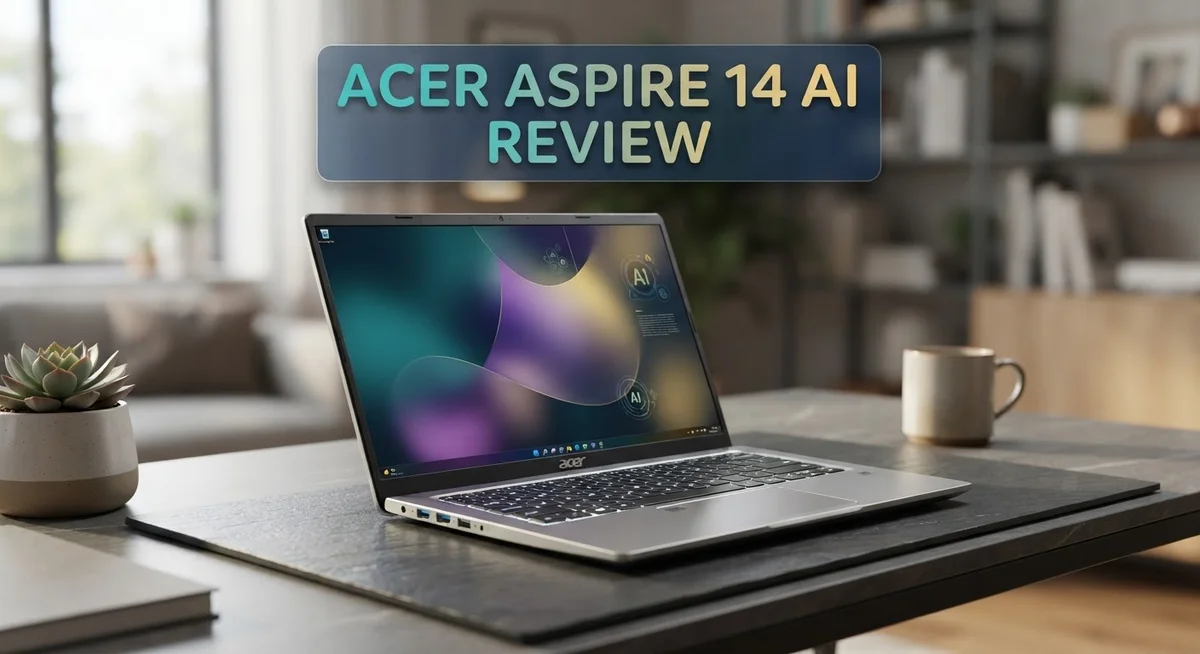
The Acer Aspire 14 AI brings smart features to everyday computing. It fits into the Copilot+ PC category. This laptop targets students, professionals, and casual users alike.
This machine packs an Intel Core Ultra processor with a dedicated NPU. It handles AI tasks with up to 40 TOPS of power. The Intel Arc graphics add extra visual muscle for daily use.
Battery life stands out here. You get 17+ hours on a single charge. That means less time near power outlets and more time getting things done.
Typing feels good too. The keyboard offers a clicky response that many users enjoy. Speakers deliver clear sound for calls and videos.
This review looks at every angle of the Aspire 14 AI. We cover performance, display quality, and everyday usability. You will see where this laptop shines and where it falls short.
In a Nutshell
Here is a quick snapshot of the Acer Aspire 14 AI before we dive deeper.
- Display: The 14-inch WUXGA touchscreen looks decent but feels a bit underwhelming for detailed work.
- Smart Hinge: A 180° lie-flat hinge lets you fold the screen flat for sharing or presentations.
- AI Power: The NPU delivers up to 40 TOPS, while the GPU pushes up to 53 TOPS for smart tasks.
- Graphics: Intel Arc graphics handle daily visuals well but struggle with intense gaming.
- Connectivity: Wi-Fi 6E keeps your connection fast and stable for streaming or video calls.
- Storage and Memory: You get 512GB SSD storage paired with 16GB LPDDR5X RAM for smooth multitasking.
- Sound: The speakers produce clear audio, making video calls and music enjoyable.
- Ports: A solid port selection covers most connection needs without extra dongles.
This laptop suits students, remote workers, and anyone who wants a smart everyday companion. It is not the best pick for gamers or creators needing sharp visuals.
Key Features and Specifications
The Acer Aspire 14 AI combines practical specs with everyday usability. Let’s explore what makes this machine tick.
Processing Power and AI Capabilities
This laptop runs on Intel Core Ultra processors from Series 2 or 3. You can choose between Core Ultra 5, 7, or 9 depending on your needs. The real standout is the dedicated NPU, which delivers up to 40 TOPS for AI tasks. This means Windows 11’s Copilot features run smoothly without slowing down your system.
Display and Design Elements
The 14-inch WUXGA touchscreen offers touch support for interactive work. The display handles everyday tasks like browsing and document editing. The 180° lie-flat hinge lets you flip the screen completely backward. This feature works great for presentations or sharing content with others.
Memory and Storage Setup
You get 16GB of LPDDR5X RAM as standard. This amount handles multitasking without breaking a sweat. The 512GB SSD provides quick boot times and fast file access. You won’t experience annoying delays when switching between apps.
Graphics and Gaming Performance
Intel Arc graphics power the visuals on this machine. Daily computing tasks like video calls and web browsing run without issues. Gaming enthusiasts should know that intense 3D games aren’t this laptop’s strength. Casual gaming and lighter titles perform adequately though.
Connectivity Options
Wi-Fi 6E keeps your internet connection fast and stable. You can stream videos or join video calls without buffering concerns. The port selection covers most everyday needs for connecting external devices.
Build Quality
The aluminum chassis feels solid and durable. The keyboard delivers satisfying clicks with each keystroke. Speakers produce clear audio for calls and media playback. The overall build quality suggests this machine will last through regular daily use.
Battery Performance
Battery life reaches 17 or more hours depending on usage patterns. This means you can work through a full day without hunting for a power outlet.

- It's possible on your Intel AI PC - Equipped with an Intel Core Ultra 7 processor (Series...
- New AI Superpowers - Discover the power of Recall (preview), improved Windows search, and Click...
Last update on 2026-09-24 / Affiliate links / Images from Amazon Product Advertising API
Design and Build Quality
The Acer Aspire 14 AI shows real attention to detail when it comes to how it looks and feels. You’ll notice the aluminum chassis immediately when you pick it up. It has a solid, premium feel that resists flex and creaks during normal use.
The build quality holds up well under daily handling. The lid closes smoothly without wobbling, and the keyboard deck stays rigid when you type. This laptop doesn’t feel cheap or plasticky, which matters when you carry it around.
The 180° lie-flat hinge is a standout feature here. You can fold the screen completely back for presentations or sharing content with someone sitting next to you. This flexibility adds real value for collaborative work. The hinge moves smoothly and holds its position at any angle you choose.
The keyboard area deserves mention too. The keys feel clicky and responsive, making typing sessions comfortable for long stretches. The trackpad sits flush with the palm rest and responds accurately to your touch. Both inputs feel well engineered.
Port placement shows practical thinking. You get a good selection of connections on both sides, so you won’t struggle to find space for your accessories. The ports sit slightly recessed, which protects them from accidental damage.
The overall footprint stays compact for a 14-inch machine. You can slip this laptop into a standard backpack without trouble. The weight distribution feels balanced, so it doesn’t tip forward or feel awkward when you carry it.
Ventilation grilles sit along the bottom and sides. They pull air through without creating large visual interruptions on the chassis. The design keeps cooling functional while maintaining a clean appearance.
The screen bezel width sits at moderate levels. It’s not razor-thin, but it doesn’t waste much space either. The bezels provide enough room for the camera and speakers without looking dated.
Build materials match the price point well. You get aluminum where it counts, with plastic used strategically in lower stress areas. This approach keeps the machine light while maintaining durability. The finish resists fingerprints reasonably well, though it shows dust more easily than matte surfaces.
Performance and Processing Power
The Acer Aspire 14 AI runs on Intel Core Ultra processors from Series 2 or 3. These chips deliver solid everyday performance for office work, web browsing, and content creation tasks.
Real power comes from the AI acceleration. The NPU (Neural Processing Unit) reaches up to 40 TOPS, meaning AI apps run fast on this machine. The GPU pushes up to 53 TOPS for graphics tasks. Together, they handle modern workloads without breaking a sweat.
You get 16GB of LPDDR5X RAM as standard. This memory type moves data quickly, so switching between apps feels smooth. The 512GB SSD boots Windows 11 fast and loads files instantly.
Intel Arc graphics power the visuals here. These integrated graphics handle everyday tasks well. Video calls stay clear. Photo editing runs without lag. Streaming content displays smoothly. However, intense gaming pushes these graphics to their limits. Demanding games may struggle at higher settings.
The processor choice matters for your actual use case. If you run light software, the Core Ultra 5 works fine. Need more power for video editing or coding? Step up to the Core Ultra 7 or 9 for better results.
Wi-Fi 6E connectivity keeps your internet speed high. Downloads happen faster. Video calls stay stable. Multiple devices on your network don’t slow you down.
The combination of processor, RAM, and storage creates a responsive system. You won’t experience long wait times. Apps launch quickly. Files open instantly. Multitasking feels natural with 16GB of memory.
This laptop shines for business users, students, and remote workers. It handles spreadsheets, documents, and presentations without fuss. The AI capabilities mean you can use Windows Copilot features smoothly. Photo and video apps that use AI acceleration run efficiently.
For gaming enthusiasts seeking high frame rates, this machine has limits. The Intel Arc graphics work best at medium settings in most games. Heavy gaming demands stronger discrete graphics cards.
Overall, the Aspire 14 AI balances processing power with everyday usability. It won’t win performance races against high end machines, but it delivers reliable speed for practical work.
Top 3 Alternatives
Dell XPS 14

- Powerful Creation: Run creative apps smoother and faster with powerful Intel Core Ultra...
- Variable Refresh Rate: Moving content is smoother with up to 120Hz variable refresh rate, which...
Last update on 2026-09-24 / Affiliate links / Images from Amazon Product Advertising API
The Dell XPS 14 stands out as a premium alternative for users who want a sleek design and powerful performance. This laptop features a stunning InfinityEdge display that maximizes screen space while keeping the overall footprint compact. The build quality feels solid and premium, making it a great choice if you value durability.
You get excellent processing power with recent Intel or AMD options. The keyboard and trackpad are responsive and comfortable for long work sessions. Battery life remains solid throughout the day, so you can work from different locations without constantly searching for outlets.
ASUS VivoBook 14

- 【Display】14" FHD, IPS, LED, Anti-glare, 250 nits, 1920 x 1080 resolution.
- 【Processor】Intel Core 5 120U (10 cores, 12 threads, Max Boost Clock Up to 3.8Ghz, 12MB...
Last update on 2026-09-06 / Affiliate links / Images from Amazon Product Advertising API
The ASUS VivoBook 14 offers a balanced mix of performance and affordability. This laptop delivers smooth everyday performance for browsing, document editing, and media consumption. The display provides good color accuracy, which appeals to creative professionals and casual users alike.
The lightweight design makes portability easy. You’ll appreciate the fast boot times and quick application loading. The keyboard feels natural, and the trackpad responds well to gestures. This option works well if you need a dependable machine without unnecessary premium features.
HP Pavilion 14

- [Ultra Performance 10-Core Intel i7-1355U CPU] Powered by the 13th Gen Intel Core i7 processor...
- [16GB RAM + 1TB Storage (512GB SSD + 500GB External)] Enjoy smooth, responsive performance with...
Last update on 2026-09-24 / Affiliate links / Images from Amazon Product Advertising API
The HP Pavilion 14 brings solid everyday performance in a straightforward package. This laptop handles multitasking efficiently and runs common applications without lag. The display offers bright, clear visuals suitable for work and entertainment.
The cooling system keeps the laptop quiet during normal use. You get a practical selection of ports for connecting external devices. The battery endurance supports a full workday of typical use. This machine appeals to users who want reliability and functionality in a no-fuss format.
Display and Audio Quality
The 14-inch WUXGA touchscreen delivers a crisp viewing experience for everyday tasks. Colors appear accurate for office work, web browsing, and video calls. The touch functionality adds convenience when you need it, though the display itself won’t blow you away if you’re coming from a premium laptop.
Brightness levels sit at a comfortable range for indoor use. The panel handles reflections reasonably well in most lighting conditions. You won’t experience the premium feel of higher-end displays, but the screen serves its purpose without frustration.
The touchscreen response time feels snappy and responsive. Scrolling through documents or navigating websites feels smooth. Gamers and video editors should know this isn’t a color-accurate panel for professional work. The resolution matches the screen size appropriately for standard viewing distances.
Audio quality stands out as a genuine strength here. The speakers produce clear, well-balanced sound that fills a small room without harshness. Dialogue comes through crisp during video calls and streaming content. Bass response won’t satisfy music producers, but casual listening sounds pleasant.
Speaker placement on the sides helps project sound effectively. Volume levels reach adequate loudness for personal listening without distortion at max settings. The audio performance exceeds what you’d expect from a laptop in this category.
For video conferencing, the audio clarity makes conversations comfortable. Microphone pickup works well in quiet environments. Background noise suppression helps during calls in busier spaces.
The combination of display and audio creates a solid multimedia experience for daily use. You can watch shows, join meetings, and handle content consumption without complaint. The touchscreen adds practicality for presentations and collaborative work. The speakers ensure you hear everything clearly without external audio gear.
If you spend hours editing photos or color-grading video, you’ll want to look elsewhere. For students, professionals, and general users, this setup handles entertainment and productivity equally well. The display won’t distract you with limitations during normal work, and the audio makes the experience genuinely enjoyable.
Battery Life and Portability
The Acer Aspire 14 AI delivers impressive endurance on a single charge. You get 17+ hours of battery life, which means you can work through a full day without hunting for an outlet. This runtime handles video calls, document editing, and web browsing without draining power quickly.
The battery performance shines because of the efficient Intel Core Ultra processors. These chips consume less energy than older generations. The NPU and GPU work intelligently to handle AI tasks without taxing the main battery drain. Your actual runtime depends on screen brightness and what apps you run, but the numbers speak for themselves.
Portability matters when you carry a laptop daily. The 14 inch display strikes a nice balance between screen real estate and weight. The machine feels light enough to slip into a backpack or messenger bag. The compact footprint means it fits easily on airplane tray tables and coffee shop desks.
The aluminum chassis adds durability without excessive weight. You can toss this laptop into your bag with confidence. The sturdy build means it handles the bumps and shifts of commuting well. The 180° lie flat hinge opens fully, which helps when you work in tight spaces or want to share your screen with someone.
Portability pairs well with battery life here. You leave home without a charger and stay productive all day. Remote workers appreciate this combination. Students moving between classes find the lightweight design practical. Business travelers benefit from fewer charging stops during flights.
The Wi Fi 6E connectivity keeps you connected wherever you go. You jump between networks smoothly at airports, cafes, and offices. Fast wireless speeds mean downloads and uploads happen quickly, so you waste less time waiting.
For people who move around frequently, this laptop checks all the boxes. The balance of battery endurance and lightweight design makes daily commuting simple. You focus on your work instead of worrying about power management. This machine suits anyone who values freedom from constant charging.
Pros and Cons
Pros
- Sturdy aluminum chassis keeps the laptop durable and lightweight for daily travel
- Clicky keyboard feels responsive and satisfying for extended typing sessions
- 17+ hours of battery life means you work all day without hunting for an outlet
- Effective port selection gives you easy connections to external devices and peripherals
- Solid performance handles office work, web browsing, and everyday productivity tasks smoothly
Cons
- Display quality falls short if you need vibrant colors or precise visual work like photo editing
- Intense gaming performance is limited due to the system’s focus on efficiency over raw graphics power
- Not ideal for professionals who demand high refresh rates or advanced color accuracy
Who Should Buy It
This laptop works best for people who need a reliable daily driver. If you spend your time on email, documents, and web browsing, the Aspire 14 AI handles everything smoothly. Office workers will appreciate the clicky keyboard and comfortable typing experience.
Students fit perfectly into this laptop’s target audience. You get solid performance for research, writing papers, and online classes. The 17+ hours of battery life means you can get through a full day of lectures without searching for a charger. The touchscreen adds convenience for note-taking and presentations.
Business travelers should seriously consider this model. The lightweight aluminum chassis stays portable without feeling flimsy. Wi-Fi 6E connectivity keeps you connected in airports and coffee shops. You can leave your charger at home on most days and still finish your work.
Content creators who focus on light to moderate work will find value here. If you edit simple videos, touch up photos, or manage social media, the performance stays adequate. However, professional photo editors and video producers need something more powerful.
Casual gamers can enjoy lighter titles and older games. This laptop runs indie games and less demanding titles without issues. If you chase the latest AAA games with maximum graphics settings, look at gaming-focused models instead.
People who value all-day productivity without interruption benefit from the exceptional battery performance. Remote workers appreciate the combination of battery life, speakers, and keyboard quality. You stay productive through video calls and typing sessions.
The Copilot+ PC features appeal to users interested in AI capabilities. If you want Windows 11’s newest AI features integrated into your workflow, this machine delivers them. The NPU and GPU work together to handle AI tasks smoothly.
This laptop suits anyone who wants a dependable machine for everyday computing. You don’t need to compromise on quality or performance for basic tasks. The sturdy build means your investment lasts through years of daily use.
Skip this model if you need intense gaming performance or professional creative work. Graphic designers, 3D modelers, and serious gamers need specialized hardware. For everyone else handling standard productivity, the Aspire 14 AI proves itself a capable companion.
Final Verdict
The Acer Aspire 14 AI earns its place as a smart choice for everyday computing. It blends practical performance with genuine AI readiness in one neat package.
This machine does not try to be everything for everyone. It focuses on what matters most for daily use and delivers on those promises.
Copilot+ features set this laptop apart from typical options in its class. You get real AI tools that assist with tasks instead of just marketing buzzwords.
The Intel Arc graphics handle visual tasks well for standard use. They struggle with heavy creative work or serious gaming sessions though.
Think about your actual needs before deciding. If you edit videos professionally or play demanding games, look elsewhere for your next laptop.
If you write emails, browse the web, join video calls, and handle documents, this laptop fits perfectly. It also works great for students who need something reliable between classes.
The display quality remains a genuine limitation worth noting one more time. Colors look flat compared to premium alternatives, so keep that in mind.
Build quality stands out as a real strength here. Acer chose materials that feel solid without adding unnecessary bulk to your bag.
This laptop represents smart engineering choices. Acer prioritized the features that impact daily use the most, like keyboard feel and connection options.
Windows 11 Home runs smoothly on this hardware. You won’t experience lag during normal multitasking or basic productivity work.
For anyone comparing Copilot+ PCs, this model deserves serious consideration. It brings AI capabilities into a practical, usable form without unnecessary complications.
The Acer Aspire 14 AI succeeds at its core mission. It gives everyday users a dependable laptop that handles real work and offers a peek into AI powered computing.
Choose this laptop if you want reliability over flash. Skip it if your work demands professional grade graphics or top tier display accuracy.
Frequently Asked Questions
Does the Acer Aspire 14 AI handle video calls and streaming smoothly?
Yes, this laptop handles both tasks without any problems. The Intel Core Ultra processors manage video conferencing apps like Zoom and Teams with ease. The clear speakers deliver good audio quality during calls. Wi-Fi 6E connectivity keeps your connection stable and fast.
Streaming video from Netflix, YouTube, or similar services works smoothly. The 14″ touchscreen display shows content clearly for everyday viewing.
Can I use this laptop for photo editing or design work?
The display quality makes photo editing challenging. Colors don’t pop as much as they should for precise visual work. If you do light graphic design or basic photo adjustments, the laptop can handle the processing power.
For serious photography or professional design work, you’ll want a different machine. The Intel Arc graphics work fine for standard tasks, but the screen holds you back for color critical work.
How long does the battery last on a single charge?
You get over 17 hours of battery life. This means you work through a full day, evening, and into the next morning without plugging in. For students attending back to back classes, this is a huge advantage.
Business travelers appreciate not carrying a charger for typical work trips. The battery performance ranks as one of the strongest features of this model.
What makes this a Copilot+ PC?
The built in NPU (Neural Processing Unit) powers AI features. It delivers up to 40 TOPS of AI processing speed. Windows 11 includes Copilot integration for AI assisted tasks.
These features let you use AI tools directly on your device without constant internet dependency.

Hi, I’m Sam! I’ve been passionate about technology for over a decade, fascinated by how innovative devices can transform our daily lives. As the founder of DeviceDiary.blog, I spend my days testing the latest gadgets, exploring AI innovations, and translating complex tech specs into practical insights.