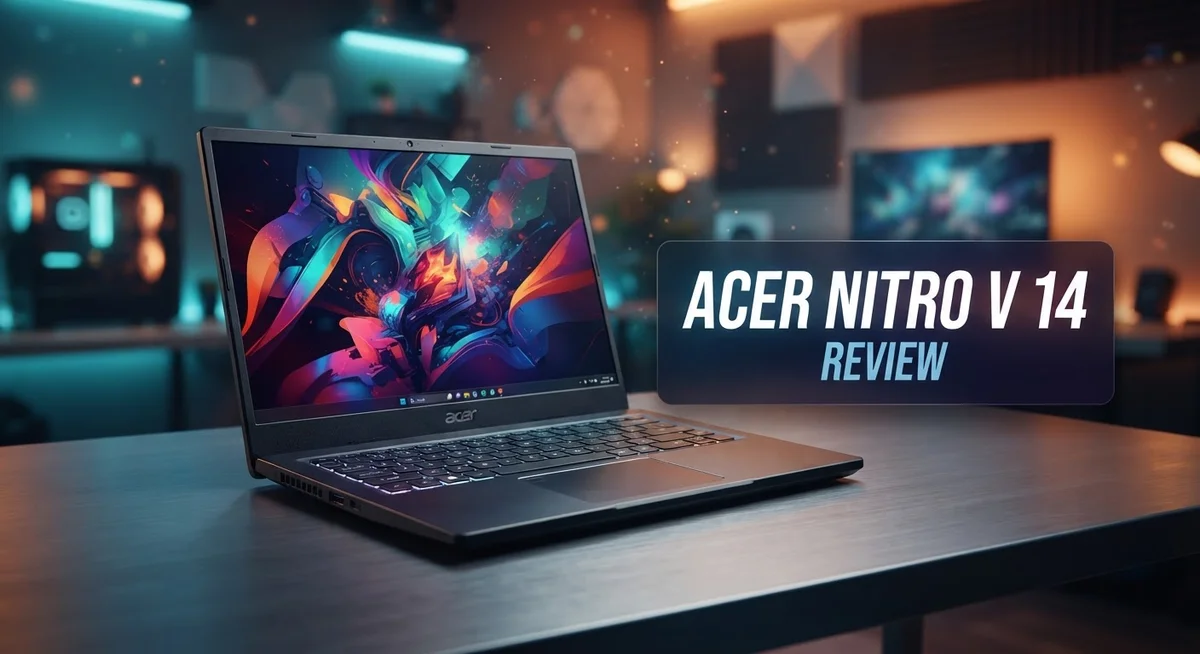
Want a gaming laptop that does not weigh you down? The Acer Nitro V 14 might be your answer. This machine packs serious power into a slim, portable body.
It comes with a 14.5 inch display and your choice of AMD Ryzen AI 7 350 or Intel Core Ultra 9 270H processors. Pair that with NVIDIA GeForce RTX 4050 or 5050 graphics, and you get a laptop ready for most games.
Weighing less than 5 lbs, this laptop travels easily. You can carry it to class, the office, or a coffee shop without any strain.
This laptop also breaks the mold with its chic white design. It looks understated, not flashy, which makes it perfect for gamers who want subtlety.
In this review, we will look closely at what the Acer Nitro V 14 offers. We will cover its performance, design, and how it stacks up against competitors like the ASUS ROG Zephyrus G14 and MSI GF63. Let’s get started!
In a Nutshell
- Graphics power comes from NVIDIA GeForce RTX 4050 or RTX 5050. These chips handle everyday games well.
- The laptop supports up to 64GB RAM and 2TB SSD storage. You get dual slots for easy upgrades later.
- Multitasking feels smooth. You can run several apps without slowdown.
- USB4 connectivity gives fast data transfer. This helps when you connect external drives or monitors.
- Some users note chassis durability concerns. The build feels light but may show wear over time.
- This machine fits a mid-range gaming category. Heavy AAA titles may need lower settings.
- Compared to the ASUS ROG Zephyrus G14 or MSI GF63, the Nitro V 14 focuses more on portability than raw power.
- Overall, this laptop suits students and casual gamers. It balances performance and mobility in a single package.
Key Features and Specifications
The Acer Nitro V 14 packs impressive specifications into a compact frame. You get a choice between the AMD Ryzen AI 7 350 or Intel Core Ultra 9 270H processor, depending on your preference for AI capabilities or traditional performance.
Graphics come from either the NVIDIA GeForce RTX 4050 or RTX 5050. These cards handle modern games at 1080p without breaking a sweat. You won’t max out every triple A title, but everyday gaming runs smoothly.
The display measures 14.5 inches with a sharp resolution. Colors pop, and the screen stays bright enough for outdoor use. Refresh rates support smooth scrolling and responsive gameplay.
Memory and storage shine here. Dual upgrade slots let you expand up to 64GB RAM and 2TB SSD yourself. This means you avoid paying extra for upgrades later. The DDR5 SDRAM and PCIe NVMe technology ensure fast data access speeds.
Battery life reaches 11 to 12 hours on a single charge. This is exceptional for a gaming laptop. You can work through a full day without hunting for an outlet. The lightweight design under 5 lbs makes carrying it feel effortless.
Connectivity features USB4 ports for lightning fast data transfers. You can connect external displays and storage devices without lag. Other ports include standard USB options and audio jacks.
The white chassis gives the Nitro V 14 a sleek, understated look. It doesn’t scream “gaming machine,” which appeals to professionals who also game. The design feels modern and clean.
One thing to note: the chassis has durability concerns according to some users. The thin frame prioritizes portability over ruggedness. Handle it carefully, and consider a protective case.
Performance for multitasking excels here. Running multiple browser tabs, editing documents, and streaming video happens without stuttering. The processor handles everyday tasks efficiently.
This laptop sits firmly in the mid range gaming category. It’s not built for extreme performance demands. Instead, it balances gaming capability with portability and battery endurance. Students and casual gamers find real value in this approach.

- AI-Powered Performance: The AMD Ryzen 7 260 CPU powers the Nitro V 16S, offering up to 38 AI...
- Game Changer: Powered by NVIDIA Blackwell architecture, GeForce RTX 5060 Laptop GPU unlocks the...

Last update on 2026-09-24 / Affiliate links / Images from Amazon Product Advertising API
Design and Build Quality
The Acer Nitro V 14 feels solid in your hands from the moment you open the box. The white chassis gives it a clean, modern appearance that breaks away from the typical aggressive gaming laptop aesthetic. This understated design means you can carry it to a coffee shop or library without drawing attention.
Build quality shows attention to detail. The lid feels smooth when you open it, and the keyboard deck sits flush against the base. The hinge mechanism moves with a satisfying click. However, some users report that the chassis can flex slightly under pressure, which raises questions about long-term durability in daily use.
The laptop measures just 14.5 inches across the display. At under 5 lbs, it feels light enough for everyday travel. You can slip it into most backpacks or messenger bags without struggle. The slim bezels around the screen maximize viewing space without making the overall footprint bulky.
The port placement makes sense for daily work. USB4 connectivity sits on the sides, giving you quick access to external drives and displays. The spacing between ports prevents cable congestion. This thoughtful design helps when you’re juggling multiple devices.
The white finish does require occasional cleaning to maintain its appearance. Fingerprints show more easily than on darker laptops. A microfiber cloth keeps it looking fresh between uses.
The keyboard and trackpad feel responsive during extended typing sessions. The keys have decent travel distance, which matters when you’re working on documents or emails. The trackpad surface is smooth and registers clicks reliably.
Weight distribution is balanced, so the laptop doesn’t tip forward or feel awkward on your lap. The bottom panel stays cool during normal use, though you’ll notice warmth near the vents during gaming sessions.
Overall, the design prioritizes portability and everyday usability. The white aesthetic appeals to users seeking a gaming laptop that doesn’t scream “gaming.” Build quality feels competent for this category, though the potential durability concerns merit consideration if you travel frequently or work in demanding environments.
Performance and Gaming Capability
The Acer Nitro V 14 delivers solid gaming performance without demanding extreme specs. You get either an AMD Ryzen AI 7 350 or Intel Core Ultra 9 270H processor. Both chips handle modern games at medium to high settings smoothly.
Graphics power matters for gaming, and this laptop includes NVIDIA GeForce RTX 4050 or RTX 5050 options. These GPUs run popular titles like Fortnite, League of Legends, and Valorant at 60+ fps. For newer AAA games, expect lower frame rates or reduced graphics settings.
The real strength lies in everyday multitasking. With up to 64GB RAM and 2TB SSD storage, switching between apps feels effortless. You won’t experience lag when running multiple browser tabs, Discord, and streaming services simultaneously.
Frame rates vary by game and settings. Lighter esports titles run exceptionally well. Demanding games require compromise. You’ll adjust graphics or resolution to maintain playable performance. This is typical for 14 inch gaming laptops.
The DDR5 SDRAM and PCIe NVMe storage ensure fast load times. Games launch quickly. Levels load without long waits. Your workflow improves significantly compared to older laptop technology.
One consideration: this laptop sits in the mid range gaming category. It won’t match high end gaming machines with RTX 4090 graphics. It performs better than basic ultrabooks though. You get genuine gaming capability in a portable form.
Battery life impacts gaming sessions. You’ll get 11 to 12 hours of general use. Gaming sessions drain the battery faster, typically 3 to 5 hours depending on settings. The lightweight design means you can game anywhere without carrying a heavy power brick everywhere.
The USB4 connectivity speeds up file transfers after gaming sessions. You can quickly move large game files or video recordings to external storage.
Overall, the Nitro V 14 suits casual gamers and esports enthusiasts. You won’t run every new game at maximum settings. You will enjoy smooth performance for the games you love. The portability combined with genuine gaming power makes this laptop practical for students and traveling gamers.
Top 3 Alternatives
ASUS TUF Gaming

- READY FOR ANYTHING – Dive headfirst into gaming on Windows 11 powered by the Intel Core i...
- SUBTLE STYLING – The TUF Gaming F16 maintains its classic design, boasting a subtle embossed...
Last update on 2026-09-22 / Affiliate links / Images from Amazon Product Advertising API
The ASUS TUF Gaming laptop delivers solid performance for gamers who want reliability. This machine features durable construction that can handle daily use and travel without issues. You get a fast processor and dedicated graphics that run modern games smoothly.
The keyboard feels responsive during long gaming sessions. The display offers good color accuracy for both gaming and creative work. Battery life stays decent even under heavy loads.
Lenovo Legion Pro

- UNOPENED RETAIL PACKAGING, sold as configured by Lenovo. Includes one year of Courier or...
Last update on 2026-09-22 / Affiliate links / Images from Amazon Product Advertising API
Lenovo Legion Pro stands out with its powerful cooling system that keeps temperatures low during intense gameplay. The screen delivers vibrant colors and fast refresh rates for competitive gaming.
This laptop includes a comfortable trackpad and well-spaced keys. You’ll notice the build quality feels premium across all materials. The performance handles demanding games without stuttering or lag.
MSI GF63 Thin

- 12th Gen Intel Core i7 Processor: Performance to stream and game anywhere. Designed to deliver...
- It All Starts Now: Enjoy the latest generation Windows 11 Home for your everyday needs. *MSI...
Last update on 2026-09-22 / Affiliate links / Images from Amazon Product Advertising API
MSI GF63 Thin focuses on portability without sacrificing gaming power. The thin profile makes it easy to carry between locations. You get strong graphics performance from the dedicated GPU inside.
The display produces sharp images with good viewing angles. The cooling system keeps noise levels reasonable during gameplay. Storage options provide enough space for your game library and files.
Each alternative offers different strengths. ASUS TUF Gaming prioritizes durability and everyday reliability. Lenovo Legion Pro excels with thermal management and screen quality. MSI GF63 Thin balances portability with gaming capability. Your choice depends on what matters most to you: build quality, cooling performance, or lightweight design.
Battery Life and Portability
The Acer Nitro V 14 excels when you need a laptop that goes everywhere with you. Weighing less than 5 pounds, this machine slides into backpacks and messenger bags without complaint. You’ll barely notice it’s there during your commute or trip to the coffee shop.
Battery performance stands out as a major highlight. This laptop delivers 11 to 12 hours of runtime on a single charge. That means you work through a full day of classes, meetings, or creative projects without hunting for an outlet. Real world usage shows the battery holds up well even during moderate workloads.
The 14.5 inch display keeps things compact while still giving you enough screen real estate. You get a proper gaming and productivity experience without the bulk of larger 15 or 16 inch models. The lightweight frame doesn’t sacrifice usability for portability.
Portability extends beyond just weight. The balanced weight distribution means the laptop sits comfortably on your lap. You won’t experience that annoying forward tilt that plagues some ultraportables. The design prioritizes everyday usability without compromising on performance.
One consideration: the white chassis requires occasional cleaning to keep it looking fresh. Fingerprints and dust show more easily on lighter finishes. A simple wipe down keeps it looking sleek and professional.
The port placement makes sense for mobile users. USB4 connectivity enables lightning fast data transfers when you dock at home or the office. You move files quickly between devices without wasting time on transfers.
This laptop suits travelers and students perfectly. You attend classes or meetings all day, then head home with minimal fatigue. The exceptional battery life means you don’t depend on finding power outlets throughout your day.
For anyone juggling multiple locations, the Nitro V 14 removes the portability worry from your decision. It delivers genuine all day computing without forcing you to compromise on capability. The combination of light weight and extended battery runtime makes this machine genuinely mobile.
Upgrade Options and Customization
The Acer Nitro V 14 gives you real flexibility when it comes to customization. You can upgrade both RAM and storage without opening the entire chassis, which makes future improvements simple and straightforward.
Memory upgrades work smoothly on this model. The laptop ships with configurations up to 64GB DDR5 SDRAM. You can add more RAM if you need it for video editing, 3D rendering, or running multiple applications at once. DDR5 memory ensures faster data speeds compared to older DDR4 technology.
Storage expansion is equally convenient. The Nitro V 14 supports up to 2TB of PCIe NVMe storage. You can swap out the existing SSD or add a second drive if your model includes dual slots. This matters if you store large game libraries, video files, or design projects locally.
The processor and graphics options deserve attention too. You choose between AMD Ryzen AI 7 350 or Intel Core Ultra 9 270H processors during purchase. Graphics come as either NVIDIA GeForce RTX 4050 or RTX 5050 depending on your configuration. These decisions happen at checkout rather than through post-purchase upgrades.
USB4 connectivity opens additional possibilities. You can connect external GPUs, fast storage devices, or high-speed monitors without limitations. This future-proofs your setup if you decide to add peripherals later.
The customization approach here feels practical. Acer lets you handle the upgrades that matter most (RAM and storage) while keeping other components fixed. This design choice keeps costs down while maintaining upgrade paths for common needs.
One thing to consider: not all configurations ship with dual upgrade slots. Check your specific model before assuming you have two RAM or storage positions available. Some entry-level versions might have soldered components that you cannot change later.
Overall, the Nitro V 14 balances customization options with simplicity. You get meaningful upgrade potential without needing specialized tools or technical expertise.
Pros and Cons
Pros
- Weighs under 5 lbs and fits easily into backpacks or bags for constant travel
- Battery runs 11–12 hours, letting you game or work without hunting for outlets
- Dual upgrade slots let you swap RAM and storage whenever you need more power
- Strong multitasking performance handles work, streaming, and casual gaming at once
- Clean white design looks professional in coffee shops and classrooms, not just gaming cafes
Cons
- Mid-range GPU and CPU mean demanding AAA games run at lower settings or frame rates
- Chassis durability has raised concerns from some users about long-term wear
- Gaming performance sits below high-end competitors when you push graphically intense titles
Who Should Buy It
The Acer Nitro V 14 speaks to several distinct user groups. If you’re a content creator who moves between locations, this laptop handles your workflow without complaint. Video editing, photo processing, and multitasking run smoothly thanks to strong processor options and up to 64GB RAM.
Students benefit significantly from this machine. Classes, research, light gaming, and entertainment all work on a single charge. The lightweight frame means you carry it through campus without fatigue, and the professional white design fits any environment from libraries to dorms.
Esports players find real value here. Competitive titles like Valorant, CS2, and Overwatch 2 run at high frame rates. The 14.5 inch display delivers responsive gameplay, while the portable form factor lets you attend tournaments or gaming events without hassle.
Remote workers appreciate the 11–12 hour battery life. Video calls, spreadsheets, and web applications run all day. You switch between home, coffee shops, and client offices without needing an outlet nearby.
Casual gamers who want flexibility should consider this model. You play newer AAA titles at moderate settings rather than maximum graphics. If you’re fine with that compromise, the portability and battery life become major advantages.
This laptop is NOT ideal for users who demand maximum gaming performance. High-end competitive players might feel limited by the mid-range GPU and CPU. If you run demanding creative software like 3D rendering or video production at professional levels, the performance ceiling exists.
Heavy gamers who stay at desks should explore alternatives. The Nitro V 14 sacrifices raw power for portability. You’ll get frustrated pushing graphically intense games to their limits.
Users concerned about long-term durability should research further. Some reports mention chassis concerns with extended use. If you’re rough on equipment, this requires careful handling.
The Acer Nitro V 14 targets people who value flexibility and movement. You gain a laptop that travels well, lasts all day on battery, and handles gaming plus productivity. It’s the machine for someone who refuses to choose between power and portability.
Final Verdict
The Acer Nitro V 14 earns its spot as a smart pick for people who want a laptop that does more than one job well. It handles daily tasks, light creative work, and casual gaming without breaking a sweat.
This laptop shines brightest when portability matters as much as performance. You get a machine that travels well and still holds its own during work hours or study sessions.
When you compare it against rivals like the ASUS ROG Zephyrus G14 or MSI GF63, the Nitro V 14 carves its own lane. It skips raw power for a smarter mix of comfort, style, and everyday usability.
The AMD Ryzen AI 7 350 or Intel Core Ultra 9 270H processor choices give buyers room to pick what fits their workflow. Paired with the RTX 4050 or 5050 graphics, this laptop covers a wide range of tasks without feeling stuck in one category.
This is not a laptop built to chase the highest frame rates in every AAA title. But it does deliver enough graphical muscle for smooth, enjoyable gaming sessions at reasonable settings.
Think of the Nitro V 14 as a laptop that respects your time and your back. You are not lugging around a heavy gaming rig, yet you still get solid specs under the hood.
Anyone comparing this against the Acer Swift X will notice the Nitro V 14 leans more into gaming readiness while keeping that slim, travel friendly build.
The final call comes down to your priorities. If you want a laptop that mixes portability, decent gaming chops, and everyday reliability, this model deserves serious thought.
If raw gaming horsepower tops your list, you might want to look elsewhere. But for balanced use across work, study, and gaming, the Acer Nitro V 14 stands as a dependable, well rounded choice that fits smoothly into a busy, mobile lifestyle.
Frequently Asked Questions
Can I upgrade the RAM and storage on the Acer Nitro V 14?
Yes, you can. The Nitro V 14 has dual upgrade slots for both RAM and storage. You can swap in faster memory or add more SSD space whenever you need extra power. This flexibility lets you start with a base configuration and expand later as your needs grow.
What processor options does this laptop offer?
You get two solid choices here. The AMD Ryzen AI 7 350 and Intel Core Ultra 9 270H are both available depending on your configuration. Each brings strong multitasking performance. Pick the one that matches your workflow and software preferences best.
How long does the battery last on a single charge?
Expect 11 to 12 hours of real battery life. This runtime means you can work through a full school day, attend meetings, or travel without hunting for outlets. The lightweight design under 5 lbs makes carrying this machine around even easier.
Is this laptop good for serious gaming?
The Nitro V 14 handles casual gaming and esports titles well. The NVIDIA GeForce RTX 4050 or 5050 graphics run most games smoothly at moderate settings. However, demanding AAA games will run at lower frame rates or reduced graphics quality. If you chase maximum performance in every new release, look at higher-end alternatives instead.
Who should buy the Acer Nitro V 14?
This laptop fits students, remote workers, and casual gamers perfectly. Anyone who moves between locations benefits from the portability and battery life. Esports players appreciate the responsiveness too. If you want a machine that handles work, streaming, and light gaming without staying glued to a desk, this model delivers.

Hi, I’m Sam! I’ve been passionate about technology for over a decade, fascinated by how innovative devices can transform our daily lives. As the founder of DeviceDiary.blog, I spend my days testing the latest gadgets, exploring AI innovations, and translating complex tech specs into practical insights.