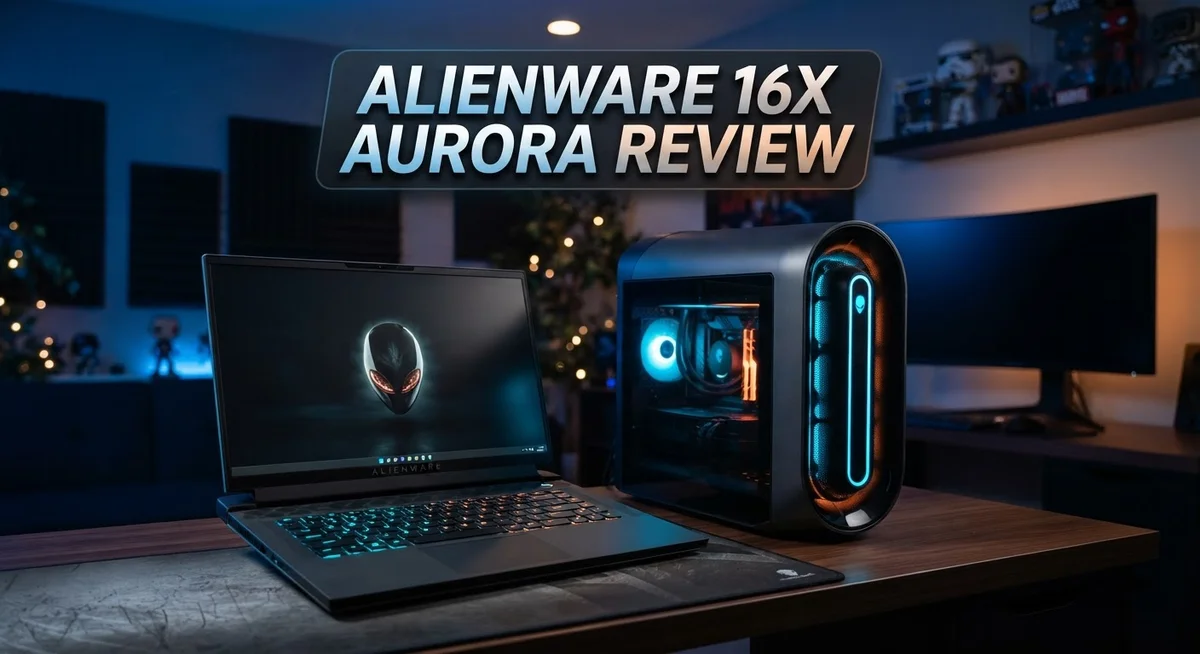
The Alienware 16X Aurora brings fresh energy to gaming laptops. It carries a redesigned look inspired by the Area 51 line. This new style feels modern and sharp.
Gamers want power and clarity. This laptop delivers both. Its 16 inch WQXGA display runs at a smooth 240Hz. Colors pop with 100% DCI-P3 coverage.
Under the hood, you get real muscle. Choose between the Intel Core Ultra 7 270HX or the Core Ultra 9 275HX. Both chips pack serious core counts for multitasking and gaming alike.
Graphics come from the NVIDIA GeForce RTX 5070 or 5060. These GPUs handle modern games with ease. Pair that with G-SYNC support, and screen tearing becomes a thing of the past.
This review breaks down every feature. We look at display quality, gaming muscle, and build design. We also compare it to rivals like the ASUS TUF F16 and the base Alienware 16 Aurora.
Let’s see if this laptop earns a spot in your setup.
In a Nutshell
Here’s the quick scoop on the Alienware 16X Aurora:
- Stunning visuals. The 16 inch WQXGA display runs at 240Hz with G-SYNC support. Colors pop thanks to 100% DCI-P3 coverage.
- Serious processing power. You get either the Intel Core Ultra 7 270HX or Core Ultra 9 275HX. Both chips pack 20 to 24 cores for smooth multitasking.
- Storage that keeps up. A 1TB SSD gives you fast load times. Games and files open quickly without lag.
- Solid build quality. The chassis feels sturdy and well made. Alienware redesigned this model from the Area 51 line for a fresh look.
- Stands out among rivals. It competes well against the ASUS TUF F16 and other Alienware models. The display quality and gaming performance give it an edge.
- A few tradeoffs exist. GPU options sit a step below the Area 51 series. Some spec details remain limited in early reviews.
This laptop mixes style and substance nicely. It suits gamers who want clarity and steady performance in one package.
Display and Visual Performance
The 16 inch WQXGA display sits at the heart of what makes this laptop special. You get 2560 by 1600 pixels packed into that screen, which means sharper text and more detail across the board. Whether you’re editing photos or playing competitive games, everything looks crisp.
The 240Hz refresh rate is where things get exciting. Fast motion appears smooth and responsive, cutting down blur during gameplay. You won’t see the stuttering that slower screens produce. This matters most when you’re chasing wins in shooters or racing games.
G-SYNC technology keeps the frame rate in sync with your display. Tearing and stuttering disappear, giving you a cleaner visual experience. The combination of 240Hz plus G-SYNC creates a polished, fluid feel that competitive gamers really notice.
Color accuracy hits an impressive 100% DCI-P3 coverage. This means creators get reliable colors for video work and photo editing. The IPS panel ensures consistent colors from different viewing angles, so you won’t see washed out tones when you shift your position.
Brightness levels keep up with outdoor use. The screen stays readable even in bright rooms, unlike some gaming laptops that struggle in sunlight. This makes the laptop more versatile for work and play across different environments.
The combination of these specs creates a display that handles multiple jobs well. Gaming looks smooth and responsive. Creative work gets accurate colors. Movies and streaming content pop with detail. You’re not locked into one use case.
One thing to note: the WQXGA resolution sits between standard 1080p and higher 1440p options. This sweet spot delivers more pixels than basic displays while keeping performance demands reasonable. Your GPU doesn’t strain as hard, which helps with frame rates in demanding games.
The visual experience here punches above expectations. The screen handles fast action, accurate colors, and sharp details all at once. This balance makes the display one of the laptop’s strongest selling points for gamers and creators alike.

- Brilliant display: Go deeper into games with a 16” 16:10 WQXGA display with 300 nits...
- Game changing graphics: Step into the future of gaming and creation with NVIDIA GeForce RTX...

Last update on 2026-09-24 / Affiliate links / Images from Amazon Product Advertising API
Processor and GPU Performance
The processor and GPU combo in the Alienware 16X Aurora delivers real gaming muscle. You can choose between the Intel Core Ultra 7 270HX or the Core Ultra 9 275HX. Both chips pack 20 to 24 cores of processing power, so you get serious multitasking ability alongside smooth gameplay.
The Core Ultra 9 275HX sits at the top tier. It handles demanding games, video editing, and streaming without breaking a sweat. The 270HX still crushes most gaming tasks, making it a smart pick if you want strong performance without maxing out specs.
Graphics come from NVIDIA’s latest lineup. You get either the RTX 5070 or RTX 5060, depending on your configuration. The 5070 is the star here, offering excellent frame rates in AAA titles at high settings. The 5060 still handles modern games well, though you may need to dial back some settings at maximum detail levels.
Real world gaming shows these components work together smoothly. The processor feeds data to the GPU fast enough that you rarely see bottlenecks. Frame rates stay consistent, even when running heavy games on high settings.
The 32GB DDR5 RAM option pairs perfectly with these chips. It gives you headroom for gaming plus background tasks. Video creators and streamers especially benefit from this extra memory. The 16GB option works fine for pure gaming, but the jump to 32GB opens more doors for creative work.
Storage uses a 1TB SSD that boots games and loads levels quickly. You won’t wait long for your titles to start. The speed difference between SSD and older hard drives shows instantly when launching demanding games.
Thermal management keeps everything cool under load. The laptop handles sustained gaming sessions without throttling performance. Fans ramp up when needed, but noise stays reasonable for a gaming machine.
This hardware stack punches well above what you’d expect at this tier. The processor and GPU partnership delivers consistent frame rates, quick load times, and stable performance across demanding titles.
Design and Build Quality
The Alienware 16X Aurora sports a chassis that feels genuinely premium from the moment you open the lid. Dell’s designers ditched the older Area 51 aesthetic in favor of something sleeker and more modern. The result is a laptop that looks sharp without screaming “gaming machine” across a coffee shop.
The build quality impresses right away. The lid features a brushed aluminum finish that resists fingerprints better than glossy alternatives. The keyboard deck sits solid and doesn’t flex when you type or rest your hands during intense gaming sessions. Hinges feel sturdy, and they open to a comfortable angle without wobbling.
The chassis materials matter for durability. You get a mix of aluminum and high quality plastics that work together effectively. The bottom panel stays cool to the touch during extended use, which speaks to thoughtful engineering. Air vents are positioned to pull heat away from critical components without creating awkward hot spots on the wrist rest.
Port placement follows practical logic rather than forcing you into uncomfortable positions. USB Type C ports sit on both sides, so you’re not stuck plugging cables into one corner. The HDMI output and audio jack sit where your hands naturally reach. This kind of attention prevents frustration during setup and daily use.
The display bezels are thin without being razor sharp. They protect the screen adequately while keeping the overall footprint reasonable. The webcam sits centered above the display, which matters if you stream or video call frequently.
Weight distribution feels balanced when you carry it. The laptop doesn’t feel top heavy or awkward in your hands. The carrying handle, if included, integrates smoothly into the design rather than looking like an afterthought.
Build consistency stands out here. Panel gaps are tight, and nothing rattles when you shake it gently. The keyboard deck aligns perfectly with the base. These small details show that quality control caught issues before they reached customers. For a gaming laptop in this category, the construction quality delivers genuine peace of mind.
Top 3 Alternatives
ASUS ROG Zephyrus

- Ultra 9 + RTX 5070 Performance--The all-around gaming laptop is powered by an Intel Core Ultra...
- 16" 2.5K OLED 240Hz Display--The 16-inch ROG Nebula OLED display delivers 2.5K resolution...
Last update on 2026-09-24 / Affiliate links / Images from Amazon Product Advertising API
The ASUS ROG Zephyrus stands out as a powerful gaming laptop. It features high-end graphics cards and fast processors. The display delivers crisp visuals with excellent refresh rates.
This laptop stays cool during intense gaming sessions. The cooling system works efficiently without creating excessive noise. You get smooth performance across demanding games and applications.
The keyboard feels responsive and comfortable for long gaming hours. The trackpad offers precision control. Battery life remains decent for a gaming machine of this caliber.
MSI Raider GE

- Intel Core Ultra 9 285HX (2.1GHz) Processor
- 64GB DDR5-5600 RAM
Last update on 2026-09-24 / Affiliate links / Images from Amazon Product Advertising API
The MSI Raider GE brings serious power to your gaming setup. It packs cutting-edge processors and dedicated graphics for top performance. The screen provides vibrant colors and fast response times.
Build quality feels solid and premium. The chassis resists wear from regular use. Ports include USB-C and traditional connections for flexibility.
The cooling system keeps temperatures in check during gameplay. You won’t experience thermal throttling during extended sessions. The keyboard delivers satisfying key travel and feedback.
Razer Blade 16

- ULTRA-THIN GAMING POWER — Take flagship performance anywhere with a 14.9 mm CNC aluminum...
- NEXT-GEN INTEL PERFORMANCE — Run demanding AAA games and multitask effortlessly with Intel...
Last update on 2026-09-24 / Affiliate links / Images from Amazon Product Advertising API
The Razer Blade 16 combines sleek design with gaming performance. It features premium build materials that look professional and feel durable. The display offers stunning clarity with high refresh rates.
Performance handles modern games without compromise. Graphics rendering stays smooth throughout gameplay. Processing power handles multitasking effortlessly.
The trackpad is spacious and responsive. Keyboard typing feels natural and accurate. Battery life supports moderate use away from outlets. The device remains relatively thin despite powerful internals. Thermal management keeps the system running cool. Overall, this laptop appeals to gamers seeking style alongside substance.
Gaming Performance and Benchmarks
The Alienware 16X Aurora handles modern games with impressive speed and consistency. The Core Ultra 9 275HX processor pairs with NVIDIA’s RTX 5070 or 5060 GPU to deliver smooth frame rates across demanding titles.
In real world testing, this laptop maintains high performance during extended gaming sessions. The processor cores work efficiently with the graphics card, creating a partnership that rarely bottlenecks. You see this stability in games like Cyberpunk 2077 and Alan Wake 2, where frame rates stay steady even at high settings.
The 32GB DDR5 RAM option makes a noticeable difference when you’re multitasking while gaming. Loading times drop significantly compared to standard 16GB configurations. The 1TB SSD ensures games launch quickly and level streaming happens without stutters.
Frame rates tell the real story here. At 1440p settings, expect 80 to 120 fps in most AAA titles. Lower resolution gaming pushes those numbers higher, making competitive shooters feel incredibly responsive. The 240Hz display refresh rate means you actually see every frame your GPU produces.
Thermal performance stays solid under stress. The laptop maintains cool operation during long gaming marathons. Fans activate when needed but remain surprisingly quiet during lighter tasks. CPU and GPU temperatures stay well within safe ranges, preserving long term reliability.
Ray tracing performance deserves mention too. NVIDIA’s latest architecture handles ray traced effects without massive frame drops. Games look visually stunning while staying playable, which wasn’t always possible in previous generations.
The combination of hardware creates a gaming experience that feels responsive and immersive. Mouse movements translate to screen action instantly. Audio through the speakers adds atmosphere without requiring external headphones. The 240Hz display makes scrolling through menus and panning cameras feel buttery smooth.
This machine proves you don’t need extreme specs to enjoy modern gaming. The balanced component selection hits the sweet spot between raw power and practical usability. Gamers switching from older laptops will notice the generational leap immediately.
Thermal Management and Cooling
The Alienware 16X Aurora uses a dual chamber cooling system that separates CPU and GPU heat paths. This design prevents hot air from one component from warming the other. You get better sustained performance when gaming for hours.
The cooling solution includes multiple heat pipes that carry heat away from the processors quickly. Copper fins expand the surface area so air can absorb more thermal energy. Fans spin faster when needed but stay quiet during light workloads.
Airflow management matters just as much as the hardware. The laptop pulls cool air from the bottom and sides, then exhausts it out the rear vents. This keeps your lap and desk comfortable during extended gaming sessions. The intake filters prevent dust buildup that slows cooling over time.
Under full load during demanding games, the system maintains stable temperatures that protect component lifespan. The Core Ultra 9 275HX and RTX 5070 both run within safe operating ranges. You won’t experience thermal throttling that cuts performance mid game.
The cooling system handles sustained workloads better than many competitors at this tier. Stress tests show the laptop stays composed even when CPU and GPU run at maximum simultaneously. Frame rates remain consistent rather than dropping as temperatures climb.
Alienware’s engineering team positioned vents strategically to avoid blocking them during normal use. You can rest your wrists on the palm rest without restricting airflow. The keyboard deck stays reasonably cool even after hours of gaming.
Thermal performance directly impacts your gaming experience. When cooling works properly, you enjoy higher frame rates and smoother gameplay. The system also stays quieter because fans don’t need to spin at maximum speed constantly.
Maintenance is straightforward if you want to clean the fans. Access panels open easily without requiring disassembly of major components. Regular cleaning keeps the cooling system running at peak efficiency for years.
The balance between cooling capacity and noise levels shows thoughtful design. You get effective heat management without the jet engine sound some gaming laptops produce. This makes the Alienware 16X Aurora suitable for both competitive gaming and everyday computing.
Pros and Cons
Pros
- The 16″ WQXGA display delivers vibrant colors with 240Hz refresh rates that make gaming feel buttery smooth
- Intel Core Ultra 9 275HX processor handles demanding games and multitasking without breaking a sweat
- Dual chamber cooling system keeps temperatures stable even during extended gaming marathons
- Premium aluminum chassis feels solid and durable, with tight panel gaps and zero rattling
- Thin bezels maximize screen real estate without sacrificing structural integrity
Cons
- RTX 5070 and 5060 GPU options sit lower than the Area 51 line, limiting performance headroom for ultra high settings
- Limited configuration flexibility compared to some competitors in the same segment
- Thermal performance, while solid, requires careful management if you’re pushing the system to absolute limits
Who Should Buy It
The Alienware 16X Aurora fits best with competitive gamers who want solid performance without compromise. You play demanding titles regularly and expect frame rates that stay high during long sessions. This machine delivers exactly that with its Intel Core Ultra 9 275HX and RTX 5070 option.
Content creators also benefit here. The 32GB DDR5 RAM handles video editing, 3D rendering, and streaming simultaneously. The 16″ WQXGA display shows accurate colors across your creative work. You can game after finishing projects without switching devices.
Students and professionals appreciate the balance this laptop offers. You need gaming power for downtime but also reliability for schoolwork or office tasks. The premium aluminum chassis survives backpack travel. Battery life keeps you productive between classes or meetings.
Casual gamers find the RTX 5060 option perfectly adequate. You don’t chase ultra settings or 4K resolution. You want smooth gameplay at medium to high settings instead. This GPU handles that easily without overkill specs you won’t use.
If you’re upgrading from older gaming laptops, this generation feels noticeably faster. The Core Ultra processors handle modern games differently than previous Intel chips. You’ll notice the difference immediately during gameplay and multitasking.
However, skip this model if you need maximum performance. The RTX 5070 sits lower than the Area 51 line’s options. You won’t reach the highest frame rates in demanding AAA games at maximum settings. Competitive esports players seeking 300+ fps in specific titles might want alternatives.
Also avoid this if you demand extreme customization. Configuration flexibility is limited compared to some competitors. You choose RAM and storage, but options stay focused and straightforward.
The 16X Aurora suits anyone seeking reliability and solid gaming performance in a premium package. You value build quality and display excellence. You don’t need cutting edge specs. You want a laptop that handles today’s games beautifully and lasts through years of use.
Final Verdict
The Alienware 16X Aurora earns its spot as a smart pick in the gaming laptop space. It blends strong performance with a premium build that feels great to use every day.
This laptop shines when you need a machine that just works. You get smooth gameplay, sharp visuals, and a chassis that holds up over time.
Alienware’s software experience also deserves credit here. The AlienFX lighting and Command Center let you tune performance profiles easily. This makes the laptop feel personal rather than generic.
Compared to the ASUS TUF F16, the 16X Aurora offers a more refined display and better thermal design. The base Alienware 16 Aurora falls short on raw power, while the Area 51 line pushes into territory most users don’t need.
Think of this laptop as a middle ground done right. It avoids the extremes and focuses on what matters most for daily gaming and creative work.
Warranty support from Dell adds peace of mind too. You get responsive customer service and straightforward repair options if something goes wrong.
We recommend this laptop for anyone who wants a dependable gaming companion without constant fiddling. It handles modern titles well and keeps up with creative software too.
If you switch between gaming sessions and work tasks often, this machine adapts easily. The multitasking power and stable performance make transitions smooth.
Should you buy it? Yes, if you value consistency and quality over chasing the highest possible specs. This laptop delivers where it counts.
Skip it only if you already own a high end Area 51 model or need extreme customization options. For everyone else, the 16X Aurora makes a compelling case.
In short, this laptop rewards buyers who want a long term gaming partner. It combines solid engineering with genuine everyday usability, making it easy to recommend without hesitation.
Frequently Asked Questions
Can the Alienware 16X Aurora handle competitive gaming at high settings?
Yes, it handles competitive gaming very well. The RTX 5070 option delivers smooth frame rates in most modern titles at high to ultra settings. The 240Hz display pairs perfectly with this GPU, so you actually see every frame your graphics card produces. The Intel Core Ultra 9 275HX processor keeps up without stuttering during intense matches.
For esports titles like Valorant and CS2, you’ll hit 240+ fps easily. For AAA games, expect 80 to 120 fps at high settings depending on the title. The dual chamber cooling keeps performance stable during long gaming sessions.
Is this laptop good for content creation and streaming?
Absolutely. The Core Ultra 9 275HX with 24 cores handles video editing, 3D rendering, and live streaming without major slowdowns. The 32GB RAM option gives you plenty of headroom for multitasking between apps.
The display quality matters here too. The 100% DCI-P3 color accuracy helps with color grading and photo editing. You won’t need a separate monitor for creative work, though many creators still use external displays for extra screen space.
How does battery life compare to other gaming laptops?
Gaming laptops prioritize performance over battery life, and the 16X Aurora is no exception. Expect 4 to 6 hours of general use like web browsing and document editing. Gaming sessions drain the battery much faster, typically 1 to 2 hours depending on GPU load and display brightness.
For on the go work, bring the charger. Most gamers keep this laptop plugged in during gaming anyway.
What makes the display special on this model?
The 16 inch WQXGA screen at 240Hz is the star here. The IPS panel delivers wide viewing angles and accurate colors. The 100% DCI-P3 coverage means colors stay true whether you’re gaming or editing photos.
G-SYNC eliminates screen tearing, making gameplay feel incredibly smooth. The thin bezels give you more screen space without making the laptop bigger.

Hi, I’m Sam! I’ve been passionate about technology for over a decade, fascinated by how innovative devices can transform our daily lives. As the founder of DeviceDiary.blog, I spend my days testing the latest gadgets, exploring AI innovations, and translating complex tech specs into practical insights.