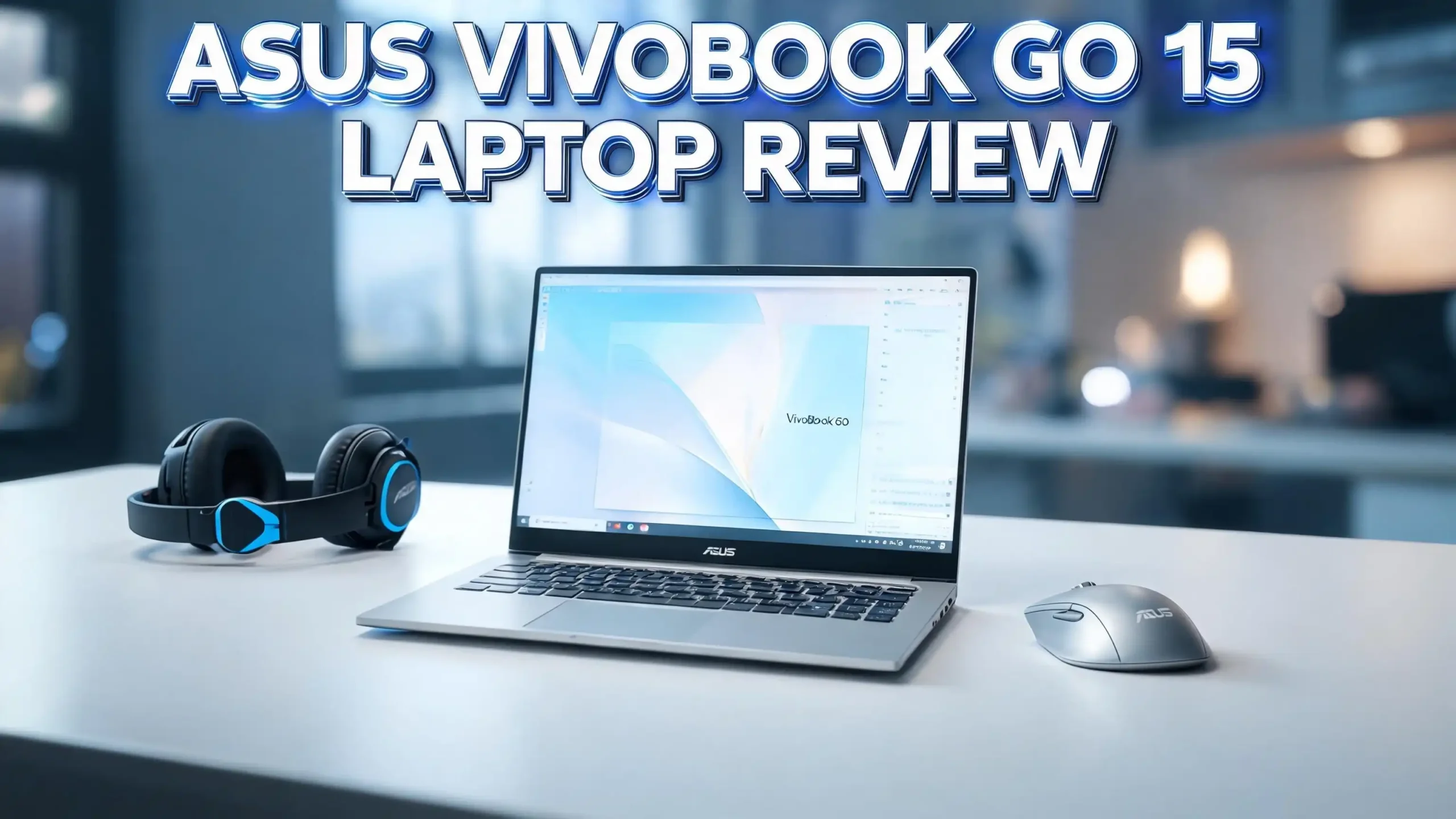
The ASUS Vivobook Go 15 keeps showing up on best budget laptop lists in 2026, and for good reason. It is light, affordable, and powerful enough for daily work, study, and streaming.
Many shoppers want a 15.6 inch laptop that does the basics well without costing a fortune. This laptop fits that need with a clean design and modern AMD Ryzen power.
In this review, I share my full experience with the Vivobook Go 15. I cover the display, performance, keyboard, battery, ports, build quality, and more. By the end, you will know if this laptop deserves a spot on your desk.
In a Nutshell
- Affordable price point: The Vivobook Go 15 sits around the $400 to $550 range, making it one of the best value 15.6 inch laptops in 2026.
- Solid daily performance: The AMD Ryzen 3 7320U or Ryzen 5 7520U chip handles browsing, office work, and light photo edits with ease.
- Bright FHD display: A 15.6 inch full HD panel gives sharp visuals for videos, classes, and remote meetings.
- Long battery life: You get around 8 to 10 hours of normal use, plus fast charging that fills the battery quickly.
- Travel friendly weight: At about 3.5 pounds, this laptop slips into a backpack without weighing you down.
- Best for students and casual users: It shines for school, office tasks, and light entertainment, but heavy gamers should look elsewhere.
Overview of the ASUS Vivobook Go 15

- Striking 15.6-inch FHD Display — Brings visuals to life with a 250-nit sustained brightness...
- Reliable AMD Ryzen 3 7320U Processor — An efficient processor that delivers reliable...

Last update on 2026-10-10 / Affiliate links / Images from Amazon Product Advertising API
The ASUS Vivobook Go 15 is a budget friendly laptop built for everyday users. ASUS designed it for students, remote workers, and families who need a reliable computer at a low price. It pairs a clean plastic body with modern AMD Ryzen chips and DDR5 memory.
The model number is E1504FA, and it comes in colors like Mixed Black and Cool Silver. The 15.6 inch screen gives you plenty of room to multitask. You can keep two windows side by side without feeling cramped.
ASUS also added small touches that make daily use easier. These include a webcam shield, fast charging, and military grade durability testing. The laptop survives bumps, drops, and rough travel days. It is a smart pick for anyone who wants strong basics without paying flagship prices.
Design and Build Quality
The Vivobook Go 15 looks simple and modern. The plastic chassis feels sturdy, and the lid has a clean brushed finish. ASUS kept the design minimal and professional, so it works well in classrooms and offices.
The laptop weighs about 3.53 pounds (1.6 kg), which is light for a 15.6 inch device. The thickness sits at 0.78 inches, so it slides into most bags. The hinge feels firm, and the screen opens with one hand, which is a nice touch in this price range.
ASUS tested this laptop under the US MIL STD 810H military grade standard. That means it has passed checks for shock, vibration, and altitude. You can carry it daily without worrying about small drops or knocks. The build is not metal, but it feels solid enough for years of school or work use.
Display Quality and Visual Experience
The 15.6 inch full HD display delivers a sharp 1920 x 1080 resolution. Colors look natural, and text stays crisp during reading or typing. The screen has a matte anti glare coating, so you can use it near windows without strong reflections.
Brightness sits around 250 nits, which works well indoors. Outdoor use under direct sun is harder, but most users stay inside anyway. The viewing angles are wide, and the NanoEdge bezels give you more screen and less frame.
For video calls, Netflix, and YouTube, the display performs nicely. Movies look pleasant, and colors stay accurate enough for casual photo editing. Creative pros may want more color coverage, but students and office users will feel happy with what they see. The OLED variant of the Vivobook Go 15 offers even richer colors if your budget allows it.
Performance and Processor

- 【Incredible performance】: Equipped with an AMD Ryzen 5 processor and 512GB SSD, this laptop...
- 【Fast charging battery】: ASUS fast-charge technology can recharge the battery up to...
Last update on 2026-10-10 / Affiliate links / Images from Amazon Product Advertising API
The Vivobook Go 15 ships with the AMD Ryzen 3 7320U or AMD Ryzen 5 7520U processor. Both are based on the Zen 2 architecture with a modern 6nm process. These chips give you smooth performance for daily tasks like browsing, Zoom calls, and Microsoft Office work.
You also get 8GB or 16GB of LPDDR5 RAM and a 256GB or 512GB PCIe NVMe SSD. The SSD makes Windows 11 boot in seconds. Apps open fast, and file transfers feel quick.
Multitasking with 10 to 15 Chrome tabs works fine. Light photo edits in Canva or Photoshop also run well. Heavy video editing or AAA gaming is outside the comfort zone, since this laptop uses integrated AMD Radeon graphics. Still, for school, work, and entertainment, the performance feels balanced and dependable.
Top 3 Alternative for ASUS Vivobook Go 15
If the Vivobook Go 15 does not match your needs, here are three strong alternatives worth checking.

- Exceptional Performance and Productivity: Experience smooth and responsive performance powered...
- Copilot in Windows - your AI Assistant: Do more, quicker than ever across multiple applications...
Last update on 2026-10-10 / Affiliate links / Images from Amazon Product Advertising API

- MICRO-EDGE HD TOUCHSCREEN DISPLAY - Reach out and control your PC with just pinch, tap, or...
- AMD RYZEN PROCESSOR - Experience acceleration for your work and creativity in a laptop powered...
Last update on 2026-10-10 / Affiliate links / Images from Amazon Product Advertising API

- ✔【Screen】 15.6" FHD (1920x1080) IPS 300nits Anti-glare, Touch
- ✔【Memory & Storage】 8GB Soldered LPDDR5-5500, Storage 256GB SSD M.2 2242 PCIe 4.0x4 NVMe
Last update on 2026-10-10 / Affiliate links / Images from Amazon Product Advertising API
Keyboard and Touchpad Feel
The Vivobook Go 15 keyboard uses a full size layout with a number pad on the right. Typists who work with spreadsheets will love this. The keys have 1.5mm of travel, which feels deep and responsive for a thin laptop.
The typing experience stays quiet, and the keys do not feel mushy. Long writing sessions feel comfortable, and the layout is easy to learn. Sadly, the keyboard has no backlight on the base model, so dim rooms can be tricky.
The touchpad is wide, smooth, and accurate. Windows Precision drivers power it, so multi finger gestures work smoothly. Two finger scrolling, pinch to zoom, and three finger swipes all respond without lag. Click feedback is firm and satisfying. For a budget laptop, this typing and pointing combo is a strong win.
Battery Life and Charging Speed
Battery life is one of the strongest parts of this laptop. The Vivobook Go 15 includes a 42Wh battery that lasts 8 to 10 hours during normal mixed use. Light tasks like reading and writing push it close to a full workday.
Video playback at medium brightness runs around 9 hours, which is great for long flights or campus days. Heavy use like video calls or photo edits drops it closer to 6 hours, which is still solid.
ASUS includes fast charging in the box. You can refill the battery to 60 percent in about 49 minutes, which is helpful between classes or meetings. The charger is compact and easy to carry. You will rarely feel battery anxiety with this machine. For a budget 15.6 inch laptop, the runtime is better than most rivals in the same price bracket.
Ports and Connectivity Options
ASUS gives you a useful set of ports on the Vivobook Go 15. On the left side, you get a USB Type C 3.2 Gen 1 port, two USB 3.2 Gen 1 Type A ports, an HDMI 1.4 output, and a 3.5mm audio jack. The right side holds the power button and a USB 2.0 port for older accessories.
The Type C port supports data and display output, though not Thunderbolt or charging. The HDMI lets you plug into a TV or monitor for movies and presentations.
Wireless support is modern and reliable. You get Wi-Fi 6 (802.11ax) and Bluetooth 5.1, which give fast wireless speeds and stable device pairing. Streaming, video calls, and gaming over Wi-Fi all feel smooth. The mix of new and legacy ports makes this laptop friendly for both modern peripherals and older USB drives, printers, and mice.
Speakers and Audio Quality
The Vivobook Go 15 has stereo speakers tuned with ASUS SonicMaster. Sound output is clear for voices, podcasts, and YouTube videos. Music sounds decent at medium volume, with balanced mids and crisp highs.
Bass is light, which is normal for thin laptops. The speakers fire downward, so placing the laptop on a hard desk improves the sound. Soft surfaces like beds or couches muffle the audio a little.
For Zoom, Google Meet, and Microsoft Teams, the speakers work very well. Voices come through cleanly without distortion. You can also plug in headphones through the 3.5mm jack for richer sound during music or movies. The built in microphone uses AI noise cancellation, which removes background sounds like fans, traffic, and keyboard clicks. Online calls feel professional, even in noisy rooms.
Webcam and Video Calls
The Vivobook Go 15 comes with a 720p HD webcam above the display. Image quality is fair for the price. Colors look natural in good light, and faces stay clear during meetings.
ASUS added a physical webcam shield for privacy. You can slide it closed when the camera is not in use. This small feature gives strong peace of mind and beats software only solutions.
The webcam pairs with AI noise canceling microphones for clean voice pickup. Combined, they give you reliable performance for Zoom, Teams, and Google Meet. Low light conditions are weak, like with most budget laptops, but you can fix that with better lighting. For students, teachers, and remote workers, the webcam meets daily needs without forcing you to buy an external camera.
Software and Windows 11 Experience
The Vivobook Go 15 ships with Windows 11 Home, which feels smooth on the AMD Ryzen platform. The Start menu, Snap Layouts, and Widgets all run quickly. Startup time is under 10 seconds thanks to the SSD.
ASUS includes MyASUS software, which helps manage updates, battery health, and performance modes. You can switch between Silent, Standard, and Performance profiles based on your task.
There is some preinstalled software, but it stays light compared to other brands. Removing extras takes only a few minutes. The laptop is also AI ready, so you can run Microsoft Copilot for writing help, summaries, and image creation. For most users, the out of the box experience feels clean and useful. Updates install in the background, and the system stays stable during long work sessions.
Heat and Noise Management
Thermal performance on the Vivobook Go 15 is impressive for a budget laptop. The AMD Ryzen chips run efficiently, so the fans stay quiet most of the time. During light tasks, the laptop is nearly silent.
Under heavier loads like video calls plus 20 browser tabs, the fan spins up gently. Noise stays low and never feels distracting. Surface temperatures stay comfortable even after hours of use. The keyboard area warms slightly, but never gets hot on your palms.
Heavy workloads like long video exports push the fans louder, but those are rare cases for this kind of laptop. The cooling system uses a single fan and copper heat pipe, which is enough for the chip inside. You can study, work, and stream without worrying about a noisy or hot machine. This makes it a great pick for shared rooms, libraries, and quiet offices.
Storage, Memory, and Upgrades
The Vivobook Go 15 ships with a 256GB or 512GB PCIe NVMe M.2 SSD. These drives feel fast, and Windows 11 boots in seconds. Apps and files load quickly, which is a clear upgrade over older eMMC laptops.
You can upgrade the SSD later, since ASUS uses a standard M.2 slot. A 1TB or 2TB drive is a smart future option if you store lots of media.
RAM comes in 8GB or 16GB LPDDR5 versions. Sadly, RAM is soldered to the board, so it cannot be upgraded later. Picking the 16GB version at the start is smart if you plan to keep the laptop for many years. For most users, 8GB feels fine for browsing, office work, and streaming. Heavy multitaskers and creators should aim for the 16GB model from day one for smoother long term performance.
Who Should Buy the ASUS Vivobook Go 15
The Vivobook Go 15 is a top choice for many types of users. Students will love the light weight, full HD screen, and number pad for math or finance work. Remote workers will enjoy the long battery, sharp webcam, and noise canceling mic for daily calls.
Families can use it as a shared home laptop for homework, bills, and streaming. Casual users who watch YouTube, browse the web, and write documents will feel happy with the speed and screen size.
If you are a heavy gamer, 4K video editor, or 3D artist, this laptop is not for you. The integrated graphics cannot handle those tasks well. But if your needs are everyday tasks at an affordable price, the Vivobook Go 15 is one of the best 15.6 inch laptops you can buy in 2026. It balances price, performance, and portability better than most rivals in the same range.
Pros and Cons of the ASUS Vivobook Go 15
Every laptop has strengths and weaknesses. Here is a quick look at both sides of the Vivobook Go 15.
The pros include a bright 15.6 inch full HD display, light 3.53 pound body, strong battery life, fast charging, and modern Wi-Fi 6. The AMD Ryzen chips give smooth daily performance, and the SSD makes the system feel snappy. The webcam shield, military grade build, and AI noise canceling mics add real value at this price.
The cons include no keyboard backlight on most models, soldered RAM, and only 250 nits of screen brightness. The plastic body works, but it does not feel premium like a metal MacBook. Speakers also lack deep bass for music lovers.
Still, for the price, the pros heavily outweigh the cons. Most users will not miss the missing features once they see how well the laptop handles daily work and study.
Final Verdict on the ASUS Vivobook Go 15
The ASUS Vivobook Go 15 delivers strong value in 2026. It packs a sharp 15.6 inch full HD display, fast AMD Ryzen power, long battery life, and a light body into a budget price. Students, remote workers, and families will find it easy to love.
You get a clean Windows 11 setup, modern Wi-Fi 6, and a useful port selection. The webcam shield and military grade build add safety and trust. Battery life of 8 to 10 hours covers a full work or school day.
It is not perfect, since the screen could be brighter and the keyboard lacks a backlight. But these are small trade offs at this price. If you want a reliable 15.6 inch laptop under $550, the ASUS Vivobook Go 15 earns a strong recommendation. It is a smart, practical, and dependable pick for daily life in 2026.
Frequently Asked Questions (FAQs)
Is the ASUS Vivobook Go 15 good for students?
Yes, the ASUS Vivobook Go 15 is a great pick for students. It has a 15.6 inch full HD display, long battery life, light weight, and fast AMD Ryzen power. Students can take notes, write papers, attend Zoom classes, and stream lessons without slowdowns. The military grade build also handles backpack life well.
Can the ASUS Vivobook Go 15 run games?
The Vivobook Go 15 can run light games like Minecraft, Stardew Valley, League of Legends, and CS2 at low settings. It uses integrated AMD Radeon graphics, so heavy AAA games are not a good match. For casual gaming and indie titles, it works fine. Serious gamers should pick a laptop with a dedicated GPU.
How long does the ASUS Vivobook Go 15 battery last?
Battery life sits around 8 to 10 hours during normal mixed use like browsing, writing, and video calls. Light tasks can push closer to a full workday. ASUS also includes fast charging, which fills 60 percent of the battery in about 49 minutes for quick top ups.
Does the ASUS Vivobook Go 15 have a backlit keyboard?
Most base models of the Vivobook Go 15 do not include a backlit keyboard. This is one of the small trade offs at this price. Some higher trims may add backlighting, so check the model details before buying if you often work in dim rooms.
Is the ASUS Vivobook Go 15 worth buying in 2026?
Yes, the Vivobook Go 15 is worth buying in 2026. It offers a modern AMD Ryzen chip, full HD display, fast SSD, Wi-Fi 6, and long battery life for an affordable price. For students, remote workers, and casual users, it stands as one of the best value 15.6 inch laptops on the market today.

Hi, I’m Sam! I’ve been passionate about technology for over a decade, fascinated by how innovative devices can transform our daily lives. As the founder of DeviceDiary.blog, I spend my days testing the latest gadgets, exploring AI innovations, and translating complex tech specs into practical insights.