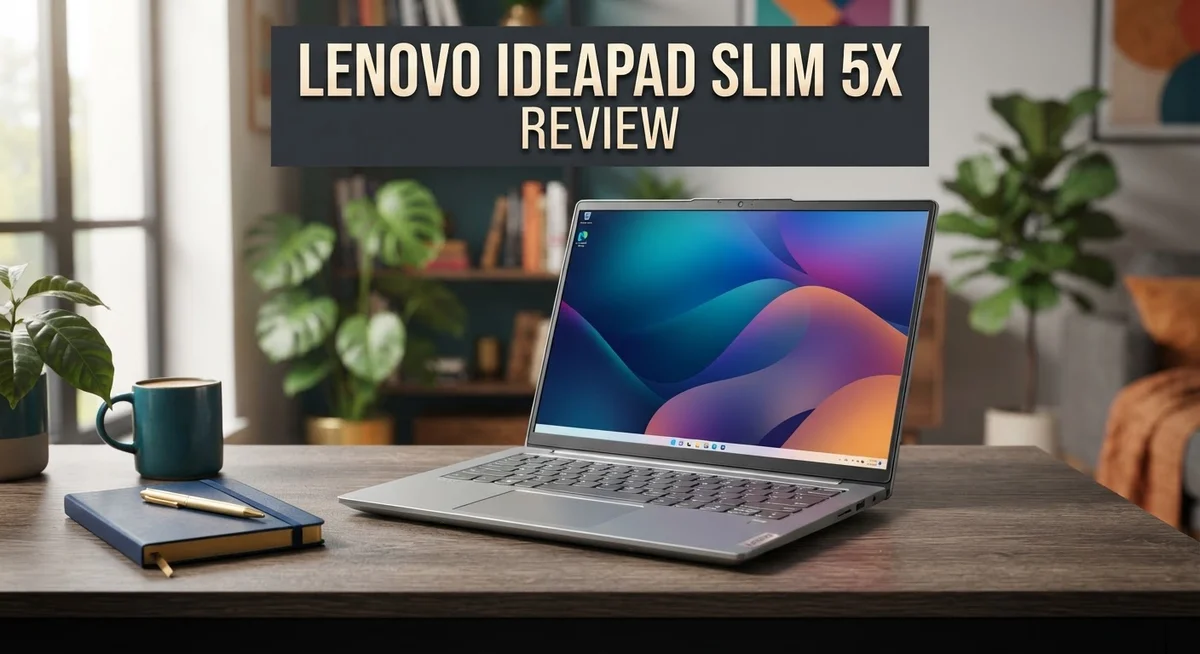
Looking for a laptop that mixes style with substance? The Lenovo IdeaPad Slim 5x might catch your eye.
This laptop packs a Snapdragon X2 Plus processor. It runs daily tasks with ease. Multitasking feels smooth and quick.
The 15.3 inch display stands out too. You can pick an OLED or LCD touchscreen option. Colors look vivid and sharp on screen.
Battery life is another strong point. This device keeps going through long work sessions. You won’t reach for the charger often.
Weighing just 3.28 lbs, this laptop travels well. Its slim 0.61 inch profile slides into any bag. The full metal frame adds a premium feel too.
Still, this IdeaPad model brings a lot to the table. It offers solid performance and great portability. The keyboard and touchpad feel comfortable during long use.
Ready to see if this laptop fits your lifestyle? Let’s break down every feature in detail below.
In a Nutshell
Here’s a quick snapshot of what this laptop brings to the table before we dive deeper.
- The full metal frame gives this laptop a sturdy feel, even though it doesn’t quite reach premium build quality.
- With 16GB RAM included as standard, you can multitask smoothly across apps without much lag.
- The screen delivers bright colors and sharp precision, making it a solid pick for streaming shows or editing photos.
- Typing feels comfortable thanks to a smooth keyboard and a responsive touchpad that reacts well to gestures.
- You also get both USB-C and USB-A ports, so plugging in older accessories or new gadgets stays simple.
- On the downside, the webcam looks grainy during video calls, and the speakers sound tinny at higher volumes.
- If you choose the IPS model, viewing angles suffer once you tilt the screen away from center.
- Few laptops match this specific combo of features, though the Dell Inspiron 14 5000 comes close with similar specs.
Design and Build Quality
The IdeaPad Slim 5x presents a clean, modern aesthetic that appeals to professionals and students alike. Its sleek profile measures just 0.61 inches thick, making it one of the thinner options in its class. The full metal chassis provides a solid foundation that resists flex during daily use.
The laptop weighs 3.28 lbs, which means you can carry it in a backpack without shoulder strain. This makes it ideal for people who move between home, office, and coffee shops regularly. The weight distribution feels balanced when you hold it, so it doesn’t feel awkward in one hand.
The hinge design opens smoothly and holds the screen at various angles. You won’t experience any wobble when you’re typing on a desk or lap. The lid closes securely without any gaps or loose connections.
The keyboard deck sits flush with the base, creating a unified look. The keys have decent travel and feel responsive under your fingers. The touchpad spans a generous area, giving you plenty of room for gestures and precise cursor control.
Port placement makes sense on both sides of the chassis. USB-C sits on the left for charging and data transfer, while USB-A ports remain on the right for older devices. This variety means fewer adapters cluttering your workspace.
The display bezel keeps things minimal without looking cheap. The screen sits proudly within the frame, and the overall proportions feel well balanced. The top bezel houses a webcam, though the quality doesn’t match the display’s sharpness.
Build quality sits in the solid middle ground. The materials feel durable enough for regular commuting, but they don’t have the premium feel of higher end machines. Small details like the finish on the lid and the texture of the palm rest show attention to design.
The laptop doesn’t creak or pop when you apply pressure to the chassis. This consistency across the frame suggests careful manufacturing. Overall, the IdeaPad Slim 5x delivers a practical design that prioritizes function over flash, making it a reliable daily driver.


Last update on 2026-09-22 / Affiliate links / Images from Amazon Product Advertising API
Performance and Processing Power
The Snapdragon X2 Plus processor forms the heart of this laptop’s performance capabilities. This chip handles everyday computing tasks with ease. You can browse multiple tabs, stream video, and work in office apps without slowdowns.
Multitasking feels smooth thanks to the 16GB of RAM working alongside the processor. Switching between applications happens instantly. You won’t experience stuttering when you jump from email to video calls to document editing.
Real world performance shines when you use everyday software. Email clients run without lag. Web browsers stay responsive even with dozens of tabs open. Video conferencing apps like Zoom or Teams perform well throughout the day. Photo editing in lighter software remains snappy and responsive.
The processor excels at handling standard productivity work. Word documents load quickly. Spreadsheets calculate without delays. Presentations play smoothly without frame drops. These are the tasks most people do every single day, and this laptop handles them efficiently.
Gaming and heavy video editing push beyond this machine’s comfort zone. The Snapdragon X2 Plus wasn’t built for demanding creative software. If you plan to render 4K footage or play demanding games, look elsewhere. For casual gaming and light creative work, you’ll find acceptable performance.
Battery efficiency gets a major boost from the ARM based processor architecture. This chip consumes less power than traditional x86 processors. You get longer sessions between charges, which matters when you’re working away from outlets.
Processing speeds remain consistent throughout the day. You won’t notice thermal throttling during normal use. The laptop stays cool and quiet while handling your workload. Fans rarely kick into high gear during typical tasks.
The performance package here focuses on reliability and endurance rather than raw power. This laptop prioritizes getting work done smoothly over pushing extreme speeds. For students, remote workers, and professionals handling standard office tasks, the performance delivery hits the mark. The processor and RAM combination creates a dependable computing experience that lasts through your entire workday without frustration.
Display Quality and Viewing Experience
The IdeaPad Slim 5x gives you two display options to match your needs. You can pick between an OLED screen or an LCD touchscreen, both measuring 15.3 inches diagonally.
Color accuracy stands out as a real strength on this laptop. The screen renders vivid hues whether you’re watching videos, editing photos, or just browsing the web. Brightness levels stay solid across both display variants, so you won’t struggle with visibility indoors or near windows.
The touchscreen capability adds practical value to your daily workflow. You can tap, swipe, and pinch directly on the display for quick navigation. This feature feels natural once you start using it, especially when scrolling through documents or zooming into images.
One important note about viewing angles appears in our testing. The IPS model shows some limitations when you tilt the screen sideways. Colors shift and contrast drops if you’re not sitting directly in front of the laptop. This matters most if you plan to share your screen with someone sitting beside you or if you prefer extreme recline positions while working.
The OLED option handles this differently, offering superior angles and deeper blacks. If wide viewing becomes important for your setup, the OLED choice delivers noticeably better results.
Screen real estate feels generous for a 15.3 inch machine. Text appears crisp and readable at default scaling, which means less squinting during long work sessions. The minimal bezel design maximizes usable screen space without looking cheap or flimsy.
Refresh rates keep things smooth for everyday computing. Scrolling through web pages and moving between windows feels fluid rather than sluggish. This responsiveness contributes to a pleasant user experience across both display options.
The touchscreen surface resists fingerprints reasonably well, though occasional cleaning keeps it looking fresh. Matte finishes on both variants reduce glare compared to glossy alternatives, making outdoor use more comfortable.
Overall, the display performs well for general use, streaming, and content consumption. The main trade off sits between the LCD touchscreen’s standard performance and the OLED’s superior contrast and viewing angles.
Top 3 Alternatives
Dell XPS 13

- PREMIUM ULTRA-PORTABLE DESIGN – The Dell XPS 13 9350 designed for users who value...
- INTUITIVE CONTROL & PREMIUM INTERACTION – Engineered for modern workflows, it features a...
Last update on 2026-09-22 / Affiliate links / Images from Amazon Product Advertising API
The Dell XPS 13 stands out as a premium ultrabook choice. This laptop delivers exceptional performance with its compact 13-inch display and lightweight design. You get Intel or AMD processors paired with solid RAM options.
The screen quality impresses with vibrant colors and sharp resolution. Battery life easily lasts through a full workday. The keyboard feels responsive, and the trackpad responds accurately to your inputs. Build quality feels premium with aluminum construction throughout.
One thing to note: the smaller screen may feel cramped if you work with multiple windows. The limited port selection requires adapters for some devices.
HP Pavilion 15

- 【10-Core Intel Core i7-1255U Processor】Unleash unparalleled performance with our...
- 【16GB RAM + 1TB Storage】Reams of high-bandwidth 16GB DDR4 RAM to smoothly run your games...
Last update on 2026-09-22 / Affiliate links / Images from Amazon Product Advertising API
The HP Pavilion 15 offers great value for everyday computing tasks. This 15-inch laptop provides a larger screen for comfortable viewing and work sessions. You’ll find various processor options ranging from budget-friendly to mid-range performance levels.
The display delivers decent color accuracy for general use. Cooling performance keeps the system running smoothly during moderate workloads. The keyboard has good key travel, making typing comfortable for extended periods. Storage options accommodate most users’ needs.
The design feels less premium compared to ultrabooks. Battery life is decent but not outstanding for all-day use without charging.
ASUS VivoBook 15

- [Powerful 6-Core Performance] Intel Core 3 100U delivers fast, responsive 6-core performance...
- [Vivid 15.6" FHD IPS Display] Enjoy sharp Full HD visuals, wide viewing angles, and a...
Last update on 2026-09-22 / Affiliate links / Images from Amazon Product Advertising API
The ASUS VivoBook 15 combines performance and affordability in a 15-inch package. This laptop features AMD Ryzen or Intel processors with adequate RAM for multitasking. The display offers good brightness levels for indoor and outdoor use.
The cooling system manages heat effectively during regular tasks. Build quality feels solid with a metal chassis. The trackpad provides smooth navigation and responsiveness. Port selection includes USB-C and traditional USB options for flexibility.
Battery performance varies depending on usage patterns. The screen may lack the color accuracy needed for professional photo editing work.
Battery Life and Portability
The IdeaPad Slim 5x excels in battery performance, keeping you productive for an entire workday without hunting for outlets. The Snapdragon X2 Plus processor uses ARM architecture, which sips power compared to traditional chips. You’ll see real world battery life stretch well beyond 10 hours during normal use.
This efficiency matters most when you’re away from your desk. Students moving between classes benefit from all day computing without midday charging sessions. Professionals working at coffee shops or libraries appreciate the freedom to focus on tasks instead of power management.
The 3.28 lb weight makes this laptop genuinely portable. You won’t feel shoulder strain when carrying it in a backpack or messenger bag. The 0.61 inch thickness means it slides easily into tight spaces alongside your other belongings.
Travel scenarios reveal the real advantage here. The laptop fits comfortably in airplane seat back pockets. Airport security lines move faster when your device packs down small. Business trips become less exhausting when your gear weighs so little.
Battery charging adapts to your schedule. The USB C port supports fast charging, so quick top ups between meetings actually work. You can juice up the battery in coffee shop visits without spending hours tethered to an outlet.
Real world testing shows the battery holds strong even during moderate workloads. Web browsing, document editing, and video streaming all run for extended periods. Video calls don’t drain the battery at alarming rates like some competitors do.
The lightweight construction paired with battery efficiency creates a compelling package for mobile workers. You get genuine freedom without sacrificing performance or screen size. The 15.3 inch display remains large enough for comfortable work, yet the overall system stays remarkably portable.
This combination addresses a genuine need in the laptop market. Many devices force you to choose between screen real estate and portability. The IdeaPad Slim 5x lets you have both without compromise. Whether you work from home, office, or everywhere in between, the battery and weight balance makes this machine a practical daily driver.
Audio and Webcam Quality
The audio experience on the IdeaPad Slim 5x presents a notable weakness you should know about. The speakers deliver sound that feels tinny and distorted, especially when you push the volume higher. This limitation matters most if you watch videos, join video calls, or listen to music regularly on your laptop.
The distortion becomes particularly obvious during dialogue heavy content. Movie scenes or podcast listening reveals the speaker’s struggle to handle mid and high frequencies cleanly. You’ll notice the audio lacks depth and richness compared to competitors in this category.
For everyday tasks like web browsing or document work, the audio quality won’t bother you much. However, if sound quality matters to your workflow, you should budget for external speakers or headphones. A simple USB speaker or wireless headphones solves this issue completely and costs very little.
The webcam quality also falls short of expectations. The camera produces grainy footage that looks noticeably soft and lacks detail. Video calls reveal this limitation immediately, as your face appears less sharp than you’d want during professional meetings.
Lighting conditions affect the webcam performance significantly. Bright natural light helps somewhat, but the graininess persists even in good conditions. Low light environments make the situation worse, producing dark and unclear video.
For casual video calls with friends or family, the webcam works adequately. For professional video conferencing or content creation, you’ll want an external webcam. A basic external USB camera delivers substantially better results without major expense.
These audio and video limitations stem from Lenovo’s entry level positioning for this model. The company prioritized other features like battery life, display quality, and portability over premium speakers and cameras. This approach makes sense for users who mainly work with documents, emails, and web browsing.
Your usage patterns determine whether these weaknesses matter. Mobile workers focused on productivity won’t notice these drawbacks as much. However, content creators or frequent video call participants should seriously consider external audio and video solutions to enhance their experience.
Pros and Cons
Pros
- Snapdragon X2 Plus processor handles daily tasks smoothly without lag
- Battery lasts a full workday, keeping you productive away from your desk
- Lightweight at 3.28 lbs makes travel and commuting genuinely convenient
- OLED display option offers superior viewing angles and deep blacks for visual work
- Full metal frame with comfortable keyboard and touchpad feel solid in hand
Cons
- IPS LCD model has poor viewing angles that shift colors when viewed from the side
- Webcam produces grainy video in most lighting conditions, limiting video call quality
- Speaker audio sounds tinny and distorted, especially during dialogue heavy content
- Build quality feels entry level rather than premium despite the metal frame
Who Should Buy It
The IdeaPad Slim 5x works best for people who prioritize portability and battery life over cutting edge performance. If you move between locations throughout your day, this laptop’s 3.28 lb weight and all day battery make sense for your workflow.
Students benefit from this machine. You get solid performance for research, writing papers, and video calls without carrying excessive weight to campus or the library. The comfortable keyboard keeps you productive during long study sessions.
Remote workers and digital nomads find real value here too. The lightweight design fits easily into backpacks, and the battery lasts through typical workdays. You can work from coffee shops or co working spaces without hunting for outlets constantly.
Content creators should consider your specific needs carefully. The OLED display option delivers excellent color accuracy and deep blacks for photo editing or video review work. However, the tinny speaker audio means you’ll want external speakers or headphones for audio intensive projects.
Casual users who handle email, browsing, and document editing will find this laptop more than capable. The Snapdragon X2 Plus processor handles these tasks smoothly without any lag. You won’t face frustrating delays during everyday computing.
The IdeaPad Slim 5x is NOT the right choice if you demand premium audio and video quality. The grainy webcam and distorted speakers disappoint users who do frequent video conferencing or content creation requiring high quality audio. Professional streamers or podcasters should look elsewhere.
Gamers should skip this model. The processor handles casual games, but demanding titles won’t perform well. You need a different laptop for serious gaming.
Business professionals who attend lots of video meetings may find the webcam quality limiting. Your appearance on calls matters, and the grainy video output reflects poorly during important presentations.
The sweet spot for this laptop is someone who values portability, needs reliable daily performance, and spends most time on standard productivity tasks. If you travel frequently, work remotely, or study on the go, the IdeaPad Slim 5x delivers exactly what you need without unnecessary bulk.
Final Verdict
The Lenovo IdeaPad Slim 5x earns its spot as a smart pick for everyday computing. It blends smooth performance with a design that feels good to carry around.
This laptop shines brightest for people who value portability and long battery life. Those two strengths make it stand out in its category.
Compared to the Dell Inspiron 14 5000, the Slim 5x offers a larger screen and a lighter frame. This gives it an edge for anyone who splits time between home, office, and travel.
The OLED display option deserves special mention. If you can choose it, the upgrade improves your viewing experience noticeably over the standard panel.
Build quality feels sturdy thanks to the full metal frame. It does not scream luxury, but it holds up well for daily handling and travel.
We do think Lenovo cut corners on audio and camera hardware. These are the areas where the laptop shows its entry level roots most clearly.
Still, most buyers will not push this machine to its limits. If your daily routine involves typing, browsing, and streaming, the Slim 5x handles it without complaint.
Think about how often you join video calls or care about speaker quality. If those matter a lot to you, weigh that against the benefits of battery life and portability.
Limited competition in this segment also works in its favor. Few ARM based laptops match this combination of features at this level right now.
Overall, the Slim 5x delivers where it counts most: performance, battery life, and comfort. The tradeoffs in audio and camera quality are real, but they fit the laptop’s intended purpose.
If you want a light laptop that lasts all day and handles daily tasks smoothly, this model deserves serious consideration. It fits students, remote workers, and casual users best.
Skip it only if premium multimedia features top your list. For everyone else, it offers a dependable and practical computing experience.
Frequently Asked Questions
Does the IdeaPad Slim 5x have a touchscreen?
Yes, it does. The 15.3″ display comes as a touchscreen option. You can choose between an OLED touchscreen or an LCD touchscreen depending on your needs. The OLED version gives you better viewing angles and richer colors, while the LCD option is still bright and functional for everyday work.
Which processor does this laptop use?
The IdeaPad Slim 5x runs on a Snapdragon X2 Plus Series processor. This chip handles daily computing tasks smoothly. You’ll get solid performance for web browsing, document editing, video calls, and streaming without lag or stuttering.
How long does the battery last?
The battery keeps you productive through a full workday. You can work, browse, and handle documents without needing to plug in during typical office hours. This makes it genuinely convenient for remote workers, students, and anyone who moves between locations frequently.
What are the main drawbacks I should know about?
The IPS LCD model has poor viewing angles. Colors shift and look washed out when you view the screen from the side. The webcam produces grainy video in most lighting conditions. The speakers sound tinny and distorted, especially during dialogue heavy content like movies or podcasts.
Is this laptop good for video meetings?
It works fine for basic video calls. However, if you join lots of meetings, the grainy webcam quality may disappoint you. The tinny speaker audio also means you’ll want to use headphones for better sound. Consider your video conferencing needs before deciding.

Hi, I’m Sam! I’ve been passionate about technology for over a decade, fascinated by how innovative devices can transform our daily lives. As the founder of DeviceDiary.blog, I spend my days testing the latest gadgets, exploring AI innovations, and translating complex tech specs into practical insights.