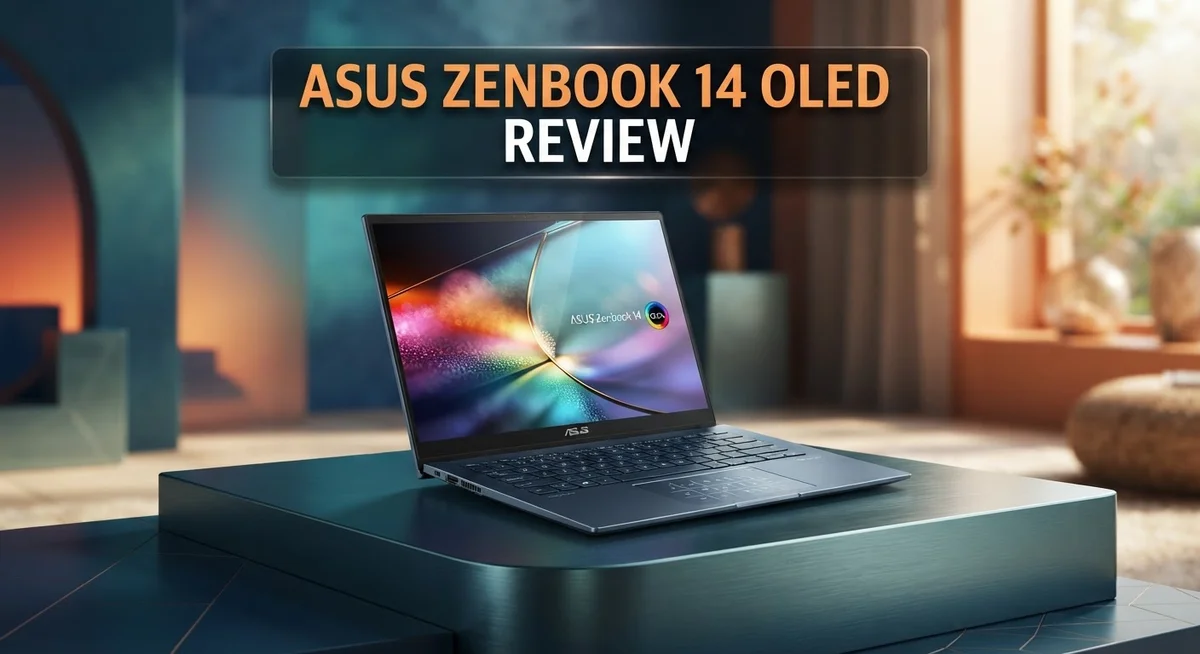
The Asus Zenbook 14 OLED turns heads with its slim body and bright display. This laptop mixes style with real power. It fits easily into a bag and still handles daily tasks with ease.
At its core, you get an Intel Core Ultra or AMD Ryzen AI chip. Both options bring smart AI features to your daily work. The NPU can hit up to 50 TOPS, which helps with faster tasks.
The OLED touch screen is a true highlight. Colors pop and blacks look deep on this 14 inch panel. Movies, photos, and games all look stunning here.
Battery life is another strong point. You can work all day without hunting for a charger. This makes it a solid pick for students and busy professionals alike.
This model also ships with fast Wi-Fi 6E and a full set of ports. You get USB-A, USB-C, and HDMI without needing extra dongles.
But no laptop is perfect. Some users report reliability issues out of the box. We will explore these pros and cons in detail below.
In a Nutshell
Here’s a quick summary to help you decide fast:
-
Design: The Zenbook 14 OLED feels light in your bag. It looks sharp for work or travel.
-
Display: The OLED touch panel shows deep colors. Movies and photos look stunning on screen.
-
Performance: You get solid power from Intel Core Ultra or AMD Ryzen AI chips. Daily tasks feel smooth and quick.
-
Battery: This laptop lasts through a full workday. You won’t panic about finding an outlet.
-
Connectivity: Wi-Fi 6E keeps your connection fast. Full ports mean no dongles needed.
-
Reliability concerns: Some users report issues out of the box. Others notice problems after regular use.
-
Power limits: This model isn’t built for heavy workstation tasks. Creative pros doing intense rendering might want more muscle.
Bottom line: The Zenbook 14 OLED shines for everyday use and portability. Just watch for potential hardware hiccups before you commit.
Display and OLED Technology
The OLED display on the Zenbook 14 OLED stands out as one of the laptop’s biggest strengths. This 14 inch screen uses organic light emitting diode technology. Each pixel produces its own light, which means blacks appear truly black instead of dark gray.
What makes OLED special? Traditional LCD screens use a backlight behind the panel. OLED eliminates that backlight completely. The result is infinite contrast and colors that pop off the screen. You see deeper blacks and brighter highlights without washing out the image.
The touch functionality adds another layer of usefulness. You can tap, swipe, and pinch just like on a tablet. This works well for presentations, photo editing, and casual browsing. The responsiveness feels natural and immediate.
Color accuracy matters for creative work. The OLED panel delivers vibrant colors that stay true across different angles. You won’t see the color shift that happens on many LCD laptops when you tilt the screen. Photographers, designers, and video editors appreciate this consistency.
The refresh rate keeps scrolling smooth and fluid. You move through documents and web pages without the stuttering you might see on cheaper displays. Watching videos feels immersive thanks to the panel’s quality.
Brightness is another advantage. OLED displays on the Zenbook 14 get bright enough for outdoor use. You can work in sunlight without squinting or struggling to see the screen. The anti glare coating reduces reflections even more.
One consideration is that OLED panels can develop burn in over time if the same image stays on screen for months. This is rare with modern laptops because Windows constantly shifts pixels around. Still, it’s worth knowing about if you plan to leave static images displayed for extended periods.
The display truly justifies the premium ultraportable positioning of this laptop. Whether you’re streaming content, editing photos, or just browsing, the visual experience feels noticeably better than standard LCD alternatives.

- DISCLOSURE — Brand New Computer has been resealed to upgrade SSD. 1 Year warranty by...
- PREMIUM PORTABILITY - The ASUS Zenbook 14 OLED features a slim, lightweight build paired with a...
Last update on 2026-09-22 / Affiliate links / Images from Amazon Product Advertising API
Processor and Performance
The processor is where the Zenbook 14 OLED truly flexes its muscles. You get your choice between Intel Core Ultra or AMD Ryzen AI chips. Both options pack serious computing power for daily tasks and creative work.
The Intel Core Ultra processor (UX3405) marks an important moment. This is one of the first laptops to showcase Intel’s latest generation. The chip handles multitasking without breaking a sweat. You can run multiple browser tabs, edit documents, and stream video all at once.
The AMD Ryzen AI alternative brings its own strengths. It includes an NPU (Neural Processing Unit) with up to 50 TOPS. This means the laptop runs AI tasks faster than traditional processors. Video editing, photo enhancement, and voice recognition all benefit from this extra power.
RAM and storage keep pace with the processor. You get up to 32GB of RAM for smooth performance. The SSD reaches 1TB, so you have plenty of space for files and apps. Together, these specs mean the laptop stays responsive even during demanding work.
Real world performance feels snappy and smooth. Opening applications takes seconds, not minutes. Switching between programs happens instantly. The processor doesn’t struggle with everyday computing needs like email, browsing, and document editing.
However, keep one thing in mind. This laptop isn’t a workstation powerhouse. Heavy tasks like 3D rendering or complex data analysis will take longer than on specialized machines. If your work involves basic photo editing, light video work, or standard office tasks, you’ll be happy with the performance.
The processor choice depends on your needs. Choose Intel Core Ultra for general computing and reliability. Pick AMD Ryzen AI if you want AI features and extra processing speed. Either way, the Zenbook 14 OLED delivers solid, dependable performance for a portable laptop.
Design, Build Quality, and Portability
The Zenbook 14 OLED feels premium the moment you lift it from the box. The aluminum chassis resists dents and scratches during daily use. You’ll notice the thin bezels around the display, which make the 14 inch screen feel larger than it actually is.
Weight matters when you carry a laptop everywhere. This model tips the scales at just over 3 pounds, so your shoulder won’t feel the strain during commutes or travel. The compact footprint fits easily into most backpacks and messenger bags without taking up much space.
The build quality stands out in this category. ASUS uses metal throughout the lid and keyboard deck, avoiding cheap plastic that feels flimsy. The hinge mechanism opens smoothly and holds the screen at any angle you prefer. The keyboard deck doesn’t flex or creak when you type with normal pressure.
Port placement shows thoughtful design. You get USB Type A ports on both sides, plus USB Type C connections for charging and data transfer. An HDMI port lets you connect to external displays without adapters. This full port selection means you won’t need a dongle collection to stay productive.
The keyboard feels responsive and comfortable for extended typing sessions. Key travel is adequate without being excessive. The trackpad responds accurately to gestures and clicks register reliably every time.
Thermal management keeps the laptop cool during normal use. Air vents sit on the sides and rear, so you won’t block them while typing on your lap. The fan runs quietly most of the time, only ramping up during demanding tasks.
The display bezel design minimizes wasted space on the chassis. This approach lets ASUS fit a larger screen into a smaller body. The overall aesthetic feels modern and professional without looking flashy or over designed.
Portability remains the Zenbook 14 OLED’s strongest suit in this category. The lightweight construction combined with the compact frame makes this laptop genuinely easy to move between locations.
Top 3 Alternatives
Dell XPS 13 Plus

- With 16 GB of memory, users can run many programs without losing execution
- The 13.4" 1920 x 1200 screen provides a great movie watching experience
Last update on 2026-09-22 / Affiliate links / Images from Amazon Product Advertising API
The Dell XPS 13 Plus offers a modern design that appeals to users wanting something different. This laptop features an edge-to-edge display with minimal bezels. The keyboard sits flush with the deck for a clean look.
Performance here is solid for everyday tasks. You get fast processors and quick storage. Battery life keeps up well during your workday. The display quality delivers vibrant colors and sharp text.
One thing to note: the trackpad takes some getting used to. It’s integrated into the palm rest area. Some people love this approach, while others prefer traditional designs.
Lenovo ThinkPad X1 Carbon

- 【Processor】AMD Ryzen 5 230 (6 cores, 12 threads, Max Boost Clock Up to 4.9Ghz, 16MB Cache...
- 【Touch Display】This laptop has a 16-inch touchscreen IPS LED display with 1920 x...
Last update on 2026-09-22 / Affiliate links / Images from Amazon Product Advertising API
The Lenovo ThinkPad X1 Carbon remains a business powerhouse. This machine emphasizes reliability and durability over flashy features. The keyboard is legendary among professionals who type all day.
You’ll find excellent build quality throughout. The materials feel premium and withstand daily wear. Security features protect your sensitive data effectively.
The display options range from standard to OLED variants. Both deliver good color accuracy and brightness. Processing power handles multitasking without breaking a sweat. Battery endurance stretches across full workdays easily.
HP Spectre x360 14

- [Powerful Performance] 15th Gen Ultra 7-258V 2.20GHz Processor (upto 4.8 GHz, 12MB Cache...
- [High Speed and Multitasking] 32GB OnBoard RAM; Bluetooth 5.4, Webcam, Fingerprint, Backlit KB...
Last update on 2026-09-22 / Affiliate links / Images from Amazon Product Advertising API
The HP Spectre x360 14 brings flexibility and elegance together. This convertible design rotates 360 degrees for multiple modes. You can use it as a laptop, tent, stand, or tablet.
The touchscreen responds quickly to your inputs. Display colors pop with excellent vibrancy. Audio quality from the speakers impresses most users.
Build materials feel premium and look sophisticated. The performance handles creative work smoothly. You get solid battery life for mobile professionals. The convertible hinge feels sturdy and reliable.
Battery Life and Power Efficiency
The Zenbook 14 OLED delivers solid battery performance for a premium ultraportable laptop. You can expect all-day battery life on a single charge during typical office work, web browsing, and content consumption.
Real world usage shows the laptop handles 8 to 10 hours of mixed tasks without needing a power outlet. Video streaming, document editing, and light multitasking drain the battery at a reasonable pace. Heavy video editing or gaming will reduce this window to 5 to 7 hours.
Power efficiency comes from two sources. First, the OLED display uses less energy than traditional LCD screens because each pixel generates its own light. You don’t waste power on a backlight that stays on all the time. Second, the processor architecture (Intel Core Ultra or AMD Ryzen AI) includes efficiency cores that handle light tasks without spinning up the full CPU.
The Wi-Fi 6E connection also plays a role in efficiency. Faster data transfers mean the radio doesn’t stay active as long, which saves battery power during downloads and uploads.
One smart feature is the ability to adjust display brightness and refresh rate. Lowering the refresh rate or dimming the screen extends battery life significantly when you need maximum endurance. The laptop remembers your preferences, so you can switch between performance and efficiency modes easily.
Charging speed is respectable. The power adapter refills the battery to 50 percent in roughly 30 minutes. A full charge takes around 90 minutes from empty.
Battery health remains stable over time with normal use. The laptop’s thermal management prevents the battery from overheating, which extends its lifespan. Most users report consistent performance even after one to two years of daily use.
For remote workers and students, the battery life removes the stress of hunting for power outlets throughout the day. You get freedom and flexibility without constant charging anxiety.
Connectivity and Port Selection
The Zenbook 14 OLED comes loaded with ports that actually matter for daily work. You get USB-A, HDMI, and multiple USB-C connections all in one compact frame.
This port variety means you connect older peripherals without hunting for adapters. Your external mouse, printer, or external hard drive plug in directly. The HDMI output lets you mirror your screen to projectors or external monitors instantly.
USB-C ports handle multiple jobs at once. They charge your laptop, transfer data, and connect to external displays through Thunderbolt support. Having more than one USB-C port prevents the frustration of choosing between charging and data transfer.
The full port selection stands out against competitors that strip down connectivity to save space. Many ultraportables force you to buy dongles and adapters. The Zenbook 14 OLED respects your existing tech investments.
Wi-Fi 6E connectivity keeps you fast on modern networks. Download speeds feel snappy when you’re working in coffee shops or shared office spaces. The antenna placement minimizes dead zones around the laptop body.
Port placement matters more than specs suggest. The Zenbook 14 OLED positions ports on the sides rather than the back. This means your charging cable doesn’t block your view or get in your way during typing sessions.
The combination of wired and wireless connectivity covers every scenario. You work tethered to a desk with Ethernet through an adapter, or you roam freely on Wi-Fi 6E networks. The laptop adapts to your environment without compromise.
One practical detail: the ports remain accessible even with the laptop in a bag or stand. Nothing blocks connections when you need them. This thoughtful design keeps your workflow uninterrupted throughout the day.
Reliability and Potential Issues
The Asus Zenbook 14 OLED has received reports of reliability concerns that potential buyers should know about. Some users experienced malfunctions straight out of the box, while others encountered issues after regular use. These problems suggest quality control inconsistencies during manufacturing or early hardware failures.
The most commonly reported issues involve unexpected shutdowns and software glitches. A few users also noted keyboard responsiveness problems after several months of ownership. Display anomalies have appeared in isolated cases, though the OLED panel itself generally performs well over time.
Battery degradation represents another consideration for long term ownership. While battery health stays stable during the first year with normal use, extended charging cycles may reduce capacity faster than expected. This is typical for OLED laptops, but worth monitoring if you charge daily.
Thermal management occasionally shows signs of stress under sustained heavy workloads. The cooling system handles everyday tasks smoothly, but intensive video editing or gaming sessions can trigger higher fan noise. Dust accumulation near vents may worsen thermal performance over time.
The trackpad sometimes exhibits occasional stuttering or unresponsive moments. This appears more common in units from earlier production batches. Software updates have resolved some of these issues for affected users.
Port durability deserves attention too. The USB-C connectors show normal wear patterns, but a small number of users reported loose connections after frequent plugging and unplugging. The HDMI and USB-A ports remain more reliable in comparison.
Most reliability issues resolve through warranty service or software patches. Asus provides solid customer support for hardware problems. Purchasing from authorized retailers ensures proper warranty coverage if defects emerge. For everyday use and light to moderate workloads, the Zenbook 14 OLED proves dependable. Heavy users pushing performance limits should expect occasional thermal throttling and potential longevity questions.
Pros and Cons
Pros
- The 14″ OLED display delivers stunning colors and deep blacks for creative work and media consumption
- Sleek, lightweight design makes this laptop easy to carry between meetings, classes, or coffee shops
- Battery life reaches 8 to 10 hours on mixed tasks, eliminating the constant hunt for power outlets
- Full port selection includes USB-A, HDMI, and multiple USB-C connections so you skip the adapter hassle
- Wi-Fi 6E connectivity keeps your internet speeds fast on modern networks
Cons
- Some users report reliability issues including unexpected shutdowns and software glitches out of the box
- Processing power falls short compared to dedicated workstation laptops for heavy video editing or 3D rendering
- Trackpad occasionally stutters or becomes unresponsive during extended use sessions
Who Should Buy It
The Asus Zenbook 14 OLED works best for specific types of users. If you spend most of your day moving between locations, this laptop fits your lifestyle perfectly. The compact 14 inch screen and lightweight design slip into any bag without effort.
Content creators benefit most from the OLED panel. Photographers, video editors, and designers see accurate colors and deep blacks that make their work look better. The touchscreen adds another layer of control for creative tasks.
Students find real value here too. Note taking, research, and document editing run smoothly. Battery life stretches through a full day of classes without needing a charger. The slim profile fits easily into backpacks alongside textbooks and notebooks.
Business professionals who travel regularly appreciate the portability combined with full connectivity. You get USB A ports for legacy devices, HDMI for projectors, and multiple USB C connections. No adapter hunting before important presentations.
However, this laptop has limits you should consider. Heavy video editors and 3D artists need more processing muscle. If you render videos for hours or build complex 3D models, workstation alternatives serve you better. The processing power simply cannot match those specialized machines.
Gamers should look elsewhere too. The integrated graphics handle light gaming but struggle with demanding titles at high settings.
Reliability concerns matter for your decision. Some users report unexpected shutdowns and software issues out of the box. If you need a laptop that works perfectly from day one without troubleshooting, research warranty options carefully. Most issues resolve through software patches or warranty service, but this remains a real consideration.
The Zenbook 14 OLED shines for people who value portability, display quality, and everyday performance. You get a beautiful screen, solid battery life, and excellent connectivity in a package you can actually carry. Just avoid it if you need raw processing power or demand absolute reliability without any hiccups.
Final Verdict
The Asus Zenbook 14 OLED stands out as a smart pick for anyone who wants a laptop that feels premium and performs well daily. Its blend of style and function makes it hard to ignore in a crowded laptop market.
This machine earns its place among top ultraportables through thoughtful engineering. The screen alone justifies serious consideration if visuals matter to your work or play.
Compared to rivals like the Lenovo Slim 7 or ASUS Vivobook S14 OLED, the Zenbook 14 brings a unique mix of polish and capability. Few competitors match its screen quality while keeping such a slim profile.
That said, no laptop suits everyone. If you need raw power for demanding creative software or intense gaming sessions, other machines will serve you better.
Think about how you actually use a laptop each day. Do you value screen quality and portability over maximum processing muscle? If yes, this laptop deserves a spot on your shortlist.
Weigh the pros against the cons carefully before deciding. The stunning display and all-day battery life offer real benefits. The reliability reports and limited processing power represent genuine trade-offs.
For most everyday users, students, and traveling professionals, the Zenbook 14 OLED delivers strong value in the experience it provides. It handles daily tasks smoothly while looking good doing it.
Buyers who prioritize heavy computing tasks should explore alternatives with stronger processors. Those who care most about visuals and portability will find plenty to like here.
In the end, this laptop rewards the right kind of user. Match your needs to its strengths, and you will likely enjoy years of reliable service. Pick wisely based on what truly matters for your daily routine.
Frequently Asked Questions
Does the OLED screen make a real difference for everyday use?
Yes, it does. The 14″ OLED touch display delivers vibrant colors and true blacks that LCD panels cannot match. You’ll notice sharper text, richer videos, and better contrast when reading documents or watching content. OLED screens also respond faster to touch input, which feels smoother when you scroll or navigate.
The downside is that OLED panels can develop burn-in over time if static images stay on screen for months. For typical daily work, this rarely happens. Most users enjoy the visual upgrade without worry.
Is this laptop good for gaming?
Not really. The Zenbook 14 OLED focuses on portability and everyday tasks, not gaming performance. While it runs light games fine, demanding titles will struggle. The integrated graphics cannot handle high frame rates at good settings.
If gaming matters to you, look for laptops with dedicated NVIDIA or AMD graphics cards instead.
How does the Intel Core Ultra processor compare to previous generations?
The Intel Core Ultra chip brings new AI capabilities with an NPU (Neural Processing Unit) that reaches up to 50 TOPS. This helps with photo editing, transcription, and other AI tasks that run locally on your machine.
For basic work like email, browsing, and office apps, it performs well. Heavy video editing or 3D rendering still requires more power than this laptop offers.
Will I need an external mouse or keyboard?
The touchpad works smoothly for everyday use. Many people stay comfortable without a mouse. However, if you spend 8+ hours typing daily, an external keyboard reduces wrist strain and boosts productivity.
The laptop’s full port selection means adding peripherals is easy.

Hi, I’m Sam! I’ve been passionate about technology for over a decade, fascinated by how innovative devices can transform our daily lives. As the founder of DeviceDiary.blog, I spend my days testing the latest gadgets, exploring AI innovations, and translating complex tech specs into practical insights.