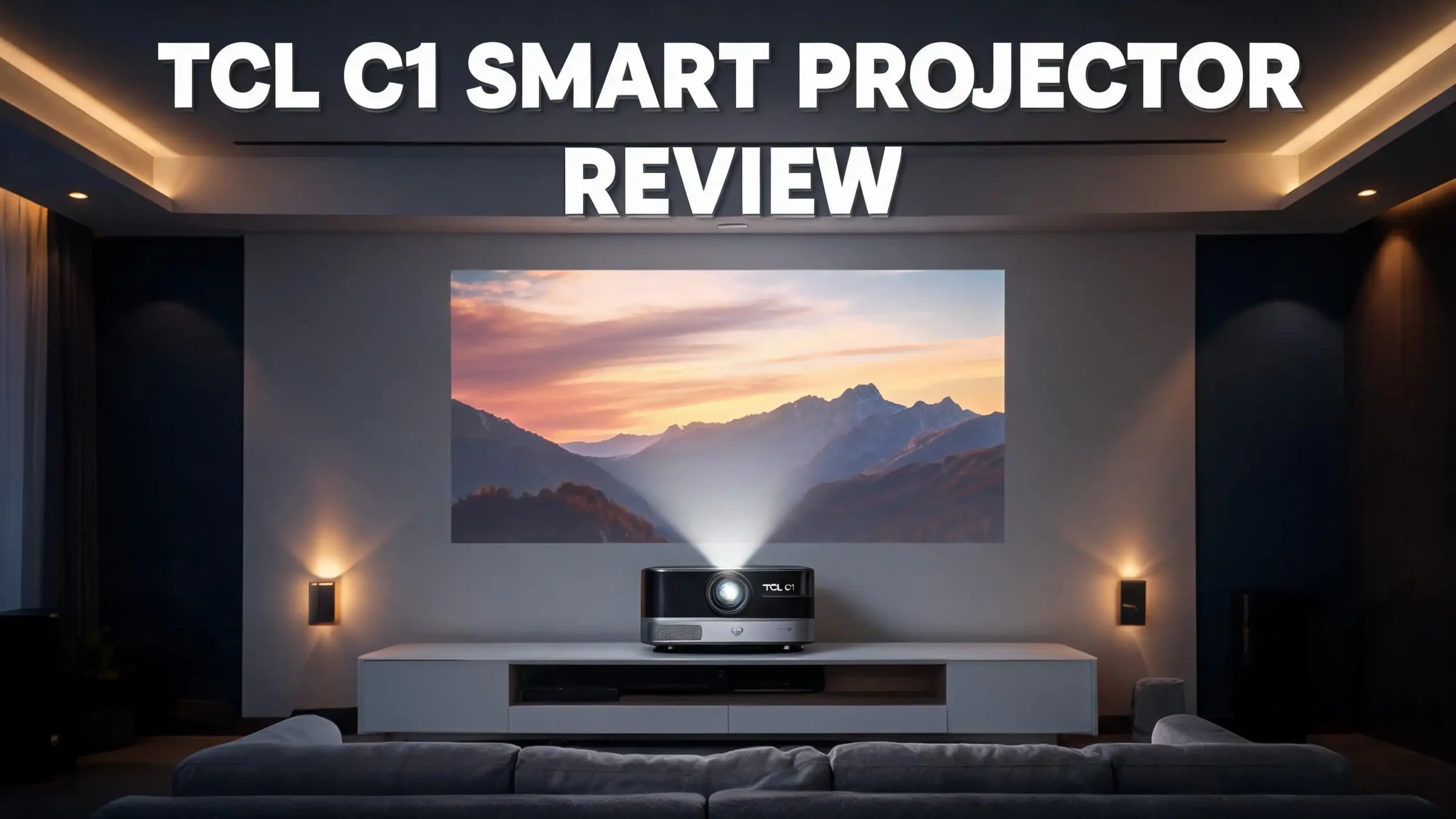
The TCL C1 Smart Projector arrived in 2025 and quickly became one of the most talked about portable projectors of 2026. It blends a compact gimbal design, official Google TV, and Netflix certification at a price that undercuts most rivals.
If you want a big screen experience without spending big money, this model deserves your attention.
This review breaks down every feature, every flaw, and every reason the TCL C1 might fit your living room, bedroom, or backyard. You will learn how it performs, how it compares to other projectors, and who should actually buy it.
Key Takeaways
- The TCL C1 uses a built in gimbal design that rotates 285 degrees, so you can aim it at a wall, ceiling, or angled surface without extra mounts.
- It runs official Google TV with Netflix certification, which means you get real Netflix, YouTube, Disney Plus, and Prime Video without sideloading.
- Brightness sits at 230 ISO lumens, which works best in dark rooms on screens between 60 and 100 inches.
- It supports 4K input signals but projects at native 1080p HDR10 with Dolby Audio sound.
- Auto focus, auto keystone, obstacle avoidance, and screen fit make setup take less than ten seconds.
- The price hovers near $249, which makes it one of the best value smart projectors of 2026.
What Is the TCL C1 Smart Projector?

- 【Smart Google TV Projector】 - Google and TCL collaborate on this projector system. Make...
- 【Dolby Audio Home Theater Projector with 8W Speaker】 – The TCL C1 projector delivers an...
Last update on 2026-09-24 / Affiliate links / Images from Amazon Product Advertising API
The TCL C1 is a compact LCD smart projector built by TCL, the same brand known for affordable televisions. It launched in late 2025 and reached wider release in early 2026. The projector targets buyers who want a plug and play big screen without a complicated home theater setup.
It weighs only 1.77 kg and measures about 13.7 by 14.5 by 23.1 centimeters. You can lift it with one hand and move it between rooms easily. The gimbal base lets the projector head tilt up to 285 degrees, so ceiling projection works without any tripod.
Inside, the TCL C1 runs Google TV with a proper remote that includes a Google Assistant voice button. Netflix works natively because TCL paid for official certification. That single feature alone puts it ahead of most budget projectors, which force users to install Netflix through workarounds.
The C1 also includes Wi-Fi 5, Bluetooth 5.0, HDMI, and USB ports. You can connect a game console, a Fire Stick, or a soundbar without trouble. The built in Dolby Audio speaker delivers clear sound for casual viewing, although a real speaker upgrade helps for movies.
Design and Build Quality of the TCL C1
The first thing you notice about the TCL C1 is its gimbal style stand. The projector head sits on a curved base, and you can rotate the head freely with your hand. The motion feels smooth, and the hinge holds its position once you stop.
The chassis uses a matte plastic finish in a soft grey color. It feels lightweight but not cheap. The build quality matches projectors in the $400 range, which is impressive for a $249 unit.
TCL placed the fan vents on the back and sides, so heat escapes without blowing on your hand. The fan stays quiet during normal use, although you may hear it in a completely silent room. The lens sits inside a recessed cover that protects it during travel.
On top of the projector, you get three physical buttons for power, volume, and source. A small status light glows softly when the unit is on. The included remote uses Bluetooth, which means you do not need to point it directly at the projector to make it respond.
The whole design feels modern and clean. It blends into a living room shelf or a bedside table without looking like industrial gear. If aesthetics matter to you, the TCL C1 scores high marks.
Picture Quality and Brightness Performance
The TCL C1 produces a native 1080p image and accepts 4K input signals, which it then downscales. Real world picture quality looks sharp on screens between 60 and 100 inches. Above 100 inches, the brightness starts to drop and colors look washed out.
Brightness measures 230 ISO lumens, which is verified by SGS testing. This number is honest, unlike the inflated figures used by many cheap projectors. In a dark room, the image looks bright and punchy with good contrast. In a dim room with curtains, it still performs well.
The projector supports HDR10, and TCL includes its own TrueHue color processing. Skin tones look natural, and bright scenes show good detail. Dark scenes show some black crush, which is normal for LCD projectors at this price.
Color coverage is solid for the category. You will not get the cinema grade color of a $1500 projector, but movies, sports, and shows look great. The default Standard picture mode works well, although you can tweak settings in the menu.
One important note: the TCL C1 is not built for bright rooms. If you plan to watch during the day with sunlight in the room, you will need blackout curtains or a higher brightness model.
Google TV and Smart Features
The TCL C1 ships with full Google TV preinstalled. This is the same operating system you find on premium TVs from Sony, TCL, and Hisense. You get the Google Play Store, voice search, recommendations, and your personal watchlist.
Netflix works natively because TCL holds official Netflix certification. Many cheap Google TV projectors do not have this license, which forces users to install Netflix through workarounds. The TCL C1 avoids that hassle.
You can install thousands of apps including Disney Plus, Prime Video, HBO Max, Apple TV, Hulu, Spotify, and YouTube. Casting from your phone works through built in Chromecast, so you can send photos, videos, or music in one tap.
The remote includes a Google Assistant button. Press it and ask for a show, a weather update, or a smart home command. The voice recognition responds quickly, and Google TV understands natural language well.
Google TV also offers free live TV channels through the Google TV app. You get news, sports highlights, and movies without a subscription. This makes the TCL C1 feel more like a real television than a basic projector.
Top 3 Alternative for TCL C1 Smart Projector
If the TCL C1 does not match your needs, these three alternatives offer similar features with different strengths. Each one targets a slightly different buyer, so pick the one that matches your priorities.

- Super-Sized Screen, Portable Design: Capsule 3 is an all-new ultra-portable Google TV projector...
- Take the Big Screen Anywhere: With a max screen size of 120 inches, Capsule 3 delivers a...
Last update on 2026-09-24 / Affiliate links / Images from Amazon Product Advertising API
The Anker Nebula Capsule Air is a soda can sized projector that runs Google TV with Netflix certification. It includes a built in battery for two hours of playback, which makes it more portable than the TCL C1. Brightness is lower, but the size advantage is huge.

- Designed for the XGIMI MoGo 3 Pro: The XGIMI PowerBase Stand allows you to experience...
- Stream Google TV and Netflix Favorites: Watch the hottest new shows and blockbuster hits right...
Last update on 2026-09-24 / Affiliate links / Images from Amazon Product Advertising API
The XGIMI MoGo 3 Pro offers 450 ISO lumens and Harman Kardon speakers. It costs more than the TCL C1, but you get brighter images, better sound, and a PowerBase stand. This is the upgrade pick for buyers who want premium quality.

- GOOGLE TV WITH LICENSED NETFLIX: Enjoy seamless streaming with built-in Google TV. Access...
- 1080P HD WITH 4K SUPPORTED CONTENT: Native 1080p resolution delivers sharp images while...
Last update on 2026-09-24 / Affiliate links / Images from Amazon Product Advertising API
The TCL A1 Projector is the sibling of the C1. It offers 360 ISO lumens and similar Google TV features. The design uses a traditional shape instead of a gimbal. If you want more brightness from the same brand, the A1 is a strong choice.
Setup and Installation Experience
Setting up the TCL C1 takes less than five minutes. You plug it in, point it at a wall, and the projector handles the rest. The auto focus sharpens the image within two seconds. The auto keystone straightens the picture even when you place the projector off center.
The C1 also includes obstacle avoidance. If your wall has a picture frame or a switch, the projector shifts the image to avoid it. Auto screen fit matches the image to your projection screen if you have one.
Google TV setup uses the standard Android flow. You sign in with your Google account, install your apps, and connect to Wi-Fi. The whole process takes about ten minutes the first time, and zero minutes after that.
The projector remembers your settings between sessions. If you move it from the living room to the bedroom, it re calibrates automatically. This plug and play behavior is the best part of owning the TCL C1.
You can also mount the projector on a tripod through the standard quarter inch screw mount on the base. This gives you flexibility for outdoor movie nights or large group viewing.
Sound Quality and Audio Features
The TCL C1 includes a built in speaker tuned with Dolby Audio. For a projector this small, the sound is surprisingly full. Dialogue stays clear, and music has noticeable bass for the size.
The speaker reaches a moderate volume that works for a small bedroom or a quiet living room. For larger rooms or outdoor use, you will want external speakers. Bluetooth 5.0 lets you connect wireless headphones or a soundbar without lag.
You can also use the TCL C1 as a Bluetooth speaker. Turn off the projection and stream music from your phone. This turns the unit into a versatile home audio device when you are not watching movies.
The HDMI port supports eARC, so you can pass audio to a compatible soundbar through one cable. The 3.5mm headphone jack is missing, which is a small downside for wired headphone users.
Overall, the audio quality beats most budget projectors. It will not replace a dedicated home theater setup, but it works well for casual viewing without any extra gear. Dolby Audio support also means streaming services deliver their full sound profile.
Gaming Performance on the TCL C1
Gaming on the TCL C1 is acceptable for casual play but not ideal for competitive titles. The projector accepts up to 1080p at 60Hz and shows noticeable input lag. RTINGS measured high lag values, which means fast paced games like Call of Duty or Apex Legends will feel sluggish.
For slower games, the experience improves. Stardew Valley, Animal Crossing, story driven RPGs, and platformers all play well on a 100 inch screen. The big picture makes single player games feel cinematic.
The TCL C1 does not include a dedicated game mode to reduce lag. This is a missed feature at this price point, since many competitors at $300 offer game mode toggles.
If gaming is your main use case, the TCL C1 is not the best pick. Look at projectors with 120Hz support and low input lag instead. The BenQ TH575 and the Epson Home Cinema 880 both perform better for gaming.
For occasional Nintendo Switch sessions or party games, the TCL C1 works fine. Just keep your expectations realistic. This is a movie projector first and a gaming projector second.
Connectivity Options and Ports
The TCL C1 includes a practical set of ports. You get one HDMI 2.1 input, one USB-A port, and a power input. The HDMI port supports eARC for soundbar passthrough.
The USB port lets you play files directly from a flash drive. The projector reads most common formats including MP4, MKV, and AVI. This is useful when streaming is not available or when you want to play personal content.
Wireless options include Wi-Fi 5 dual band and Bluetooth 5.0. Wi-Fi 5 is fast enough for 4K streaming, although the projector downscales 4K to 1080p. Bluetooth 5.0 allows pairing with headphones, speakers, and game controllers.
The projector does not include a built in battery. You must plug it into a wall outlet to use it. This limits true portability compared to the Anker Nebula Capsule Air or the XGIMI MoGo 3 Pro.
For most users, the port selection covers daily needs. If you need multiple HDMI inputs for a console, a streaming stick, and a Blu-ray player, you will need an HDMI switch.
Portability and Travel Use
The TCL C1 weighs 1.77 kg and fits in a backpack or a tote bag. The gimbal base folds down for easier packing. There is no carrying case included, so you may want to buy one separately.
The lack of a built in battery is the main portability limitation. You need a wall outlet or a portable power station for outdoor use. A 100 watt power bank with AC output runs the projector for several hours.
For travel inside a home, the C1 shines. You can move it from the bedroom to the living room to the patio in seconds. The auto setup features re calibrate the image each time, so you spend no effort on alignment.
For camping or outdoor movie nights without power, look at battery powered alternatives. The Anker Nebula Capsule Air or the XGIMI MoGo 3 Pro both include batteries and serve travel users better.
If your projector lives at home but moves between rooms often, the TCL C1 fits perfectly. The light weight and quick setup make multi room use simple.
Comparison With Other Projectors in 2026
The 2026 projector market is crowded with budget options. The TCL C1 competes with the Nebula Capsule Air, the XGIMI MoGo 3 Pro, the Epson EpiqVision Flex, and the BenQ GV31. Each has trade offs.
The Nebula Capsule Air wins on portability with its tiny size and battery. The TCL C1 wins on brightness and screen size. The XGIMI MoGo 3 Pro wins on brightness and audio, but costs almost double the price.
The Epson Home Cinema 880 offers more brightness for daytime viewing but lacks smart features. You need a streaming stick for apps. The TCL C1 includes Google TV built in, which removes that extra cost.
For pure value per dollar, the TCL C1 leads the category in 2026. You get Google TV, Netflix certification, auto setup, and a gimbal design for $249. No other projector at this price matches that combination.
If you have more budget, the XGIMI MoGo 3 Pro is the natural upgrade. If you want a smaller battery powered unit, the Nebula Capsule Air is the alternative. Otherwise, the TCL C1 is the clear pick.
Who Should Buy the TCL C1
The TCL C1 fits casual movie watchers who want a big screen without complications. If you stream Netflix, YouTube, and Disney Plus on a couch every night, this projector delivers a theater style upgrade over your TV.
It also suits renters and small space dwellers. You can project on any wall, store the projector on a shelf, and avoid mounting a 65 inch TV. The portability fits apartment life perfectly.
Families with kids will appreciate the simple Google TV interface. Kids can find their cartoons without help, and parental controls work through Google Family Link. The big image makes weekend movie nights feel special.
The TCL C1 is not the best pick for serious gamers, daytime viewers, or audiophiles. Hardcore home theater fans should spend more on a 4K native projector with higher brightness. Outdoor adventurers should pick a battery powered model.
For everyone else, the TCL C1 hits a sweet spot of price, features, and ease of use. It is the projector you recommend to friends who say their TV feels too small.
Pros and Cons of the TCL C1
Here is a quick honest summary of the strengths and weaknesses after extended use.
Pros: The TCL C1 offers official Google TV with Netflix certification, which removes streaming hassles. The gimbal design rotates 285 degrees for flexible projection. Auto focus and auto keystone setup is fast and accurate. Build quality feels premium for the price. Dolby Audio sound is impressive for the size. Price near $249 is excellent for the feature set.
Cons: Brightness at 230 ISO lumens limits daytime use. There is no built in battery, so outdoor use needs a power source. Gaming input lag is high. The native resolution is 1080p, not 4K. No 3.5mm headphone jack. Only one HDMI port.
The pros heavily outweigh the cons for the target buyer. If you need a brighter or more portable unit, look at alternatives. If you want value and simplicity, the TCL C1 is hard to beat.
Frequently Asked Questions
Does the TCL C1 support 4K resolution?
The TCL C1 accepts 4K input signals but projects at native 1080p resolution. It downscales 4K content to fit the 1080p display. The image still looks sharp because the source quality is higher than the display.
Can the TCL C1 run Netflix natively?
Yes. The TCL C1 has official Netflix certification. You can download Netflix from the Google Play Store and sign in normally. There is no need for sideloading or workarounds.
How bright is the TCL C1 projector?
The TCL C1 outputs 230 ISO lumens, verified by SGS testing. This brightness works best in dark or dim rooms on screens between 60 and 100 inches. It is not bright enough for daytime use without curtains.
Does the TCL C1 have a built in battery?
No. The TCL C1 needs a wall outlet or a portable power station for outdoor use. If you want a battery powered alternative, look at the Anker Nebula Capsule Air or the XGIMI MoGo 3 Pro.
Can I mount the TCL C1 on a tripod?
Yes. The base includes a standard quarter inch screw mount. You can attach any camera tripod for outdoor movie nights or ceiling projection. The gimbal head also rotates 285 degrees without a tripod.
How loud is the TCL C1 speaker?
The built in speaker uses Dolby Audio tuning and reaches moderate volume. It works well for small rooms and casual viewing. For large rooms or outdoor use, you should connect a Bluetooth speaker or a soundbar through HDMI eARC.
Is the TCL C1 good for gaming?
The TCL C1 supports 1080p at 60Hz with high input lag. It works for casual single player games but not for competitive shooters. For serious gaming, look at projectors with low input lag and 120Hz support.
What is the price of the TCL C1 in 2026?
The TCL C1 launched at around $249 in early 2026. Prices may shift with sales and regional availability. Check current listings on Amazon for the latest price before buying.

Hi, I’m Sam! I’ve been passionate about technology for over a decade, fascinated by how innovative devices can transform our daily lives. As the founder of DeviceDiary.blog, I spend my days testing the latest gadgets, exploring AI innovations, and translating complex tech specs into practical insights.