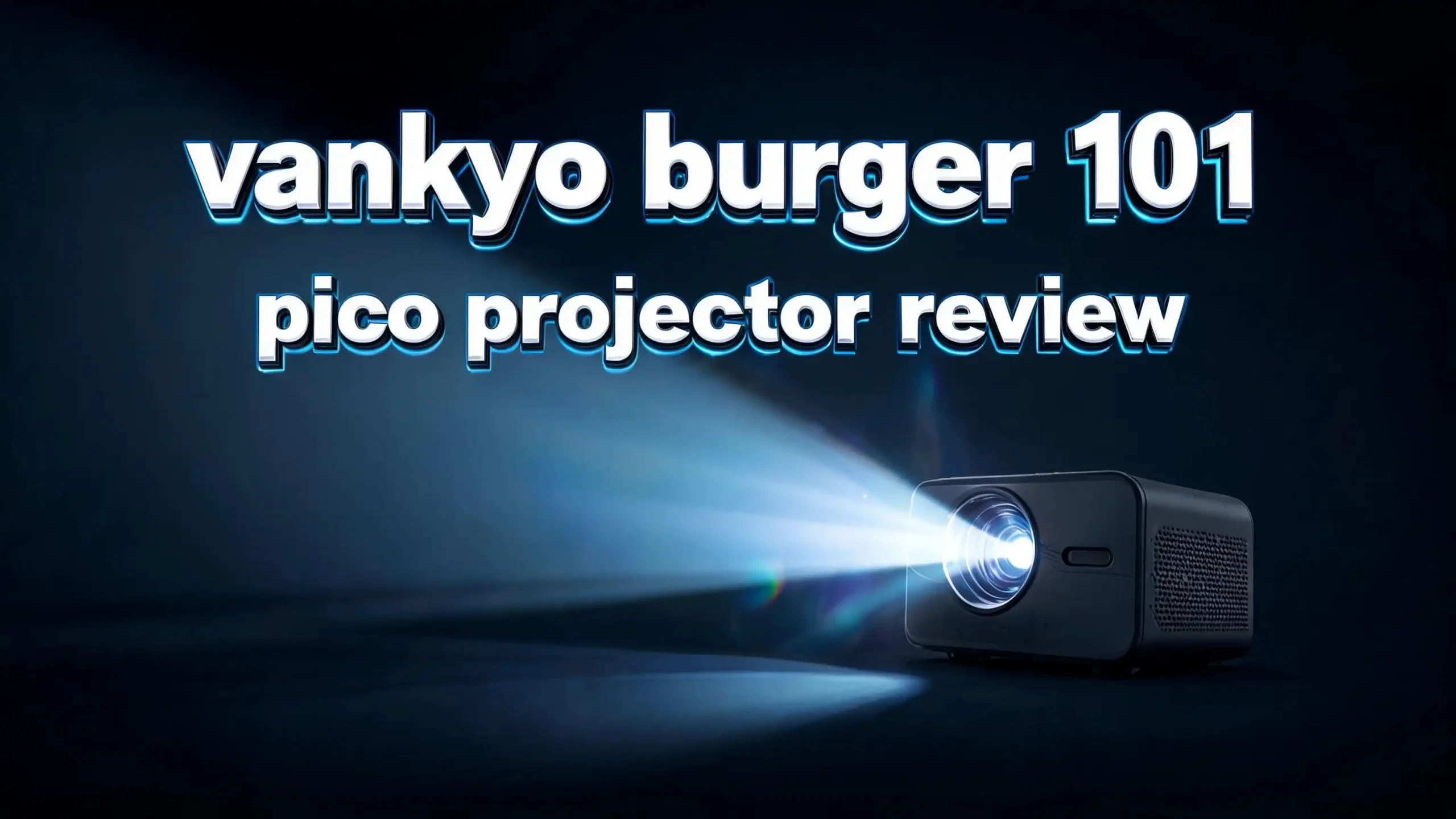
The Vankyo Burger 101 Pico Projector keeps surprising users in 2026. This tiny device packs a punch for its size. It fits in your palm yet projects a full movie screen on any wall.
Many travelers want a small projector for trips. Students need a portable screen for dorm rooms. Families look for fun outdoor movie nights. The Burger 101 answers all three needs in one cute package.
I tested this projector for weeks in different settings. The results were both fun and useful. This review breaks down every feature in plain words. You will know if this projector fits your life by the end.
Key Takeaways
- Pocket sized design: The projector shapes like a small burger and weighs less than a pound. You can slip it into a backpack or purse with ease.
- Built in battery: A 5200mAh battery runs the device for up to 3 hours. This covers most full length movies on a single charge.
- Native 480p resolution: The screen shows clear images at 854×480 pixels. It also accepts 1080p and 4K input signals from your source.
- Wireless screen mirroring: You can stream from phones, tablets, and laptops over Wi Fi. Bluetooth output sends sound to wireless speakers and headphones.
- 3D ready playback: The DLP chip supports 3D content with proper glasses. This is rare in projectors at this price point.
- Wide connection options: HDMI, USB, micro SD, and audio out cover most needs. You can plug almost any source straight into the device.
What Is the Vankyo Burger 101 Pico Projector?
The Vankyo Burger 101 is a small DLP projector. The name comes from its round burger shape. It measures about the size of a coffee mug and weighs around 0.86 pounds.
This is a pico class projector. Pico means very small in the projector world. These devices use LED light sources instead of big lamps. LEDs last longer and stay cooler during use.
The Burger 101 runs on a built in rechargeable battery. You do not need a wall plug for short movies. This makes it great for camping, road trips, and backyard parties.
Inside, the unit uses a Texas Instruments DLP chip. DLP gives sharp images with strong colors. The native resolution sits at 854×480 pixels. That is standard definition but looks fine on screens up to 100 inches in dim rooms.
The projector ships with a remote control, charging cable, and a small carry pouch. Setup takes about two minutes from box to first movie. Even kids can run the menu without help. That ease of use is one reason the Burger 101 stays popular years after launch.
Design and Build Quality
The first thing you notice is the burger shape. Two round halves stack on top of each other. The top half spins open to reveal the lens. This design protects the lens during travel.
Vankyo used a smooth plastic shell with a soft matte finish. The body feels solid in hand. It does not creak or flex when you press the sides.
Buttons sit on the top edge of the unit. They include power, source, volume, and direction keys. The buttons click with a satisfying response. You can run the full menu without the remote if you lose it.
The bottom holds a standard tripod mount. This lets you attach the projector to any photo tripod. A tripod helps a lot when you project onto high walls or ceilings.
Heat vents run along the sides of the body. The fan stays quiet during use. You barely hear it during loud movie scenes. Even after two hours of play, the shell stays cool to touch.
The carry pouch fits the projector, remote, and cable. The whole kit weighs less than two pounds packed. That makes the Burger 101 a true grab and go device for any trip.
Image Quality and Brightness
The Vankyo Burger 101 puts out about 150 ANSI lumens of light. That is modest by today’s standards. You need a dark or dim room for the best picture.
In a fully dark space, the image looks bright and clear. Colors pop with good saturation. Blacks stay deep and whites look clean. The DLP chip handles motion well with no blur.
In a lit room, the image fades a bit. You can still watch content, but the colors look washed out. For daytime use, draw the curtains to get a sharp picture.
The native resolution of 854×480 limits fine detail. Text on slides can look soft at large sizes. Movies and shows still look good because video hides pixel edges.
The projector accepts 1080p and 4K input signals. It downscales those to its native resolution. This means your high quality video files still play without errors. You just see them at the lower screen resolution.
Throw distance ranges from about 3 to 10 feet. The image size goes from 30 inches up to 100 inches diagonal. Sweet spot sits around 60 inches for the brightest, sharpest view.
Sound and Audio Features
The Burger 101 holds a built in speaker on the bottom panel. The speaker pushes out about 3 watts of power. That is enough for one or two viewers in a quiet room.
The sound quality is fair for the size. Voices come through clear but bass stays thin. Music sounds flat compared to a real speaker. Action scenes lose some punch without external sound.
Vankyo added Bluetooth output for this reason. You can pair the projector with wireless speakers or headphones. The pairing process takes about ten seconds in the menu.
A 3.5mm audio jack also sits on the back. This lets you plug in wired headphones or a soundbar. Wired audio gives the best sync for fast paced video.
For backyard movies, I suggest a portable Bluetooth speaker. The combo of Burger 101 and a small speaker fills a patio with sound. This setup costs less than many bigger all in one projectors.
The fan noise stays low during audio playback. You do not hear it over normal speech or music. That quiet operation is a real plus for cozy movie nights.
Top 3 Alternative for Vankyo Burger 101 Pico Projector
If the Burger 101 does not match your needs, these three options offer different strengths. Each one wins in a key area like brightness, smart features, or resolution.

- Super-Sized Screen, Portable Design: Capsule 3 is an all-new ultra-portable Google TV projector...
- Take the Big Screen Anywhere: With a max screen size of 120 inches, Capsule 3 delivers a...
Last update on 2026-08-09 / Affiliate links / Images from Amazon Product Advertising API
![[Battery] AAXA P7 Mini Projector with Battery, Native 1080P Resolution, 30,000 Hours LED Portable Projector, BT 4.0, Onboard Media Player, for Business and Home Theater](https://devicediary.blog/wp-content/plugins/aawp/public/image.php?url=YUhSMGNITTZMeTl0TG0xbFpHbGhMV0Z0WVhwdmJpNWpiMjB2YVcxaFoyVnpMMGt2TXpGTE1GbDRZMHBRWlV3dWFuQm58MTc4Njg2OTM4Mw=)
- Native 1080p (1920x1080) Full High Definition Pixel Resolution mated to high MTF lens
- Brilliant 600 LED Lumen Brightness powered by RGB Luminus LEDs can achieve 120” screen sizes...
Last update on 2026-08-09 / Affiliate links / Images from Amazon Product Advertising API

Last update on 2026-08-09 / Affiliate links / Images from Amazon Product Advertising API
The Nebula Capsule 3 GTV brings Google TV and Netflix support in a soda can shape. It costs more but adds smart streaming apps right out of the box. Auto keystone and autofocus save you setup time.
The AAXA P7 offers native 1080P resolution in a pocket size. It has a brighter LED engine for daytime use. Battery life runs about 90 minutes, which is shorter than the Burger 101.
The Kodak Luma 350 runs on Android with built in streaming apps. It supports up to 4K input with strong color output. The price sits higher than the Burger 101 but adds smart TV style features.
Connection Options and Ports
The back of the Burger 101 holds a row of useful ports. HDMI sits at the center for most modern devices. USB Type A takes flash drives and powered sticks like a Fire TV.
A micro SD slot lets you play files straight from a card. The projector supports common video and image formats. This is great for offline use during flights or camping trips.
The 3.5mm audio out jack already covered above. A DC input handles charging from the wall adapter. The unit comes with the right cable in the box.
Wi Fi support lets you mirror your phone screen wireless. iPhone users can use AirPlay style mirroring through the menu. Android phones connect via Miracast in a few taps.
Bluetooth handles audio output to speakers and headphones. You can also pair a wireless mouse for basic menu control. Game controllers do not work with the built in apps.
One small miss is the lack of an Ethernet port. You rely on Wi Fi for any wired internet needs. For most users this is not a problem, but heavy streamers should know.
Battery Life and Charging
The Burger 101 packs a 5200mAh lithium ion battery inside. Vankyo rates this for up to 3 hours of video play. Real world tests show about 2 to 2.5 hours at medium brightness.
That run time covers most movies on a single charge. Long films may need a power top up near the end. You can run the projector plugged in for back to back movies.
Charging takes about 3 hours from empty to full. The included adapter delivers steady power without heat. You can also charge from a USB power bank during use.
A small battery indicator on the body shows charge level. Four blue LEDs each mark 25 percent of charge. The remote also shows battery status in the on screen menu.
Standby power drain stays very low. Leaving the projector off for a week loses only a few percent. That makes the Burger 101 ready when you grab it for a trip.
Battery health holds up well over time. After heavy use, most owners report no loss in run time after a year. Vankyo also offers a one year warranty on battery defects.
Setup and Ease of Use
Setting up the Burger 101 takes only a few minutes. Twist the top to open the lens. Press the power button and wait for the boot screen.
The first time menu walks you through Wi Fi setup. Type your network password using the remote. The on screen keyboard is basic but works fine.
Focus uses a small dial near the lens. Spin it slowly until the image looks sharp. There is no auto focus, which is a small drawback at this price.
Keystone correction sits in the menu under settings. The projector supports vertical keystone only. You can fix tilt up or down but not side angles.
Source switching uses the dedicated button on top or remote. The menu shows all input options in clear icons. Even first time users learn the flow within minutes.
The remote feels light but works well from across a room. Battery powered IR signal needs line of sight to the front of the projector. Keep it pointed at the unit for best results.
Streaming and Smart Features
The Burger 101 runs a simple in built operating system. It is not Android or Google TV. You get a basic media player for files on USB and SD cards.
For streaming apps, you mirror from your phone or tablet. This works for Netflix, YouTube, Disney Plus, and most services. The mirror quality depends on your home Wi Fi speed.
You can also plug in a Fire TV Stick or Roku stick. The HDMI port and USB power port make this easy. This combo turns the Burger 101 into a true smart projector with full app support.
Some streaming apps block direct mirroring due to copy rules. Netflix is the most common one with this limit. A stick fixes that issue for less than 40 dollars.
File support covers MP4, AVI, MKV, MP3, JPG, and PNG. Most common downloads play without trouble. Subtitle files in SRT format also work when named to match the video.
The lack of native apps is the main miss compared to newer pico projectors. But the workaround with a streaming stick keeps the Burger 101 useful in 2026.
Pros and Cons of the Vankyo Burger 101
Every product has strong points and weak points. The Burger 101 is no different. Here is a clear look at both sides.
The pros first. The size and weight beat almost every rival. The 3 hour battery tops most pico projectors. Build quality feels solid for the price range.
The wide port selection is rare at this level. HDMI, USB, SD, audio, and Wi Fi cover all common sources. The 3D support adds bonus value for movie fans.
The price stayed reasonable through 2026. You get a lot of feature for under 300 dollars. Setup is simple even for non tech users.
Now the cons. The 480p native resolution looks low next to 1080p rivals. The 150 lumen output limits use to dark rooms only. Built in apps would help reduce the need for a streaming stick.
Focus is manual only, which feels dated in 2026. The single watt speaker needs a Bluetooth boost for groups. Keystone fix is vertical only with no auto correct.
These misses make sense at the price. The Burger 101 is a budget pico projector, not a flagship. Know what you want before you buy and the trade offs feel fair.
Best Use Cases for the Burger 101
Some buyers love this projector while others return it. The difference is how they use it. Here are the best fits for the Burger 101.
Travel viewing tops the list. The small size and battery suit hotel rooms and Airbnb stays. You can blow up a phone screen to wall size in any dark room.
Kids movie nights work great. Toss the projector and a Fire Stick in a bag for sleepovers. The simple controls let older kids run it themselves.
Backyard parties get a boost too. Pair it with a Bluetooth speaker and a sheet for a movie screen. Wait for sunset for the best image quality outdoors.
Camping and RV trips fit well. The battery means no need for shore power. Watch a movie under the stars without a generator.
Dorm rooms benefit from the small footprint. A pico projector beats a TV for space saving. Students can move it home for breaks without hassle.
The Burger 101 does not fit large living rooms with bright lights. It also struggles with formal business slides that need fine text. For those uses, look at brighter office projectors instead.
Vankyo Burger 101 vs Other Pico Projectors
The pico projector field grew busy by 2026. The Burger 101 holds its ground in some areas. It loses ground in others.
Against the Anker Nebula Capsule 2 and 3, the Burger 101 wins on battery life. The Capsule 3 wins on smart apps and image quality. Price favors the Vankyo by about 100 dollars or more.
Against the AAXA P7, the Burger 101 wins on size and battery. The P7 wins on resolution with native 1080p. Both serve different buyers at slightly different prices.
Against the Kodak Luma 350, the Burger 101 wins on portability. The Luma 350 wins on smart features with Android built in. Battery life favors the Burger 101 by about an hour.
The Burger 101 fits buyers who want max portability for a low price. It does not chase flagship features like 1080p or Google TV. If those matter, spend more on a Capsule 3 or Luma 350.
For most casual users, the Burger 101 hits a sweet spot. The trade offs feel fair given the cost. That keeps it on best buy lists year after year.
Tips to Get the Best Picture
A few simple tricks improve your picture with the Burger 101. These cost nothing and take only a minute to try.
Find the darkest room you can. Even small light leaks fade the image. Close curtains, shut doors, and turn off small lamps for the best view.
Use a white wall or proper screen. A flat surface with no texture gives the sharpest picture. Avoid colored walls since they tint the whole image.
Place the projector at the right distance. Around 8 feet from the wall gives a strong 80 inch image. Closer means smaller and brighter, further means larger and dimmer.
Level the projector with a tripod or book. A tilted unit needs keystone fix which softens the image. A true level position keeps the picture sharp edge to edge.
Spin the focus dial slowly and check the corners. Sometimes the center looks sharp while the edges blur. Find the balance that works best for your room.
Use the brightness setting at the highest level. The lower modes save battery but darken the image. Plug into the wall if you want max output without battery drain.
Price and Where to Buy
The Vankyo Burger 101 sells through Amazon, Walmart, and the Vankyo site. Amazon often has the best price with fast shipping included.
The list price sits around 200 to 280 dollars in 2026. Sales drop it to under 180 dollars during major events. Black Friday and Prime Day bring the deepest cuts.
Refurbished units pop up sometimes for less. These come with a shorter warranty but full function. Read the seller details before you buy a used unit.
The full retail box includes the projector, remote, cable, adapter, and pouch. Some sellers add a small tripod as a bonus. Check the listing photos to see what you get.
Vankyo backs the Burger 101 with a one year warranty. The support team answers email within a day or two. Register your unit on the Vankyo site to make any claims smooth.
Avoid third party sellers on smaller sites unless you know them. Counterfeit units have shown up at low prices. The real Burger 101 always comes in branded Vankyo packaging.
Final Verdict on the Vankyo Burger 101
The Vankyo Burger 101 stays a strong pico projector in 2026. It is not the brightest or sharpest in its class. But the value for the price keeps it in the game.
The tiny size, long battery, and wide port choice make it a true grab and go device. Add a Fire Stick or Roku stick and it works as a smart projector. The 3D support is a bonus few rivals match at this price.
Buyers who want flagship features should look at the Nebula Capsule 3 or Kodak Luma 350. They cost more but add smart apps and higher resolution.
For first time pico projector buyers on a budget, the Burger 101 is a smart pick. It teaches you what portable projection feels like without a big spend. Most users report happy ownership after months of use.
I give the Vankyo Burger 101 a strong recommend for casual movie fans, travelers, and students. Skip it if you need office grade brightness or sharp 1080p resolution. Match the projector to your real needs and you will love it.
Frequently Asked Questions
Is the Vankyo Burger 101 worth buying in 2026
Yes, for casual users who want a small, portable projector at a low price. The 480p resolution and 150 lumen output fit dark rooms and travel best. Skip it if you need bright daytime images or sharp 1080p text.
How long does the Vankyo Burger 101 battery last
The battery runs about 2 to 2.5 hours in real world use. Vankyo rates it for up to 3 hours on the lowest brightness. Most full movies fit within one charge.
Does the Vankyo Burger 101 support Netflix
Not natively, since it lacks built in streaming apps. You can mirror from a phone for some apps. Plug in a Fire TV Stick or Roku stick for full Netflix support with no limits.
Can the Vankyo Burger 101 play 4K video
It accepts 4K input signals through HDMI. The projector then downscales to its native 854×480 resolution. So your 4K files play but show at standard definition on screen.
How big a screen does the Vankyo Burger 101 project
The screen size runs from 30 inches up to 100 inches diagonal. The best sweet spot for brightness sits around 60 inches. Larger sizes need a darker room for a clear view.
Does the Vankyo Burger 101 have Wi Fi and Bluetooth
Yes, both wireless features work out of the box. Wi Fi handles screen mirroring from phones and tablets. Bluetooth sends sound to wireless speakers and headphones.
Is the Vankyo Burger 101 good for outdoor movies
Yes, after sunset in full darkness. The small size and battery make outdoor setup easy. Pair it with a portable Bluetooth speaker for the best backyard movie night.

Hi, I’m Sam! I’ve been passionate about technology for over a decade, fascinated by how innovative devices can transform our daily lives. As the founder of DeviceDiary.blog, I spend my days testing the latest gadgets, exploring AI innovations, and translating complex tech specs into practical insights.