Are you looking for a fast, reliable, and secure monochrome laser printer for your office? The HP LaserJet Enterprise M507dn has been a popular pick for businesses of all sizes. It promises fast print speeds, solid build quality, and strong security features that protect sensitive documents.
But does it still hold up in 2026? With new printers hitting the market every year, it is fair to ask if this model is still a smart investment.
In this detailed review, we break down everything you need to know. We cover print speed, paper handling, toner costs, connectivity, security, and much more. Read on to find all the details before you spend your money.
Key Takeaways
- Print speed is impressive. The HP M507dn prints up to 45 pages per minute (letter size) and delivers the first page in about 5.9 seconds. This makes it one of the fastest printers in its class for daily office tasks.
- Automatic duplex printing saves paper and cost. The built-in auto duplex feature lets you print on both sides of the page without any manual effort. This is a big plus for offices that print large volumes of documents every day.
- Security features stand out. HP includes self-healing BIOS, firmware integrity checks, and runtime intrusion detection. These features protect your fleet from cyber threats and unauthorized access.
- Toner yield keeps running costs low. The standard toner cartridge (HP 89A) yields about 5,000 pages. The high-yield option (HP 89X) bumps that up to 10,000 pages. This reduces the frequency of cartridge replacements and lowers your cost per page.
- Paper handling is flexible. The printer comes with two standard paper trays that hold up to 550 sheets combined. You can expand capacity to 2,300 sheets with optional trays, which suits high-volume printing environments.
- It only prints in black and white. This printer does not support color printing, scanning, copying, or faxing. If you need a multifunction device, you will need to look elsewhere.
HP LaserJet Enterprise M507dn: Overview and First Impressions

- ▌Single-Function: Print only. Monochrome Printer: Black and White Printer, Not Co-lor...
- Featuring two input trays, which hold a total of 650 sheets of paper, and a 250-sheet output...
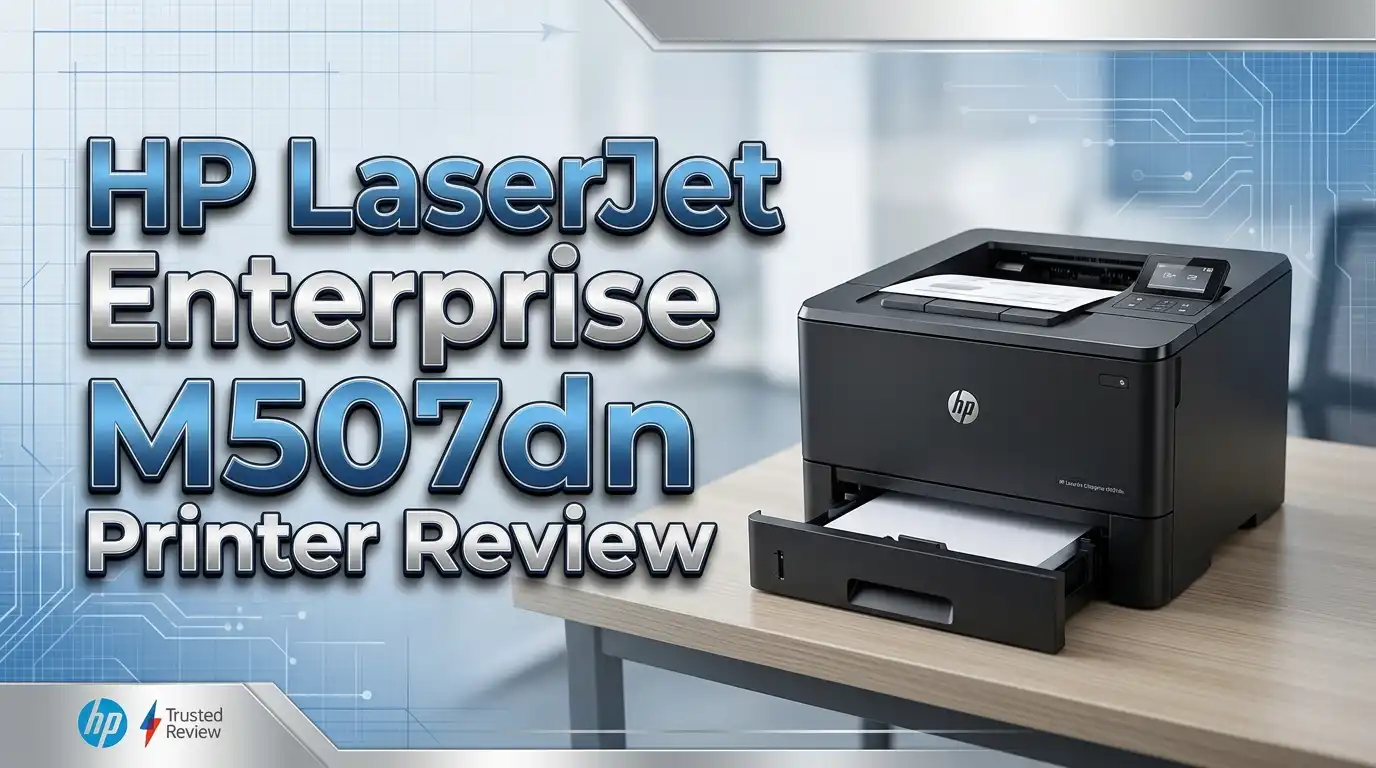
The HP LaserJet Enterprise M507dn is a single-function monochrome laser printer built for business use. HP designed it for workgroups that need fast, high-volume black and white printing. The model number 1PV87A identifies this specific variant with built-in Ethernet and automatic duplex printing.
Out of the box, the printer feels solid and well-built. It weighs around 25.8 pounds and measures 15.4 x 15.3 x 11.6 inches. The compact size lets it fit on a desk or a printer stand without taking up too much space.
The 2.7-inch color QVGA touchscreen on the front panel is easy to use. You can adjust settings, check toner levels, and manage print jobs directly from the screen. Setup is straightforward with the included USB and Ethernet cables.
First impressions are positive. The printer boots up quickly and feels responsive from the start. HP clearly built this machine for users who value speed and reliability over bells and whistles.
Print Speed and Performance
Speed is one of the strongest selling points of the HP M507dn. This printer delivers up to 45 pages per minute on letter-size paper. If you switch to A4 paper, the speed sits at about 43 pages per minute in default mode.
The first page comes out in roughly 5.9 seconds from ready mode. From sleep mode, that number increases to about 10 seconds. Both figures are competitive for an enterprise-grade laser printer in this price range.
Duplex printing (two-sided) runs at about 36 images per minute on letter-size paper. This is fast enough to keep a busy office running without delays. The printer handles long print queues well and does not slow down during sustained jobs.
The 1200 x 1200 dpi resolution ensures sharp text and clean graphics on every page. Text-heavy documents look crisp, and charts or graphs come out with solid contrast. For a monochrome printer, the output quality is excellent.
Print Quality: Text, Graphics, and Images
The HP M507dn produces sharp, professional-quality text on every page. Letters are well-defined with clean edges and no visible bleeding. This makes it ideal for printing reports, contracts, invoices, and correspondence.
Grayscale graphics look clear and detailed. Charts, bar graphs, and line drawings print with good contrast and visible separation between shades of gray. You will not have trouble reading fine details in business graphics.
Photo printing is not this printer’s strength. Monochrome images look decent but lack the tonal range you get from a dedicated photo printer. If you need photo-quality prints, this is not the right machine.
Overall, the print quality meets or exceeds expectations for a business-focused monochrome laser printer. HP’s JetIntelligence toner technology plays a big role here, delivering consistent results page after page with minimal toner waste.
Top 3 Alternatives for HP LaserJet Enterprise M507dn
If the HP M507dn does not fit your exact needs, here are three strong alternatives to consider.

- Upc: 734646711319
- Weight: 39. 150 lbs.
The Lexmark MS621dn is a direct competitor. It prints up to 50 pages per minute and offers similar security features. The Lexmark is a solid choice for offices that need slightly faster output and prefer a different brand ecosystem.

- BEST FOR HOME OFFICES & SMALL TEAMS – Engineered for consistent, premium print quality, the...
- COMPACT, CONNECTED, EXCEPTIONALLY EFFICIENT– Connect with built-in dual-band wireless...

The Brother HL-L6200DW is another excellent option. It prints at 48 pages per minute and includes wireless connectivity, which the HP M507dn lacks by default. Brother’s lower toner costs make this a budget-friendly alternative for cost-conscious teams.

- Print up to 40 ppm
- Print up to 8-1/2" X 14"
The Canon imageCLASS LBP226dw offers wireless printing, mobile support, and expandable paper capacity up to 900 sheets. It prints at 40 pages per minute and is well-suited for small to mid-size offices that want more connectivity options.
Each of these printers brings something different to the table. Your choice depends on your priorities: speed, connectivity, toner costs, or brand preference.
Paper Handling and Input Capacity
The HP M507dn ships with two paper trays as standard. Tray 1 is a 100-sheet multipurpose tray. Tray 2 holds up to 550 sheets. Combined, you get 650 sheets of input capacity right out of the box.
You can add optional trays to expand the total capacity to 2,300 sheets. This is a significant advantage for busy offices that do not want to reload paper multiple times a day. HP offers a 550-sheet optional feeder and additional tray accessories.
The printer supports a range of paper sizes from 3 x 5 inches up to 8.5 x 14 inches (legal size). It handles envelopes, labels, cardstock, and transparencies. This versatility makes it useful for more than just standard document printing.
The output bin holds up to 250 sheets face-down. For offices with high-volume needs, this keeps printed pages organized and easy to retrieve.
Toner and Running Costs
Running cost is a key factor for any enterprise printer. The HP M507dn uses the HP 89A standard toner cartridge, which yields approximately 5,000 pages. The HP 89X high-yield cartridge delivers up to 10,000 pages.
The cost per page depends on the cartridge you use. With the high-yield cartridge, the cost per page drops significantly. This makes the HP M507dn a cost-effective choice for offices that print thousands of pages each month.
HP’s JetIntelligence technology ensures that the toner is used efficiently. The cartridge design prevents waste, and the printer tracks toner levels accurately on the control panel. You always know when it is time to order a replacement.
One thing to note is HP’s dynamic security feature. This printer works only with cartridges that have an HP chip. Third-party toner cartridges without an HP chip will not function. This limits your toner options to HP-approved products.
Connectivity and Network Features
The HP M507dn offers USB 2.0 and Gigabit Ethernet as standard connectivity options. The Ethernet port lets you connect the printer to your office network for shared access across multiple computers.
This model does not include built-in Wi-Fi. If you need wireless printing, you would need to upgrade to the HP M507x model or use a wireless print server. This is one area where competitors like the Brother HL-L6200DW have an edge.
The printer supports HP Smart app, Apple AirPrint, Google Cloud Print, and Mopria. These features let you print from smartphones and tablets without extra software. Mobile printing is becoming a standard office need, and the M507dn covers it through the network.
HP Web Jetadmin software lets IT administrators manage the printer remotely. You can monitor usage, update firmware, and set security policies from a central dashboard. This tool is especially useful for businesses with multiple printers.
Security Features and Data Protection
Security is a major strength of the HP M507dn. HP calls it one of “the world’s most secure printers,” and the features back up that claim.
The printer includes HP Sure Start, which checks the BIOS code at every startup. If it detects any compromise, the printer automatically reboots to a safe state. Whitelisting ensures that only genuine HP firmware runs on the device.
Runtime intrusion detection monitors the printer’s memory during operation. If it spots malicious activity, the printer reboots and alerts the IT administrator. This real-time protection is rare in printers at this price point.
The M507dn also supports encrypted print jobs, PIN printing, and user authentication. These features prevent unauthorized users from accessing sensitive documents left in the output tray. For businesses that handle confidential information, these tools are essential.
HP’s fleet management tools let you set security policies across all your HP printers from one place. This centralized approach saves time and reduces risk.
Setup and Installation Process
Setting up the HP M507dn is simple and quick. The printer comes with a clear setup guide that walks you through each step. Most users can have it running within 15 to 20 minutes.
Start by removing the packaging materials and inserting the included toner cartridge. Connect the Ethernet cable or USB cable to your computer or network switch. Power on the printer and follow the prompts on the 2.7-inch touchscreen.
Driver installation is easy on both Windows and macOS. You can download the HP PCL 6 driver from HP’s support website or use HP Easy Start for a guided installation. The printer also supports plug-and-play on most modern operating systems.
Network setup through Ethernet is seamless. The printer picks up an IP address automatically through DHCP. You can then access the printer’s embedded web server for advanced configuration settings.
Noise Level and Energy Efficiency
Noise is a real concern in shared office spaces. The HP M507dn produces about 56 decibels during active printing. This is comparable to a normal conversation. You will hear it running, but it is not disruptive.
In standby mode, the printer drops to a near-silent level. This makes it suitable for placement near workstations without causing constant distraction.
Energy efficiency is another highlight. The M507dn is ENERGY STAR certified and EPEAT registered. HP’s EcoSmart black toner uses a lower fusing temperature, which reduces energy consumption during the printing process.
The printer includes Auto-On/Auto-Off technology. It wakes up when you send a print job and goes back to sleep after a period of inactivity. HP claims up to 29% energy savings compared to previous models. This saves electricity costs over the long term.
Duty Cycle and Monthly Volume
The HP M507dn has a maximum monthly duty cycle of 150,000 pages. This is the absolute maximum the printer can handle, not the recommended volume. Printing at this level regularly will shorten the printer’s lifespan.
HP recommends a monthly print volume of 2,000 to 7,500 pages. This is the sweet spot where the printer operates efficiently without excessive wear on the internal components. Most small to mid-size offices fall within this range.
If your office consistently prints more than 7,500 pages per month, you may want to consider a higher-tier enterprise printer or add a second unit. Running any printer well above its recommended volume leads to more frequent maintenance and repairs.
The high duty cycle does give you headroom for busy months. Occasional spikes in print volume will not damage the machine. The M507dn is built to handle real-world office demands without breaking down.
Build Quality and Design
HP built the M507dn to last. The chassis feels sturdy and well-assembled. The exterior is made from durable plastic with a clean, professional white finish that fits into any office environment.
The printer sits flat and stable on a desk or stand. At 25.8 pounds, it is heavy enough to stay in place but light enough for one person to move if needed.
The 2.7-inch color touchscreen is responsive and easy to read. Menus are organized in a logical layout, and you can access printer status, toner levels, and network settings in just a few taps.
All paper trays slide in and out smoothly. The toner cartridge door opens with a simple latch mechanism. Replacing toner takes less than a minute, even for someone doing it for the first time. Internal components are accessible for basic maintenance and paper jam clearance.
Pros and Cons of the HP LaserJet Enterprise M507dn
Pros:
Every printer has strengths and weaknesses. The M507dn’s biggest advantage is its fast print speed of 45 ppm combined with sharp 1200 x 1200 dpi resolution. Automatic duplex printing comes standard, which saves paper and reduces costs over time.
The security suite is best-in-class for this price range. HP Sure Start, runtime intrusion detection, and firmware whitelisting give IT teams peace of mind. Toner efficiency is also a strong point, especially with the high-yield 89X cartridge.
Cons:
The lack of built-in Wi-Fi is a notable drawback. Most modern printers in this price range include wireless connectivity as standard. You are limited to USB and Ethernet without upgrading to the M507x.
This is a print-only device. There is no scanner, copier, or fax function. If you need multifunction capability, you need a separate device or a different model. HP’s dynamic security also restricts you to HP-branded toner cartridges.
Who Should Buy the HP LaserJet Enterprise M507dn?
- ▌Single-Function: Print only. Monochrome Printer: Black and White Printer, Not Co-lor...
- Featuring two input trays, which hold a total of 650 sheets of paper, and a 250-sheet output...
The HP M507dn is best suited for small to mid-size business offices that print primarily text-based documents in black and white. If your team prints reports, invoices, contracts, or internal memos every day, this printer delivers speed and quality.
IT-managed environments will appreciate the security features and remote management tools. HP Web Jetadmin makes it easy to monitor and control the printer across a fleet. The security features also make this a smart pick for industries like finance, healthcare, and law.
This printer is not ideal for home offices, creative studios, or anyone who needs color printing. It is also not the best choice if you need wireless connectivity out of the box or multifunction features like scanning and copying.
If your main priority is fast, secure, high-quality monochrome printing with low running costs, the HP M507dn is a solid investment in 2026.
Warranty and Customer Support
HP provides a standard one-year warranty with the M507dn. This covers hardware defects and manufacturing issues. You can extend coverage by purchasing an HP Care Pack, which adds up to three years of next-business-day onsite service.
HP’s customer support is available through phone, email, and online chat. The HP support website offers drivers, firmware updates, troubleshooting guides, and user manuals. Most common issues can be resolved through the online knowledge base.
The onsite service option in the Care Pack is a real advantage for businesses. If the printer breaks down, an HP technician will visit your location the next business day to fix it. This minimizes downtime and keeps your office productive.
HP also offers a defective media retention service with certain Care Pack plans. This means you keep any storage media that may contain sensitive data, even during a repair. This is an important feature for businesses that prioritize data privacy.
Final Verdict: Is the HP M507dn Worth Buying in 2026?
The HP LaserJet Enterprise M507dn remains a strong contender in the enterprise monochrome laser printer market in 2026. It delivers fast print speeds, sharp output, solid build quality, and top-tier security features. The low running costs with the HP 89X toner cartridge make it economical for high-volume printing.
The main drawbacks are the lack of Wi-Fi, the absence of multifunction features, and the restriction to HP-branded toner. These are real limitations, but they may not matter if your primary need is straightforward monochrome printing on a wired network.
For offices that value reliability, security, and speed, the HP M507dn is still a worthy purchase. It does what it does very well, and it does it consistently. If you need wireless or multifunction capability, look at the alternatives listed above or consider the HP M507x variant.
Frequently Asked Questions
Does the HP LaserJet Enterprise M507dn support wireless printing?
The M507dn does not have built-in Wi-Fi. It connects through USB 2.0 and Gigabit Ethernet. You can still print from mobile devices using Apple AirPrint, Mopria, or the HP Smart app over the network. For native Wi-Fi, consider the HP M507x model.
What toner cartridges does the HP M507dn use?
The printer uses the HP 89A (CF289A) standard cartridge with a 5,000-page yield. The HP 89X (CF289X) high-yield cartridge prints up to 10,000 pages. An in-box starter cartridge is included with the printer.
Can I use third-party toner cartridges with this printer?
HP uses dynamic security on the M507dn. The printer requires cartridges with a genuine HP chip. Third-party cartridges without an HP chip will be blocked. Remanufactured cartridges with a reused HP chip should work.
What is the maximum paper capacity of the HP M507dn?
The standard configuration holds 650 sheets across two trays. You can add optional trays to expand the total capacity to 2,300 sheets. This makes it suitable for high-volume office environments.
Is the HP M507dn good for a small business?
Yes. The HP M507dn is an excellent fit for small businesses that need fast, reliable monochrome printing. Its recommended monthly volume of 2,000 to 7,500 pages matches the output needs of most small offices. The security features and low toner costs add extra value for budget-conscious businesses.
Does the HP M507dn print on both sides automatically?
Yes. The printer includes automatic duplex printing as a standard feature. It prints on both sides of the page without any manual intervention. This saves paper and reduces printing costs over time.

Hi, I’m Sam! I’ve been passionate about technology for over a decade, fascinated by how innovative devices can transform our daily lives. As the founder of DeviceDiary.blog, I spend my days testing the latest gadgets, exploring AI innovations, and translating complex tech specs into practical insights.