Looking for a gaming laptop that does not drain your bank account? The MSI Thin 15 has caught the eye of many gamers in 2026.
This laptop promises solid gaming performance, a slim build, and a price tag that feels reasonable. But does it really deliver on its promises?
In this detailed review, we break down everything you need to know. We cover the design, display, performance, thermals, and value.
By the end, you will know if this laptop fits your needs. Let us jump into the full review and find out what makes the MSI Thin 15 a popular pick this year.
In a Nutshell
- Affordable price point: The MSI Thin 15 sits in the budget gaming category, with prices often starting around $699 to $899, making it one of the cheapest RTX powered laptops available.
- Solid 1080p gaming: The laptop handles most modern titles at medium to high settings on its 144Hz Full HD display, which is great for fast paced shooters and esports.
- Lightweight and portable: At under 4.1 pounds, the Thin 15 is easy to carry to college, work, or LAN parties without feeling bulky.
- Decent build with some compromises: The chassis feels light but uses plastic, and the battery life sits around 5 to 6 hours under light use.
- Limited GPU power: The RTX 4050 and RTX 4060 versions are capped at 45W TGP, which means you will see lower frame rates than thicker laptops with the same chips.
- Good upgrade options: You can boost the RAM and storage easily, which adds long term value to the laptop.
MSI Thin 15 Overview: What Is It?

- Brilliant Performance: The 12th Gen. Intel Core i7 processor, delivers high performance. Take...
- Simplistic Design: Enjoy the latest generation of Windows 11 Home for your everyday needs. *MSI...
Last update on 2026-10-13 / Affiliate links / Images from Amazon Product Advertising API
The MSI Thin 15 is a budget friendly gaming laptop from MSI. It belongs to the entry level gaming series and follows the older GF63 Thin line. MSI built it for gamers who want power without paying premium prices. The laptop comes in several configurations, with Intel Core i5 or i7 processors and Nvidia RTX 2050, 3050, 4050, or 4060 graphics cards.
The Thin 15 stands out because of its slim profile. It measures just 0.85 inches thick, which is rare for a gaming laptop. Most rivals in this price range feel chunky and heavy. MSI keeps it portable while still packing real gaming power inside.
You also get a 15.6 inch Full HD display with a 144Hz refresh rate. This makes the laptop a strong choice for esports titles. The keyboard has a red backlight, and the build feels sturdy enough for daily use. Overall, the Thin 15 targets students, casual gamers, and budget shoppers who want a no nonsense gaming machine.
Design and Build Quality
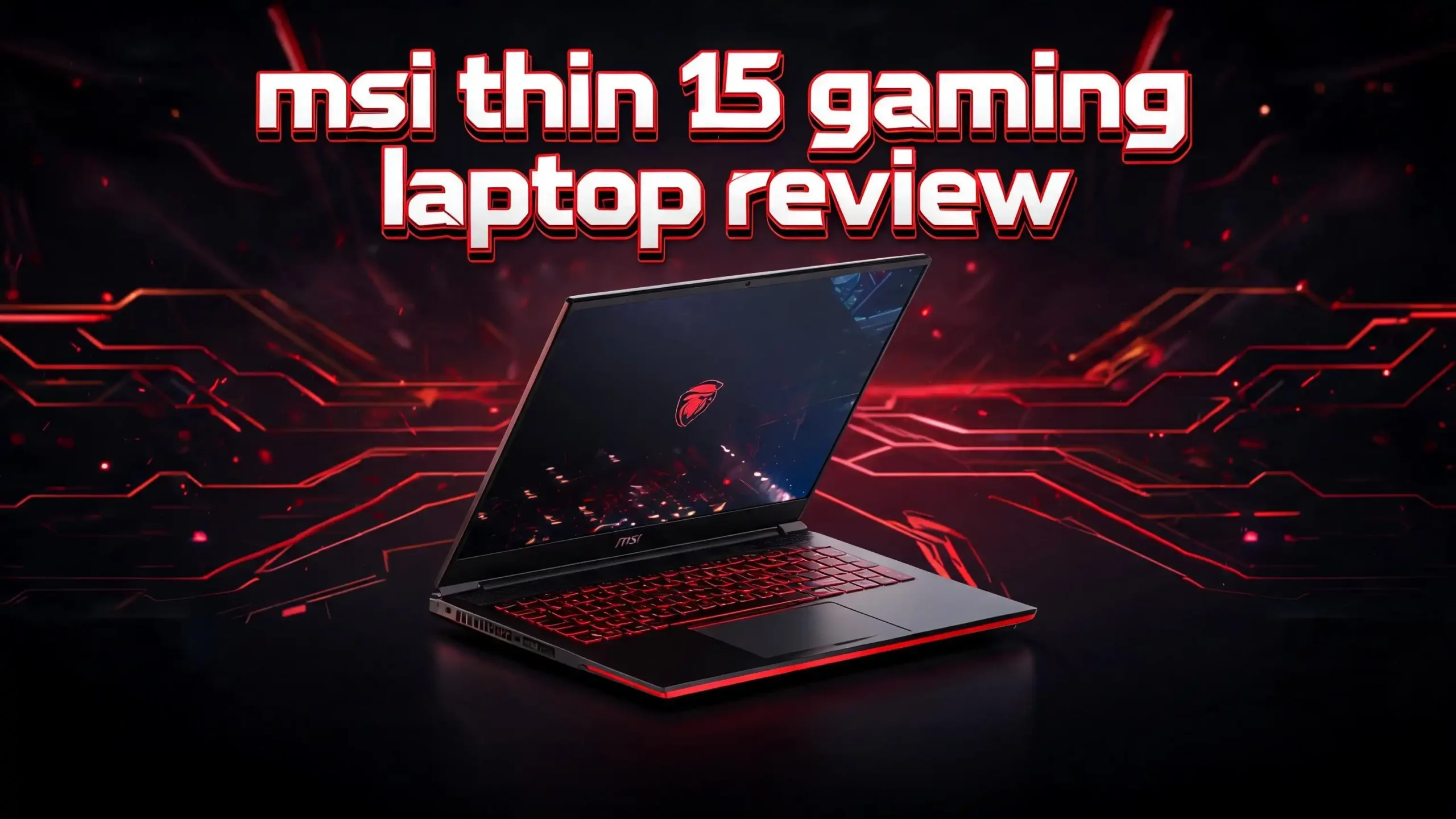
The MSI Thin 15 has a clean and minimal design. It uses a matte black plastic chassis that resists fingerprints well. The MSI dragon logo sits on the lid, but it does not light up like premium models. This keeps the laptop looking professional and suitable for both gaming and school work.
The hinge feels firm and holds the display in place without wobble. You can open the laptop with one hand, which is a nice touch. The bottom panel has wide vents that help with airflow during heavy gaming sessions.
Build quality is decent for the price. The lid flexes a little when you press hard, and the keyboard deck has some give in the middle. However, this is normal for budget gaming laptops. The Thin 15 weighs around 4.1 pounds, which is light compared to other gaming laptops that often weigh over 5 pounds.
The slim 0.85 inch profile makes it easy to slide into most backpacks. If you travel often or carry your laptop to campus, the Thin 15 wins on portability. It does not feel like you are carrying a brick around.
Display Quality and Visual Experience
The MSI Thin 15 comes with a 15.6 inch Full HD IPS display. The screen has a 144Hz refresh rate, which is the sweet spot for budget gaming laptops in 2026. Fast paced games like Valorant, Apex Legends, and Counter Strike 2 look smooth and fluid on this panel.
Colors look good for an entry level display. The screen covers about 62 percent of the sRGB color space, which is fine for gaming but not great for color critical work like photo editing. Viewing angles are wide thanks to the IPS panel, so the image stays clear from any side.
Brightness peaks at around 250 to 300 nits. This is enough for indoor use but feels dim under bright sunlight. You may struggle to use it outdoors or in well lit rooms with lots of natural light.
The bezels around the screen are thin on the sides but a bit thick at the top and bottom. The display does not support G Sync or FreeSync, which means you might see some screen tearing in demanding games. Still, for the price, the panel delivers a solid visual experience.
Top 3 Alternatives for MSI Thin 15

- 16GB RAM | 512GB SSD.
- Equipped With The Most Powerful and Fast AMD 6-core Ryzen 5 7535HS Processor
Last update on 2026-10-13 / Affiliate links / Images from Amazon Product Advertising API

- READY FOR ANYTHING - Jump right into the action with Windows 11, an AMD Ryzen 5 7535HS...
- SWIFT MEMORY AND STORAGE – Multitask faster with 8GB of DDR5-5600MHz memory and speed up...
Last update on 2026-10-13 / Affiliate links / Images from Amazon Product Advertising API

- Built for Portatil Gamer & Creator: Lenovo gaming laptop RTX 4050 with NVIDIA GeForce GTX...
- Lenovo LOQ 15 Gaming Laptop Gamer: Lenovo LOQ gaming laptop nvidia powered by the 8Core Intel...
Last update on 2026-10-13 / Affiliate links / Images from Amazon Product Advertising API
The Acer Nitro V 15 offers similar specs with a 165Hz display and often comes at competitive prices. The ASUS TUF Gaming A15 brings military grade durability and AMD Ryzen power, which is great for those who want a tougher build. The Lenovo LOQ 15 stands out with better thermals and a cleaner design, plus it often includes more RAM and storage at similar prices.
Each of these models targets the same budget gaming audience. Compare their specs, prices, and reviews to find the right match for your gaming style and budget.
Processor Performance: Intel Core i5 and i7
The MSI Thin 15 ships with Intel 12th or 13th generation processors. The most common options are the Core i5 12450H, Core i5 13420H, Core i7 12650H, and Core i7 13620H. These chips deliver strong performance for both gaming and everyday tasks.
The Core i5 13420H has 8 cores and 12 threads. It boosts up to 4.6GHz, which is plenty for most modern games. You will not see any bottlenecks in titles that depend on the GPU. The Core i7 versions add more cores and slightly higher clock speeds, which help with video editing and multitasking.
In real world use, the laptop opens apps fast and handles browser tabs without lag. Cinebench R23 scores sit around 13,000 to 15,000 multi core points, depending on the chip. This puts the Thin 15 in line with other laptops in the same price range.
The processor stays responsive even with many tabs open. You can stream music, run Discord, and play games at the same time without slowdowns. For students and casual creators, the CPU power is more than enough.
Graphics Performance: RTX 3050, 4050, and 4060
The MSI Thin 15 offers several GPU options. You can pick the RTX 2050, RTX 3050, RTX 4050, or RTX 4060 based on your budget and needs. Each chip runs at a lower power limit than thicker gaming laptops, which is the main tradeoff for the slim design.
The RTX 4060 version runs at 45W TGP. This is the lowest setting for that chip, so you will see frame rates that match a higher tuned RTX 4050 in some games. Still, the RTX 4060 model handles most AAA titles at medium to high settings at 1080p.
In Cyberpunk 2077, expect around 45 to 55 FPS at medium settings with DLSS on. Counter Strike 2 runs at over 120 FPS on high settings. Fortnite, Apex Legends, and Valorant all hit the 144Hz refresh rate cap with proper tuning.
The RTX 3050 model is more limited. It struggles with newer demanding games but works well for esports and older titles. DLSS support helps a lot in newer games and squeezes extra frames out of the GPU. Overall, the graphics performance is solid for the price.
Gaming Experience and Frame Rates
Real gaming on the MSI Thin 15 feels smooth and enjoyable. The combination of a strong CPU, capable GPU, and 144Hz display makes for a great experience in most games. You will not get ultra settings in every title, but the laptop handles modern games well.
Here is what you can expect in popular games on the RTX 4060 version at 1080p:
- Call of Duty Warzone: 70 to 90 FPS on high
- Forza Horizon 5: 80 to 100 FPS on high
- Elden Ring: 50 to 60 FPS on medium high
- Hogwarts Legacy: 50 to 65 FPS on medium with DLSS
- Marvel Rivals: 80 to 110 FPS on medium
The 144Hz refresh rate really shines in competitive games. You can hit the cap in Valorant, CS2, and Overwatch 2 with ease. This gives you a real edge in fast paced matches.
Tuning the laptop helps a lot. Using MSI Center, you can switch to Extreme Performance mode for better frame rates. Some users also tweak fan curves to keep temperatures lower during long sessions.
Thermal Performance and Cooling
The MSI Thin 15 uses Cooler Boost 5 technology for thermal management. This system has two fans and multiple heat pipes to keep the CPU and GPU cool during gaming. While the cooling works well for the slim design, it does have limits.
Under heavy gaming loads, the CPU can hit 90 to 95 degrees Celsius. The GPU stays a bit cooler, often around 75 to 85 degrees. These numbers are high but within safe limits for these chips. The laptop may thermal throttle in long gaming sessions, which lowers frame rates slightly.
The fans get loud under load. You will want to use headphones during intense gaming. In quiet mode, the fans stay almost silent, which is great for office work or casual browsing.
The keyboard deck gets warm during gaming, especially in the middle and upper areas. The WASD keys stay at a comfortable temperature. Using a laptop cooling pad can help drop temperatures by a few degrees and reduce throttling.
For best results, raise the back of the laptop slightly to improve airflow. This simple trick keeps the system cooler and quieter during long gaming sessions.
Keyboard and Trackpad
The MSI Thin 15 features a full size keyboard with a numpad. The keys have a red LED backlight, which is bright enough to use in dark rooms. Unlike higher end MSI laptops, you do not get RGB lighting here, but the red glow looks clean and gamer themed.
Key travel feels decent for a slim laptop. The keys have around 1.5mm of travel and a soft but clear bump. Typing on this keyboard for long periods feels comfortable. The WASD keys do not have any special markings, which is a small miss for a gaming laptop.
The trackpad is medium sized and uses a plastic surface. It tracks accurately for daily tasks and supports Windows precision gestures. Most gamers will use a mouse, but the trackpad works fine for browsing and office work.
The keyboard layout is standard with no major surprises. The arrow keys are slightly squeezed, which can take some time to get used to. Overall, the keyboard and trackpad combo serves the laptop well for both gaming and productivity.
Battery Life and Portability
Battery life on a gaming laptop is usually a weak point, and the MSI Thin 15 is no exception. The 52Wh battery lasts about 5 to 6 hours on light use like web browsing and video streaming. Under gaming load, the battery drops to about 1 to 1.5 hours.
You will want to keep the charger nearby for gaming sessions. The included 150W power brick is small compared to other gaming laptops, which adds to the portability of the package. You can carry both the laptop and charger in a regular backpack without much trouble.
The slim design and light weight make this laptop easy to take anywhere. It fits in most laptop sleeves and bags. Students who need a gaming laptop for both class and dorm gaming will love this aspect.
Battery life is better than most thicker gaming laptops. Many gaming laptops only last 3 to 4 hours, so the Thin 15 holds its own here. Just remember that you will need power for any serious gaming session.
Ports and Connectivity
The MSI Thin 15 offers a good range of ports for its slim profile. You get a USB Type C port, multiple USB Type A ports, an HDMI 2.1 output, and an Ethernet jack. There is also a 3.5mm combo audio jack for headphones.
The HDMI 2.1 port lets you connect to a 4K monitor or TV with high refresh rates. This is great if you want to use the laptop as a desktop replacement at home. The Ethernet port gives you stable wired internet for online gaming.
For wireless, the laptop includes Wi Fi 6 and Bluetooth 5.2. Internet speeds are fast and stable on modern routers. Bluetooth works well with wireless headphones, controllers, and other accessories.
The USB Type C port does not support Thunderbolt 4, which is a small downside. However, it handles power delivery and data transfer fine for most uses. The port layout is well spaced, so plugging in multiple devices does not feel cramped. Overall, connectivity is strong for a budget laptop.
Speakers and Audio Quality
The MSI Thin 15 has two bottom firing stereo speakers. The audio quality is average at best. The speakers get loud enough to fill a small room, but the sound lacks bass and depth. Music sounds thin, and explosions in games do not pack much punch.
For casual YouTube videos and Netflix, the speakers do the job. You can hear dialogue clearly, and there is no major distortion at high volume. However, gamers and movie fans will want to use headphones or external speakers for a better experience.
The laptop supports Hi Res Audio through the 3.5mm jack. Quality headphones sound great when plugged in, with clear highs and decent bass. Gaming headsets work well too, and the audio jack supports both input and output.
For online gaming, the built in microphone picks up your voice but can sound muffled. A separate headset mic is a smart upgrade if you play multiplayer games often. Overall, audio is the weakest part of the laptop, but it is not a deal breaker.
Software and User Experience
The MSI Thin 15 ships with Windows 11 Home pre installed. The system runs smoothly thanks to the fast SSD and modern CPU. Boot times are under 15 seconds, and apps open almost instantly.
MSI includes its own MSI Center software. This app lets you change performance modes, control fan speeds, monitor temperatures, and adjust the keyboard backlight. The interface is clean and easy to use, even for new gamers.
There is some bloatware on the laptop. You may want to uninstall a few preloaded apps after setup. The cleanup process takes just a few minutes and gives you back some storage and system resources.
Driver updates come through MSI Center or Windows Update. Nvidia GeForce Experience handles GPU driver updates and game optimization. The software side is clean and reliable, which makes daily use enjoyable.
The webcam is a basic 720p unit. Video calls look acceptable in good lighting but get grainy in low light. For serious video meetings or streaming, an external webcam is a better choice.
Value for Money and Pricing in 2026
The MSI Thin 15 stands out for its strong price to performance ratio. In 2026, you can find the RTX 4050 version for around $799 and the RTX 4060 version for about $899 to $999. These prices are very competitive in the budget gaming market.
For the money, you get a modern processor, dedicated graphics, a fast SSD, and a 144Hz display. Few laptops at this price offer all these features in such a slim package. The Thin 15 delivers real gaming power without breaking your budget.
Compared to rivals, the Thin 15 holds its own. The Acer Nitro V and Lenovo LOQ are close competitors but often come with thicker designs. The ASUS TUF series offers better build quality but at a higher price. The Thin 15 wins on portability and price.
Sales and deals often drop the price further. During holiday seasons or back to school events, you can sometimes grab the Thin 15 for $100 to $200 off. Keep an eye on Amazon and other retailers for the best deals.
Pros and Cons of the MSI Thin 15
Every laptop has strengths and weaknesses. Here is a quick look at what the MSI Thin 15 does well and where it falls short.
Pros:
- Affordable price for a gaming laptop with dedicated graphics
- Slim and lightweight design that beats most rivals
- 144Hz Full HD display great for esports
- Good range of ports including HDMI 2.1 and Ethernet
- Decent battery life for a gaming laptop
- Easy to upgrade RAM and storage
Cons:
- GPU power is capped at lower TGP than thicker laptops
- Plastic build feels less premium
- Speakers lack bass and depth
- Display brightness is low for outdoor use
- Fans get loud under heavy load
- 720p webcam is basic
The pros clearly outweigh the cons for most budget gamers. The compromises make sense given the price and slim form factor. If you understand the tradeoffs, the Thin 15 is a smart buy in 2026.
Final Verdict: Should You Buy the MSI Thin 15 in 2026?
The MSI Thin 15 is a strong choice for budget gamers in 2026. It offers a great mix of portability, performance, and price that few rivals can match. The slim design, 144Hz display, and dedicated Nvidia graphics make it a real gaming machine.
This laptop is best for students, casual gamers, and esports fans who want a portable gaming setup. It handles modern games at 1080p with good frame rates and runs everyday tasks with ease. The lightweight build makes it perfect for life on the move.
However, hardcore gamers who want max settings on every game should look at thicker laptops with higher TGP GPUs. The Thin 15 trades raw power for portability, which works for most users but not all.
If you want a reliable gaming laptop that does not break your bank, the MSI Thin 15 deserves your attention. It punches above its weight and delivers real value. With smart pricing and solid features, it remains one of the best budget gaming laptops in 2026.
Frequently Asked Questions
Is the MSI Thin 15 good for gaming in 2026?
Yes, the MSI Thin 15 is good for gaming in 2026. It handles modern titles at 1080p with medium to high settings. The 144Hz display works great for esports games, and the RTX graphics card runs most AAA games smoothly with DLSS enabled.
How long does the MSI Thin 15 battery last?
The battery lasts about 5 to 6 hours during light use like browsing or video streaming. Under gaming load, expect 1 to 1.5 hours. The 52Wh battery is decent for a gaming laptop but not the best in class.
Can I upgrade the RAM and storage on the MSI Thin 15?
Yes, you can upgrade both. The laptop has two SODIMM slots for RAM and supports up to 64GB. It also has two M.2 SSD slots, so you can add more storage easily. Upgrades are simple with basic tools.
Does the MSI Thin 15 get hot during gaming?
The CPU can hit 90 to 95 degrees Celsius under heavy load, and the GPU stays around 75 to 85 degrees. These temps are normal for a slim gaming laptop. Using a cooling pad helps lower temperatures and improves performance.
Is the MSI Thin 15 better than the Acer Nitro V?
Both laptops offer similar value. The MSI Thin 15 is slimmer and lighter, while the Acer Nitro V often has better thermals and a 165Hz display. Your choice depends on whether you value portability or cooling more.
Does the MSI Thin 15 support Wi Fi 6?
Yes, the MSI Thin 15 includes Wi Fi 6 support. This gives you fast and stable internet speeds on modern routers. It also has Bluetooth 5.2 for wireless accessories like headphones and controllers.
What is the price of the MSI Thin 15 in 2026?
Prices range from about $699 to $999 depending on the configuration. The RTX 3050 model sits at the lower end, while the RTX 4060 version costs more. Sales and deals can bring the price down further during the year.

Hi, I’m Sam! I’ve been passionate about technology for over a decade, fascinated by how innovative devices can transform our daily lives. As the founder of DeviceDiary.blog, I spend my days testing the latest gadgets, exploring AI innovations, and translating complex tech specs into practical insights.