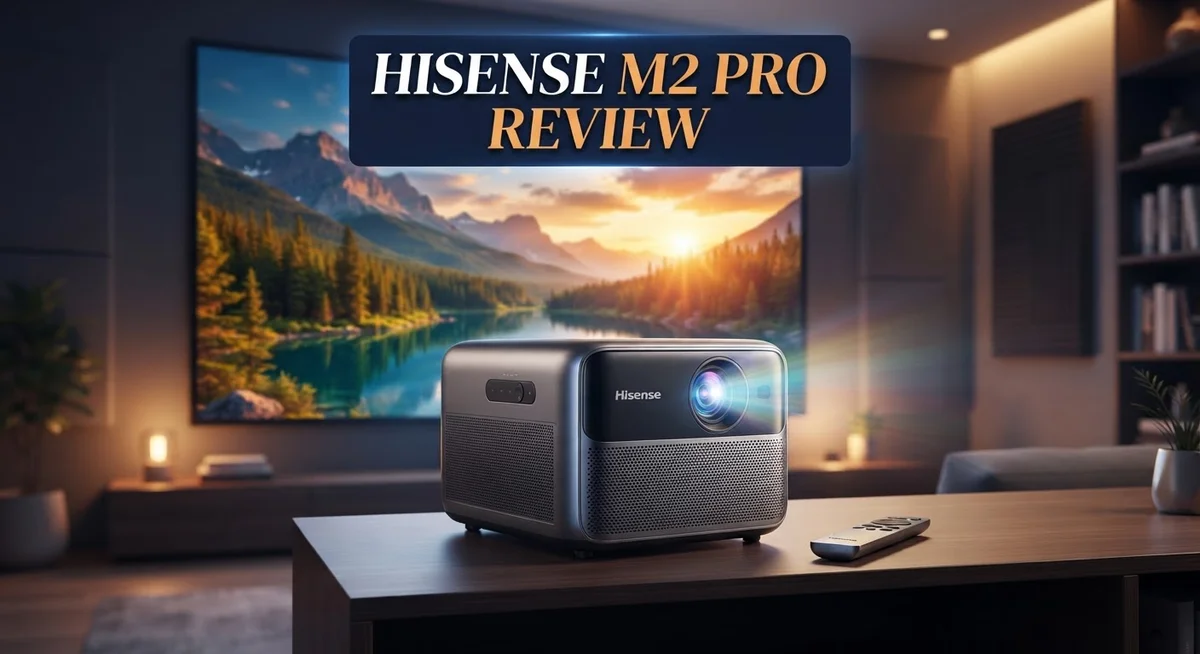
Want a projector that turns any wall into a cinema? The Hisense M2 Pro does exactly that.
This triple laser projector delivers sharp 4K UHD images. It scales from 65 inches to a massive 200 inches. Your movie nights just got bigger.
With 1,300 ANSI lumens and 110% BT2020 color space, colors pop even in tricky lighting. The triple laser light source also lasts up to 25,000 hours. That means years of vivid viewing ahead.
Gamers will love the strong HDMI 2.1 support with eARC and ALLM. Smart features like Wi-Fi, Bluetooth, and AirPlay 2 make streaming simple. The Vidaa OS platform ties everything together in one place.
Automatic focus, keystone correction, and screen fit make setup painless. Just place it and watch it adjust. No fuss, no guesswork.
But is the Hisense M2 Pro the right projector for your space? We tested it thoroughly to find out.
This review breaks down every strength and weakness. You will discover how it performs in real world use. Let’s explore what makes this projector stand out from the crowd.
In a Nutshell
-
Bright output: The M2 Pro delivers 1,300 ANSI lumens, so images stay clear even in daylight.
-
Long laser life: Its triple laser engine lasts up to 25,000 hours, cutting down on bulb replacements for years.
-
Flexible zoom: A 1.0 to 1.3x optical zoom lets you resize the picture without shifting the projector.
-
Dolby Vision support: This feature adds richer contrast and detail to compatible movies and shows.
-
Minor trade offs: Contrast softens a bit in bright scenes, and 4K output caps at 60Hz.
-
Smart platform quirks: The Vidaa OS interface can lag at times, though it still handles daily use well.
-
Strong market position: Against rivals like the JMGO N1S and XGIMI Elfin Flip, the M2 Pro stands out with sharper color and higher brightness.
Key Features and Specifications
The Hisense M2 Pro packs impressive specs that make it stand out in the premium projector space. Let’s dig into what makes this machine tick.
The projector uses a triple laser light source that runs for up to 25,000 hours. This means you won’t worry about frequent bulb replacements for many years. The brightness sits at 1,300 ANSI lumens, so images stay crisp even when ambient light enters the room.
Resolution reaches 4K UHD across screen sizes from 65 inches up to 200 inches. The color gamut covers 110% of the BT2020 color space, which translates to richer, more lifelike hues. Dolby Vision support adds another layer by enhancing contrast and shadow detail in compatible content.
The zoom range spans 1.0 to 1.3x with motorized optical and digital adjustment. This flexibility means you can fine tune image size without moving the projector itself. The short throw ratio makes it ideal for smaller rooms where space is tight.
Connectivity options include HDMI 2.1 with eARC and ALLM, Wi Fi, Bluetooth, and AirPlay 2. Gamers benefit from the low latency and high bandwidth support. The projector accepts 4K signals at 120Hz but downscales them to 1440p. Native 4K output maxes out at 60Hz, which is worth noting if you prioritize frame rates.
Setup becomes simple thanks to automatic focus, keystone correction, and screen fit detection. These features adjust the image instantly, so you skip manual tweaking. The Vidaa OS smart platform handles streaming apps and basic functions, though the interface can feel sluggish compared to newer systems.
The M2 Pro delivers sharp visuals and excellent color performance. Contrast does soften slightly in very bright scenes, which is a minor trade off. Overall, the specs reveal a machine built for serious movie fans and gamers who want flexibility without constant adjustment.

- PURE TRIPLE LASER LIGHT SOURCE: Experience premium triple-laser brilliance, now more accessible...
- 65" TO 200" SUPER WIDE PROJECTION SIZE: Bring everyone together for a relaxing backyard movie...

Last update on 2026-10-10 / Affiliate links / Images from Amazon Product Advertising API
Image Quality and Color Performance
The Hisense M2 Pro excels at turning colors into something truly special on your wall. Its 110% BT2020 color space means you get a wider range of hues than standard projectors. Reds appear richer, blues feel deeper, and greens look more natural.
The triple laser light source is the secret behind this color magic. Unlike traditional lamp based projectors, lasers deliver consistent color accuracy throughout the entire 25,000 hour lifespan. You won’t see colors fade or shift as the projector ages.
Brightness plays a huge role in color performance, and the M2 Pro shines here. At 1,300 ANSI lumens, this projector maintains vibrant colors even when ambient light enters the room. Watch a movie during afternoon hours and colors still pop without washing out.
Dolby Vision support adds another layer of visual depth. This feature unlocks richer contrast and more detailed shadow areas in compatible content. Movies and streaming shows that support Dolby Vision look noticeably better than standard versions.
One trade off appears in bright scenes. When projecting very light colored images, contrast can feel a bit flat. This happens because the projector prioritizes brightness over shadow detail in these situations. For most content like movies, games, and shows, this won’t bother you.
Color uniformity across the screen remains consistent from edge to edge. The motorized optical zoom (1.0 to 1.3x) lets you adjust image size without distorting colors or sharpness. This flexibility means you can fine tune the picture to fit your space perfectly.
The M2 Pro handles HDR content beautifully. Whether you’re watching 4K movies or gaming with HDR enabled, the projector renders highlights and shadows with impressive separation. Colors feel punchy without looking oversaturated or artificial.
For content creators and color sensitive viewers, the M2 Pro delivers genuine performance. The combination of laser precision, wide color gamut, and strong brightness creates an image that feels lifelike and engaging. This projector treats color as a priority, not an afterthought.
Design, Portability, and Installation
The Hisense M2 Pro features a compact design that makes it easy to move between rooms. Its short throw ratio means you can place it close to your wall or screen. This matters if your space is tight or you want flexible setup options.
The projector weighs around 15 pounds, so one person can carry it without strain. The matte black finish looks sleek on a shelf or entertainment stand. Cable management is straightforward with ports on the back that don’t stick out too far.
Installation takes just a few minutes for most users. The automatic focus and keystone correction kick in as soon as you power on the device. You won’t need to manually adjust angles or spend time fine tuning focus. The screen fit detection also helps the image align perfectly to your wall.
The motorized zoom feature means you can resize your image without moving the projector itself. This saves time if you want to switch between 80 inch and 120 inch displays throughout the day. The adjustment happens smoothly through the remote control.
Connectivity options make it simple to link your devices. HDMI 2.1 with eARC and ALLM support means your soundbar and gaming console work without extra adapters. Wi Fi and Bluetooth let you stream from phones and tablets directly.
The projector sits flat on a table or mounts on a ceiling bracket. Both setups work well depending on your room layout. The cooling vents don’t make excessive noise, so it won’t disturb quiet moments.
One thing to note: the Vidaa OS interface can feel sluggish when navigating menus. Switching between apps takes longer than some competitors. Daily use remains smooth, but power users might notice the delay.
Overall, the M2 Pro prioritizes ease of setup and portability. You get automatic corrections that save time and a design that fits most entertainment spaces. The flexible zoom and strong connectivity options round out a user friendly package.
Top 3 Alternatives
TCL 65-inch TV

- 4K UltraHD QLED color: Quantum Dot technology delivers over a billion vibrant, true-to-life...
- HDR PRO+: Dolby Vision, HDR10+, HDR10 & HLG for enhanced contrast, accurate color, and fine...
Last update on 2026-10-10 / Affiliate links / Images from Amazon Product Advertising API
TCL delivers excellent picture quality at a great value. The 65-inch screen offers plenty of space for your living room. You get a bright display that handles both dark and bright scenes well.
The TV supports multiple streaming apps right out of the box. Smart features let you access your favorite content instantly. The remote is simple to use, even for first-time buyers.
Sound quality is decent for everyday viewing. Colors look natural and vibrant on this panel. Refresh rates work smoothly for sports and action movies.
LG QLED Television

- DYNAMIC QNED COLOR: Enhances color accuracy for vibrant, more lifelike viewing with certified...
- A7 AI PROCESSOR 4K GEN9: Enhanced brightness, improved sound, refined picture detail. It all...
Last update on 2026-09-06 / Affiliate links / Images from Amazon Product Advertising API
LG’s QLED technology brings impressive color accuracy to your home. The quantum dot display creates deeper blacks and brighter highlights. You’ll notice the difference when watching movies and shows.
Gaming features include low input lag and fast response times. The TV handles 4K content beautifully with sharp details. HDR support makes content look more realistic and immersive.
Smart TV functions are intuitive and responsive. Voice control options give you hands-free convenience. The build quality feels premium and sturdy.
Samsung Crystal UHD

- CRYSTAL PROCESSOR: Powerful processor enhances colors and sharpens details for a vibrant 4K...
- ENDLESS FREE CONTENT: Watch 2,700+ free streaming options, including 750+ subscription-free...
Last update on 2026-10-10 / Affiliate links / Images from Amazon Product Advertising API
Samsung’s Crystal UHD series offers sharp image clarity. The display upscales lower-resolution content effectively. You get smooth performance across all your apps and streaming services.
Motion handling is smooth for sports and action scenes. The TV supports various HDR formats for better picture depth. Gaming mode optimizes the display for console play.
Smart features include voice assistants and app integration. The design is sleek and fits modern living spaces. Color performance delivers vibrant and accurate visuals throughout different viewing conditions.
Gaming and Connectivity Capabilities
The Hisense M2 Pro steps up its game when it comes to gaming and staying connected. HDMI 2.1 with eARC and ALLM opens the door to serious gaming performance. ALLM (Auto Low Latency Mode) kicks in automatically when you connect a gaming console. Your input lag drops, and your frame rate stays smooth.
The projector accepts 4K at 120Hz signals, though it displays them at 4K 60Hz. This means next generation consoles and gaming PCs send their best content without any issues. If you want higher frame rates, the M2 Pro downscales 1440p to deliver faster refresh rates. This flexibility makes it work for both casual and hardcore gamers.
Brightness matters more in gaming than most people realize. The 1,300 ANSI lumens output keeps your games visible even in rooms with ambient light. You get crisp action scenes without losing detail. The contrast holds up well in darker gaming moments too.
Wireless connectivity rounds out the gaming setup nicely. Wi Fi, Bluetooth, and AirPlay 2 let you stream games from your phone or tablet. You can mirror your screen without cables getting in the way. The Vidaa OS smart platform includes apps for major gaming services, though menu speed could be faster.
The motorized zoom feature helps gamers adjust screen size on the fly. Zoom in for competitive shooters where you need to see every detail. Zoom out for immersive story driven games that benefit from a larger field of view. You never need to move the projector itself.
Automatic focus and keystone correction work behind the scenes. They keep your image sharp and square, even if your setup isn’t perfect. This means you spend less time fiddling with settings and more time playing.
The M2 Pro brings console quality gaming to your living room or home theater. It handles modern gaming demands without breaking a sweat. Your gaming library looks stunning on a screen that stretches across your wall. Connection options stay simple and fast, letting you focus on what matters: the game.
Smart Platform and User Interface
The Hisense M2 Pro runs on Vidaa OS, a smart platform built into the projector. This operating system gives you access to streaming apps and content libraries without needing extra devices.
Vidaa OS offers a clean, straightforward menu layout. You can browse apps, adjust settings, and launch content from the home screen. The interface arranges everything in a grid format that feels familiar if you’ve used other smart TVs before.
App support includes Netflix, YouTube, Prime Video, and other popular streaming services. You can download additional apps from the Vidaa app store. The platform handles most mainstream entertainment needs without requiring a separate streaming device.
One thing to know: the menu system responds slower than newer platforms. Scrolling through menus takes a moment. Opening apps requires patience compared to faster smart TV systems. This doesn’t break the experience, but it’s noticeable when you’re switching between content quickly.
The projector supports multiple wireless connectivity options beyond Vidaa OS. AirPlay 2 lets you stream directly from iPhones and iPads. Bluetooth connects headphones, speakers, and gaming controllers. Wi-Fi handles streaming and app updates smoothly.
HDMI 2.1 connectivity brings gaming features to the projector. eARC support sends audio back to your soundbar or speakers. ALLM (Auto Low Latency Mode) kicks in automatically when you connect gaming consoles. This means the projector switches to a low latency mode without you having to adjust settings manually.
The remote control feels responsive and includes voice search functionality. You can speak commands to find shows or apps instead of typing. The layout keeps essential buttons within thumb’s reach.
Casting from your phone works reliably through AirPlay and Miracast. You can display photos, videos, or presentations on the big screen in seconds. This flexibility makes the M2 Pro work well for both entertainment and productivity uses.
Overall, the smart platform handles everyday streaming tasks effectively. The slower menu speed is a minor trade off for a system that covers all the basics you need.
Pros and Cons
Pros
- Sharp 4K image with bright 1,300 ANSI lumens output performs well in lit rooms
- Excellent color accuracy across the 110% BT2020 color space delivers vibrant visuals
- Short throw ratio and portable 15 pound design let you set up anywhere quickly
- Strong gaming support with HDMI 2.1, automatic focus, and motorized zoom for console play
- Triple laser light source lasts 25,000 hours without frequent bulb replacements
Cons
- Contrast appears flatter during bright scenes, which affects darker shadow detail
- Limited to 4K at 60Hz even though it accepts 4K 120Hz signals (downscaled to 1440p)
- Vidaa OS menu system responds slowly when scrolling through apps and settings
Who Should Buy It
The Hisense M2 Pro works best for people who want a large screen experience without permanent installation. If you enjoy movies, sports, or gaming on a big display, this projector delivers what you need.
Gamers will find real value here. The HDMI 2.1 connection supports modern gaming consoles. The motorized zoom lets you adjust your screen size between rounds. Automatic focus and keystone correction mean less setup time and more play time. The 1,300 ANSI lumens brightness keeps your image clear even in rooms with some ambient light.
Home theater fans appreciate the sharp 4K image and excellent color accuracy. The 110% BT2020 color space produces vibrant, lifelike visuals. The triple laser light source runs for 25,000 hours, so you won’t need frequent bulb replacements. This reliability matters if you use your projector regularly.
The portable 15 pound design suits people who move between rooms or want flexibility. Setup takes minutes instead of hours. You can project anywhere from 65 inches up to 200 inches, depending on your space.
However, skip this model if you demand absolute contrast in dark scenes. Bright environments can flatten the image’s shadow detail. This won’t bother casual viewers, but cinema enthusiasts might notice.
The Vidaa OS smart platform works fine for streaming Netflix, YouTube, and Prime Video. Just know the menu system responds slower than newer platforms. Scrolling through apps takes a moment longer than you might expect. If speed matters to you, this could feel frustrating.
This projector isn’t ideal for dedicated dark rooms. Brightness shines in lit spaces, but it’s overkill if you watch only in complete darkness. You’d get better contrast from a dimmer, lower-lumen model.
The M2 Pro suits busy households. Families want easy setup, reliable performance, and gaming support. The short throw ratio means you can place it closer to your screen. Portable users love this flexibility.
In short, buy the M2 Pro if you want bright, sharp 4K images with gaming features and the freedom to move your projector around your home.
Final Verdict
The Hisense M2 Pro stands out as a smart choice for anyone who wants a big screen without a permanent setup. It brings sharp 4K clarity and strong brightness to any room you choose.
This projector shines brightest for casual viewers and gamers who value flexibility. You can move it from room to room without hassle. The compact frame makes this easy.
Color accuracy remains a highlight of this projector. Movies, shows, and games all look vivid and lifelike. Skin tones and outdoor scenes especially benefit from this wide color coverage.
Gamers get a real advantage here too. Console play feels smooth thanks to fast response times and modern connection support. Casual and competitive gamers alike will notice the difference.
That said, this projector has clear limits. Dark room viewing suffers a bit due to weaker contrast. If you crave deep blacks and cinema level shadow detail, look elsewhere.
The smart platform also lags behind newer competitors. Menu navigation feels a step slower than what some rival brands offer. This won’t ruin your experience, but it’s worth knowing upfront.
Compared to rivals like the JMGO N1S 4K and XGIMI Elfin Flip, the M2 Pro holds its own. It offers brighter output and stronger color performance than both alternatives. Those models may suit buyers who prioritize different features, but the M2 Pro leads in image quality and gaming readiness.
Who should buy this projector? Anyone who wants a portable, bright, and colorful 4K experience will find this model rewarding. Movie nights, sports viewing, and gaming sessions all benefit from its strengths.
Who should skip it? Buyers focused only on deep blacks or dedicated home theater setups may want to explore other options.
Overall, the Hisense M2 Pro delivers where it matters most. It combines portability, brightness, and color performance into one reliable package. For most everyday users, this projector checks the right boxes.
Frequently Asked Questions
Does the M2 Pro work in bright rooms?
Yes, it performs well in lit spaces. The 1,300 ANSI lumens output keeps images visible even with ambient light. You won’t need to blackout your room to enjoy movies or gaming.
However, contrast does flatten in bright scenes. Shadow details become less pronounced. For the best picture, dim the lights when watching darker content.
Can I use this projector for competitive gaming?
Absolutely. The HDMI 2.1 connection supports modern gaming consoles with low latency. Automatic focus and motorized zoom let you adjust the image instantly during gameplay.
One catch: the projector maxes out at 4K 60Hz. If your console sends a 4K 120Hz signal, it downscales to 1440p. Most players won’t notice the difference, but serious esports fans might prefer higher refresh rates.
How long do I need to wait before the projector is ready?
Setup happens fast. The automatic focus, keystone, and screen fit correction handle alignment on their own. You just turn it on, point it at a wall, and the projector adjusts itself.
Startup time is quick. You’re watching content within seconds, not minutes.
Is the Vidaa OS smart platform easy to use?
It gets the job done. Netflix, YouTube, and Prime Video all work smoothly. You can stream your favorite shows without external devices.
The menu system responds slowly when you scroll through apps and settings. Navigation feels sluggish compared to newer smart platforms. If speed matters to you, consider using a separate streaming device instead.
Will I need to replace the lamp often?
No. The triple laser light source lasts 25,000 hours. That’s roughly 10 years of normal use before maintenance becomes necessary. You won’t deal with frequent bulb swaps.

Hi, I’m Sam! I’ve been passionate about technology for over a decade, fascinated by how innovative devices can transform our daily lives. As the founder of DeviceDiary.blog, I spend my days testing the latest gadgets, exploring AI innovations, and translating complex tech specs into practical insights.