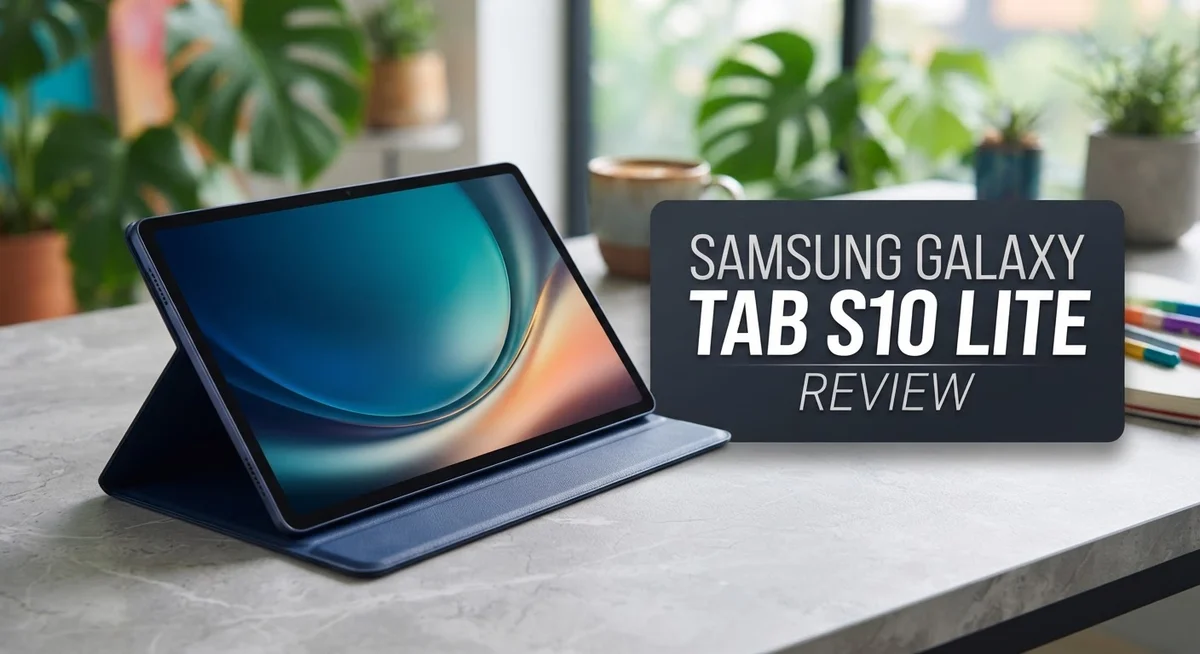
Looking for a tablet that does it all without overwhelming you? The Samsung Galaxy Tab S10 Lite might be your answer. This tablet blends simplicity with smart features for everyday use.
It comes with a spacious 10.9 inch LCD display. You get smooth scrolling and clear visuals for streaming shows or browsing the web.
Storage will not slow you down either. Choose between 128GB or 256GB, and expand it up to 2TB with a memory card.
This tablet suits students, casual creators, and anyone who needs a reliable device. It handles study sessions, work tasks, and entertainment without fuss.
In this review, we break down what works well and where this tablet falls short. Let’s explore if the Galaxy Tab S10 Lite fits your lifestyle.
In a Nutshell
- Battery life stands out. You can stream shows or take notes all day without hunting for a charger.
- Screen quality feels middling. Colors look decent, but this display won’t wow you like premium tablets do.
The processor struggles under pressure. Everyday tasks run fine, but heavy multitasking or gaming can feel sluggish.
- RAM options cover basics well. Either the 6GB or 8GB version handles browsing, note-taking, and streaming without much fuss.
- Stereo speakers are barely adequate. You’ll want headphones for a richer audio experience during movies or calls.
- Compared to rivals like the iPad A16 or Galaxy Tab S10 FE, this tablet trades some polish for practical features.
Display and Screen Quality
The display on the Galaxy Tab S10 Lite presents a straightforward LCD panel that handles everyday viewing without breaking the bank. You get a 10.9 inch screen that feels spacious for streaming, reading, and creative work. Colors appear decent across most content, though they lack the vibrant punch you’d find on premium tablets with AMOLED technology.
Brightness levels work fine indoors and in moderately lit spaces. Outdoor visibility becomes trickier when sunlight hits the screen directly. The LCD technology means blacks appear greyish rather than truly deep, which impacts contrast during movies or photo editing.
The refresh rate keeps things smooth for scrolling through apps and web pages. You won’t experience jarring stutters when flipping between documents or social media feeds. However, this isn’t a high refresh panel like some competitors offer, so fast action games may not feel as silky.
Color accuracy sits in the middle ground. Reds and blues render reasonably well, but if you’re serious about photo or video editing, you’ll notice limitations. Whites can lean slightly warm compared to professional standards. The viewing angles are acceptable, though colors shift noticeably when you tilt the tablet at steep angles.
The screen won’t disappoint casual users, but it also won’t impress those coming from flagship devices. If you spend hours watching Netflix or editing documents, you’ll find it perfectly adequate. If you’re comparing this directly to an iPad or premium Galaxy Tab, expect to notice the quality gap.
Glare can be an issue depending on your lighting setup. The matte finish helps reduce reflections somewhat, but bright environments still create washout effects. For note-taking with the included S Pen, the display responds accurately without noticeable lag or pressure sensitivity problems.
Overall, the screen quality matches the tablet’s practical positioning. It’s built for functionality rather than visual spectacle. Students taking notes, professionals drafting documents, and casual media consumers will find the display more than sufficient for their needs.

- DIVE INTO THIS DISPLAY: All of your fun content pops on the 10.9" screen. Catch up on plans for...
- BATTERY FOR LONG-LASTING ENTERTAINMENT: Enjoy long-lasting fun. Finish your favorite series or...

Last update on 2026-09-15 / Affiliate links / Images from Amazon Product Advertising API
Processor Performance and Multitasking
The Exynos 1380 processor handles everyday tasks with steady performance. You can browse websites, check emails, and stream videos without stuttering. The chip keeps things running smooth for casual users.
However, this processor shows its limits when you push it harder. Gaming on demanding titles causes slowdowns. Heavy photo editing apps feel sluggish. Video rendering takes noticeably longer than on faster tablets. If you work with resource heavy software, you’ll notice the lag.
Multitasking works fine for basic scenarios. Opening multiple apps and switching between them feels responsive. You can have a browser, note taking app, and email open at once without major issues. The processor manages light workloads without breaking a sweat.
The RAM options make a real difference here. The 6GB model handles everyday multitasking, but you’ll feel occasional pauses when running many apps together. The 8GB variant runs smoother and keeps more apps in memory. For students taking notes while researching online, the 8GB version gives you better breathing room.
The real challenge emerges with creative work. Running photo editing software alongside other apps causes noticeable delays. Video playback stays steady, but editing video files becomes frustrating. Graphic designers and video creators will find this processor underwhelming.
Compared to competitors, the Exynos 1380 sits in the middle tier. The iPad’s A16 chip crushes it in raw power. The Galaxy Tab S10 FE offers similar performance at a different price point. For basic productivity and entertainment, this processor suffices. For professional creative work, you need something stronger.
Battery efficiency is one bright spot. The processor doesn’t drain your battery quickly during moderate use. You get full days of mixed activity without charging. This makes the Tab S10 Lite reliable for work or study sessions away from outlets.
The bottom line: this processor works well for its intended audience. Students, casual readers, and entertainment seekers will be satisfied. Power users and professionals should look elsewhere.
S Pen Stylus and Creative Features
The S Pen stylus comes included with your Galaxy Tab S10 Lite. You don’t need to buy it separately. This makes creative work more accessible right out of the box.
Writing and sketching feel natural with the S Pen. The stylus responds quickly to your movements. You can take handwritten notes in Samsung Notes or third party apps. The pressure sensitivity lets you create thicker or thinner lines based on how hard you press.
Drawing and digital art work smoothly for casual creators. The stylus tracks your hand position accurately across the 10.9 inch display. You won’t experience significant lag when sketching. Artists and students appreciate having this tool included without extra cost.
Samsung’s creative software suite includes useful apps. You get access to basic editing tools and note taking features. The S Pen integrates well with these apps. Gestures like air commands let you perform quick actions without touching the screen.
For professional designers, the processor limitations matter. Running heavy design software alongside the S Pen can slow things down. Casual digital artists and students will find the experience more than adequate. The stylus performs well for everyday creative tasks.
Handwriting recognition works reliably. You can convert handwritten notes into typed text. This feature helps during classes or meetings. The accuracy improves as the software learns your writing style.
The S Pen stores inside the tablet. You won’t lose it easily since it has a dedicated slot. Charging happens automatically when you slide it back into place. Battery life on the stylus stays strong for extended use.
Note taking becomes faster and more intuitive with the S Pen compared to typing on a keyboard. You can mix typed text and handwritten annotations in the same document. This flexibility appeals to students and professionals who want natural writing.
The stylus opens creative possibilities that touch alone cannot match. Whether you’re sketching ideas, annotating documents, or taking detailed notes, the S Pen delivers practical creative power for everyday use.
Top 3 Alternatives
Apple iPad Air

- WHY IPAD AIR — iPad Air with the Apple M4 chip packs even more performance into a beautiful...
- PERFORMANCE AND STORAGE — The M4 chip delivers advanced graphics and incredible performance...
Last update on 2026-09-15 / Affiliate links / Images from Amazon Product Advertising API
The iPad Air stands out as a premium option for users who want smooth performance. This tablet runs Apple’s iPadOS, which offers a clean interface and strong security features. The display quality is excellent, making it ideal for watching videos or editing photos.
You get access to the Apple App Store with thousands of apps. The device handles multitasking well, and many creative professionals choose this tablet for design work. Battery life lasts all day with normal use. The build quality feels solid and premium in your hands.
Lenovo Tab P12

- LEVEL UP – Synergize your work and play with the Lenovo Idea Tab Pro. It’s lightweight...
- NEXT-GEN PERFORMANCE – Perform at your best with the super-efficient MediaTek Dimensity...
Last update on 2026-09-15 / Affiliate links / Images from Amazon Product Advertising API
Lenovo’s Tab P12 offers a large screen that’s perfect for reading and productivity tasks. This tablet runs Android, giving you flexibility in app choices and customization options. The display is bright and clear, suitable for outdoor use.
Performance is reliable for everyday activities like browsing, streaming, and document editing. The tablet includes useful features like a stylus support option on certain models. Storage capacity gives you room for apps, photos, and videos. Lenovo tablets are known for good build quality at reasonable price points.
Microsoft Surface Go

- RAM and Storage - This Microsoft Surface Go 2 tablet features 8GB of LPDDR3 memory and a 128GB...
- 10.5in touch display - Elevate your computing with the Microsoft Surface Go 2 Touchscreen...
Last update on 2026-09-15 / Affiliate links / Images from Amazon Product Advertising API
The Surface Go functions as both a tablet and a laptop replacement. It runs Windows, so you can use traditional desktop applications alongside touch-friendly apps. The kickstand design lets you prop it up for comfortable viewing or typing.
This device suits people who need serious productivity tools like Microsoft Office. You get a USB port for connecting peripherals and external storage. The screen size balances portability with usable workspace. If you prefer Windows over other operating systems, this tablet delivers familiar functionality in a portable form.
Battery Life and Charging
The Galaxy Tab S10 Lite packs a 5,100mAh battery that delivers solid everyday endurance. You’ll get through a full day of mixed use without reaching for the charger. Streaming videos, browsing apps, and light work all consume power at a reasonable rate.
Battery performance shines during moderate tasks. The Exynos 1380 processor helps here by managing power efficiently. Heavy gaming or video editing drains the battery faster, but casual users won’t notice dramatic drops during normal activities.
Samsung includes a 25W charger in the box. Charging from empty to full takes roughly 2 hours. This isn’t the fastest recharge speed available, but it’s standard for tablets in this category. You can also use faster chargers if you have them on hand, though the tablet won’t exceed its designed charging speed.
Real world battery life depends on your habits. Brightness settings matter significantly. Running the screen at maximum brightness cuts battery time noticeably. Lowering brightness to comfortable levels extends your usage window by several hours. Wi Fi only models perform slightly better than LTE variants since cellular connectivity consumes extra power.
Standby time is impressive. Leave the tablet unused for days and it retains most of its charge. This makes the Tab S10 Lite reliable for occasional users who pick it up sporadically.
The battery management system learns your usage patterns over time. The tablet optimizes performance based on which apps you use most. This intelligent approach keeps power consumption steady across weeks of regular use.
For content creators using the S Pen, battery drain increases slightly. Sketching apps and note taking don’t demand extreme power, but they do consume more than passive scrolling. Plan accordingly if you spend hours on creative work.
Overall, battery life meets everyday expectations. You won’t experience the endurance of flagship tablets, but you also won’t feel tethered to charging cables. The combination of efficient hardware and reasonable battery capacity makes this tablet practical for travel, study, and entertainment without constant charging interruptions.
Storage and Memory Options
The Galaxy Tab S10 Lite gives you two RAM options: 6GB or 8GB. The base 6GB model handles everyday tasks smoothly. You can browse the web, check email, and stream videos without lag.
The 8GB variant opens more possibilities. Multitasking becomes noticeably faster with the extra RAM. You can keep more apps running in the background without the tablet slowing down. If you plan to use creative apps alongside other programs, the 8GB option provides better breathing room.
Storage comes in 128GB or 256GB configurations. The 128GB model suits users who stream most content and don’t store large files locally. You’ll have enough space for apps, photos, and documents for regular use.
The 256GB option appeals to creators and content collectors. More storage means you can keep high resolution photos, videos, and design projects on your device. You won’t constantly worry about running out of space.
Expandable storage is a major advantage here. The Galaxy Tab S10 Lite accepts microSD cards up to 2TB. This means you can add massive amounts of storage without replacing the tablet. You can store entire movie libraries, photo archives, and project files on affordable memory cards.
The combination of RAM and storage affects your experience differently. RAM determines how smoothly apps run together. Storage determines how much you can keep on your device. For note taking with the S Pen and basic productivity, 6GB RAM and 128GB storage work fine.
For more demanding workflows, the 8GB RAM and 256GB storage pairing makes sense. You get faster app switching and more room for your files. The expandable storage option means neither configuration locks you into limited space.
Consider your actual needs before choosing. Light users benefit from the base specs. If you juggle multiple creative apps or maintain large media libraries, stepping up provides real practical benefits. The microSD card slot means you can always expand later if your needs change.
Pros and Cons
Pros
- S Pen stylus comes in the box, perfect for note taking and sketching without extra purchases
- Expandable storage goes up to 2TB via microSD card, giving you room for movies, photos, and apps
- Large 10.9 inch LCD screen works great for streaming, reading, and creative work
- 6GB or 8GB RAM options handle everyday multitasking smoothly
- Solid battery life gets you through a full day of moderate use
Cons
- The Exynos 1380 processor struggles with demanding apps, gaming, and heavy creative software
- Screen quality feels underwhelming compared to other tablets at this size
- Stereo speakers are barely adequate for immersive audio or movie watching
- 6GB base RAM feels tight if you plan heavy multitasking or professional work
Who Should Buy It
The Galaxy Tab S10 Lite works best for specific types of users with clear needs. If you take notes regularly or enjoy sketching, this tablet fits perfectly. The S Pen comes included, so you don’t buy it separately.
Students benefit greatly from this device. You can take handwritten notes, organize study materials, and read textbooks on the large 10.9 inch screen. The expandable storage holds countless PDFs and research documents without eating into your base storage.
Content consumers love this tablet. Streaming shows, reading articles, and browsing social media feel smooth. The screen size makes entertainment enjoyable, though the LCD display won’t blow you away with colors or contrast.
Casual creatives find value here too. If you sketch occasionally or edit photos as a hobby, the S Pen and included stylus capabilities serve you well. Just know that heavy video editing or complex design work pushes the Exynos 1380 processor to its limits.
Business professionals who attend meetings and take notes appreciate the lightweight design and productivity features. You can handle email, spreadsheets, and document editing without frustration. The 8GB RAM option helps if you juggle multiple apps simultaneously.
This tablet does NOT suit hardcore gamers or power users. Demanding games stutter, and resource heavy software feels sluggish. If you need maximum performance, look elsewhere.
Avoid this device if you demand premium audio. The stereo speakers are barely adequate. Movie marathons sound flat without external speakers.
Budget conscious families wanting a secondary tablet for kids find this reasonable. The included S Pen keeps children engaged with drawing apps. Parental controls and manageable specifications make it suitable for supervised use.
The Galaxy Tab S10 Lite targets people who want straightforward tablet functionality without flagship features. You get note taking, media consumption, light productivity, and creative hobbies. Your expectations matter most. If you expect flagship performance or professional grade specs, you’ll feel disappointed. If you want reliable everyday use with S Pen included, this tablet delivers exactly what you need.
Final Verdict
The Samsung Galaxy Tab S10 Lite earns its place as a dependable everyday tablet. It handles simple tasks with ease and keeps you productive throughout the day.
This device shines brightest for people who value practicality over raw power. Students, casual creatives, and busy professionals will find real benefit here.
If you want a tablet that just works for daily tasks, this one delivers. The S Pen adds genuine value that many rivals skip in this category.
However, gamers and power users should look elsewhere. The Exynos 1380 processor cannot keep up with heavy apps or intense multitasking.
Screen quality remains a sticking point too. Colors look fine for casual viewing, but detail lovers may notice the difference against sharper displays from competitors.
Compared to the Galaxy Tab S10 FE or an iPad (A16), this Lite version trades some performance for accessibility. That tradeoff makes sense for buyers who prioritize function over flash.
Families searching for a second household tablet will appreciate its simplicity. Kids can stream shows, browse apps, and use the S Pen without frustration.
Content consumers get a smooth experience too. Reading, scrolling, and watching videos feel natural on the large display.
Business users who need a lightweight note taking companion will enjoy the setup. Meetings become easier with quick sketches and typed notes side by side.
Overall, this tablet fits a clear niche. It suits people who want simplicity, not people chasing top tier performance.
If your daily habits include light gaming, streaming, and note taking, this tablet fits well. If you demand premium sound or graphics power, consider stepping up to a different model.
The Galaxy Tab S10 Lite proves that a tablet does not need flashy specs to be useful. It focuses on core tasks and does them reliably.
For the right user, this tablet becomes a trustworthy companion for school, casual work, and entertainment. It keeps things simple, and that simplicity is its biggest strength.
Frequently Asked Questions
Does the Galaxy Tab S10 Lite have a stylus included?
Yes, the S Pen stylus comes in the box. You get it right away without paying extra. This makes note taking and sketching straightforward for students and casual creatives. The stylus works smoothly for everyday tasks like jotting down ideas or annotating documents.
Can you expand the storage on this tablet?
Absolutely. The Galaxy Tab S10 Lite supports microSD cards up to 2TB. You start with either 128GB or 256GB of internal storage, then add more space as needed. This flexibility means you can store tons of movies, photos, and apps without worrying about running out of room.
Is this tablet good for gaming?
Not really. The Exynos 1380 processor struggles with demanding games and heavy apps. Casual games work fine, but don’t expect smooth performance with graphics intensive titles. If gaming matters to you, look at other options instead.
How long does the battery last?
The battery gets you through a full day of moderate use. Streaming videos, reading articles, and browsing social media drain it at a normal pace. Heavy users might need to charge by evening, but typical daily tasks feel supported well.
Who should actually buy this tablet?
Students, content consumers, and note takers benefit most. Business professionals appreciate the lightweight design for meetings. Families wanting a secondary household tablet find it practical. However, hardcore gamers and power users should pass. The screen quality and speaker performance won’t impress audio lovers either. This tablet works best for people who value everyday simplicity over raw power.

Hi, I’m Sam! I’ve been passionate about technology for over a decade, fascinated by how innovative devices can transform our daily lives. As the founder of DeviceDiary.blog, I spend my days testing the latest gadgets, exploring AI innovations, and translating complex tech specs into practical insights.