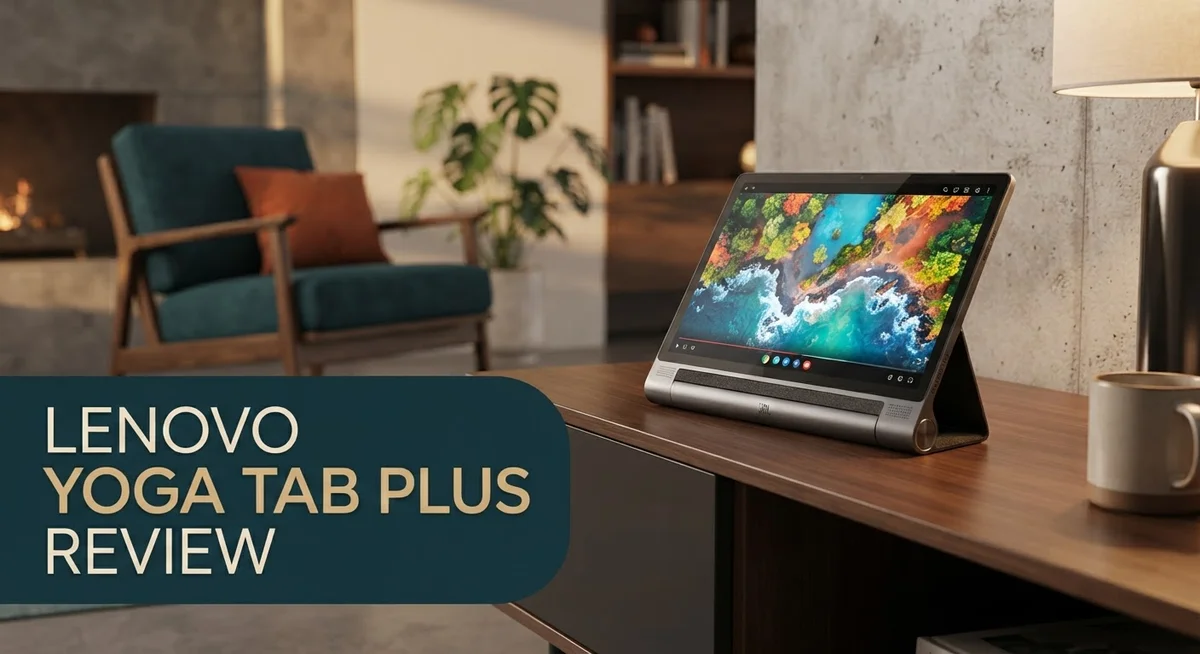
Looking for a tablet that feels like a laptop? The Lenovo Yoga Tab Plus might be your answer. This device brings a sharp 3K display and serious power into one sleek package.
Lenovo built this tablet for people who want more than just a screen to scroll on. It has a Snapdragon 8 Gen 3 processor inside. That means it handles tough tasks with ease.
The screen itself is a standout feature. With 2944×1840px resolution and a 144Hz refresh rate, everything looks smooth and crisp.
We tested this tablet to see if it truly stands out from the crowd. Does it beat competitors like the iPad Pro and Samsung Galaxy Tab S11 Ultra?
Stick with us. This review breaks down the good, the bad, and everything in between. You will know exactly what to expect before you decide.
In a Nutshell
- The Snapdragon 8 Gen 3 chip gives this tablet strong power for gaming, editing, and heavy multitasking.
- The 3K display delivers sharp, vivid visuals with a smooth 144Hz refresh rate for fast scrolling and gaming.
- At just 6.2mm thin, the tablet feels premium in hand and resists annoying fingerprint smudges.
- The included kickstand and trackpad turn this device into a portable workstation for work or creative tasks.
- Compared to the standard Yoga Tab, this Plus version brings a noticeably sharper screen with better glare resistance.
- Some users flagged concerns about long term software support and how updates might roll out.
- A few reviewers also mentioned the tablet feels a bit heavier than expected during long handheld sessions.
- Overall, this tablet blends laptop like features with tablet portability, making it a strong pick for anyone who wants more than basic scrolling.
Display Quality and Screen Technology
The 3K display on the Lenovo Yoga Tab Plus stands as one of its strongest features. With a resolution of 2944 by 1840 pixels, the screen packs 273 pixels per inch. This density means text stays crisp and images look sharp, whether you’re reading documents or viewing photos.
The 144Hz refresh rate makes scrolling feel buttery smooth. When you swipe through web pages or play fast action games, motion appears fluid and responsive. This high refresh rate also reduces motion blur, which matters if you spend hours working on the tablet.
One key difference between the Plus and standard versions is the anti reflective coating. The Plus model reduces glare significantly. If you work near windows or outdoors, you’ll notice less screen shine bouncing back at you. The standard version has a more reflective surface, which some users find frustrating in bright environments.
Color accuracy matters for creative work. The 3K panel delivers vibrant colors without oversaturation. Designers and video editors will appreciate the consistent color reproduction across the screen. The wide viewing angles mean you can tilt the tablet without losing color accuracy or brightness.
Brightness levels reach a comfortable intensity for indoor and outdoor use. You won’t struggle to see content even in moderately bright rooms. The screen doesn’t feel washed out or dim when you’re working during daytime hours.
The display technology also supports HDR content. If you stream movies or shows with HDR support, the tablet renders darker blacks and brighter highlights. This creates more depth and dimension compared to standard content.
Durability of the screen is solid. The glass resists scratches reasonably well, though a screen protector still offers extra peace of mind. The fingerprint resistant coating mentioned in the build quality extends to the display surface too.
The combination of high resolution, smooth refresh rate, and anti reflective tech makes this display stand out in its category. Whether you’re working, creating, or consuming media, the screen delivers a premium visual experience that matches what you’d expect from a device at this tier.

- A VIBRANT, SLIMMER BUILD FOR SHARPER MINDS – Engage in AI-powered smart learning on the...
- CARRY LIGHT, FEEL BRIGHT – Weighing just over a pound, the Idea Tab Plus is light enough to...
Last update on 2026-09-15 / Affiliate links / Images from Amazon Product Advertising API
Processor Performance and Speed
The Snapdragon 8 Gen 3 processor sits at the core of the Lenovo Yoga Tab Plus. This chip delivers real performance gains compared to the standard Yoga Tab model. You’ll notice about 20 to 30 percent more power across everyday tasks and demanding apps.
Real world usage shows smooth performance in several areas. Gaming runs without stutters or lag. Video editing apps open quickly and handle large files without freezing. Multitasking between five or six apps happens without slowdowns. The processor handles these workloads efficiently.
The 6-core architecture makes a difference in how the tablet manages heavy lifting. Apps launch faster than on older tablets. Switching between programs feels instant. Your workflow stays uninterrupted whether you’re streaming, working, or playing.
Thermal management keeps the tablet cool during extended sessions. You won’t feel heat buildup even after an hour of gaming or video export. The slim 6.2mm design doesn’t compromise on cooling performance. This matters for sustained productivity work.
Benchmarks tell part of the story, but real usage matters more. Content creators see faster rendering times. Students experience quicker app launches during study sessions. Professionals can handle spreadsheets with thousands of rows without lag. The processor scales well across different user needs.
The 144Hz display pairs perfectly with this processor. Fast refresh rates only matter if the chip can push frame rates consistently. The Snapdragon 8 Gen 3 delivers smooth visuals that match the screen’s capabilities. Gaming becomes more enjoyable. Scrolling feels responsive and fluid.
One thing to note: software optimization affects performance too. The tablet runs Android, which generally handles the Snapdragon chip well. Some users have mentioned concerns about long term software updates. Future updates could impact how efficiently this processor performs.
Battery efficiency also plays a role. The Snapdragon 8 Gen 3 balances power with energy consumption. Heavy users get through most of a day on one charge. Light users can go longer between charges.
The processor inside the Lenovo Yoga Tab Plus proves itself through consistent performance. It handles everything from casual browsing to professional creative work without breaking a sweat.
Design, Build Quality, and Portability
The Lenovo Yoga Tab Plus impresses right from the moment you unbox it. The slim 6.2mm profile makes this tablet feel like a premium device that belongs in any professional setting. You won’t struggle carrying it around because the lightweight construction keeps portability at the forefront of the design.
The chassis uses a premium material that resists flexing and bending. Many users appreciate how solid the frame feels during daily use. The fingerprint resistant coating means your screen stays clean and clear without constant wiping.
The kickstand deserves special attention here. Unlike flimsy tablet stands, this one actually supports your device at multiple angles. Whether you’re typing, watching videos, or sketching, the stand adapts to your needs. The ergonomic keyboard that comes with it transforms this tablet into a genuine work machine.
The trackpad sits below the keyboard and responds smoothly to multi gesture commands. This combination turns the Yoga Tab Plus into something that rivals laptop productivity for many tasks. You can navigate, click, and scroll without reaching the screen constantly.
Build quality shines through in how the device handles everyday wear and tear. The materials feel durable without adding unnecessary bulk. The tablet maintains its rigidity even after months of regular use, which speaks volumes about the construction standards Lenovo applied here.
The anti reflective coating on the Plus version sets it apart from competitors. Outdoor use becomes genuinely comfortable because glare doesn’t wash out your content. You can work in bright sunlight without squinting or adjusting your angle constantly.
The overall weight distribution feels balanced. Holding it in one hand for extended periods doesn’t cause arm fatigue. The edges have rounded curves that prevent discomfort during longer sessions.
Portability truly shines as a key strength. The tablet fits easily into most bags and backpacks. You can slip it into a slim sleeve and forget it’s there until you need it. This combination of thinness, light weight, and solid construction makes the Yoga Tab Plus a device that actually goes where you go, without complaints.
Top 3 Alternatives
Apple iPad Pro

- WHY IPAD PRO — iPad Pro with the Apple M5 chip delivers extraordinary performance for...
- PERFORMANCE AND STORAGE — iPad Pro with M5 brings next-generation speed and the power of...

Last update on 2026-09-15 / Affiliate links / Images from Amazon Product Advertising API
The iPad Pro offers a powerful alternative with its M-series chip. This tablet delivers fast performance for work and creativity. The display uses ProMotion technology, which means 120Hz refresh rates. Your scrolling and animations feel incredibly smooth.
The Apple Pencil works with precision for drawing and note-taking. iPadOS provides a clean interface that many users find easy to navigate. You get access to the App Store with thousands of apps designed for tablets. The build quality feels premium with an aluminum frame.
Battery life extends beyond 10 hours on a single charge. The camera system includes both front and rear lenses for video calls and photos. If you use other Apple devices, seamless integration happens automatically through iCloud.
Samsung Galaxy Tab S

- DIVE INTO THIS DISPLAY: All of your fun content pops on the 10.9" screen. Catch up on plans for...
- BATTERY FOR LONG-LASTING ENTERTAINMENT: Enjoy long-lasting fun. Finish your favorite series or...
Last update on 2026-09-15 / Affiliate links / Images from Amazon Product Advertising API
Samsung’s Galaxy Tab S series brings AMOLED screens that display vibrant colors. The 90Hz or 120Hz refresh rates make scrolling feel responsive. These tablets run Android, giving you more customization options than some competitors.
The S Pen comes included with many models in this line. Productivity features like DeX mode let you connect to a monitor for a desktop experience. Samsung offers various sizes to match your needs, from compact to large screens.
The battery performance stays strong throughout your day. Multitasking works smoothly with the split-screen feature. Samsung regularly updates these devices with security patches and new features.
Microsoft Surface Go

- 10.5" PixelSense 10-Point Touch Display | UP TO 3.4Hz Intel Core m3 Processor | Amazon Renewed...
- 1920 x 1280 Screen Resolution (216 ppi) | 8GB RAM | 128GB SSD Storage | Type Cover and all...
Last update on 2026-09-15 / Affiliate links / Images from Amazon Product Advertising API
The Surface Go runs full Windows 11, which means you get desktop software. This tablet functions as a laptop replacement when you attach the keyboard cover. The kickstand adjusts to multiple angles for flexible positioning.
Performance handles everyday tasks like email, browsing, and documents without lag. The touchscreen responds accurately to your inputs. USB ports let you connect external devices directly. Microsoft’s ecosystem integration works well if you use Office and OneDrive regularly.
The device feels light enough to carry around easily. Battery life supports a full workday of use.
Keyboard and Trackpad Experience
The keyboard on the Lenovo Yoga Tab Plus feels responsive and comfortable for extended typing sessions. Keys have a satisfying depth that makes input feel intentional and accurate. The layout follows standard conventions, so you won’t struggle with muscle memory if you’ve used other tablet keyboards.
The trackpad stands out as a genuine strength of this device. It responds smoothly to multi gesture commands, making navigation feel natural and intuitive. You can swipe, pinch, and scroll without any lag or missed inputs. The surface texture provides just enough grip to prevent your fingers from sliding around unexpectedly.
The keyboard attaches securely to the tablet without wobbling during use. This stability matters when you’re working on documents or spreadsheets. The magnetic connection feels premium and reliable through repeated attach and detach cycles. The keys themselves don’t flex excessively, which keeps typing feeling solid.
Positioning the keyboard at different angles works well thanks to the flexible kickstand design. You can find a comfortable typing angle whether you’re sitting at a desk or working on your lap. The adjustment range gives you genuine flexibility for various work scenarios.
One thing worth noting: the keyboard does add noticeable weight to the overall package. If portability is your main concern, you’ll want to consider whether you’ll carry both pieces together regularly. Many users appreciate the option to detach the keyboard when they just want to consume content.
The trackpad size feels adequate for most tasks. It’s not oversized, but you won’t feel cramped when navigating complex applications or spreadsheets. Precision clicking works reliably, and the response feels consistent across the entire surface.
Battery drain during keyboard use remains reasonable. The keyboard itself doesn’t significantly impact your overall battery life when connected. This means you can work productively without constantly worrying about power depletion.
The typing experience on this keyboard compares favorably to other tablet keyboards in its category. The combination of responsive keys and a reliable trackpad creates a legitimate productivity setup. For users who need a tablet that can handle real work, this keyboard and trackpad pairing delivers solid performance without compromise.
Software Support and User Experience
The Lenovo Yoga Tab Plus runs a modern version of Android that handles everyday tasks smoothly. Software updates arrive regularly, keeping the tablet current with security patches and feature improvements. You get access to Google Play Store, which means millions of apps are available at your fingertips.
One concern users mention is the long term support timeline. Lenovo typically commits to several years of updates, but some users want clearer communication about exactly how long they can expect support. This matters if you plan to keep the tablet for many years.
The user interface feels intuitive on this device. Swiping, tapping, and navigating menus work as expected. The 144Hz display makes scrolling through apps feel extremely fluid compared to standard tablets. Multitasking works well thanks to the Snapdragon 8 Gen 3 processor handling multiple apps without lag.
App compatibility presents no real issues here. Most popular apps like Microsoft Office, Adobe Creative Suite, and streaming services run without problems. Gaming apps and productivity tools both perform reliably. The larger screen gives you more space to work comfortably.
One practical note: the keyboard and trackpad enhance your productivity significantly. They make document editing and spreadsheet work feel closer to a laptop experience. This transforms the tablet from a consumption device into a creation tool.
Customer support from Lenovo remains accessible through multiple channels. You can reach help through phone, email, or online chat. Response times are generally reasonable, though some users report longer waits during peak periods.
The overall software experience feels polished and complete. You won’t encounter major glitches or crashes during normal use. The system manages memory efficiently, so apps stay responsive even when you have several open simultaneously.
Battery life stays solid even with continuous app usage. The software optimization works in harmony with the hardware to preserve power. This means you can work throughout the day without constantly hunting for a charger.
Pros and Cons
Pros
- The Snapdragon 8 Gen 3 processor delivers 20-30% more power than standard Yoga Tab models, making it a genuine performance upgrade
- Premium chassis resists flexing and bending, proving durability through everyday use and wear
- Anti-reflective screen coating on the Plus version eliminates glare and improves visibility in bright spaces
- Competitive positioning against iPad Pro and Samsung Galaxy Tab S11 Ultra without sacrificing core features
- Slim 6.2mm profile keeps the device light enough for one-handed use during casual browsing
Cons
- Long-term software support remains a concern among users who want extended update guarantees
- Weight increases noticeably when you attach the keyboard, affecting true portability for some users
- Standard version features a highly reflective screen that creates annoying glare in sunlight
- Battery drain accelerates during extended keyboard use, reducing all-day performance in productivity mode
Who Should Buy It
The Lenovo Yoga Tab Plus works best for people who need a powerful tablet for work and creativity. If you spend hours typing emails, editing documents, or creating content, this device shines. The keyboard and trackpad combination makes it feel like a laptop alternative without the bulk.
Professionals who travel frequently will appreciate the slim 6.2mm profile. You can slip it into a backpack without adding significant weight. The premium chassis resists flexing during transport, so your device stays protected through daily commutes and business trips.
Content creators find real value here. The 3K display with 2944×1840px resolution shows fine details clearly. Photographers editing images, video editors reviewing footage, and graphic designers sketching layouts all benefit from the sharp screen. The anti-reflective coating on the Plus version eliminates annoying glare when working near windows or outdoors.
Students benefit from the productivity features too. Taking notes during lectures, researching topics, and completing assignments becomes easier with the responsive keyboard and trackpad. The Snapdragon 8 Gen 3 processor handles multitasking smoothly, so switching between apps feels instant.
Gamers and media enthusiasts appreciate the 144Hz refresh rate. Scrolling through social media feels buttery smooth. Watching videos and playing games looks crisp and responsive on the bright display.
However, skip this tablet if you need guaranteed long-term software updates. User reports suggest support timelines remain unclear, so check Lenovo’s specific commitment before purchasing.
The Yoga Tab Plus also suits people who want a genuine laptop replacement without iPad compatibility limits. Android apps open your options wider for specific software needs.
Budget-conscious professionals should compare this against competitors. The device competes directly with premium alternatives like iPad Pro and Samsung Galaxy Tab S11 Ultra. Each brand offers different strengths, so your choice depends on which features matter most to your workflow.
In short, buy this tablet if you need performance, portability, and productivity tools in one package.
Final Verdict
The Lenovo Yoga Tab Plus stands out as a serious contender for anyone who wants a tablet that doubles as a workstation. Its 3K display, with 2944 by 1840 pixels and 273 PPI, delivers sharp visuals for every task.
The Snapdragon 8 Gen 3 chip, built with six cores, keeps this tablet running smooth even under heavy loads. This power shows up clearly during multitasking and creative work.
This tablet earns its place among top choices like the iPad Pro, Samsung Galaxy Tab S11 Ultra, OnePlus Pad 2, and the Lenovo IdeaTab Pro Gen 2. It holds its ground through strong build quality and thoughtful design.
The built in kickstand adds a nice touch for hands free viewing and video calls. Small details like this show real attention to user needs.
Weight remains a point some users raise, especially during long sessions of use. This is worth noting before you commit.
Software support is the main tradeoff here. Buyers who need years of guaranteed updates should weigh this carefully against competitors.
Still, the overall package proves strong for creators, students, and professionals who want one device for many tasks. The blend of power, display quality, and productivity tools makes this tablet a smart pick for most users.
If you want a tablet that performs like a laptop and looks like premium hardware, the Yoga Tab Plus delivers on that promise. It handles creative work, everyday browsing, and multitasking with ease.
Choose this tablet if you value performance and design over long term software guarantees. For most people, the tradeoffs feel minor compared to what this device offers overall.
In the end, this tablet earns its spot as a strong all rounder. It blends speed, display quality, and practical features into one solid package.
Frequently Asked Questions
Does the Lenovo Yoga Tab Plus have a better display than the standard Yoga Tab?
Yes, the Plus version offers significant upgrades. The 3K display delivers 2944×1840 pixels at 273 PPI with a smooth 144Hz refresh rate. The key difference is the anti-reflective screen coating on the Plus model, which eliminates glare in bright environments.
The standard version uses a highly reflective screen, so if you work outdoors or near windows, the Plus version performs much better. Both share the same resolution and refresh rate, but the coating makes a real difference for daily use.
What processor powers this tablet?
The Lenovo Yoga Tab Plus runs the Snapdragon 8 Gen 3 with six cores. This chip handles demanding tasks like video editing, 3D design, and heavy multitasking without lag.
You’ll notice 20-30% more performance compared to the standard Yoga Tab. For gaming, streaming, and creative work, this processor keeps everything running smooth even under pressure.
Is the Yoga Tab Plus good for content creators?
Absolutely. The combination of the powerful Snapdragon processor, high refresh rate display, and included keyboard makes this tablet excellent for creators.
Video editors, graphic designers, and photographers benefit from the responsive performance. The kickstand enables hands-free viewing while you work. However, software support limitations mean you should verify update policies before purchasing if long-term support matters to you.
How portable is this tablet?
The 6.2mm slim profile makes it one of the thinnest tablets available. You can hold it comfortably with one hand during casual browsing or video calls.
Some users note that weight becomes noticeable during extended use, so consider your typical usage patterns. For travel and daily portability, the design works well.

Hi, I’m Sam! I’ve been passionate about technology for over a decade, fascinated by how innovative devices can transform our daily lives. As the founder of DeviceDiary.blog, I spend my days testing the latest gadgets, exploring AI innovations, and translating complex tech specs into practical insights.