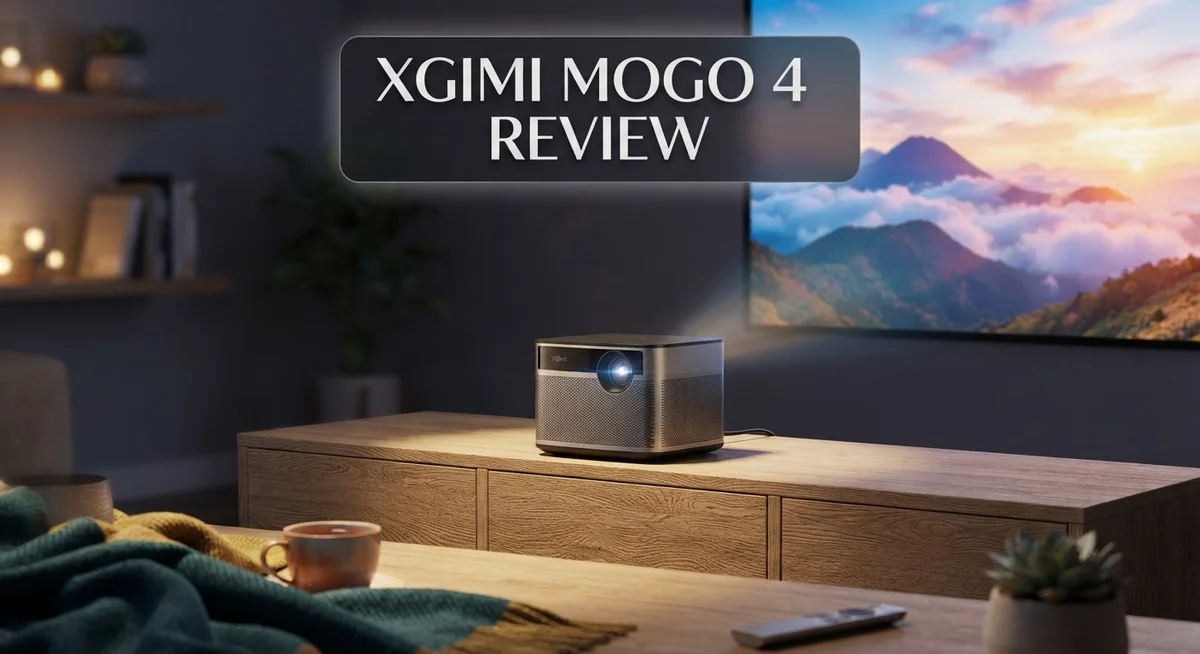
Looking for a projector you can carry anywhere? The XGIMI MoGo 4 might be your answer. This portable projector packs big screen dreams into a small body.
You get Google TV built right in. Netflix, YouTube, and your favorite apps load without extra gadgets. A built in battery gives you 2.5 hours of cordless viewing too.
Sound matters just as much as picture. The Harman Kardon audio system delivers deep bass and crisp tones. You get a home theater feel, minus the wires and setup stress.
Setup itself stays simple. Auto focus and keystone correction adjust your picture in seconds. The 360 degree stand lets you point the lens anywhere you like.
But no projector is perfect. The MoGo 4 struggles with contrast and color accuracy out of the box. Some users notice rainbow flashes during bright scenes.
Still, this device shines for movie nights, camping trips, and quick presentations. It competes closely with models like the BenQ GV50 and the XGIMI Halo+.
Ready to see if the MoGo 4 fits your lifestyle? Let us break down every detail below.
In a Nutshell
Here is what you need to know about the XGIMI MoGo 4 before you decide:
-
Battery life gives you 2.5 hours of cordless viewing. This makes it great for outdoor movie nights or trips away from power outlets.
-
Picture quality shows some weak spots. Contrast looks flat in darker scenes, and colors need manual tuning right out of the box.
-
Some users notice rainbow flashes during bright or fast moving scenes. This effect can pull your attention away from the screen.
-
Audio output stands out as a strong point. The Harman Kardon speakers deliver clear sound with surprisingly deep bass for such a small unit.
-
Gaming on this projector feels sluggish. Input lag makes it a poor choice if you want to play video games on the big screen.
-
Brightness drops noticeably when you switch to battery power. Plug it in in for the best possible image quality indoors.
-
Compared to rivals like the BenQ GV50 or the XGIMI Halo+, the MoGo 4 wins on portability but loses some ground on picture accuracy.
Key Features and Specifications
The XGIMI MoGo 4 packs impressive specifications into a portable frame. You get 1080P resolution that delivers sharp text and clear visuals for movies and presentations alike.
Brightness reaches 450 ISO Lumens on the standard model, with a laser version pushing to 550 ISO Lumens. This means you can use it in dimly lit rooms or outdoors during evening hours. The projector throws images up to 200 inches, though 60 to 120 inches gives you the best viewing experience without sacrificing image quality.
The automatic focus and keystone correction features deserve special mention. You simply point and the projector adjusts itself. No manual tweaking required. The 360° built-in stand rotates in any direction, making it work on tables, shelves, or even mounted on walls without extra hardware.
Audio performance comes from a Harman Kardon sound system. The speakers deliver strong bass and clear dialogue, so you rarely need external speakers for casual viewing. The fan runs quietly compared to many competitors, keeping distractions minimal during movies.
The built-in battery provides 2.5 hours of runtime without any power outlet. This cordless capability makes it genuinely portable for camping, backyard gatherings, or travel. Google TV comes pre-installed with licensed Netflix access, so you start streaming immediately after setup.
One key specification worth noting: lens protection activates automatically. This shields the optics when the projector powers down, extending the lifespan of internal components.
The projector weighs just over 2 pounds, making it lighter than most laptops. You can toss it in a bag and go. The combination of these specs creates a device that prioritizes mobility without completely sacrificing performance.
Understanding these specifications helps you match the MoGo 4 to your actual needs. The 1080P resolution suits streaming services and presentations perfectly. The brightness handles various lighting conditions. The battery life covers most movie nights. These technical details show why portable projectors appeal to people who value flexibility and convenience over stationary setups.

- ...
- 360° 𝑨𝒅𝒋𝒖𝒔𝒕𝒂𝒃𝒍𝒆 𝑺𝒕𝒂𝒏𝒅:Project from wall to...
Last update on 2026-10-21 / Affiliate links / Images from Amazon Product Advertising API
Design, Portability, and Build Quality
The XGIMI MoGo 4 excels at going places. Its compact frame fits easily into a backpack or bag. You can grab it and head out without strain.
Weight matters for portable projectors. This device tips the scales at just over 2 pounds. That makes it lighter than most laptops you own. Carrying it to your backyard or a friend’s house feels effortless.
The build quality holds up well during travel. The projector uses solid materials that resist bumps and minor impacts. Lens protection activates automatically when you power down. This feature keeps your optics safe without extra steps from you.
The 360-degree built-in stand deserves attention here. You can angle the projector upward, downward, or sideways without needing external supports. Placement becomes flexible. You set it on tables, shelves, or even the ground and adjust the angle to match your screen position.
Dimensions stay compact throughout. The unit measures like a small box rather than a bulky entertainment system. This portability makes the MoGo 4 stand out against larger competitors. You won’t need a dedicated shelf or mounting hardware.
The design feels modern and clean. Black surfaces and simple button layouts give it a professional appearance. It looks at home in living rooms or outdoor settings alike.
One practical detail: the 2.5-hour battery runtime means you work without power cords for shorter sessions. Movie nights at the park or presentations in conference rooms become possible without hunting for outlets.
Cooling fans keep the projector running smoothly. The fan operates relatively quietly compared to other portable models. You hear it, but it won’t overpower your audio experience.
The overall construction suggests this projector can handle regular use. It feels durable enough for weekly trips without concern. Protective cases exist separately if you want extra security during transport.
Portability remains the MoGo 4’s strongest design asset. You get a full-featured projector that doesn’t demand a permanent home. Setup takes minutes, and breakdown is just as quick. This flexibility appeals to anyone who values mobility over stationary installation.
Image Quality and Brightness Performance
The XGIMI MoGo 4 delivers solid brightness for a portable projector, but the performance varies depending on your setup and power source. The standard model produces 450 ISO Lumens, which works well in moderately lit rooms and darker environments. If you need extra punch, the laser version bumps brightness to 550 ISO Lumens for more flexibility.
Brightness holds steady when plugged in. You get consistent light output across your entire projection when the projector runs on AC power. This means your movies, presentations, and streaming content maintain steady visibility throughout the session. The brightness remains reliable for extended viewing periods.
Battery power tells a different story. When you switch to cordless mode, brightness drops noticeably. This trade-off matters if you plan outdoor use or frequent movement between rooms. The battery prioritizes runtime over peak brightness to extend your 2.5-hour viewing window.
The image quality shows some limitations beyond brightness levels. Poor contrast affects how sharp your content appears on screen. Dark scenes lack depth, and bright scenes don’t pop as much as you’d expect. Colors also need calibration out of the box. Most users benefit from adjusting color settings before settling in for regular viewing.
Rainbow flashes distract during fast movement. You might notice colored streaks during action scenes or quick camera pans. This happens more often in bright portions of your content. Some viewers find this bothersome while others barely notice it.
The projector handles screen sizes up to 200 inches, though 60 to 120 inches gives you better image quality. Larger projections magnify the contrast and color issues mentioned above. Automatic focus and keystone correction help you achieve proper alignment quickly, which improves overall picture quality regardless of where you place the projector.
For casual streaming, presentations, and movie nights in reasonably dark spaces, the brightness performs adequately. Gaming performance suffers though, since fast-moving graphics expose the projector’s contrast weaknesses and color inaccuracies. Choose the MoGo 4 for portability and convenience rather than cinema-grade image quality.
Top 3 Alternatives
Anker Nebula Capsule

- Super-Sized Screen, Portable Design: Capsule 3 is an all-new ultra-portable Google TV projector...
- Take the Big Screen Anywhere: With a max screen size of 120 inches, Capsule 3 delivers a...
Last update on 2026-10-19 / Affiliate links / Images from Amazon Product Advertising API
The Anker Nebula Capsule works well for people who want a portable projector. This device fits in your bag easily. It produces clear images in most rooms.
The brightness level stays solid for indoor use. You get good color accuracy and sharp text. The built-in speaker sounds decent for casual viewing. Setup takes just minutes—no complicated steps needed.
Battery life runs for about two hours on a single charge. Connectivity options include WiFi and USB-C. The fan operates quietly, so it won’t disturb your viewing experience.
ViewSonic M1 Mini

- For Projection Needs From Cookie Decorating to Movies: Pocket projector produces clear and...
- Multiple Wired & Wireless Connectivity Methods: Pico projector built-in Type C/HDMI/AV/Micro SD...
Last update on 2026-10-19 / Affiliate links / Images from Amazon Product Advertising API
The ViewSonic M1 Mini stands out for its compact frame and light weight. This projector delivers bright output that works in rooms with some ambient light. The image quality remains crisp and detailed for presentations and movies.
You get HDMI and USB inputs for flexible connectivity. The autofocus feature adjusts the picture automatically. Battery performance gives you roughly two hours of runtime. The design includes a carrying handle, making transport simple.
The speaker quality suits small rooms well. Setup happens quickly without technical knowledge required. This model appeals to people who travel frequently or move between spaces often.
ASUS ZenBeam Latte

- High Image Resolution: ZenBeam E2 movie projector with up to 300 LED lumens output and 1280 x...
- Innovative Modern Design: This mini projector with Wi-Fi and Bluetooth not only enhances space...

Last update on 2026-10-19 / Affiliate links / Images from Amazon Product Advertising API
The ASUS ZenBeam Latte combines a coffee maker and projector into one device. This unique approach saves space on your desk. The projector itself offers solid brightness and color accuracy.
Connectivity features include WiFi and Bluetooth support. The image stays sharp even when you sit at angles. Battery life reaches approximately three hours per charge. The device heats up quickly and maintains consistent performance.
This model works best in darker environments. Setup requires minimal effort. The design appeals to people seeking multifunctional gadgets that serve multiple purposes in one compact unit.
Audio Quality and Sound System
The Harman Kardon sound system inside the MoGo 4 sets this projector apart from many competitors in its class. This audio partnership brings professional-grade speakers to a portable device, which is rare to find.
The bass response impresses most users who test the projector. You get deep, punchy low frequencies that make movies and music feel immersive. The mids and highs stay clear without harsh distortion, even when you turn up the volume. This balance matters because portable projectors often sacrifice audio quality for compact size.
The speaker output reaches sufficient levels for small to medium rooms without external amplification. You can enjoy dialogue clarity during films and hear sound effects with good separation. The stereo imaging creates a wider soundstage than you’d expect from built-in speakers.
One practical advantage stands out: you don’t need to add external speakers for casual viewing. Many portable projectors force you to buy separate audio gear to get acceptable sound. The MoGo 4 eliminates this hassle for most situations.
The fan noise stays relatively quiet during operation, so it won’t compete with your audio content. This matters because a loud cooling fan can ruin the listening experience. You can focus on the movie rather than mechanical noise in the background.
For gaming sessions, the audio performs well with quick response times and good directional cues. Action games benefit from the strong bass and clear effects placement. The Harman Kardon tuning favors entertainment content over neutral monitoring.
If you stream music or podcasts through the built-in Google TV, the speakers handle these formats capably. Spoken word content comes through with excellent intelligibility. Musical genres sound engaging without requiring studio monitors.
The only limitation appears when you want to connect external speakers via Bluetooth or audio jack. The projector supports these options if you ever want to upgrade your audio setup. This flexibility means the MoGo 4 works as a standalone device or integrates into larger sound systems.
Overall, the audio quality represents genuine value for a portable projector. You get professional sound engineering in a package that weighs just over two pounds.
Battery Life and Cordless Operation
The 2.5-hour battery runtime gives you genuine freedom to use this projector anywhere. You can set up in your backyard, move between rooms, or take it to a friend’s place without hunting for power outlets.
Real-world battery performance depends on your usage patterns. Standard viewing drains the battery faster than standby mode. If you plan back-to-back movie sessions, you’ll need to plug in between screenings.
The cordless operation shines for casual outdoor gatherings. You get enough runtime for a single film or a few episodes of your favorite show. The projector handles this without requiring an external power bank or extension cord nearby.
One important detail: brightness drops when running on battery power. The projector automatically reduces light output to preserve battery life. This means your image won’t shine as bright as when plugged in. For dark rooms or evening use, this matters less. For daytime outdoor projection, you’ll notice the difference.
The built-in 360-degree stand supports the projector on any flat surface. You don’t need a tripod or mounting hardware to get started. This design choice makes cordless operation even more practical since you skip the extra equipment.
Battery management becomes straightforward with Google TV built in. The operating system shows your remaining battery time on screen. You can monitor power levels without guessing when the projector will shut down.
For extended outdoor events, consider the optional PowerBase Stand. This accessory can extend your usage time and keep the projector stable during longer presentations.
The cordless capability works best for specific scenarios. Weekend camping trips, patio movie nights, and small gatherings all benefit from this feature. If you need continuous projection for hours, a power outlet remains your best option.
The combination of portability and battery operation positions the MoGo 4 as a flexible choice for users who value mobility. You gain the ability to project content from nearly anywhere in your home or outdoor space without planning around power sources.
Pros and Cons
Pros
- Compact and lightweight design makes it easy to carry anywhere you go
- Harman Kardon speakers deliver rich bass and clear audio without needing external speakers
- Auto-focus and keystone correction get you a sharp image in seconds
- Quiet fan operation won’t disturb your viewing experience
- 2.5-hour battery lets you project outdoors without cords
Cons
- Contrast performance struggles, making dark scenes appear flat and muddy
- Rainbow flashes appear during fast motion and quick scene changes
- Colors look inaccurate straight out of the box and need adjustment
- Battery power cuts brightness noticeably, affecting image quality during cordless use
Who Should Buy It
The XGIMI MoGo 4 works best for people who prioritize portability and convenience. If you move around frequently, this projector fits your lifestyle. The compact size and lightweight frame make it easy to carry from room to room or take to outdoor events.
You’ll love this projector if you want a plug-and-play setup. Auto-focus and keystone correction handle image adjustment automatically. You don’t need technical knowledge to get a sharp picture within seconds.
The built-in battery appeals to anyone who hates dealing with cords. You can set up anywhere without searching for power outlets. This feature shines for backyard movie nights, camping trips, or casual gatherings with friends.
If you prioritize audio quality, the Harman Kardon speakers deliver rich sound. You won’t need to buy external speakers for small to medium rooms. The audio performs well for movies, music streaming, and podcasts.
Skip this projector if you’re a serious gamer. Gaming performance lags noticeably. Fast-moving scenes trigger rainbow flashes, and contrast issues make gameplay less enjoyable. Dedicated gaming projectors handle this better.
You should also reconsider if you watch mostly dark films. Poor contrast performance makes shadows appear flat and muddy. Night scenes lose depth and detail. Color accuracy requires manual calibration out of the box, which adds extra setup time.
The brightness drop on battery power matters for outdoor daytime use. If you plan to project during bright daylight hours, expect reduced image quality. Plugging into power gives you full brightness potential.
This projector suits casual home viewers, outdoor enthusiasts, and people who value portability over cutting-edge image quality. Business professionals who need to present in different locations will appreciate the easy setup and cordless operation. Travel-focused users gain genuine freedom with the 2.5-hour battery runtime.
The XGIMI MoGo 4 excels when you prioritize convenience and mobility. It works well for entertainment in various spaces. However, it’s not ideal for users demanding perfect contrast, accurate colors, or gaming performance right out of the box.
Final Verdict
The XGIMI MoGo 4 stands out as a solid choice for anyone who wants a portable projector without hassle. It brings together smart features and strong sound in one compact unit.
This projector shines brightest for casual viewers. Movie nights in the backyard, sports watch parties, or quick presentations all feel effortless with this device.
The Google TV interface makes streaming simple. You get instant access to your favorite apps and shows without extra setup steps.
However, this isn’t a projector for everyone. Serious gamers should look elsewhere due to input lag issues. Film lovers who crave deep blacks in dark scenes may also feel disappointed.
Image quality remains the biggest tradeoff here. You trade some visual precision for convenience and portability. That tradeoff makes sense for outdoor use and casual streaming.
Compared to the BenQ GV50, the MoGo 4 offers better audio performance. The Harman Kardon speakers give it an edge for anyone who values sound as much as picture.
Against the XGIMI Halo+, the MoGo 4 holds its own with similar core features. Both projectors share the brand’s focus on portability and ease of use.
Who should buy this projector?
Anyone who moves their setup often will appreciate this device. People who host outdoor gatherings or want a simple home theater option will find it useful too.
Who should skip it?
Gamers need better response times than this projector offers. Home theater purists who demand accurate colors and deep contrast should also consider other options.
The XGIMI MoGo 4 delivers a smart mix of portability and performance. It won’t replace a dedicated home theater setup, but it doesn’t try to.
This projector fits a specific need well. If you want cordless convenience and easy setup, this device delivers exactly that experience.
Frequently Asked Questions
Does the XGIMI MoGo 4 work well for outdoor movie nights?
Yes, it works great for outdoor use. The 2.5-hour battery gives you cordless viewing without needing power outlets. The 360° stand lets you position the projector at any angle on patios or decks.
Keep one thing in mind. Brightness drops when you run on battery power. Daytime outdoor use may look dimmer than you expect. For evening outdoor movies, the performance is excellent.
Can I use this projector for gaming?
Gaming isn’t this projector’s strength. Performance lags noticeably during fast-action games. You’ll notice delays and responsiveness issues that casual gamers might find frustrating.
If you play games occasionally, it works fine. But serious gamers should look elsewhere. The MoGo 4 focuses on movies and streaming instead.
How fast does the auto-focus feature work?
The auto-focus is quick and reliable. You get a sharp image in seconds without manual adjustment. The keystone correction also happens automatically, so crooked images straighten themselves.
This means setup takes just minutes. You spend more time watching and less time fiddling with settings.
What’s the difference between the standard and laser models?
The laser model is brighter. It delivers 550 ISO Lumens compared to 450 ISO Lumens on the standard version. This extra brightness helps in brighter rooms or daytime outdoor settings.
Both models share the same compact design and battery life. Choose the laser version if brightness matters most for your space.
Is the sound system good enough to skip external speakers?
Yes. The Harman Kardon sound system delivers rich audio with strong bass. Most viewers won’t need external speakers for casual watching.
If you’re an audiophile, you might still add speakers. But for typical use, the built-in audio performs well.

Hi, I’m Sam! I’ve been passionate about technology for over a decade, fascinated by how innovative devices can transform our daily lives. As the founder of DeviceDiary.blog, I spend my days testing the latest gadgets, exploring AI innovations, and translating complex tech specs into practical insights.