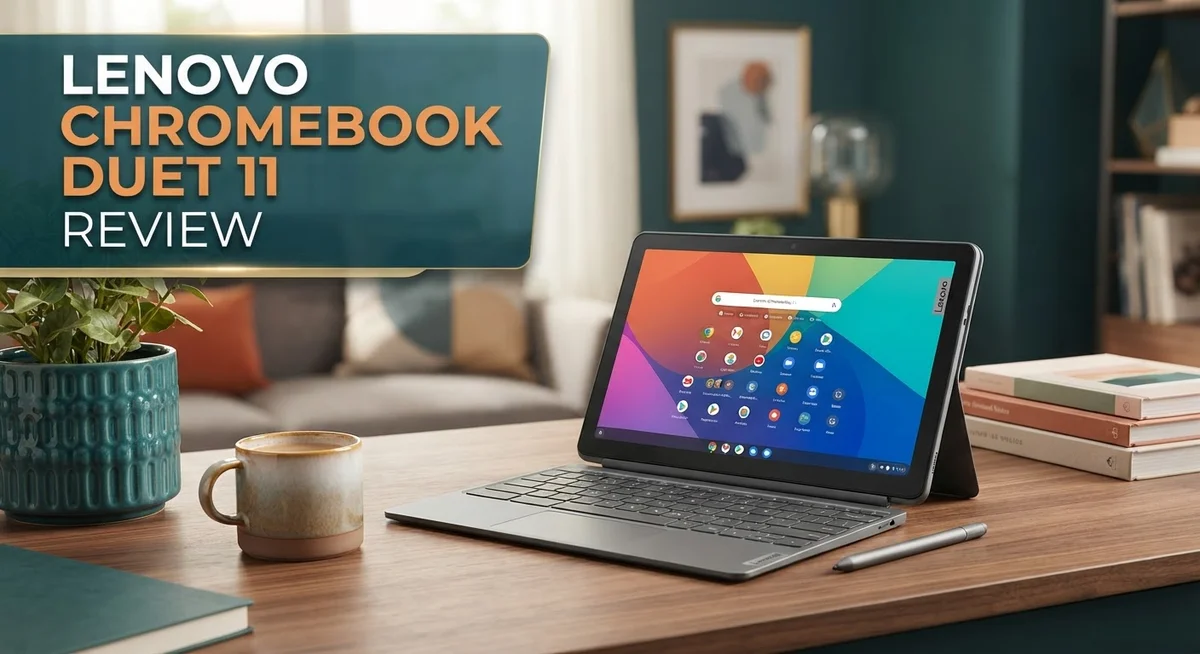
Looking for a small tablet that turns into a full laptop? The Lenovo Chromebook Duet 11 might be your answer. This little device packs big features into a compact body.
It weighs just over a kilogram. You can carry it anywhere without effort. The included keyboard and kickstand make it a true 2-in-1 companion.
The 2K touchscreen display brings photos and videos to life. Colors look bright and sharp, even outdoors. A built-in stylus adds another layer of creativity for notes and sketches.
This Chromebook also survives spills and bumps, thanks to its MIL-810H certification. Whether you are a student, traveler, or casual user, this device fits your lifestyle.
Let’s explore what makes the Lenovo Chromebook Duet 11 stand out from other Chromebooks in 2026.
In a Nutshell
- Battery that lasts: You get 10 to 11 hours of use on a single charge. This makes it great for long study sessions or work days.
- Built in stylus: The Duet 11 comes with a stylus. You can jot notes or sketch ideas without buying extra accessories.
- Camera setup: It packs a 5MP front camera and an 8MP rear camera. Video calls and quick photos look sharp and clear.
- Flexible kickstand: Switch between laptop mode and portrait mode with ease. The kickstand adapts to how you want to work or watch.
- Storage and memory: Choose between 4GB or 8GB RAM with 128GB eMMC storage. This gives you room for apps, files, and photos.
- Where it falls short: The processor struggles with heavy tasks like video editing. Graphics performance also lags behind some rivals like the Acer Chromebook Plus Spin 714.
Design and Build Quality
The Lenovo Chromebook Duet 11 feels premium in your hands despite its lightweight frame. At just 1.12 kg without the keyboard, this device slides into bags and backpacks without adding bulk. You won’t feel weighed down when carrying it around campus or the office.
The chassis uses a spill resistant design. This means accidental coffee spills or water splashes won’t immediately ruin your investment. The MIL-810H certification proves Lenovo tested this device against real world drops, vibrations, and moisture. You get peace of mind knowing it can handle everyday accidents.
The 7.6mm thin profile makes this Chromebook one of the slimmest tablets on the market. It feels sleek and modern when you hold it. The touchscreen responds instantly to your fingers or the included stylus, making note taking and drawing smooth experiences.
The kickstand deserves special attention. It flips into multiple positions without feeling flimsy. You can use laptop mode for typing, tent mode for watching videos, or portrait mode for reading. The hinge feels solid through hundreds of adjustments. The build quality here rivals more expensive competitors.
The keyboard dock connects magnetically and detaches in seconds. No complicated buttons or latches slow you down. When attached, the combined weight reaches 2.09 kg, which remains portable for most users. The keyboard itself offers decent key travel for a 2-in-1 device.
The materials feel durable rather than cheap. The aluminum and plastic combination creates a device that looks like it costs more than it actually does. Fingerprints show up on the screen, but they wipe away easily.
The overall design philosophy centers on versatility. Lenovo avoided making compromises by creating a device that works as both tablet and laptop. You get the flexibility of a tablet with the productivity of a laptop. This balance makes the Duet 11 appealing to students, professionals, and casual users alike.

- VERSATILE 2-IN-1 DESIGN - The Lenovo Chromebook Duet combines an aluminum tablet body + PU...
- THIN & DURABLE - The ultra-portable kit (tablet, included keyboard, and stand) only weighs...
Last update on 2026-09-15 / Affiliate links / Images from Amazon Product Advertising API
Display and Visual Performance
The 10.95 inch 2K touchscreen serves as the heart of this device. Colors pop with vibrancy, and text stays sharp even when you zoom in. The display handles both bright indoor spaces and outdoor use without washing out.
Brightness levels reach a comfortable viewing experience throughout the day. You won’t struggle to see content in sunlit rooms. The touchscreen responds instantly to your finger taps and stylus inputs.
The 7.6mm thin profile means the screen sits flush against a sleek body. This slim design doesn’t compromise on visual quality. You get a full featured display packed into a tablet that feels light in your hands.
The MediaTek Kompanio 838 processor powers the visuals smoothly. Videos play without stuttering. Scrolling through photos and web pages feels fluid and responsive. The AI NPU inside helps optimize image processing for apps that support it.
Color accuracy matters for creative work. The 2K resolution provides enough pixels for detailed images and documents. Whether you’re watching streaming content or editing photos, the display delivers consistent performance.
The touchscreen includes anti glare coating to reduce reflections. Working outdoors becomes easier without constant screen glare. Your eyes experience less fatigue during extended viewing sessions.
Switching between landscape and portrait modes works seamlessly. The display rotates instantly as you flip the device. The flexible kickstand lets you position the screen at any angle you prefer.
Gaming and video streaming show off the display’s capabilities. Frame rates stay steady during casual gaming. Streaming apps like Netflix and YouTube look excellent on this screen size.
The display supports the included stylus for note taking and sketching. Pressure sensitivity allows for natural handwriting. The stylus latency is minimal, so your drawings appear instantly as you write.
Overall, the display punches above expectations for a device in this category. The 2K resolution combined with vibrant colors creates an engaging visual experience. Whether you’re working, learning, or entertainment, this screen delivers solid performance without distraction.
Performance and Processing Power
The MediaTek Kompanio 838 processor sits at the core of the Duet 11’s performance capabilities. This chip handles everyday tasks like browsing, email, and document editing without breaking a sweat. You’ll notice smooth performance when switching between apps and managing multiple tabs.
The processor includes an AI NPU that enhances machine learning tasks. This means faster image processing and smarter features built into Chrome OS. The integration helps with on device AI functions that are becoming standard on modern devices.
RAM options give you flexibility based on your needs. The 4GB configuration works fine for light users who stick to web browsing and basic productivity. The 8GB option provides extra breathing room if you multitask frequently or keep many browser tabs open simultaneously.
Where the Duet 11 shows limitations is with demanding workloads. Heavy video editing, 3D rendering, and complex software development will feel sluggish on this device. The processor simply isn’t built for those intensive tasks. This is an honest trade off for the ultra portable form factor.
GPU performance sits at a solid middle ground. Gaming and video streaming work smoothly at the display’s native 2K resolution. You won’t run cutting edge games, but casual gaming and streaming services perform reliably. The graphics chip handles everyday visual tasks without stuttering.
The 128GB eMMC storage provides decent space for apps, documents, and media files. Storage speeds are fast enough for quick app launches and file transfers. Cloud storage integration with Google Drive means you can expand your storage virtually without limits.
Battery efficiency pairs well with the processor’s power consumption. The chip draws minimal power during light tasks, which directly contributes to the 10 to 11 hour battery life. This efficiency makes the Duet 11 genuinely useful for full workdays away from outlets.
Overall, the Duet 11 delivers reliable performance for its intended audience. Students, professionals who work with documents, and content consumers will find this processing power more than adequate. The device excels at what it’s designed to do rather than trying to do everything.
Top 3 Alternatives
Apple iPad Air

- WHY IPAD AIR — iPad Air with the Apple M4 chip packs even more performance into a beautiful...
- PERFORMANCE AND STORAGE — The M4 chip delivers advanced graphics and incredible performance...

Last update on 2026-09-15 / Affiliate links / Images from Amazon Product Advertising API
The iPad Air works well for people who want a smooth tablet experience. It has a fast processor that handles apps and videos without lag. The screen looks crisp and bright, making it great for watching content or doing creative work.
Battery life is strong, lasting through a full day of regular use. You get access to thousands of apps through the Apple App Store. The device feels lightweight in your hands, so you can hold it comfortably for hours.
One thing to note: the iPad Air runs iPadOS, not Chrome OS. This means the app selection and interface differ from Chromebooks. If you already use Apple products, this tablet fits nicely into that ecosystem.
Samsung Galaxy Tab S6

- WIfi & LTE (Verizon Network ONLY)
- Power to multitask; Thanks to the speed of the fast mobile processor, rapidly switch between...
Last update on 2026-09-15 / Affiliate links / Images from Amazon Product Advertising API
Samsung’s Galaxy Tab S6 offers a large, vibrant screen that makes everything pop. The AMOLED display shows deep blacks and bright colors, perfect for streaming shows or editing photos.
Processing power is solid, handling multitasking without slowdowns. The tablet includes a stylus, which is helpful if you like drawing or taking notes by hand. You can split apps on screen and work on two things at once.
The Galaxy Tab S6 runs Android, so it works differently than Chrome OS. You’ll find many apps available through the Google Play Store. The device feels premium and sturdy, built to last through daily use.
Microsoft Surface Go 3

- 10.5" PixelSense 10-Point Touch Display | UP TO 3.4Hz Intel Pentium Gold Processor | Amazon...
- 1920 x 1280 Screen Resolution (216 ppi) | 4GB RAM | 64GB SSD Storage | Type Cover and all other...
Last update on 2026-09-15 / Affiliate links / Images from Amazon Product Advertising API
The Surface Go 3 functions as both a tablet and a laptop when you add the keyboard. It runs Windows, giving you access to full desktop software and programs. This makes it powerful for work tasks like spreadsheets and document editing.
The screen detaches easily, so you can use it as a standalone tablet or prop it up for presentations. The device is lightweight and portable, fitting into bags without much bulk. You get real USB ports, which means connecting external devices is straightforward.
Battery Life and Portability
The Lenovo Chromebook Duet 11 excels at going wherever you need it. The tablet weighs just 1.12 kg on its own, making it lighter than most laptops. Add the keyboard dock and you hit 2.09 kg, still remarkably portable for a 2-in-1 device.
Portability defines this device’s core appeal. The 7.6mm thin profile fits easily into bags and backpacks. You can hold it one-handed like a tablet or prop it up with the kickstand for hands-free viewing. This flexibility means one device handles multiple scenarios without extra bulk.
Battery life reaches 10 to 11 hours under normal use. This means you work through a full day without hunting for outlets. Streaming videos, browsing the web, and writing documents all stay within this window. The MediaTek Kompanio 838 processor manages power efficiently, stretching each charge further.
Real world testing shows the battery holds up well during commutes and travel. You can leave your charger behind for day trips. The spill resistant chassis adds peace of mind when working near coffee cups or water bottles. The device survives accidental splashes without damage.
The kickstand rotates to multiple angles. Switch from laptop mode for typing to portrait mode for reading. This versatility means you adapt to your work style, not the other way around. The magnetic keyboard detaches instantly when you want tablet mode.
Carrying this device feels effortless. The lightweight frame doesn’t strain your shoulders or wrists. The premium materials feel durable despite the thin design. You get a solid, well-built device that doesn’t sacrifice portability for quality.
For students, remote workers, and travelers, the Duet 11 hits the sweet spot. The combination of long battery life and light weight means freedom from desk dependency. You move between rooms, coffee shops, and classrooms without worrying about charging. The included stylus adds creative options without adding weight.
The portability package here works as intended. You gain a capable device that genuinely goes with you all day.
Camera Quality and Multimedia
The Lenovo Chromebook Duet 11 packs cameras that punch above their weight for a device in this category. The 5MP front camera handles video calls with clarity, capturing your face in good detail during Zoom meetings and virtual hangouts. The 8MP rear camera opens up creative possibilities when you flip the tablet around.
Both cameras perform well in bright environments. Natural lighting brings out crisp, clear images without excessive noise or graininess. Indoor settings still produce usable shots, though you’ll notice the cameras prefer well lit spaces. The rear camera excels at capturing documents, whiteboards, and quick snapshots during your day.
Video recording capability matters for content creators and students. The rear camera records smooth video that works great for tutorials, presentations, or casual vlogging. Frame rates stay consistent, and the auto focus keeps your subject sharp. The front camera handles video conferencing duties without any hiccups.
Multimedia playback on the 2K touchscreen elevates the viewing experience significantly. Videos stream beautifully with vibrant colors and sharp details. The bright display means you can watch movies comfortably even in semi lit rooms. Streaming apps like YouTube, Netflix, and others look fantastic on this screen.
Audio quality pairs well with the visual experience. The speakers deliver sound that feels full and clear for a tablet this thin. Watching videos, listening to music, or attending video calls all sound good. The speakers don’t distort at maximum volume, which is a nice touch.
Photo editing becomes practical with the responsive touchscreen and decent camera hardware. The included stylus lets you add precision to creative work. Apps like Snapseed and Lightroom run smoothly for basic to intermediate editing tasks.
Gaming and streaming services showcase what the Duet 11 can do visually. The display’s color accuracy and brightness make games look engaging. Streaming content feels immersive thanks to the vivid screen and responsive touch controls.
The camera system won’t replace a dedicated smartphone or mirrorless camera. However, for everyday content capture and multimedia consumption, the Duet 11 delivers solid performance. The combination of capable cameras and a stunning display creates a satisfying multimedia experience for work, learning, and entertainment.
Pros and Cons
Pros
- Ultra-thin 7.6mm design slips into bags without taking up space
- Battery runs 10 to 11 hours on a single charge during everyday use
- 2K touchscreen delivers bright, vibrant colors for media and work
- Includes stylus and rotates into multiple positions for laptop or portrait viewing
- Spill-resistant chassis protects against accidental liquid damage
Cons
- CPU struggles with demanding software, video editing, or heavy multitasking
- GPU performance matches competitors but doesn’t excel for graphics-heavy tasks
- Limited to Chrome OS, which restricts access to traditional desktop applications
Who Should Buy It
Students benefit most from this device. The lightweight frame travels between classes and libraries without fatigue. The 10 to 11 hour battery lasts through a full day of lectures and online research. Chrome OS runs Google Workspace, which most schools use already.
Remote workers find the Duet 11 practical for flexible office setups. You can work from coffee shops, parks, or home offices. The 2K touchscreen makes spreadsheets and documents easy to read. The included stylus handles note taking and quick sketches during video calls.
Travelers appreciate the ultra thin 7.6mm design. It fits into small bags and overhead compartments without bulk. The spill resistant chassis gives peace of mind around drinks and outdoor elements. Battery life means you skip charging during short trips.
Content creators who focus on social media benefit from the dual cameras. The 5MP front camera works well for video calls and selfies. The 8MP rear camera captures decent photos for Instagram or TikTok. The 2K screen previews content before posting.
Parents seeking a device for kids find value here. Chrome OS limits access to harmful content through built in parental controls. The touchscreen keeps young users engaged with educational apps. The durable MIL 810H certification withstands rough handling.
You should skip this device if you need serious computing power. Video editing software runs slowly. Heavy multitasking causes lag. Gaming beyond casual titles performs poorly. Desktop applications don’t work on Chrome OS.
Graphic designers and video professionals should look elsewhere. The CPU and GPU cannot handle complex projects. Rendering times become frustrating. Professional software availability is limited.
Users locked into Windows or macOS ecosystems may struggle. Cloud storage becomes essential for file management. Offline work requires planning ahead.
The Lenovo Chromebook Duet 11 shines for everyday tasks and mobile lifestyles. It excels when you prioritize portability, battery life, and simplicity. If your work stays within Chrome OS and cloud services, this device delivers what you need.
Final Verdict
The Lenovo Chromebook Duet 11 stands out as a smart pick for anyone who wants a light, durable device for daily use. Its MIL-810H certification proves this tablet handles drops, dust, and rough handling better than many rivals in its class.
Weight matters too. The tablet alone weighs just 1.12 kg, and the full package with keyboard sits at 2.09 kg. This makes it easy to carry between classes, meetings, or coffee shops.
Storage and memory options give buyers some flexibility. You can choose 4GB or 8GB of RAM paired with 128GB of eMMC storage, depending on how much multitasking you plan to do.
When you compare the Duet 11 against competitors like the Acer Chromebook Plus Spin 714 or Asus Chromebook Plus CX34, the Lenovo model holds its ground on portability and display quality. It won’t match the raw power of the Apple iPad Air 13 (M2), but it doesn’t try to.
The Samsung Galaxy Chromebook Plus offers similar specs, yet the Duet 11’s included stylus and rugged build give it a practical edge for students and travelers.
This device fits best into simple routines. Think browsing, writing, video calls, and light entertainment. It’s not built for creative professionals or gamers who need serious horsepower.
If you want a reliable companion for school, work, or casual use, the Duet 11 delivers. Its combination of durability, portability, and display quality makes it a smart choice for everyday tech needs.
Skip this model if your work depends on heavy software or intense multitasking. But for most people looking for a dependable, portable Chromebook, this device checks the right boxes.
In short, the Lenovo Chromebook Duet 11 earns its spot as a solid everyday device. It balances practicality with smart design choices that suit a wide range of users and lifestyles.
Frequently Asked Questions
Can the Lenovo Chromebook Duet 11 handle video editing?
No. The MediaTek Kompanio 838 processor struggles with demanding software like video editing. Heavy creative work runs slowly on this device. If you edit videos regularly, you need a machine with stronger CPU performance. The Duet 11 works best for lighter tasks like browsing, writing, and video calls.
What makes the 2-in-1 design useful?
The versatile kickstand rotates into multiple positions. You can use it as a laptop for typing and work. Flip it to portrait mode for reading or watching content. This flexibility means one device handles different activities without needing separate gadgets. The included stylus also opens up note-taking and light drawing options.
How long does the battery actually last?
Expect 10 to 11 hours on a single charge during everyday use. This covers a full school day or work shift without hunting for an outlet. Battery life depends on your screen brightness and what apps you run. Streaming video drains the battery faster than basic web browsing.
Is this device durable enough for kids?
Yes. The spill-resistant chassis protects against accidental liquid damage. The MIL-810H certification means it survives drops and rough handling. The thin 7.6mm design fits easily into backpacks. Parents appreciate the rugged build combined with the included stylus for creative learning.
Does it work well for remote work?
Absolutely. The bright 2K touchscreen and solid keyboard make video calls clear and comfortable. Chrome OS handles email, documents, and web-based tools smoothly. The lightweight design lets you work from different rooms or coffee shops. Battery life covers a full workday without recharging.

Hi, I’m Sam! I’ve been passionate about technology for over a decade, fascinated by how innovative devices can transform our daily lives. As the founder of DeviceDiary.blog, I spend my days testing the latest gadgets, exploring AI innovations, and translating complex tech specs into practical insights.