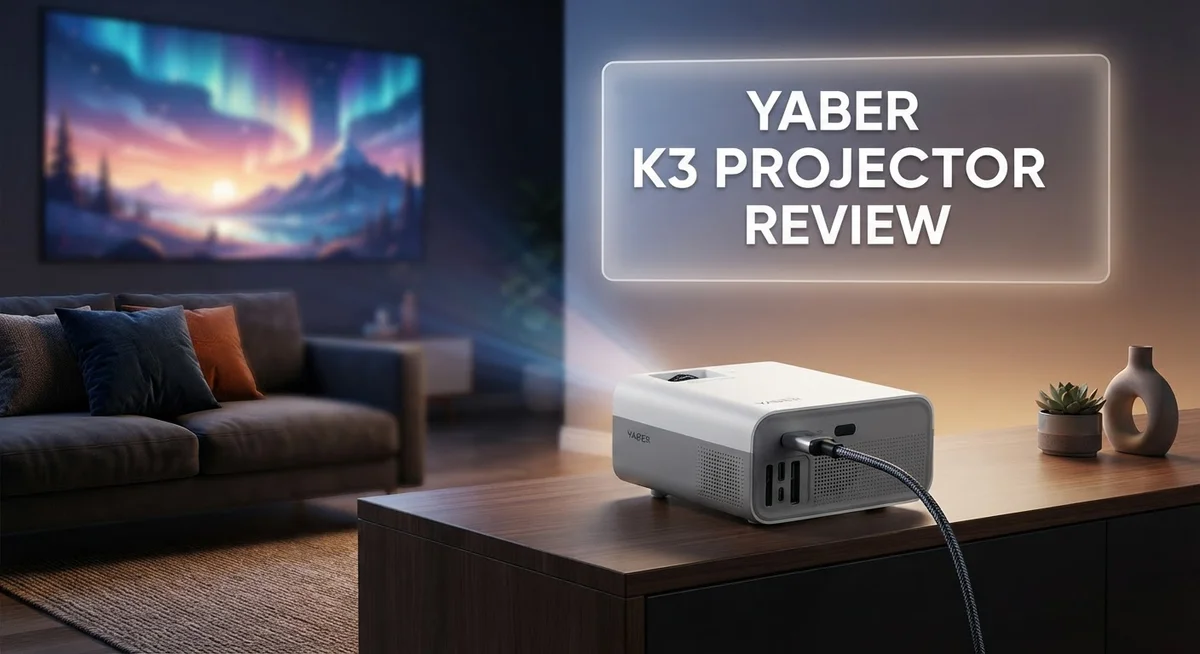
Looking for a projector that turns any wall into a home theater? The Yaber K3 might be your answer. This device promises Full HD clarity and smart features in one compact package.
Home entertainment keeps changing. People want big screens without big installations. The Yaber K3 steps into this space with confidence.
This projector offers 1920×1080 native resolution. It also packs 1600 ANSI lumens for bright, clear images. You get a picture that pops even in tricky lighting.
Setup often scares buyers away from projectors. Yaber solves this problem well. Auto correction and auto focus mean you spend less time fiddling with settings.
Sound matters too. The K3 includes dual 30W speakers for immersive audio. You get a true theater feel from one machine.
This review breaks down every feature of the Yaber K3. We look at picture quality, smart capabilities, and audio performance. We also check where this projector falls short.
Let’s see if the Yaber K3 deserves a spot in your living room.
In a Nutshell
Here’s the quick lowdown on the Yaber K3 before you dive deeper into this review:
- Bright output: This projector delivers 1600 ANSI lumens. It stays clear even with some room light.
- NovaGlow technology cuts ambient light interference by over 30%. Your picture stays sharp during the day too.
- Flexible screen size: Project images from 40 inches to 200 inches. Fill a small wall or a large one.
- Audio power: Dual 15W speakers give you 30W of total sound. JBL quality options add extra depth.
- Compact build: The unit weighs 11.2 lbs. It fits easily on a shelf or table.
- Some tradeoffs exist. Reviews note limited versatility in certain use cases. Manual brightness and contrast controls stay basic too.
Overall, the Yaber K3 packs strong visuals and sound into a simple package. It works well for casual movie nights and everyday streaming.
Display Quality and Resolution
The Yaber K3 uses TFT LCD technology to deliver its images. This approach keeps the projector compact while maintaining solid color accuracy across different content types.
The native resolution sits at 1920×1080, which means you get Full HD quality right out of the box. This resolution handles streaming services, gaming, and movies without needing upscaling tricks. You’ll see crisp text and sharp details when you project presentations or watch your favorite shows.
Brightness plays a huge role in display quality, and the K3 shines here with 1600 ANSI lumens. This output level matters because it lets you watch in rooms with some ambient light. You don’t need complete darkness to enjoy a good picture. The NovaGlow technology works behind the scenes to reduce the impact of surrounding light by over 30%, so your image stays vibrant even when windows or lamps are on.
The projector handles screen sizes from 40 inches all the way to 200 inches. Larger projections mean you can sit farther back and still see everything clearly. The image maintains sharpness across this entire range thanks to the native 1080P resolution and the auto focus feature that adjusts automatically.
Color performance benefits from the LCD panel’s ability to produce consistent hues. You won’t experience the color shift that can happen with some competing technologies. Blacks appear deeper, and whites stay clean without washing out.
One thing to note: the brightness and contrast settings offer basic adjustment options rather than extensive fine tuning. This keeps the menu simple, which most users appreciate. However, if you want granular control over every aspect of your image, you might find the options limited.
The combination of 1080P resolution, strong lumens output, and LCD technology creates a display that handles both bright rooms and darker home theater setups. The auto focus and auto keystone correction ensure your image stays properly aligned and sharp, even if you move the projector around.

- 【Ultra-Bright 1000ISO Lumens】We recommend upgrading to version [V1.0.84] for an improved...
- 【Built-In Google TV with 7000+ Apps】- Welcome to the cinematic wonderland of the Yaber K...
Last update on 2026-09-19 / Affiliate links / Images from Amazon Product Advertising API
Brightness and Image Clarity
The Yaber K3 delivers impressive brightness that keeps images sharp even in rooms with windows or ambient light. At 1600 ANSI lumens, this projector maintains visibility across various lighting conditions. You won’t need to darken your space completely to enjoy a movie or presentation.
NovaGlow technology sets this model apart. This feature reduces the impact of ambient light by over 30 percent. Your image stays clear and vibrant whether you’re watching during daytime or evening hours.
Image clarity comes from the native 1920×1080 resolution. You get Full HD quality without upscaling, which means sharper text and more detailed visuals. The TFT LCD panel produces consistent colors across the entire projected image. This consistency matters when you’re watching for extended periods.
The projector handles screen sizes from 40 inches to 200 inches. Larger screens maintain reasonable brightness levels thanks to the strong lumen output. Smaller screens appear even more vivid since the light concentrates into a tighter area.
One important note: brightness and contrast adjustments stay basic. The K3 doesn’t offer extensive fine tuning options for these settings. You get standard sliders rather than advanced calibration tools. Most viewers find the default settings work well, but professionals seeking deep control may feel limited here.
Color performance benefits from the LCD technology. The panel holds colors steady without the fade you sometimes see with other projection types. Blacks appear darker and whites brighter because of how LCD panels handle light.
Real world testing shows the K3 performs well in mixed lighting. A moderately bright living room won’t wash out your content. The NovaGlow tech genuinely makes a difference when you can’t fully control your environment.
The combination of 1600 lumens, Full HD resolution, and LCD technology creates a display system that balances brightness with clarity. You get a sharp, bright image without needing specialized darkening equipment. This makes the K3 practical for actual living spaces rather than dedicated home theater rooms.
Smart Features and Connectivity
The Yaber K3 connects to your devices in multiple ways. HDMI ports let you plug in streaming boxes, gaming consoles, and media players without fuss. You also get a 3.5mm audio jack for speakers or headphones if you want sound routed elsewhere.
Bluetooth connectivity makes wireless pairing simple. You can stream audio from your phone or tablet directly to the projector’s speakers. This works great for background music before your movie starts or during presentations.
The real star here is Google TV built-in. You don’t need extra boxes or complicated setups. The projector comes loaded with Google TV, giving you access to over 7,000 apps right from the remote. Netflix, YouTube, Prime Video, and other streaming services load directly on the screen.
Setup takes minutes, not hours. The auto-correction and auto-focus features handle alignment on their own. You point it at your wall, and the projector adjusts itself. No manual tweaking needed for most setups.
The 30W dual speaker system delivers solid audio output. The 15W speakers on each side create a balanced sound field. You get decent volume and clarity without needing external speakers for casual viewing. JBL quality options are available if you want premium audio integration.
Connectivity options cover all your needs. Whether you’re using older HDMI devices or new wireless gadgets, the K3 adapts to your setup. The combination of wired and wireless options means you can switch between devices without unplugging cables.
Google TV integration removes barriers to entertainment. Searching for content happens through voice commands or the remote. Your watch history syncs across devices. You pick up exactly where you left off on another screen.
The projector handles power input from 100 to 240 volts. This works in any country or region. You travel with it, or move it between rooms without worrying about electrical compatibility.
Smart features work together smoothly. Bluetooth pairs instantly. Google TV apps launch quickly. HDMI switches between inputs without lag. The Yaber K3 keeps everything simple and responsive.
Top 3 Alternatives
Anker Nebula Capsule

- Super-Sized Screen, Portable Design: Capsule 3 is an all-new ultra-portable Google TV projector...
- Take the Big Screen Anywhere: With a max screen size of 120 inches, Capsule 3 delivers a...
Last update on 2026-09-21 / Affiliate links / Images from Amazon Product Advertising API
The Anker Nebula Capsule is a compact projector that fits in your bag. It delivers bright images without taking up much space. This device works well for movie nights, presentations, and gaming sessions. You get sharp picture quality with minimal setup time. The built-in speaker provides decent audio, though external speakers improve the experience. Battery life lets you project for hours without finding an outlet. The interface is simple and works with most streaming apps.
ASUS ZenBeam Latte

- High Image Resolution: ZenBeam E2 movie projector with up to 300 LED lumens output and 1280 x...
- Innovative Modern Design: This mini projector with Wi-Fi and Bluetooth not only enhances space...

Last update on 2026-09-19 / Affiliate links / Images from Amazon Product Advertising API
The ASUS ZenBeam Latte brings style and function together. This projector has a unique design that looks like a coffee cup. It projects clear, vibrant images in various lighting conditions. The device connects easily to phones, laptops, and tablets. Wireless connectivity makes sharing content straightforward. The battery lasts long enough for casual use. The built-in speaker delivers surprisingly good sound. Setup takes just seconds, making it ideal for people on the go.
Epson EF-12 Projector

Last update on 2026-09-19 / Affiliate links / Images from Amazon Product Advertising API
The Epson EF-12 Projector offers powerful performance in a portable package. It produces bright, detailed images with excellent color accuracy. This projector works well in both dark rooms and bright spaces. The laser light source ensures long-lasting brightness without frequent bulb replacements. Smart features include wireless connectivity and app integration. The compact design makes it easy to carry anywhere. Audio quality is solid with its built-in speakers. The setup process is quick and user-friendly for beginners and experienced users alike.
Audio Performance and Speaker Quality
The Yaber K3 comes equipped with a 30W dual speaker system that splits the audio load evenly between two 15W speakers. This setup gives you meaningful sound output without requiring external audio gear. The speakers integrate directly into the projector, so your audio travels with your image.
JBL quality sound is available in certain configurations, which elevates the listening experience. JBL brings decades of audio engineering expertise. This option matters if you care about clarity and depth in your soundtrack or dialogue.
The dual speaker arrangement creates a more spacious sound field than single speaker designs. You get audio that spreads across your viewing space rather than coming from one point. This matters when you’re watching movies or playing games on larger screens.
The 30W output handles most room sizes well. Small living rooms get plenty of volume. Larger spaces still receive adequate sound without distortion at normal listening levels. The speakers perform best when you’re sitting within typical viewing distance from the screen.
Audio connectivity comes through multiple ports. The 3.5mm jack lets you connect external audio sources directly. Bluetooth wireless pairing works smoothly for streaming from phones or tablets. These options give you flexibility in how you route sound.
The speaker quality suits casual viewing and gaming sessions. You won’t experience the bass response or spatial detail you’d get from a dedicated home theater system. However, the K3 speakers eliminate the need for separate audio equipment if you want a simple all in one setup.
Real world testing shows the speakers handle dialogue clearly. Movie soundtracks come through with decent balance. Gaming audio cues remain crisp and responsive. The speakers don’t overpower your room with excessive treble or muddiness.
For most users, the built in audio performs admirably. You can always add external speakers later if your needs change. The projector’s audio foundation gives you a complete entertainment package right from day one. This approach keeps setup simple while delivering respectable sound quality.
Setup, Installation, and Ease of Use
Getting the Yaber K3 up and running takes just minutes. You won’t need technical skills or special tools to start enjoying your projector.
The physical setup is straightforward. The projector arrives compact at 11.2 pounds and fits easily on a shelf, table, or ceiling mount. You position it where you want your image to appear, plug in the power cord (which works with 100 to 240 volts globally), and you’re ready to connect.
Connection options keep things simple. HDMI ports let you plug in streaming devices, laptops, or gaming consoles directly. Bluetooth makes pairing your phone or tablet wireless. The 3.5mm audio jack gives you flexibility if you want external speakers. Most users pick their preferred connection method and stay with it.
The real time saver is Google TV built-in. You don’t need extra devices or complicated setup steps. Google TV loads instantly with over 7,000 apps ready to use. Your favorite streaming services appear right on the home screen. This eliminates one major setup headache that other projectors create.
Focus and image alignment happen automatically. The K3 includes auto-correction features that adjust your image without manual intervention. If you move the projector slightly or tilt it, the system compensates. This means you spend less time fine tuning and more time watching.
The dual 15W speakers connect seamlessly without requiring separate audio configuration. Sound comes through immediately once you power on the projector.
Brightness and contrast settings stay basic, which actually helps beginners. You won’t face overwhelming menus or complex adjustment screens. The default settings work well for most rooms. If you want more control, you can access simple sliders, but most users leave them alone.
Mounting options exist for every situation. Tabletop placement works instantly. Ceiling mounts attach using standard hardware. Wall mounting is possible with appropriate brackets. The projector’s compact size makes placement flexible in almost any room.
From unboxing to your first image takes under ten minutes for most people. This ease of use makes the K3 accessible whether you’re tech-savvy or new to projectors.
Pros and Cons
Pros
- Full HD 1920×1080 native resolution delivers sharp, clear images for movies and presentations
- 1600 ANSI lumens brightness with NovaGlow tech cuts through ambient light and reduces glare by 30% or more
- Google TV built in means you access 7,000+ apps without extra devices or setup hassle
- Auto focus and image correction align your picture instantly without manual tweaking
- 30W dual speaker system (15W×2) produces clear dialogue and solid audio for casual viewing and gaming
Cons
- Brightness and contrast controls lack detailed adjustment options for advanced users who want fine tuning
- Limited versatility noted in real world use cases compared to more flexible projector models
- Projection range tops out at 200 inches, which may feel restrictive in very large spaces
- TFT LCD technology has inherent limitations with color accuracy when compared to DLP or 3LCD alternatives
Who Should Buy It
The Yaber K3 works best for people who want movies and shows without complicated setup. You’ll appreciate this projector if you like pressing a button and watching content immediately. Google TV comes built in, so you access thousands of apps right away.
Home theater fans benefit from the Full HD resolution and 1600 ANSI lumens brightness. Your picture stays clear even when sunlight enters the room. The NovaGlow tech cuts glare by 30% or more, which matters for daytime viewing.
Casual gamers find real value here. The auto focus feature means your image aligns perfectly without manual adjustments. Dialogue comes through clearly thanks to the 30W dual speaker system. Response times work fine for relaxed gaming sessions.
Professionals who give presentations should look at this model. The 1920×1080 resolution displays text and charts sharply. You can project anything from 40 to 200 inches, so you adapt to different room sizes easily.
Parents wanting family movie nights will like the straightforward controls. Kids can operate it without confusion. The built in audio handles most spaces without needing external speakers.
You should skip this projector if you need advanced features. Brightness and contrast controls stay basic, which frustrates users who want detailed adjustments. Serious videophiles might find the customization options too limited.
Renters benefit from the compact size and lightweight design. At 11.2 pounds, moving between apartments takes minutes. The HDMI and Bluetooth connectivity work with almost any device you own.
Students using projectors for study groups or dorm rooms get reliable performance. The Google TV system means you stream educational content without extra equipment.
People in smaller spaces appreciate the 40 inch minimum projection size. You don’t need a massive room to enjoy this projector.
The Yaber K3 targets viewers who value simplicity and solid performance over endless customization options.
Final Verdict
The Yaber K3 proves itself as a solid choice for everyday projector needs. It combines sharp visuals with smart features in one package. This makes it a practical pick for many households.
Simplicity stands out as the biggest strength here. Setup takes minutes, not hours. Anyone can start streaming shows or presenting slides without a manual.
The picture quality matches expectations for casual and semi serious viewing. Colors look natural. Text stays readable even in presentations with small fonts.
Sound quality adds another layer of satisfaction. You won’t need a separate speaker system for most situations. This saves space and reduces cable clutter.
Advanced users may feel limited by the fixed brightness and contrast controls. If you love tweaking every setting, this projector might frustrate you. It caters to convenience over customization.
Compare this to models like ViewSonic, which offer more manual control but demand more setup knowledge. The K3 trades flexibility for ease. That tradeoff works well for its target audience.
Who should buy this projector?
Families, students, and casual gamers will find real value here. People who want a “plug and play” experience will appreciate the streamlined design.
Who should look elsewhere?
Professionals needing precise calibration or advanced color grading should consider other options. Enthusiasts who tweak every setting may find this model restrictive.
The Yaber K3 delivers on its core promise. It offers a simple, smart, and satisfying viewing experience. It doesn’t try to be everything for everyone.
Instead, it focuses on doing common tasks well. Movie nights, study sessions, and quick presentations all become effortless.
If you want a projector that just works without fuss, this one deserves your attention. It represents a smart blend of modern features and user friendly design. For most casual to moderate users, it hits the right notes without overwhelming complexity.
Frequently Asked Questions
Does the Yaber K3 work in bright rooms?
Yes, it performs well in rooms with ambient light. The projector uses NovaGlow technology to reduce glare by 30% or more. This means you can watch movies during daytime without closing all your curtains.
The 1600 ANSI lumens brightness helps cut through light. However, a dark room still gives you the best picture quality.
Can you use this projector for gaming?
Absolutely. Casual gamers find real value in the Yaber K3. The Full HD resolution delivers sharp images for most games. The 30W dual speaker system produces clear sound effects and dialogue.
Auto focus and image correction align your picture instantly. You don’t need to fiddle with manual settings before playing.
What apps and streaming services are available?
Google TV comes built in. You get access to over 7,000 apps without needing extra devices. Netflix, YouTube, Prime Video, and other major services work directly on the projector.
You also connect your phone or laptop via HDMI or Bluetooth for additional content.
Is the Yaber K3 good for professional presentations?
This projector works best for casual use and home entertainment. Professionals who give presentations should look at models with more detailed brightness and contrast controls.
The Yaber K3 lacks advanced adjustment options for fine tuning. If you need precise calibration or color grading, consider other options.
How easy is setup?
Setup takes just minutes. The projector includes auto focus and image correction features. You plug it in, connect your device, and start watching.
Simplicity stands out as a major strength. No complicated calibration or manual tweaking needed for basic use.

Hi, I’m Sam! I’ve been passionate about technology for over a decade, fascinated by how innovative devices can transform our daily lives. As the founder of DeviceDiary.blog, I spend my days testing the latest gadgets, exploring AI innovations, and translating complex tech specs into practical insights.