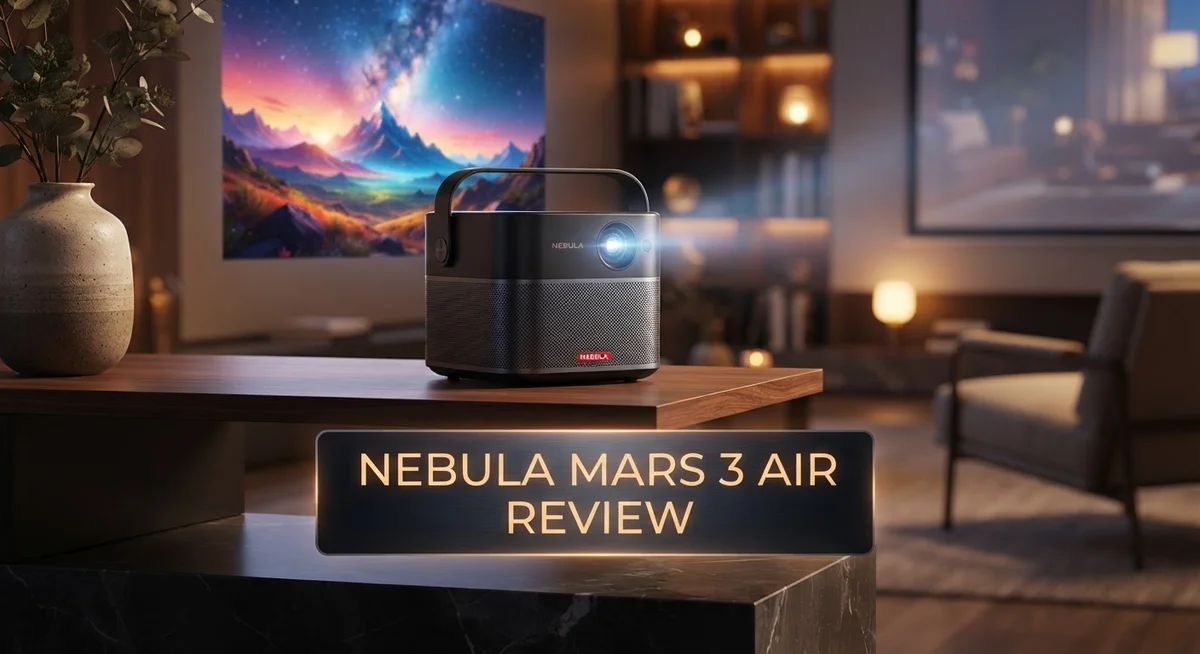
Looking for a projector that fits your life, not the other way around? The Nebula Mars 3 Air might be your answer.
This portable projector packs serious features into a compact body. It brings you a 1080p HDR display with 400 ANSI Lumens brightness. You get clear pictures even with some room lighting on.
Dual 8W Dolby Audio speakers give you rich sound. You won’t need extra speakers for movie nights or backyard screenings.
Built-in Google TV means your favorite shows are just a tap away. No extra streaming boxes. No messy setups.
Auto keystone, autofocus, and screen fit make setup quick and easy. Just place it down and let the projector do the work.
Its carry handle makes it simple to move from room to room or trip to trip. The battery gives you over 2 hours of playback for on the go viewing.
But how does it compare to other portable projectors? Does it beat out competitors like the Xgimi MoGo 4 or Nebula Capsule 3?
This review breaks down everything you need to know. We cover the pros, the cons, and everything in between. Let’s jump in.
In a Nutshell
Here’s the quick scoop on the Nebula Mars 3 Air:
- Picture quality stands out even with some room light on. The 1080p HDR display looks sharp for movies and shows.
- Brightness sits at 400 ANSI Lumens. This works great indoors but struggles outdoors or in bright daylight.
- Battery life lasts over two hours on standard settings. Eco mode stretches it further but dims the picture.
- The build feels solid and sturdy. It’s a bit heavy for constant travel, though.
- You get a reliable remote and smart features like autofocus and auto keystone. Setup takes just seconds.
- Streaming app support is a mixed bag. Some apps run smoothly, while others need extra tweaks.
- Compared to rivals like the Xgimi MoGo 4 and Nebula Capsule 3, this model leans toward stronger picture quality over ultra portability.
In short, this projector delivers strong visuals and smart convenience. It’s better suited for indoor movie nights than outdoor adventures.
Key Features and Specifications
The Nebula Mars 3 Air delivers a 1080p HDR display that brings movies and shows to life. This resolution works well for most viewing distances. You get crisp text and smooth motion without sacrificing detail.
Brightness matters when you use a projector in different spaces. The 400 ANSI Lumens output performs best in darker rooms. You can still watch with some ambient light, though results improve when you dim the room. This makes it less ideal for bright outdoor afternoons, but perfect for evening backyard movie nights.
Audio quality gets a real boost here. The dual 8W Dolby Audio speakers deliver sound that fills your space. You won’t need external speakers for casual viewing. Music and dialogue come through clear and balanced.
Battery performance gives you over two hours of runtime on standard settings. Eco mode extends this further but reduces brightness. This timeframe works for a movie or two without hunting for a power outlet. The carry handle makes transport simple, whether you move between rooms or pack it for trips.
Smart features set this model apart from basic projectors. Auto keystone fixes image angles automatically. Autofocus adjusts the picture sharpness without manual tweaking. Screen fit adapts the image to your wall size. Built in Google TV means apps load directly on the projector itself. You skip the hassle of connecting extra devices.
The construction feels sturdy and well made. Materials resist bumps and daily handling. The remote works smoothly and responds quickly to your commands.
One limitation stands out: no optical zoom. You must move the projector closer or farther to adjust image size. This differs from models with zoom lenses that stay in one spot.
Streaming app compatibility varies. Some apps work flawlessly. Others experience occasional glitches. This inconsistency can frustrate users who rely on specific platforms.
The Nebula Mars 3 Air balances portability with performance. It excels at delivering sharp visuals and convenient features. Weight and size matter if you move it constantly. Overall, this projector suits people who value picture quality and smart functionality over maximum brightness or optical zoom.

- Take the Big Screen Anywhere: This portable Google TV projector lets you watch all of your...
- Jaw-Dropping Display: Enjoy a truly cinematic experience with rich detail and high clarity...
Last update on 2026-09-19 / Affiliate links / Images from Amazon Product Advertising API
Design and Build Quality
The Nebula Mars 3 Air shows real attention to detail in how it’s put together. The projector weighs around 2.2 pounds, which makes it genuinely portable without feeling flimsy.
The body uses a mix of metal and plastic materials that work well together. The finish feels smooth and premium to the touch. You notice the quality right away when you hold it.
A carry handle sits on top of the unit. This handle makes grabbing the projector simple whether you’re moving between rooms or packing for a trip. The grip feels comfortable and secure in your hand.
The lens sits front and center with protective elements around it. The cooling vents are positioned smartly to keep heat away from your hands during use. Air flows through without creating loud fan noise that distracts you.
Buttons and controls sit on the top surface where you can reach them easily. The layout makes sense and doesn’t feel crowded. Everything has its place.
The projector connects to power through a standard USB C port. This means you can charge it with cables you likely already own. The battery compartment sits safely inside without any exposed parts.
The remote that comes with it feels solid in your hands. Buttons respond quickly when you press them. The layout puts common functions right where you expect them.
Build quality stands up to regular use and transport. The hinges and moving parts show durability. There’s no creaking or loose components when you handle it.
One thing to note: the projector is somewhat bulky for a portable device. It’s not pocket sized, so you’ll need a bag to carry it comfortably. The weight adds up if you’re holding it for long periods without support.
The overall design prioritizes functionality over flash. Everything serves a purpose. The projector looks clean and modern without unnecessary decorations.
This build quality means your Nebula Mars 3 Air should last through years of regular use. The materials resist wear and tear from travel and daily handling.
Picture Quality and Brightness Performance
The Nebula Mars 3 Air delivers impressive picture quality that holds up remarkably well in mixed lighting conditions. You can watch movies and shows with some room lights on without losing detail or color accuracy. The 1080p HDR display renders sharp images with good contrast and vibrant colors.
At 400 ANSI Lumens, this projector sits in the middle ground for brightness performance. You’ll get solid results in dimly lit rooms and during evening viewing sessions. The brightness level works best indoors or in shaded outdoor spaces rather than direct sunlight situations.
One standout feature is the automatic brightness adjustment. The projector senses your environment and adapts the output accordingly. This means you spend less time fiddling with manual settings and more time enjoying your content.
The autofocus system keeps images sharp without manual tweaking. You point, it focuses, and you’re ready to watch. This automation makes setup quick and painless, even if you move the projector between different locations throughout your home.
Screen fit technology adds another convenience layer. The projector automatically adjusts the image size to match your screen or wall dimensions. Combined with auto keystone correction, you get a perfectly aligned picture without wrestling with controls.
The HDR support enhances darker scenes and bright highlights simultaneously. Black levels appear deeper, and bright areas retain detail instead of washing out. Movies and streaming content look noticeably better than standard dynamic range presentations.
Color accuracy remains consistent across different content types. Whether you’re watching sports, documentaries, or action films, colors stay true to the source material. The display doesn’t oversaturate or underdeliver on color reproduction.
One limitation worth noting: the projector lacks optical zoom capability. You’ll need to physically move it closer or farther from your screen to adjust image size. This isn’t a dealbreaker for most users, but it does require more manual positioning compared to projectors with zoom lenses.
The brightness performance suits casual home viewing and portable use scenarios. For dedicated home theater rooms, you might want something brighter. For travel and flexible room setup, this brightness level performs admirably.
Top 3 Alternatives
Anker Nebula Capsule

- Super-Sized Screen, Portable Design: Capsule 3 is an all-new ultra-portable Google TV projector...
- Take the Big Screen Anywhere: With a max screen size of 120 inches, Capsule 3 delivers a...
Last update on 2026-09-21 / Affiliate links / Images from Amazon Product Advertising API
The Anker Nebula Capsule offers compact portability that fits in your palm. This projector delivers bright visuals with solid color accuracy. You get automatic focus and keystone correction, which means setup takes seconds. The built-in speaker provides decent sound for casual viewing. Battery life keeps your movie nights going for hours without needing a power outlet.
ASUS ZenBeam Latte

- High Image Resolution: ZenBeam E2 movie projector with up to 300 LED lumens output and 1280 x...
- Innovative Modern Design: This mini projector with Wi-Fi and Bluetooth not only enhances space...

Last update on 2026-09-19 / Affiliate links / Images from Amazon Product Advertising API
ASUS ZenBeam Latte brings stylish design with real functionality. This projector uses LED technology for long lamp life. The wireless connectivity lets you stream from phones and laptops easily. Image quality stays sharp even in moderately lit rooms. The compact size makes it perfect for travel or small spaces.
ViewSonic M1 Mini

- For Projection Needs From Cookie Decorating to Movies: Pocket projector produces clear and...
- Multiple Wired & Wireless Connectivity Methods: Pico projector built-in Type C/HDMI/AV/Micro SD...
Last update on 2026-09-19 / Affiliate links / Images from Amazon Product Advertising API
ViewSonic M1 Mini combines premium brightness with sharp image quality. This projector handles both bright and dark environments well. You get multiple input options including HDMI and USB-C. The compact form factor doesn’t compromise on performance. Built-in speaker delivers clear audio for presentations and entertainment. The projector includes useful features like auto focus and manual keystone adjustment.
Each alternative brings different strengths. The Anker Nebula Capsule excels in portability. ASUS ZenBeam Latte offers stylish aesthetics. ViewSonic M1 Mini provides superior brightness levels. Your choice depends on whether you prioritize pocket-friendly size, design appeal, or image brightness. All three projectors handle streaming, gaming, and presentations smoothly. Consider your main use case before deciding which one fits your needs best.
Audio and Smart Features
The Nebula Mars 3 Air packs dual 8W speakers that deliver Dolby Audio support. This means you get clear dialogue and rich sound without needing external speakers for casual viewing.
The audio quality shines during action scenes. Explosions and music feel immersive through the built in speakers. Quiet moments preserve detail too. Voices stay crisp even at lower volumes. You won’t experience distortion when you turn up the sound for an intense scene.
Google TV integration stands as the biggest smart feature here. You access Netflix, YouTube, Prime Video, and other apps directly from the projector. No extra devices needed. The system runs smoothly for everyday streaming. App loading times feel responsive on most platforms.
The remote control works reliably for navigation. You can adjust volume, brightness, and app selection without standing up. The buttons feel intuitive once you spend a few minutes with them. Voice search capability helps you find content faster.
Auto keystone and autofocus handle setup automatically. The projector detects your wall or screen and adjusts the image shape on its own. Focus sharpens without manual intervention. This saves you from frustrating setup delays. Screen fit technology lets the projector adapt to different screen sizes automatically.
One important note: streaming app support varies. Some services work perfectly while others show occasional hiccups. This depends on the specific app and your internet connection speed. Most popular platforms perform well overall.
The smart features work together smoothly. You can pause on your phone and resume on the projector. Content recommendations appear based on your viewing habits. Updates happen in the background without interrupting your movies.
The combination of audio quality and smart features makes this projector ideal for entertainment focused users. You get movie theater sound without a separate sound system. Google TV gives you access to everything you watch at home. The automatic adjustments mean less time fiddling with settings and more time enjoying content.
Battery Life and Portability
The Nebula Mars 3 Air shines when you need a projector that moves with you. The 2+ hour battery life keeps movies and presentations running without hunting for an outlet. This runtime works best in eco mode, though you’ll notice the brightness dips slightly when power saving activates.
Weight and size matter for portability. This projector sits on the heavier side compared to ultra compact models. The carry handle makes transport easier, but you’ll feel it in your hands during longer trips. Think of it as the sweet spot between full desktop projectors and pocket sized alternatives.
The dual 8W speakers mean you won’t need external audio for casual viewing. Dolby Audio support adds punch to action sequences and dialogue. Battery drain accelerates when you push brightness to maximum levels, so matching your environment helps extend runtime significantly.
Google TV integration keeps apps running smoothly on battery power. Streaming content pulls less energy than local files in most cases. The autofocus and auto keystone features activate instantly, saving battery compared to manual adjustments that require constant remote clicks.
Real world usage shows the battery performs best in dim rooms. Outdoor settings drain power faster because the projector works harder to compete with sunlight. The 400 ANSI Lumens brightness setting impacts how quickly the battery depletes during daytime use.
For travel scenarios, the projector handles short trips between hotel rooms and conference spaces effectively. The USB C charging port accepts standard power banks, though full recharge takes several hours. Bringing an adapter means you can top up during breaks.
The portability factor appeals most to business travelers and casual entertainment seekers. You gain freedom from wall mounted installations and permanent setups. The trade off involves accepting moderate weight and planning charging schedules around your viewing needs. Battery life remains reliable for typical 2 to 3 hour entertainment sessions without requiring a power outlet nearby.
Pros and Cons
Pros
- Strong 1080p picture quality that works well even with room lighting on
- Automatic keystone, autofocus, and screen fit handle setup without manual adjustment
- Portable design with carry handle makes it easy to move between rooms or take on trips
- Dual 8W speakers with Dolby Audio deliver solid sound for movies and shows without needing external speakers
- Built in Google TV keeps your favorite apps running smoothly on battery power
Cons
- 400 ANSI Lumens brightness limits outdoor use and performance in very bright rooms
- Battery life drops significantly when not using eco mode, restricting viewing time away from outlets
- No optical zoom means you cannot adjust image size from the projector itself
- Streaming app support varies, so not all apps may work reliably on the built in platform
- Relatively heavy and bulky compared to other portable projectors, which affects true travel convenience
Who Should Buy It
The Nebula Mars 3 Air works best for people who move around a lot. If you travel between rooms, hotels, or offices, this projector fits your lifestyle. The carry handle makes transport simple and quick.
Business travelers benefit most from this device. You can set up presentations in different conference spaces without hassle. Auto keystone and autofocus mean setup takes seconds, not minutes. You focus on your content, not on fiddling with equipment.
Entertainment lovers who want flexibility should consider this model. Movie nights in the bedroom, backyard gatherings, or living room viewing all work well. The 1080p picture stays clear even when room lights stay on. You don’t need complete darkness to enjoy your shows.
Casual viewers who skip external speakers will appreciate the dual 8W Dolby Audio system. You get decent sound without buying additional equipment. This saves space and simplifies your setup process.
People in dimly lit spaces get the most from the battery. The 2+ hour runtime works best when you use eco mode and stay indoors. If you plan outdoor movie nights, expect shorter viewing windows. You’ll want an outlet nearby for extended use outside.
The Google TV platform appeals to users who want instant access to apps. Netflix, YouTube, and other services load smoothly on battery power. You don’t need to connect external devices for streaming.
Skip this projector if you need outdoor use in bright daylight. The 400 ANSI Lumens brightness struggles against strong sunlight. You’ll see a dim, washed out image in those conditions.
Heavy use away from power sources isn’t ideal either. The battery drains faster without eco mode, limiting your viewing time. Frequent travelers who need all day projection should look elsewhere.
This projector shines for people who value portability and convenience. You get solid picture quality, good audio, and smart features all in one portable package. Setup happens automatically, and movement between spaces feels effortless. If your lifestyle demands flexibility and your viewing happens mostly indoors, the Mars 3 Air delivers exactly what you need.
Final Verdict
The Nebula Mars 3 Air earns its spot as a solid pick for anyone who wants a projector that travels well. Its build quality feels sturdy, and the remote control makes navigation simple.
Streaming app support isn’t perfectly consistent across all platforms. Some apps load faster than others, and a few require extra setup steps on first use.
The lack of optical zoom means you’ll need to physically move the unit to resize your image. This is a small tradeoff for a device this compact.
Compared to the Nebula Mars 3 (non Air), this version trades some brightness for a lighter frame. If raw lumens matter more to you than portability, the standard Mars 3 might suit your needs better.
Against rivals like the Xgimi MoGo 4 and BenQ GV50, the Mars 3 Air holds its own in picture clarity and audio output. Its automatic setup features give it an edge for users who hate fiddling with settings.
The Nebula Capsule 3 offers a smaller footprint, but it can’t match the Mars 3 Air’s screen quality or sound depth. Your choice depends on how much you prioritize size versus performance.
Who should buy this projector? Pick the Mars 3 Air if you want dependable indoor viewing, effortless setup, and audio that doesn’t need extra speakers. It fits people who host movie nights or need a screen for quick presentations.
Who should skip it? Skip this model if bright outdoor viewing is your main use case. Look elsewhere too if you need all day battery life without recharging.
Overall, the Nebula Mars 3 Air delivers where it counts most: picture quality, sound, and ease of use. It’s a smart choice for anyone who values convenience over raw power.
Frequently Asked Questions
Does the Nebula Mars 3 Air work well for outdoor movie nights?
The Mars 3 Air can handle outdoor use in shaded or evening settings. Its 400 ANSI Lumens brightness works best when the sun is down or when trees block direct sunlight. In bright daylight, the image becomes harder to see. If outdoor use is your main goal, you may want to explore brighter alternatives instead.
How long does the battery actually last during a movie?
You’ll get around 2+ hours of viewing time on a full charge. The length depends on your brightness settings and whether eco mode is active. Eco mode extends battery life but dims the picture. For longer sessions away from power, plan to bring the projector closer to an outlet or use it in eco mode.
Can I resize the image without moving the projector?
The Mars 3 Air lacks optical zoom, so you cannot adjust image size from your seat. You’ll need to physically move the unit closer or farther from your wall to change screen size. The autofocus and automatic keystone do adjust once you reposition it, making setup quick and simple.
How does this compare to the regular Nebula Mars 3?
The Air version trades some brightness for a more portable frame. Both deliver sharp picture quality and solid audio. The standard Mars 3 works better in very bright rooms, while the Air wins on mobility. Choose the Air if you move it frequently. Pick the standard model if brightness matters more than portability.
Is Google TV reliable on this projector?
Google TV runs smoothly on the Mars 3 Air and gives you instant access to Netflix, YouTube, and other apps. Streaming app support is generally solid, though some users report occasional inconsistencies with certain platforms. Most popular apps work without issues, and updates keep the system current.

Hi, I’m Sam! I’ve been passionate about technology for over a decade, fascinated by how innovative devices can transform our daily lives. As the founder of DeviceDiary.blog, I spend my days testing the latest gadgets, exploring AI innovations, and translating complex tech specs into practical insights.