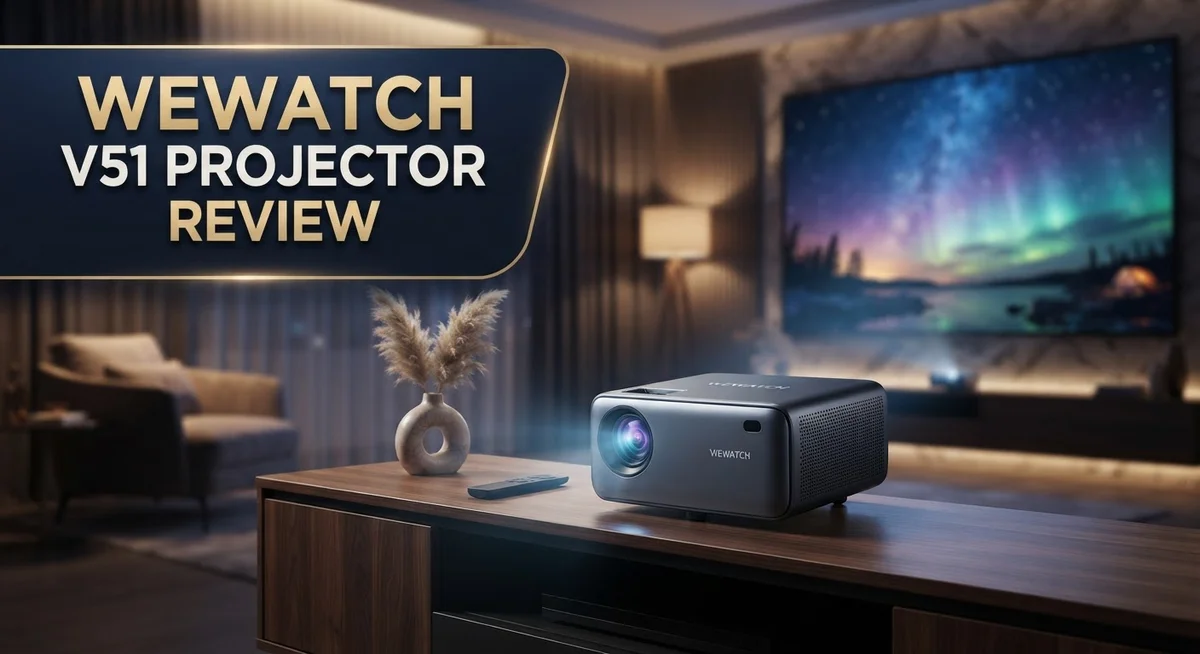
Looking for a projector that turns any wall into a big screen? The Wewatch V51 Projector promises full HD picture quality and a massive display size. But does it truly deliver a great home theater experience?
This review breaks down everything you need to know. We look at the native 1080P resolution and 4K support. We also test the projection range, which stretches up to 350 inches.
Brightness often makes or breaks a projector. The V51 offers 260 to 400 ANSI lumens depending on the model. We check how this holds up in real rooms with real light.
Connectivity matters too. This projector includes 5G Wi Fi, Bluetooth, HDMI, and USB options. That means easy streaming from your favorite devices.
Every projector has strengths and weaknesses. The V51 shows some fan noise and limited RAM. It also skips a microSD slot.
Stick with us. We will cover every spec, pro, and con. By the end, you will know if the Wewatch V51 fits your movie nights or gaming sessions.
In a Nutshell
Here’s a quick summary of what the Wewatch V51 Projector brings to your home theater setup.
-
Screen size flexibility: This projector scales from 40 inches to a massive 350 inches. You get room to grow your viewing experience.
-
Smart adjustments: The ±50° electronic keystone and zoom features help you fine tune the image fast. No need to move the projector around your room.
-
Compact build: At just 26cm wide and 11cm tall, this unit fits easily on a shelf or table. It does not take up much space.
-
Connection options: You get 5G Wi-Fi, Bluetooth, HDMI, VGA, and USB ports. Most devices connect without extra adapters.
-
Real world limits: Brightness stays lower than premium brands. Fan noise can also interrupt quiet scenes during movies.
-
Storage constraints: With only 1GB RAM and no microSD slot, this projector suits simple streaming setups better than heavy multitasking.
This projector works well for casual movie nights and basic presentations. It may not satisfy users who want cinema level clarity or expandable storage.
Key Features and Specifications
The Wewatch V51 gives you native 1080P resolution with 4K compatibility. This means you get sharp, detailed images on most streaming services and content types.
Brightness comes in two versions. The standard model delivers 260 ANSI lumens, while the Pro variant reaches 400 ANSI lumens. In real world rooms with ambient light, expect noticeably dimmer output compared to premium projectors from established brands. Dark rooms perform best with this unit.
The 10,000:1 dynamic contrast ratio handles both bright and dark scenes well. You’ll see good separation between blacks and whites without excessive gray wash. This contrast level sits solidly in the mid range for portable projectors.
Throw distance flexibility sets this projector apart. You can project anywhere from 40 inches up to a massive 350 inches depending on your room layout. The 1.5:1 throw ratio means you need less distance than traditional projectors to fill larger screens.
Adjustment features keep setup simple. The ±50° electronic keystone corrects angled projections automatically. Zoom capability ranges from 50% to 100%, so you fine tune the exact image size without moving the unit itself.
Physical design prioritizes portability. Measuring just 26cm wide, 23cm deep, and 11cm tall, this projector sits comfortably on shelves, tables, or stands. The compact footprint doesn’t sacrifice projection power or feature set.
Connectivity covers modern streaming needs. 5G Wi-Fi enables wireless casting from phones and tablets. Bluetooth connects to portable speakers for better audio. HDMI and VGA ports support traditional devices like laptops and cable boxes. USB 2.0 allows direct media playback from external drives.
Internal storage presents real limitations. Only 1GB RAM handles basic apps and streaming services. The absence of a microSD card slot means you cannot expand storage for local content libraries. This setup works fine for Netflix, YouTube, and similar platforms but struggles with large media collections.
Fan noise during operation requires mention. Extended viewing sessions may become distracting in quiet rooms. Ventilation runs continuously to keep components cool during projection.

- 【Smart Streaming Experience - No Extra Devices!】: Enjoy your favorite content with a Smart...
- 【FHD 4K Projector - Ultra-Fast WiFi 6】Experience the pinnacle of clarity with our Native...
Last update on 2026-10-19 / Affiliate links / Images from Amazon Product Advertising API
Design, Build Quality, and Portability
The Wewatch V51 keeps things simple with its compact footprint. This projector measures just 26cm wide, 23cm deep, and 11cm tall. You can place it on a shelf, desk, or bookcase without taking up much space.
The build quality shows mixed results. The chassis uses plastic construction that feels decent for everyday use. However, the lens assembly lacks the durability you’d find in premium competitors. The materials won’t win any awards, but they hold up fine for casual home theater setups.
Weight and transport matter if you move your projector around. The lightweight design means you can carry it between rooms or take it to a friend’s house without strain. No built in battery exists, so you’ll need a power outlet nearby. This limits outdoor use unless you have an extension cord available.
The physical design prioritizes accessibility over premium feel. All ports sit on the back and sides, making connections straightforward. The top features intuitive buttons for basic controls. You won’t struggle with confusing layouts or hard to reach switches.
Ventilation and cooling get attention through side vents. Air flows freely, which helps prevent overheating during extended viewing. The fan does produce noticeable noise, which we’ll address separately. The vent design works, though it’s not whisper quiet.
The projector’s throw ratio of 1.5:1 means you don’t need much distance between the unit and your wall. This flexibility helps in smaller rooms where space matters. You can project a large image from just a few feet away.
The overall build reflects what you get at this level. It’s not fragile, but it’s not rugged either. The plastic body shows no obvious weak points. Hinges and moving parts feel stable. The device should last years with normal use, though it won’t survive rough handling.
This projector suits people who want simplicity and portability. If you value lightweight design and easy setup, the V51 delivers. Just don’t expect premium materials or luxury construction.
Brightness, Contrast, and Image Quality
The Wewatch V51 delivers brightness levels between 260 and 400 ANSI lumens depending on which model you choose. This means the standard version sits at the lower end, while the Pro model pushes toward 400 lumens. Real world brightness matters more than specs alone, and this projector performs about five times dimmer than leading name brand competitors in actual use.
You’ll notice the brightness difference most in bright rooms. If your space gets strong natural light or you use overhead lamps, the image will look washed out. Dark rooms work much better with this projector. The 10,000:1 dynamic contrast ratio helps here. This strong contrast ratio means blacks stay deep and whites stay bright, even when brightness is lower overall.
Contrast performance is genuinely one of the V51’s strengths. The projector handles scenes with both bright and dark elements without losing detail in either area. Dark movie scenes retain shadow detail. Bright scenes don’t blow out into flat white patches. This balance keeps images looking natural and engaging.
Image quality sits at native 1080P resolution with 4K support. You get sharp, clear text and crisp edges on most content. Streaming services, movies, and presentations all display cleanly. The lens build quality doesn’t match premium brands, so edge sharpness may soften slightly at the screen’s outer corners, but the center stays solid.
The real limitation is brightness in mixed lighting conditions. If you plan to use this projector during daytime or with room lights on, expect underwhelming results. Dimming your space dramatically improves the viewing experience. The contrast ratio then becomes your best asset, creating punchy images with excellent black levels.
For movie nights, sports viewing, or presentations in controlled lighting, the V51 performs well. The combination of decent contrast and sharp 1080P resolution creates satisfying picture quality. Just remember that brightness stays modest compared to larger, more expensive alternatives. Your room setup and lighting control directly impact how happy you’ll be with the final image.
Top 3 Alternatives
Anker Nebula Capsule

- Super-Sized Screen, Portable Design: Capsule 3 is an all-new ultra-portable Google TV projector...
- Take the Big Screen Anywhere: With a max screen size of 120 inches, Capsule 3 delivers a...
Last update on 2026-10-19 / Affiliate links / Images from Amazon Product Advertising API
The Anker Nebula Capsule offers a compact design that fits in your pocket. This projector delivers sharp images with good brightness for indoor use. You get automatic focus technology that adjusts the picture instantly. The built-in speaker provides decent audio without needing extra equipment. Battery life lets you project for hours without plugging in.
The interface is simple and intuitive. Android TV comes pre-installed, so you access apps directly. Connectivity options include HDMI, USB-C, and wireless casting. Image quality remains steady even in slightly lit rooms.
ASUS ZenBeam Latte

- High Image Resolution: ZenBeam E2 movie projector with up to 300 LED lumens output and 1280 x...
- Innovative Modern Design: This mini projector with Wi-Fi and Bluetooth not only enhances space...

Last update on 2026-10-19 / Affiliate links / Images from Amazon Product Advertising API
The ASUS ZenBeam Latte combines a coffee maker with a projector design. This unique device projects crisp images while keeping your workspace stylish. LED light source ensures long lamp life and minimal maintenance. The projector handles meetings and presentations smoothly.
Brightness levels work well for conference rooms and offices. You can connect via HDMI or wireless methods easily. The compact footprint saves desk space. Audio quality is adequate for small group settings without external speakers.
Epson EF-12 Projector

Last update on 2026-10-19 / Affiliate links / Images from Amazon Product Advertising API
The Epson EF-12 Projector brings professional performance in a portable package. This device features 3LCD technology for vibrant, accurate colors. Brightness output suits both dark and bright environments. The laser light source lasts significantly longer than traditional bulbs.
Setup takes minutes with its simple mounting options. You get smooth connectivity through multiple ports. Image sharpness remains consistent across different projection distances. The cooling system runs quietly, making it ideal for presentations and entertainment.
Connectivity and Compatibility
The Wewatch V51 connects to your devices through multiple modern ports. You get 5G Wi-Fi for wireless streaming, which handles most apps smoothly. Bluetooth adds another wireless option for audio devices or remote controls.
HDMI remains the most reliable wired connection for laptops, gaming consoles, or streaming boxes. VGA lets you connect older projectors or desktop computers. USB 2.0 gives you extra flexibility for direct file access or power-hungry accessories.
Wi-Fi connectivity works well for apps like Netflix, YouTube, or Plex. The 5G band means faster data transfer than older 2.4G networks alone. You won’t experience major lag during streaming or app switching. However, the 1GB RAM limits how many apps run at once. Heavy multitasking can slow things down.
Bluetooth pairing happens quickly with speakers, soundbars, or wireless headphones. This feature matters if you want audio through external devices instead of the projector’s built-in speaker. The connection stays stable once paired.
The projector works with most standard devices. Windows laptops, MacBooks, and Android phones all connect without special software. iPhones require AirPlay support, which the V51 handles through its wireless system.
Storage constraints affect what you can do locally. Without a microSD card slot, you can’t expand storage beyond the internal memory. This pushes you toward cloud streaming rather than loading files directly onto the projector.
Compatibility remains straightforward for everyday use. The mix of Wi-Fi, Bluetooth, and physical ports covers common scenarios. You won’t struggle to connect phones, tablets, or computers. The real limitation appears when you want to store large video files or run multiple apps simultaneously.
For casual viewing and standard streaming setups, the V51 handles connections reliably. The wireless options make setup fast. Wired connections provide backup options if Wi-Fi drops. This balance works well for people who stream content rather than manage local libraries.
Projection Range and Keystone Adjustment
The Wewatch V51 gives you impressive flexibility when it comes to setting up your projection space. The throw ratio of 1.5:1 means you need minimal distance between the projector and your wall. This is a major advantage if you have a smaller room or limited setup options.
You can project screen sizes ranging from 40 inches all the way up to 350 inches. This massive range lets you adapt to almost any environment. Whether you’re in a bedroom, living room, or outdoor space, the V51 adjusts to fit your needs.
The electronic keystone adjustment is where this projector really shines for practical use. You get ±50 degrees of vertical keystone correction built in. This means you can place the projector on a shelf, table, or even mount it at an angle without worrying about trapezoid distortion on your screen.
Keystone adjustment works electronically, so you control it directly from the remote or menu. No physical tilting or manual adjustment required. This saves time during setup and keeps your image perfectly rectangular every time.
The zoom function offers 50 percent to 100 percent adjustment range. You can fine tune the image size without moving the projector itself. This flexibility makes the V51 practical for different room layouts and viewing distances.
Real world use shows these features work smoothly together. You can position the projector almost anywhere and still get a properly aligned image. The combination of throw ratio, keystone, and zoom gives you genuine setup freedom.
One thing to remember is that electronic keystone does process the image slightly. You won’t notice quality loss in most cases, but extreme keystone angles might affect sharpness at the edges. For normal viewing distances and moderate corrections, this remains invisible to your eye.
The projection range and adjustment options make the V51 versatile for both permanent and temporary setups. Whether you’re setting up a dedicated home theater or moving the projector between rooms, these features deliver practical value.
Pros and Cons
Pros
- Native 1080P resolution with 4K support delivers sharp images for movies, sports, and presentations
- Projects screen sizes from 40 inches up to 350 inches, giving you serious flexibility for any room
- Electronic keystone adjustment (±50°) lets you fix image angles without losing picture quality
- 10,000:1 contrast ratio produces deep blacks and bright whites that make content pop
- Multiple connectivity options including 5G Wi-Fi, Bluetooth, HDMI, and USB keep you connected to all your devices
Cons
- Brightness maxes out at 400 ANSI lumens in the Pro model, making it struggle in bright or daytime environments compared to name brand projectors
- No built-in battery means you need a power outlet every time you use it, limiting portability
- Only 1GB RAM and no microSD slot restrict local storage and app performance on the device
- Fan noise during operation can be distracting during quiet scenes or presentations
Who Should Buy It
The Wewatch V51 works best for people who want a simple, no-fuss projector for their home. You should consider it if you watch movies, sports, or shows regularly and want a big screen experience without complicated setup.
Students and casual gamers benefit from this projector too. The 1080P resolution handles streaming content and gaming well. The zoom feature lets you adjust image size easily, so you can project in different rooms without moving the unit around constantly.
If you work from home and need to present slides or documents, the V51 handles that job. The keystone adjustment keeps your image straight even if you mount the projector at an angle. This means you get flexibility with placement without technical headaches.
Renters love this projector because it’s portable and doesn’t require permanent installation. You can move it between rooms or take it to a friend’s house. The compact size makes storage simple when you’re not using it.
The V51 suits people who have dark or dimly lit spaces. Since brightness maxes out at 400 ANSI lumens, it performs best in bedrooms, basements, or home theaters where you can control the lighting. Daytime viewing or bright rooms are not ideal for this model.
You should skip this projector if you need something for outdoor use or well-lit areas. The low brightness means you’ll struggle with ambient light. Professional users who demand high-end image quality should also look elsewhere, as the lens build quality doesn’t match premium brands.
Families who want movie nights will find the V51 delivers good value for entertainment. The contrast ratio produces dark blacks that make action films and thrillers look engaging. Multiple connectivity options mean everyone can connect their devices easily.
Ultimately, the V51 targets people seeking straightforward home entertainment. You want reliable performance, easy setup, and flexibility in room placement. If your expectations match these basics, this projector becomes a solid choice for your viewing needs.
Final Verdict
The Wewatch V51 delivers a solid entry level projector experience. It packs useful features into a simple package. This makes it a smart pick for casual users.
Fan noise remains a real concern. Some users notice the fan gets loud during longer sessions. This can distract you during quiet movie scenes or presentations.
The 1GB RAM also limits how the projector handles smart features. There is no microSD slot either. This means you cannot expand storage for offline content.
Another point to note is the missing internal battery. You will need a constant power source to run this projector. This makes it less portable for outdoor trips or spontaneous use.
Build quality on the lens feels less refined than pricier brands. This does not ruin picture quality but shows in fine details. Sharp edges and text may look slightly softer during close inspection.
On the positive side, running this projector costs less than powering a large LCD TV. If you already stream often, this switch can lower your daily energy use. That is a nice bonus for regular movie nights.
Overall, the V51 works best as a casual home projector. It handles Netflix nights, gaming sessions, and simple presentations well. Just keep your expectations realistic about noise and material quality.
Who should buy this projector? Anyone wanting a simple, no-fuss screen upgrade for a dark room will enjoy it. It suits renters, students, and casual movie fans perfectly.
Who should skip it? Skip this model if you need whisper quiet operation or premium build materials. Also skip it if you plan to use it without direct access to a power outlet.
In short, the Wewatch V51 focuses on the essentials. It skips extra frills but still handles daily entertainment tasks smoothly. For most casual users, it hits a good balance between features and simplicity.
Frequently Asked Questions
Does the Wewatch V51 work in bright rooms?
The V51 struggles in bright or daytime environments. It maxes out at 400 ANSI lumens in the Pro model, which is significantly dimmer than name brand projectors. You’ll get the best image quality in dark or dimly lit spaces.
If your room gets natural sunlight or you use overhead lights, expect a washed out image. The projector performs best during evening movie nights or in rooms you can control the lighting in.
Can I use this projector without Wi-Fi?
Yes, you have multiple connection options. The V51 includes HDMI, VGA, USB 2.0, and Bluetooth connectivity. You can plug in a streaming device, laptop, or gaming console directly via HDMI without needing Wi-Fi at all.
The 5G Wi-Fi is there if you want wireless streaming, but it’s not required to use the projector.
How loud is the Wewatch V51?
Fan noise is a real concern with this model. During longer viewing sessions, the fan can get noticeably loud. If you’re sensitive to background noise during movies or presentations, you may find this frustrating.
The noise level increases when the projector works harder, so keep this in mind for quiet environments like bedrooms or offices.
What’s the throw distance I need?
The V51 offers excellent flexibility with a 1.5:1 throw ratio and can project screens from 40 inches up to 350 inches. This means you can place the projector close to the wall or far back in your room.
Electronic keystone adjustment (±50°) also lets you angle the image without losing picture quality, so installation is straightforward in most spaces.

Hi, I’m Sam! I’ve been passionate about technology for over a decade, fascinated by how innovative devices can transform our daily lives. As the founder of DeviceDiary.blog, I spend my days testing the latest gadgets, exploring AI innovations, and translating complex tech specs into practical insights.