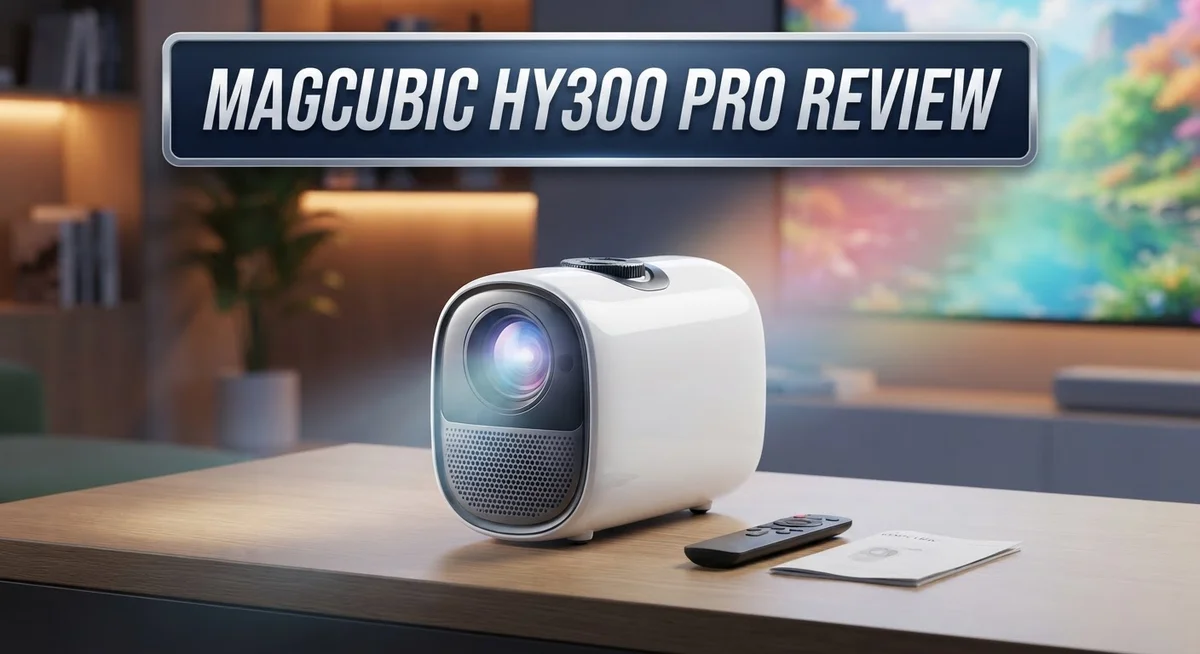
Want a projector that fits your lifestyle? The Magcubic HY300 Pro might catch your eye.
This small projector packs big features into a compact body. It works well for movie nights, gaming sessions, and casual presentations.
The HY300 Pro offers a native 720p resolution. It also supports 4K and 1080p content for extra flexibility.
You get auto keystone correction and auto focus built right in. These features make setup quick and simple. No more fussing with manual adjustments.
The 180 degree rotating stand adds convenience. You can project on walls or ceilings with ease.
WiFi 6 and Bluetooth 5.4 keep this projector connected. Streaming your favorite shows becomes effortless.
Screen size ranges from 35 inches to 130 inches. This gives you room to create a real home theater feel.
The built in 5W speaker adds decent sound. You get audio and video in one neat package.
Is the Magcubic HY300 Pro the right pick for your space? This review breaks down every feature. We cover the good, the bad, and everything you need to know before deciding.
In a Nutshell
Here’s what you need to know about the Magcubic HY300 Pro before you decide:
-
Portable design wins big. This projector fits easily into a backpack. You can carry it anywhere for movie nights or presentations.
-
Setup feels simple. Connect it to WiFi 6 and Bluetooth 5.4 devices without hassle. Most users get it running in minutes.
-
Resolution has limits. The native 720p display works fine for casual viewing. But it may struggle with sharp, detailed content.
-
Brightness stays modest. This projector shines best in dark rooms. Bright daytime viewing might feel washed out.
-
Missing cables cause minor annoyance. The package skips USB-C cables. You will need to source your own.
-
Competitors offer more punch. Brands like BenQ deliver higher brightness levels. But they come at a steeper cost and larger size.
The HY300 Pro suits casual users. It works great for those wanting a flexible, easy to use home theater option. Just keep your expectations realistic on resolution and brightness.
Key Features and Specifications
The Magcubic HY300 Pro delivers solid performance for casual viewing and entertainment. Its native 1280×720p resolution works well for movies, presentations, and streaming content. The projector also supports 4K and 1080p input, so you can connect higher resolution sources without compatibility issues.
Brightness reaches 200 ANSI lumens on the standard model. This level performs best in darkened rooms or evening use. If you need brighter output for well lit spaces, the PRO+ variant jumps to 1100 ANSI lumens for significantly more punch.
The auto keystone correction feature saves you setup time. The projector automatically straightens images even when positioned at angles. Combined with auto focus, you get sharp pictures without manual adjustment. The 180 degree rotating stand offers flexibility for different mounting positions and room layouts.
Connectivity options keep you covered. WiFi 6 provides fast wireless streaming. Bluetooth 5.4 connects to speakers and audio devices easily. You also get HDMI and a 3.5mm jack for wired connections. The built in 5W speaker handles basic audio needs, though external speakers deliver better sound quality.
Screen flexibility matters too. You can project anywhere from 35 inches up to 130 inches depending on your space and distance from the wall. This range works for small bedrooms, living rooms, and larger entertainment spaces.
One practical note: the package doesn’t include USB C cables. You’ll need to source these separately if you plan to connect USB devices directly.
The HY300 Pro focuses on convenience and portability over raw power. Its compact, lightweight design moves easily between rooms. Setup takes minutes rather than hours. The feature set punches above what you might expect at this level.
This projector suits people who value simplicity and ease of use. Movie nights, casual gaming, and presentations all work smoothly. If you demand cinema quality brightness or native 4K resolution, you’ll want to explore other options. For everyday entertainment and flexibility, the HY300 Pro delivers practical features in a portable package.

- NOTE: To ensure optimal performance of built-in applications, please manually update your...
- Portable & Powerful: The 2026 HY300Pro Projector is 30% smaller than the previous model and...
Last update on 2026-10-19 / Affiliate links / Images from Amazon Product Advertising API
Design, Portability, and Build Quality
The Magcubic HY300 Pro sits comfortably in your hand like a small cube. This projector weighs surprisingly little, making it easy to move from room to room. You can grab it and take it anywhere without strain.
The build quality feels solid. The exterior uses durable materials that resist daily wear. The 180 degree rotating stand lets you point the lens up, down, or straight ahead. This flexibility means you don’t need a separate tripod or wall mount. Just set it on a table and adjust the angle to fit your space.
Portability stands out as a real strength here. Unlike traditional projectors that need permanent installation, this device works anywhere. Your bedroom, living room, backyard, or office all become options. The compact frame takes up minimal shelf space when you’re not using it.
Setup happens fast. You connect power, select your input source, and the projector starts working. The auto focus feature means you don’t spend time manually adjusting sharpness. The auto keystone correction handles angled placement automatically. These conveniences save you from frustration during initial setup.
The 5W speaker sits built into the device. Sound comes directly from the projector without needing external speakers. For casual viewing, this works fine. If you want cinema quality audio, you can connect external speakers through Bluetooth 5.4 or the 3.5mm jack.
Connectivity options keep things modern. WiFi 6 delivers fast streaming from apps and devices. HDMI ports let you plug in gaming consoles, streaming boxes, or laptops. Bluetooth 5.4 pairs with wireless headphones or speakers instantly.
One small note: the package doesn’t include USB C cables. You’ll need to source these separately if you plan to charge via USB. This minor omission doesn’t affect performance, but it’s worth knowing upfront.
The overall design philosophy prioritizes ease over complexity. Everything works right out of the box. This approach appeals to users who want simple setup and reliable performance without technical headaches.
Image Quality and Brightness Performance
The Magcubic HY300 Pro delivers solid brightness for casual home viewing and entertainment spaces. The standard model produces 200 ANSI lumens, which works well in dimly lit rooms and evening use. This brightness level keeps images clear without harsh glare on smaller screens.
If you need more punch, the PRO+ variant jumps to 1100 ANSI lumens. That extra brightness handles brighter rooms and larger screen sizes much better. The difference matters when you project during daytime or in spaces with ambient light.
Image quality starts with the native 720p resolution. You get sharp text and crisp details for movies, presentations, and casual content. The projector also supports 1080p and 4K playback, though the native 720p means upscaled content won’t match true 4K sharpness. For streaming and standard entertainment, this works fine.
The auto focus feature keeps images sharp automatically. You won’t spend time manually adjusting focus rings. This is especially helpful when you move the projector around or change screen distances.
Color accuracy stays consistent across the 35 inch to 130 inch screen range. Larger projections maintain detail without significant color shift or distortion. The image stays stable even when you use the 180 degree rotating stand at different angles.
Contrast levels perform decently for the device class. Dark scenes show good shadow detail without crushing blacks. Bright scenes avoid blooming or washout. This balance makes movies and shows enjoyable without professional cinema quality.
One real strength is consistency. The HY300 Pro maintains steady brightness and color across extended use. No unexpected dimming or color drift during long viewing sessions.
The auto keystone correction also helps image quality. Tilted projections get straightened automatically, so you avoid distorted or warped images. This keeps every corner of your display sharp and properly aligned.
Overall, the image quality and brightness suit casual users, small rooms, and entertainment purposes. You won’t get theater level performance, but you get reliable, clear visuals that make streaming and content enjoyable every time.
Top 3 Alternatives
AAXA P7 Pico Projector
![[Battery] AAXA P7 Mini Projector with Battery, Native 1080P Resolution, 30,000 Hours LED Portable Projector, BT 4.0, Onboard Media Player, for Business and Home Theater](https://devicediary.blog/wp-content/plugins/aawp/public/image.php?url=YUhSMGNITTZMeTl0TG0xbFpHbGhMV0Z0WVhwdmJpNWpiMjB2YVcxaFoyVnpMMGt2TXpGTE1GbDRZMHBRWlV3dWFuQm58MTc5Mjc4Mjk0MA=)
- Native 1080p (1920x1080) Full High Definition Pixel Resolution mated to high MTF lens
- Brilliant 600 LED Lumen Brightness powered by RGB Luminus LEDs can achieve 120” screen sizes...
Last update on 2026-10-19 / Affiliate links / Images from Amazon Product Advertising API
The AAXA P7 stands out as a compact alternative for people who want portability. This projector weighs very little and fits inside bags easily. You get a native resolution that works well for presentations and casual viewing.
The brightness level performs adequately in dimly lit rooms. Battery life lets you use it without finding an outlet. Connection options include HDMI and USB ports for flexibility.
Anker Nebula Capsule

- Super-Sized Screen, Portable Design: Capsule 3 is an all-new ultra-portable Google TV projector...
- Take the Big Screen Anywhere: With a max screen size of 120 inches, Capsule 3 delivers a...
Last update on 2026-10-19 / Affiliate links / Images from Amazon Product Advertising API
The Anker Nebula Capsule offers smart features that appeal to tech-savvy users. This device runs Android, so you access apps directly without extra equipment. The auto-focus technology adjusts the image automatically.
Build quality feels solid and premium. Sound comes from built-in speakers that produce decent volume. Setup takes just minutes, and you control everything through your phone or remote.
ViewSonic M1 Mini Projector

- Seamless streaming with built-in Google TV & native Netflix app: Instantly access your...
- Impressive 1080p Full HD with Harman Kardon Audio: Enjoy crisp images and immersive sound...
Last update on 2026-10-19 / Affiliate links / Images from Amazon Product Advertising API
The ViewSonic M1 Mini combines practicality with performance. This projector delivers sharp images with good color accuracy. The rotating design lets you project at different angles and heights.
Connectivity includes wireless casting from phones and laptops. The lamp lasts longer than many competitors in this category. Portability remains excellent without sacrificing image quality or brightness levels.
Each option serves different needs. The AAXA P7 wins for extreme portability. The Anker Nebula Capsule excels with smart features and app support. The ViewSonic M1 Mini balances performance with flexibility. Your choice depends on whether you prioritize size, smart functions, or image quality for your specific use case.
Connectivity and Setup Ease
The Magcubic HY300 Pro makes getting started a straightforward experience. You won’t need technical skills to connect this projector to your devices.
WiFi 6 connectivity lets you stream content wirelessly from your phone, laptop, or tablet. The connection stays stable and responsive. Bluetooth 5.4 pairs instantly with wireless speakers if you want better audio than the built-in 5W speaker provides. HDMI ports give you a wired option for devices that prefer direct connection. The 3.5mm jack adds another layer of flexibility for audio sources.
Setup happens in minutes, not hours. The projector arrives ready to use. You plug it in, aim it at your wall or screen, and the auto focus feature adjusts the image sharpness automatically. No manual tweaking required. The auto keystone correction handles angle problems on its own. If your projector sits at an odd angle, the image stays rectangular and properly aligned.
The rotating stand deserves mention here. It rotates 180 degrees, so you can position the projector in ways that work for your space. This flexibility means you don’t need a fixed installation setup. Move it from your bedroom to your living room whenever you want.
One practical note about the package contents: USB-C cables don’t come included. You may need to grab one separately if your devices rely on USB-C connections. This minor detail won’t slow down your setup, but it’s worth knowing upfront.
The overall experience prioritizes simplicity. Everything connects intuitively. The menu system responds quickly to your commands. Once you get the basics down, adjusting settings becomes second nature. Even first-time projector users find the HY300 Pro approachable.
Connectivity options stay modern without overwhelming you with choices. WiFi, Bluetooth, HDMI, and audio jack coverage means almost any device works with this projector. The balance between features and ease of use makes this model stand out for people who want functionality without complexity.
Auto Focus and Keystone Correction
The auto focus system on the Magcubic HY300 Pro works silently in the background. You point the projector at your screen or wall, and the lens adjusts itself automatically. This means you don’t have to manually twist focus rings or hunt for the sweet spot. The image sharpens up on its own within seconds.
Auto focus saves real time during setup. Most people just want to press power and watch content. Manual focus requires patience and precision. The HY300 Pro skips that friction entirely. Whether you’re projecting from 6 feet away or 20 feet away, the system adapts to your distance automatically.
The keystone correction feature handles another common projector problem. When you place a projector at an angle instead of perfectly perpendicular to your screen, the image becomes a trapezoid. Keystone correction fixes this digital distortion. The HY300 Pro applies this correction automatically, so your rectangular content stays rectangular.
This automatic adjustment matters more than it sounds. Real rooms rarely have perfect wall placement. Ceilings have different heights. Furniture sits in odd spots. You might mount the projector off to the side or tilt it upward. The keystone system compensates for all these real world scenarios without you touching a single menu.
The combination of auto focus and auto keystone correction removes two major setup obstacles. Beginners appreciate this because they don’t need to understand projection geometry or optics. Experienced users appreciate it because it cuts setup time from 15 minutes to 2 minutes.
Both features work together to deliver consistent image quality. A sharp, properly aligned image looks noticeably better than a blurry or skewed one. The HY300 Pro handles these adjustments independently, so you get professional results without professional knowledge.
These automatic systems reflect the device’s overall design philosophy. The projector wants to get out of your way. It handles the technical details so you can focus on content. For casual users and first time projector owners, this approach eliminates common frustration points entirely.
Pros and Cons
Pros
- Compact and lightweight design makes moving between rooms effortless
- WiFi 6 and Bluetooth 5.4 let you connect phones, tablets, and laptops instantly
- Auto focus and auto keystone correction handle setup without manual tweaking
- 180° rotating stand adapts to different room layouts and ceiling heights
- Feature set punches above its class for everyday entertainment and casual viewing
Cons
- Native 720p resolution limits sharpness compared to 1080p projectors
- 200 ANSI brightness feels dim in well-lit rooms or larger spaces
- USB-C cables do not come in the box, requiring a separate purchase
- 5W speaker provides basic audio and may need an external sound system for better quality
Who Should Buy It
The Magcubic HY300 Pro works best for specific types of users and viewing situations.
Casual home entertainment fans should consider this projector. You want movies, shows, and gaming on a big screen without complex setup. The auto focus and keystone correction mean you skip the technical frustration. Just plug it in, aim it at a wall, and watch.
People who move their projector between rooms benefit from the lightweight, compact design. The 180° rotating stand adapts to different spaces quickly. If your living room becomes your bedroom projector, this portability matters. You won’t struggle with heavy equipment or complicated repositioning.
Streaming-focused viewers appreciate the WiFi 6 and Bluetooth 5.4 connectivity. You stream from your phone, tablet, or laptop instantly. No cables required unless you want them. The 35″ to 130″ screen size range fits most room dimensions.
Small space dwellers gain flexibility here. The projector works in apartments, dorm rooms, or small offices. You create a large display without mounting permanent equipment.
Who should skip this model? Anyone needing sharp text and detailed visuals should look elsewhere. The native 720p resolution shows pixelation on smaller screens or when viewing from close distances. If you work with spreadsheets, edit documents, or do detailed design work, you’ll notice the softness.
Bright room users face challenges too. The 200 ANSI brightness struggles against sunlight or strong indoor lighting. You need a darker environment for comfortable viewing. If your space gets lots of natural light during the day, consider this limitation.
Audio enthusiasts requiring premium sound should plan for external speakers. The 5W built-in speaker handles background audio only. Movie lovers wanting immersive sound need a separate system.
Professional users seeking presentation or business applications should evaluate higher-end alternatives. This projector excels at entertainment, not boardroom displays.
The HY300 Pro shines for relaxed viewing, portability, and simple setup. Match your actual needs against these scenarios to decide if it fits your situation.
Final Verdict
The Magcubic HY300 Pro delivers a solid package for casual projector needs. It brings smart automation and simple connectivity into one compact unit.
This projector shines brightest for people who want quick setup without technical hassle. Auto focus and keystone correction remove the guesswork from installation.
Families and small groups who watch movies or stream shows will find plenty to like here. The device handles everyday entertainment tasks without fuss or complications.
However, this is not a projector for perfectionists. Sharp text, fine detail, and vivid brightness are not its strong points.
Home theater purists and those craving cinema level clarity should look at higher tier alternatives. Models like the BenQ TH575 or BenQ HT2060 offer better resolution and brightness for serious viewing.
The HY300 Pro instead targets flexibility and simplicity over raw performance. It fits users who prioritize convenience over technical specifications.
Think of it as a practical entry point into projector ownership. It works well for dorm rooms, apartments, or casual family movie nights.
Bright rooms and large screens will expose its limitations quickly. Keep expectations realistic for the environment you plan to use it in.
For anyone exploring the broader HY300 lineup, the PRO+, X, and Ultra variants offer upgraded specs. These alternatives might suit users wanting more brightness or resolution without switching brands entirely.
Overall, this projector succeeds at what it promises. It offers a user friendly experience with smart features that simplify projector ownership.
The trade offs are clear and reasonable given its target audience. Anyone seeking hassle free entertainment will appreciate what this device offers.
Casual viewers and mobile users stand to benefit most from this purchase. Buyers wanting premium image quality should explore other options on this list instead.
In short, the Magcubic HY300 Pro earns its place among practical home projectors. It delivers convenience first, with decent performance as a bonus.
Frequently Asked Questions
Does the HY300 Pro work in bright rooms?
The 200 ANSI brightness on the standard model struggles in well-lit spaces. You’ll see a washed-out image if sunlight hits the screen or if your room has lots of overhead lights. For daytime viewing or bright environments, consider closing curtains or dimming lights. If you frequently watch in bright conditions, the PRO+ variant with 1100 ANSI brightness performs much better.
Can I use this projector for text and detailed work?
The native 720p resolution makes small text appear soft and blurry. If you plan to display spreadsheets, presentations, or read subtitles from a distance, this projector may frustrate you. The 4K support helps somewhat, but native clarity tops out at 720p. For sharp, crisp text and fine details, a 1080p or higher resolution projector serves you better.
What audio setup do I need?
The built-in 5W speaker handles basic sound for casual viewing. For movies, gaming, or serious listening, external speakers make a real difference. You can connect a Bluetooth speaker, soundbar, or traditional stereo system through the 3.5mm jack. Many owners pair this projector with a simple Bluetooth soundbar for minimal extra cost and effort.
Is setup really automatic?
Yes. Auto keystone correction fixes tilted images without manual adjustment. Auto focus sharpens the picture by itself. WiFi 6 and Bluetooth 5.4 connect quickly to phones, tablets, and laptops. You mount it, power it on, and start streaming. The 180° rotating stand lets you aim it at ceilings or walls instantly. Setup takes minutes, not hours.
How big can the screen get?
You can project from 35 inches up to 130 inches depending on your room distance. Smaller spaces work fine with 35 to 60 inch screens. Larger rooms benefit from 80 to 130 inch displays. Check your throw distance (the space between projector and wall) before buying to find your ideal screen size.

Hi, I’m Sam! I’ve been passionate about technology for over a decade, fascinated by how innovative devices can transform our daily lives. As the founder of DeviceDiary.blog, I spend my days testing the latest gadgets, exploring AI innovations, and translating complex tech specs into practical insights.